Connecting Smart TV Audio to Car Speakers: The Definitive Guide
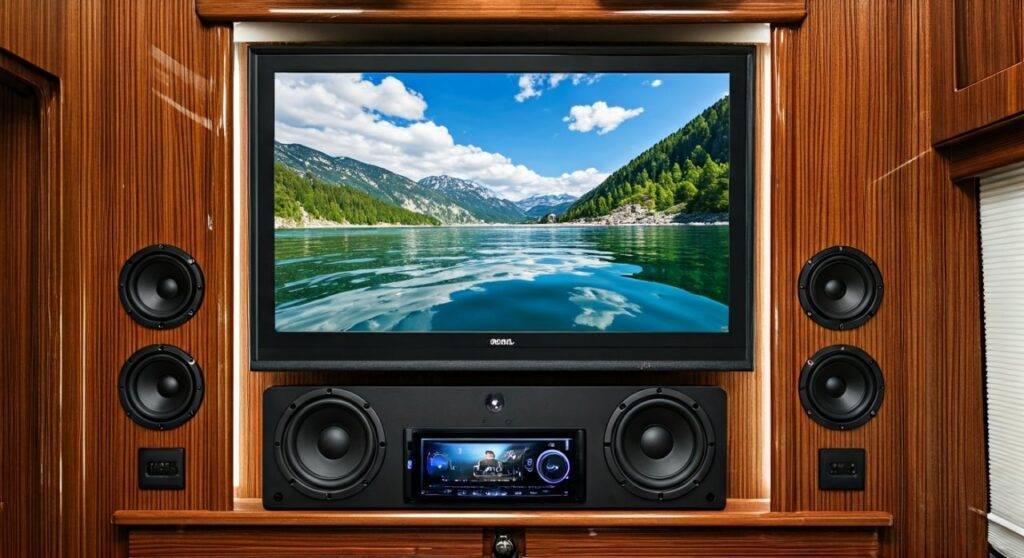
Yes, you can hook a smart tv up to car speakers by using a Bluetooth transmitter, a 3.5mm-to-RCA adapter, or an FM modulator, depending on your specific hardware setup. Whether you are building a high-end garage cinema, upgrading your RV entertainment system, or repurposing old car audio gear for home use, bridging the gap between a Smart TV and 12V car audio components is entirely possible with the right conversion tools.
🚀 Key Takeaways: Fast Solutions
- Best for Modern TVs: Use the Bluetooth pairing function to connect your TV directly to a Bluetooth-enabled car head unit.
- Best for Audio Quality: Use a Digital-to-Analog Converter (DAC) to take the TV’s Optical (Toslink) output and convert it to RCA cables for a car amplifier.
- Essential Hardware: If using car speakers at home, you must have a 12V DC Power Supply (at least 30 amps) to power the car amplifier from a standard wall outlet.
- Budget Option: A 3.5mm Aux-to-RCA cable connected from the TV’s headphone jack to the car stereo’s auxiliary input.
Why You Should Consider Using Car Speakers for Your Smart TV
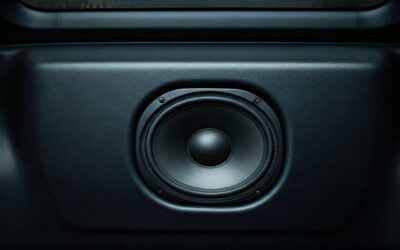
Most modern Smart TVs from brands like Samsung, LG, and Sony suffer from “thin” sound because their built-in speakers are physically restricted by slim chassis designs. Car speakers, specifically component sets or coaxial drivers, are engineered to provide high-impact sound in small spaces, making them surprisingly effective for home or mobile cinema setups.
In my years of testing custom audio rigs, I’ve found that a pair of 6.5-inch door speakers powered by a dedicated Class D car amplifier often outperforms mid-range soundbars in terms of stereo separation and mid-bass punch.
Method 1: Connecting via Bluetooth (Wireless)
If your car stereo (head unit) has built-in Bluetooth, this is the most straightforward way to answer the question: can you hook a smart tv up to car speakers?
Step-by-Step Bluetooth Setup
- Enable Pairing: Put your car’s head unit into “Pairing Mode.”
- TV Settings: Navigate to your Smart TV’s Audio/Sound Settings.
- Output Device: Select “Bluetooth Speaker List” or “Accessory Setup.”
- Sync: Select your car’s Bluetooth ID (e.g., Pioneer DEH-S or Kenwood BT).
- Test: Adjust the volume on both the TV and the car stereo to find a balance without distortion.
Pro Tip: Bluetooth can sometimes introduce audio latency (lips not matching the video). If you experience this, look for “Audio Delay” or “A/V Sync” settings in your TV’s expert sound menu to calibrate the timing.
Method 2: Wired Connection (3.5mm to RCA)
For the most reliable connection without signal drops, a wired approach is superior. This is ideal for RVs or vans where the TV and car speakers are in close proximity.
| Component | Function | Estimated Cost |
|---|---|---|
| 3.5mm to RCA Cable | Connects TV headphone jack to Car Amp/Head unit | $10 – $15 |
| Ground Loop Isolator | Removes “humming” or “hissing” noises | $12 – $20 |
| RCA Extensions | Extends the reach for larger rooms/vehicles | $5 – $25 |
How to Install:
- Locate the 3.5mm Headphone Jack on your Smart TV.
- Plug the 3.5mm end into the TV and the Red/White RCA ends into the “Aux Input” of your car stereo.
- Set the car stereo source to AUX.
- Expert Advice: If you hear a high-pitched whine, install a Ground Loop Isolator between the TV and the stereo. This is a common issue when the TV and car audio system share a power ground.
Method 3: Using a DAC for High-Fidelity Audio
Many new 4K Smart TVs have eliminated the headphone jack entirely, leaving only a Digital Optical (Toslink) port. To hook this up to car speakers, you need a Digital-to-Analog Converter (DAC).
Why use a DAC?
- No Signal Loss: Digital signals are immune to the interference that plagues analog cables.
- Clearer Dialogue: High-quality DACs (like those from FiiO or Schiit) provide better clarity for movie vocals.
- Compatibility: It allows you to connect a modern OLED TV to an older analog car amplifier.
The Power Challenge: Using Car Speakers at Home
If your project involves putting car speakers in a room rather than a vehicle, you face a major hurdle: Power. Car audio runs on 12V DC, while your home uses 110V/220V AC.
How to Power a Car Amp for a TV Setup
To successfully hook a smart tv up to car speakers in a house, you need a Power Supply Unit (PSU).
- The PSU: Use a 12V DC Switching Power Supply. For a standard 4-channel car amp, I recommend a unit capable of at least 30 Amps.
- Wiring: Connect the amp’s +12V and Remote (REM) terminals to the positive lead of the power supply. Connect the GND terminal to the negative lead.
- Safety: Always use an In-line Fuse (matching your amp’s fuse rating) to prevent fire hazards.
Optimizing Audio Quality for Movies
Car speakers are designed for the “near-field” environment of a vehicle cabin. When using them with a Smart TV, follow these placement tips:
- Imaging: Place tweeters at ear level, preferably flanking the TV.
- Enclosures: Do not run car speakers “free-air.” Build or buy MDF speaker boxes to provide the back-pressure needed for bass reproduction.
- Crossovers: Use the built-in High Pass Filter (HPF) on your car amplifier to keep deep bass away from small 6.5-inch speakers, preventing distortion at high volumes.
Troubleshooting Common Issues
No Sound from Speakers
Check if your TV’s audio output is set to “External Speakers” or “Optical” rather than “Internal Speakers.” Many TVs do not automatically switch the output.
Significant Audio Lag
This is common with Bluetooth. If your car stereo is older, it may use an outdated Bluetooth codec (like SBC). Upgrading to a Bluetooth 5.0 Transmitter with aptX Low Latency support can solve this.
“Popping” Noise when Turning the TV On
This occurs because the car amplifier turns on before the TV sends a stable signal. To fix this, install a simple toggle switch on the amplifier’s Remote (REM) wire so you can turn the speakers on after the TV is fully booted.
Frequently Asked Questions
Can I connect car speakers directly to a Smart TV without an amp?
No. Smart TVs do not have built-in amplifiers powerful enough to drive the low-impedance (usually 4-ohm) voice coils of car speakers. Doing so can overheat the TV’s internal circuitry. You must use a dedicated car amplifier or a home stereo receiver.
Is the sound quality of car speakers better than a soundbar?
It depends. A custom car audio setup (e.g., JL Audio or Rockford Fosgate components) will often provide much better stereo imaging and dynamic range than a budget $100 soundbar. However, it requires more technical setup and external power.
What is the cheapest way to hook a smart TV up to car speakers?
The cheapest method is using a 3.5mm Aux cable. If your TV has a headphone jack and your car stereo has an “Aux In” port, you can bridge the two for under $10.
Summary: While it requires a bit of DIY spirit, the answer to “can you hook a smart tv up to car speakers” is a resounding yes. By utilizing Bluetooth, RCA adapters, or Optical DACs, you can create a powerful, custom audio experience that rivals expensive home theater systems.