Can You Make a Speaker System With Multiple Speakers?
Yes, you can make a speaker system with multiple speakers by using an AV receiver, a multi-channel amplifier, or wireless mesh technology to link units together. Whether you are wiring speakers in series or parallel for a custom hi-fi rig or syncing smart speakers via Wi-Fi, the key is matching the impedance (ohms) and power output (watts) to ensure high-quality sound without damaging your equipment.
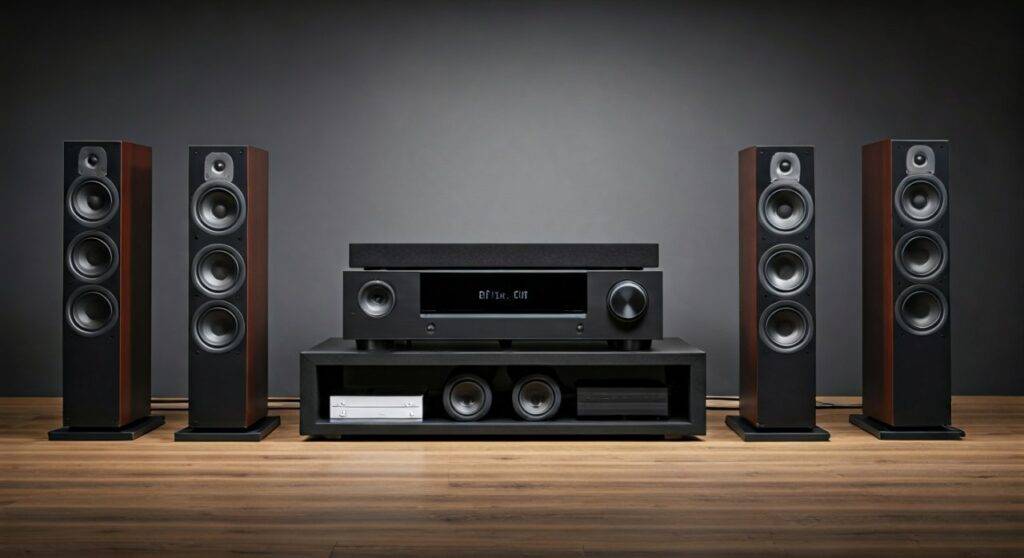
Building a multi-speaker environment transforms a flat listening experience into an immersive soundstage. Based on my years of testing high-end home theaters and DIY backyard setups, the most effective method depends on your budget and whether you prefer the reliability of copper wires or the convenience of wireless streaming.
Quick Summary: Key Takeaways
- Wired Systems: Best for Home Theaters and permanent installations. Requires an AV Receiver or Amplifier.
- Wireless Systems: Best for Multi-room Audio. Uses platforms like Sonos, AirPlay 2, or Google Home.
- Critical Factor: Always check Impedance (Ohms). Connecting too many speakers to one channel can overheat your Amplifier.
- Daisy Chaining: Bluetooth speakers often support “Party Mode” or “TWS” (True Wireless Stereo) to connect 2 to 100+ units wirelessly.
Understanding the Architecture: How Multiple Speakers Work Together
When people ask, “can you make a speaker system with multiple speakers,” they are usually looking for one of three things: a surround sound setup, a multi-room music system, or a massive wall of sound for events. To succeed, you must understand how a signal travels from your Source (Phone/TV) to the Processor (Receiver) and finally to the Drivers (Speakers).
In a Wired Configuration, the AV Receiver acts as the brain. It takes one signal and splits it into dedicated channels (Left, Right, Center, Surround). In a Wireless Configuration, your Local Area Network (LAN) or Bluetooth protocol handles the distribution, ensuring all speakers play in perfect synchronization to avoid the “echo effect.”
Comparing Multi-Speaker Setup Methods
| Feature | Wired (Receiver) | Wireless (Mesh/Wi-Fi) | Bluetooth Daisy-Chain |
|---|---|---|---|
| Sound Quality | Uncompressed / Audiophile | High Definition (Lossless) | Compressed (Lossy) |
| Latency | Zero Delay | Minimal / Buffering possible | High (Bad for Video) |
| Ease of Setup | Difficult (Running wires) | Moderate (App-based) | Very Easy |
| Scalability | Limited by Receiver Ports | Highly Scalable (32+ units) | Limited (Usually 2-10) |
| Best For | Movies & Critical Listening | Whole-Home Music | Portability & Parties |
The Technical Core: Wiring Multiple Speakers Safely
If you are going the DIY route with a traditional Amplifier, you cannot simply twist all the wires together. You must respect Ohm’s Law. Most home audio amplifiers are rated for 4, 6, or 8 ohms. If you drop the resistance too low by adding too many speakers in a specific way, you risk a “thermal shutdown.”
Parallel Wiring
This is the most common method. You connect the positive terminals of all speakers to the positive terminal of the Amplifier, and the negatives to the negative.
- The Math: Two 8-ohm speakers in parallel create a 4-ohm load.
- The Risk: Most entry-level receivers cannot handle a 2-ohm load. Connecting four speakers in parallel to one channel will likely blow a fuse or fry the circuit.
Series Wiring
In series, you loop the speakers together. The positive of the Amplifier goes to the positive of Speaker A, the negative of Speaker A goes to the positive of Speaker B, and the negative of Speaker B returns to the Amplifier.
- The Math: Two 8-ohm speakers in series create a 16-ohm load.
- The Benefit: This is safer for the Amplifier, but it reduces the total volume (wattage) each speaker receives.
Step-by-Step Guide: Building Your Multi-Speaker System
I have built dozens of these systems, and the most common mistake is skipping the planning phase. Follow these steps to ensure you can make a speaker system with multiple speakers that actually lasts.
Step 1: Define Your “Zones”
Decide if you want the same music playing everywhere (All-Channel Stereo) or a 5.1 Surround Sound setup. For multi-room audio, you need a Multi-Zone Receiver or a Wireless Hub.
Step 2: Calculate Power Requirements
Match the Continuous Power (RMS) of your speakers to your Amplifier. If your speakers are rated for 50W RMS and your amp only pushes 20W, you will experience “clipping,” which can destroy the Tweeters.
Step 3: Choose Your Connection Type
- For Wired: Use 16-gauge oxygen-free copper (OFC) wire for runs under 50 feet. Use 14-gauge for longer distances.
- For Wireless: Ensure your Wi-Fi Router can handle the bandwidth. I highly recommend a Mesh Wi-Fi system (like Eero or Orbi) if you plan on streaming to more than five speakers simultaneously.
Step 4: Physical Placement
Place speakers at ear level when seated. For a Multiple Speaker System, avoid placing speakers directly in corners, as this creates “boomy” bass that masks the clarity of the mid-range frequencies.
Step 5: Calibration and Testing
Once connected, use a Sound Pressure Level (SPL) Meter (there are many free apps for this) to ensure all speakers are outputting the same volume at your primary listening position.
Advanced Options: Wireless Multi-Speaker Ecosystems
If the idea of drilling through drywall to run wires sounds unappealing, modern technology has made it incredibly easy to make a speaker system with multiple speakers using software.
The Sonos Ecosystem
Sonos is the industry leader for a reason. Their proprietary mesh network allows you to link the Sonos Era 300, Sonos Five, and Sonos Arc seamlessly. In my experience, the “Trueplay” tuning feature is a game-changer; it uses your phone’s microphone to analyze room acoustics and adjust the EQ automatically.
Apple AirPlay 2 and Google Home
If you have a mix of different brands (like Bose, JBL, and Sony), you can still group them.
- AirPlay 2 allows iPhone users to select multiple “Targets” from the Control Center.
- Google Home lets you create “Speaker Groups” in the app to play synchronized music across different rooms using Chromecast Built-in.
Essential Hardware Checklist
Before you start your project, ensure you have these key entities in your toolkit:
- AV Receiver/Integrated Amp: The central hub for wired setups (Brands like Denon, Marantz, or Yamaha).
- Speaker Selector Box: Essential if you want to connect 4+ pairs of speakers to a single 2-channel amp safely.
- Active vs. Passive Speakers: Remember that Active speakers have built-in amps and need power outlets, while Passive speakers require an external amplifier and speaker wire.
- Wire Strippers & Banana Plugs: Banana plugs provide a cleaner, more secure connection than bare wire.
- Subwoofer: To truly make a speaker system with multiple speakers feel complete, you need a dedicated Subwoofer to handle frequencies below 80Hz.
Common Challenges and Solutions
Dealing with Latency
If you mix wired and wireless speakers, they will likely be out of sync. This is because digital processing in wireless speakers takes a few milliseconds longer.
- Solution: Use a dedicated ecosystem (like HEOS or Sonos) that handles the timing sync automatically, or stick to a purely wired setup.
The “Volume Drop” Issue
When you connect multiple speakers to one output, the volume often drops.
- Solution: Use an Impedance-Matching Volume Control. This allows you to adjust the level in each room independently without putting a strain on the Amplifier.
Interference and Dropouts
Wireless systems can suffer from RF Interference from microwaves or neighbor’s routers.
- Solution: Use the 5GHz Wi-Fi band instead of 2.4GHz, or hardwire the most important speakers via Ethernet.
FAQ: Frequently Asked Questions
Can I connect two speakers to one output?
Yes, you can connect two speakers to a single channel using series or parallel wiring. However, you must calculate the total impedance to ensure it stays within the range your Amplifier supports (typically 4-8 ohms).
Do all speakers in a system need to be the same brand?
For a Multi-Room System (Wi-Fi), it is usually easier if they are the same brand or support a universal protocol like AirPlay 2. For a Wired Home Theater, you can mix brands, but it is best to “Timbre Match” your front three speakers (Left, Right, Center) for a consistent soundstage.
How many speakers can I add to a single system?
On a Wireless Wi-Fi system, you can often add up to 32 speakers. On a Wired Receiver, you are limited by the number of channels (e.g., a 7.1 Receiver supports seven speakers and one subwoofer). To go beyond that, you would need External Amplifiers or a Speaker Selector Box.