Can You Make EDM with Normal Speakers?
Yes, you can make EDM with normal speakers, and many successful producers started exactly this way. While professional studio monitors provide a flatter frequency response, you can achieve a high-quality mix on consumer hardware by using reference tracks, visual analyzers, and the “car test” to compensate for the speakers’ natural sound coloring.
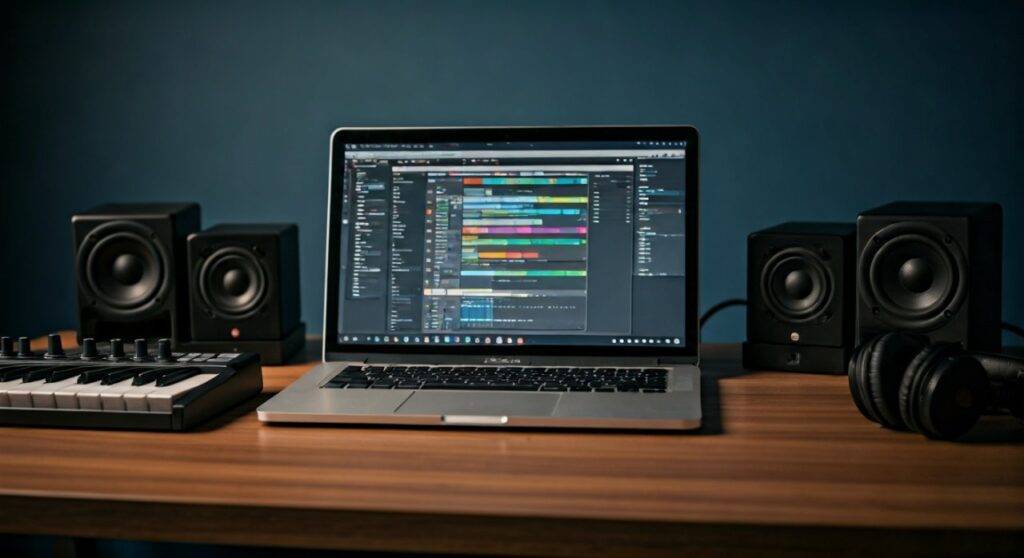
In my early years of production, I crafted my first three EPs on a pair of standard Logitech computer speakers. While it required more trial and error than using my current Yamaha HS8s, the lack of “pro” gear didn’t stop the music from sounding professional on club systems. This guide will show you the exact workflow to bypass the limitations of consumer gear.
Key Takeaways for Producing on Consumer Speakers
- Trust Your Eyes: Use visual frequency analyzers to see what your speakers might be hiding (especially sub-bass).
- Reference is King: Constantly A/B your track against professional EDM releases in the same genre.
- The Hybrid Approach: Use affordable studio headphones (like the Sony MDR-7506) to double-check your low-end accuracy.
- Software Correction: Use tools like Sonarworks SoundID Reference to “flatten” the frequency response of your normal speakers.
- Translation Testing: Listen to your mix on as many devices as possible (phones, cars, TV speakers) to ensure it sounds good everywhere.
Normal Speakers vs. Studio Monitors: The Key Differences
To produce effectively, you must understand why studio monitors are the industry standard and how normal speakers differ. Consumer speakers are designed to make music sound good, whereas monitors are designed to make music sound accurate.
| Feature | Consumer Speakers (Normal) | Studio Monitors (Professional) |
|---|---|---|
| Frequency Response | “Colored” (Boosted Bass/Treble) | Flat (Unbiased) |
| Accuracy | Hides flaws in the mix | Exposes mistakes and clashes |
| Detail | Compressed for casual listening | High-resolution transients |
| Connection | 3.5mm Jack / Bluetooth / RCA | XLR / TRS Balanced Cables |
| Best For | Partying and casual listening | Mixing and Mastering |
When you make EDM with normal speakers, your biggest challenge is “frequency masking.” Because these speakers often boost the bass, you might think your kick drum is powerful when it is actually quite weak. Conversely, if the speakers lack bass, you might overcompensate and make the mix too muddy for a club system.
Step 1: Calibrate Your Listening Environment
Before you touch your Digital Audio Workstation (DAW), you need to optimize how you hear the sound. Even cheap speakers can perform better with proper placement.
- The Triangle Rule: Place your speakers so they form an equilateral triangle with your head. Your ears should be at the same height as the tweeters.
- Decouple the Speakers: Don’t let your speakers sit directly on your wooden desk, as this creates muddy vibrations. Use foam isolation pads or even a thick stack of books to lift them up.
- Avoid Corners: Placing normal speakers in a corner will artificially boost the bass by up to 6dB. Keep them at least 12 inches away from the wall to maintain a clearer image.
In my experience, simply moving my desktop speakers away from the wall improved my mid-range clarity instantly, making it much easier to mix vocal leads in Future Bass tracks.
Step 2: Choose Your EDM Production Software
The software you use is far more important than the speakers you own. To make EDM with normal speakers, you need a DAW that allows for deep visual monitoring.
- Ableton Live: My personal favorite for EDM. Its Spectrum tool is incredibly fast for checking frequencies.
- FL Studio: Highly popular for “in-the-box” production. Its Wave Candy and Parametric EQ 2 plugins offer great visual feedback.
- Logic Pro: A fantastic choice for Mac users, featuring high-quality built-in synthesizers like Alchemy.
Actionable Advice: Start with a trial version. Most major DAWs offer 30-to-90-day free trials. Spend this time learning the “Piano Roll” and how to program basic 4-on-the-floor drum patterns.
Step 3: Mastering the Art of Visual Mixing
Since you cannot fully trust your ears on consumer speakers, you must learn to “mix with your eyes.” This is the secret weapon for anyone asking “can you make edm with normal speakers?”
Essential Visual Plugins
- Voxengo SPAN (Free): This is a high-resolution Fast Fourier Transform (FFT) spectrum analyzer. It shows you exactly where your bass, mids, and highs are sitting.
- Youlean Loudness Meter: This helps you track LUFS (Loudness Units Full Scale) to ensure your track is at a professional competitive volume without clipping.
- Oscilloscope: Use this to see the waveform of your kick and bass to ensure they aren’t clashing or “phase canceling” each other out.
Pro Tip: Look at the spectrum of a professional track (like something by Skrillex or Fisher). Notice where their sub-bass peaks. Now, look at your track. If your sub-bass looks much higher or lower on the graph than theirs, adjust your levels—even if your speakers say otherwise.
Step 4: Sound Selection and Layering
When you make EDM with normal speakers, your choice of sounds (samples and presets) determines 80% of your success. If you start with bad sounds, no amount of mixing will fix it.
- Use High-Quality Samples: Invest in packs from Splice or Black Octopus. These samples are already processed by pros on high-end monitors.
- Layering for Fullness: EDM leads often sound thin on small speakers. Layer a “sub” layer for power, a “mid” layer for body, and a “noise” layer for brightness.
- The Mono Check: Regularly switch your master output to Mono. If your lead synth disappears when played in mono, you have phase issues that consumer speakers might be hiding.
We often find that producers using Bluetooth speakers or standard desktop monitors struggle with “muddiness” in the 200Hz to 500Hz range. Always use a high-pass filter on non-bass instruments to clear this space.
Step 5: The Reference Track Workflow
This is the most critical step in the entire process. A reference track is a professionally mixed song that you compare your work against in real-time.
- Drag a WAV or AIFF file of a song you love into your project.
- Lower its volume to match your current mix (usually by -6dB or -9dB).
- Use a plugin like Metric AB or simply toggle the “Solo” button back and forth.
- Ask yourself: “Is my snare as bright as the pro track? Is my bass as deep?”
By comparing your work to a known “gold standard,” you bypass the “lies” your speakers might be telling you. If the reference track sounds “bassy” on your speakers, and your track doesn’t, you know you need to add more low-end.
Step 6: Managing the Low-End (The 20Hz – 100Hz Trap)
Consumer speakers rarely produce frequencies below 50Hz accurately. This is a nightmare for genres like Dubstep, Trap, or Techno.
- Sub-Bass Monitoring: Since you can’t hear the sub, use a Low-Pass Filter set to 100Hz on your master bus temporarily. If you see the woofer moving but hear nothing, you have energy there—use a spectrum analyzer to see if it’s hitting the right notes (typically between E0 and G1).
- Sidechain Compression: This is mandatory. Use Xfer Records OTT or a standard compressor to duck the bass whenever the kick drum hits. This creates the “pumping” effect essential for EDM and prevents your speakers from distorting.
Step 7: The “Translation Test” (The Car Test)
The final stage of making EDM with normal speakers is the translation test. Since your room and speakers aren’t perfect, you need to hear how the song behaves in different environments.
The Checklist for Testing:
- The Car: Cars have natural bass boosts. If your mix sounds like it’s vibrating the windows too much, your sub-bass is too loud.
- Smartphone Speaker: If you can’t hear your lead synth or the “click” of your kick drum on a phone, your mix lacks upper-midrange harmonics.
- Cheap Earbuds: These will reveal if your high-end (hi-hats and cymbals) is too piercing or “harsh.”
- The Living Room TV: A great test for overall balance and vocal clarity.
Common Pitfalls When Mixing on “Normal” Gear
Avoid these three mistakes to ensure your tracks are club-ready:
- Mixing Too Loud: Consumer speakers distort at high volumes. Keep your DAW levels around -6dB (headroom) and keep your physical speaker volume at a level where you can still have a conversation.
- Over-Processing the Master: Don’t put a heavy limiter on your master bus too early. It squashes the dynamics and makes it impossible to hear the true balance of your instruments.
- Ignoring Room Acoustics: If your room has a lot of echo, your speakers will sound “washed out.” Adding some heavy curtains or a rug can drastically improve what you hear.
Expert Perspective: Why Your First Gear Upgrade Should Be Headphones
While you can make EDM with normal speakers, your first $100 investment shouldn’t be new speakers—it should be open-back studio headphones.
Models like the Sennheiser HD600 or the Beyerdynamic DT 990 Pro remove the “room” from the equation. When paired with your normal speakers, you create a “cross-reference” system. Use the speakers for the “feel” and the headphones for the “detail.” This combination is how many of today’s touring DJs still produce while on the road in hotel rooms.
Frequently Asked Questions
Can I use Bluetooth speakers for EDM production?
It is not recommended due to latency (delay between pressing a key and hearing sound) and data compression. If you must use one, connect it via an Aux cable to eliminate the lag.
Do I need an audio interface for normal speakers?
While not strictly necessary to start, an audio interface like the Focusrite Scarlett 2i2 will provide a cleaner signal and better digital-to-analog conversion than your computer’s built-in headphone jack.
What is the best free DAW for EDM?
Cakewalk by BandLab and Waveform Free are excellent full-featured DAWs. If you are on a Mac, GarageBand is a surprisingly powerful way to start making EDM before upgrading to Logic Pro.
How do I know if my bass is too loud if my speakers can’t play it?
Use a spectrum analyzer (like Voxengo SPAN). Look at the decibel (dB) level of your sub-frequency peaks. In most EDM tracks, the sub-bass should peak roughly at the same level as your kick drum’s fundamental frequency.
Final Thought: Your creativity is more important than your hardware. Some of the biggest hits in EDM history were written on laptops using basic earbuds. Use the tools you have, master the visual analyzers, and focus on writing great melodies. The gear can come later.