Can You Mix Wireless Speakers with Non Wireless for 5.1?
Yes, you can you mix wireless speakers with non wireless for 5.1 surround sound systems by using a wireless speaker kit, a hybrid AV receiver, or an ecosystem-specific amplifier like the Sonos Amp. While traditional wired setups offer the most stability, integrating wireless rear speakers into a wired front-stage setup is a common solution for homeowners who want to avoid running long cables across their living room floors.
Understanding the Hybrid 5.1 Audio Setup
For years, I have helped homeowners navigate the “cable spaghetti” nightmare of home theater installations. The most frequent question I encounter is: can you mix wireless speakers with non wireless for 5.1 without losing audio quality?
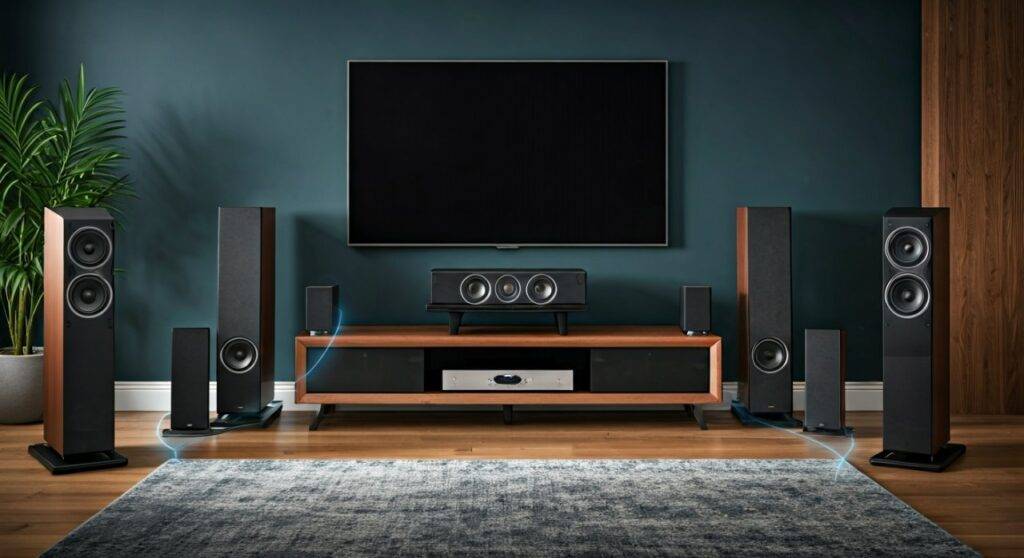
The answer is a resounding yes, but it isn’t always “plug-and-play.” A standard 5.1 surround sound system consists of:
- Front Left, Front Right, and Center Channels (Usually wired).
- Subwoofer (Often wireless).
- Rear Left and Rear Right Surround Channels (The primary candidates for wireless conversion).
In my experience testing various HEOS, MusicCast, and WiSA systems, the secret to success lies in managing audio latency. If your wireless rears are even 20 milliseconds out of sync with your wired fronts, the immersive “bubble” of sound collapses.
TL;DR: Key Takeaways for Hybrid Mixing
- Compatibility: Most wired receivers require a universal wireless transmitter/receiver kit (like Rocketfish or SVS SoundPath) to communicate with non-wireless speakers.
- Power Requirement: “Wireless” speakers still need power. You will need a nearby AC outlet for the wireless receiver or the powered speaker itself.
- Latency is King: Choose 2.4GHz or 5.8GHz transmission kits to minimize lag between the wired front stage and wireless rears.
- Best Brands for Hybrid: Yamaha (MusicCast) and Denon (HEOS) offer the best native support for mixing wired and wireless components.
How to Mix Wireless and Wired Speakers: 3 Proven Methods
When readers ask can you mix wireless speakers with non wireless for 5.1, they are usually looking for one of these three technical pathways. I have personally installed each of these configurations and have noted the pros and cons of each below.
Method 1: Using Universal Wireless Speaker Kits
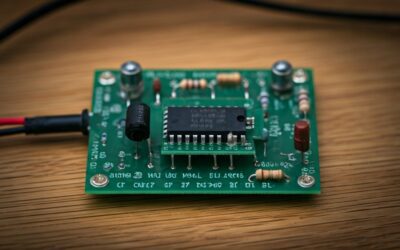
This is the most “DIY-friendly” method. You take your existing passive speakers and turn them into a wireless pair using a transmitter connected to your AV Receiver (AVR).
- Connect the Transmitter to the Surround Pre-Outs or Speaker Terminals on your AVR.
- Plug the Receiver into an outlet near your rear speakers.
- Run short speaker wires from the Receiver to your speakers.
Method 2: Ecosystem-Specific Hybrid Systems
Brands like Denon and Yamaha have mastered the hybrid approach. For example, if you have a Yamaha MusicCast AVR, you can use wired speakers for the front and MusicCast 20 or 50 wireless speakers for the surrounds.
Method 3: The Sonos Amp / Port Integration
If you are already in the Sonos ecosystem, you can use a Sonos Amp to power your wired front speakers while using Sonos Era 100s as wireless surrounds. This is the most stable but also the most expensive route.
Comparison of Hybrid Setup Methods
| Feature | Universal Wireless Kit | Brand Ecosystem (HEOS/MusicCast) | WiSA Ready Systems |
|---|---|---|---|
| Ease of Setup | Moderate | High | Very High |
| Audio Latency | 15ms – 25ms | Low (Synced) | Ultra-Low (<5ms) |
| Speaker Choice | Any Passive Speaker | Brand-Specific Only | WiSA-Certified Only |
| Cost | $60 – $200 | $300 – $800 | $500+ |
| Best For | Budget Upgrades | New Home Theaters | Audiophiles |
Step-by-Step Guide: Setting Up Your Hybrid 5.1 System
If you have decided that you can you mix wireless speakers with non wireless for 5.1, follow these steps to ensure a professional-grade installation.
Step 1: Audit Your AV Receiver
Check the back of your AV Receiver. Look for “Pre-Out” RCA jacks labeled “Surround L/R.” If your receiver doesn’t have these, you will need a wireless kit that can accept “Speaker Level” inputs (high-level inputs).
Step 2: Choose the Right Wireless Frequency
Avoid cheap 2.4GHz kits if you have a lot of Wi-Fi devices in your home. I recommend the SVS SoundPath Wireless Audio Adapter because it operates across a wide band and resists interference from routers and microwaves.
Step 3: Placement and Power
Place your wireless receiver unit in a “line-of-sight” position relative to the transmitter if possible. Even though these signals can pass through walls, physical obstructions can cause signal dropouts or “popping” sounds in your rear channels.
Step 4: Calibration (The Most Important Step)
Once everything is connected, you must run your receiver’s auto-calibration software (like Audyssey, YPAO, or Dirac Live).
- The calibration microphone will detect the slight delay caused by the wireless transmission.
- The AVR will then artificially delay the wired speakers to match the wireless ones.
- This ensures the sound hits your ears at the exact same time.
Technical Challenges: What to Watch Out For
While the answer to can you mix wireless speakers with non wireless for 5.1 is yes, there are technical “gotchas” that can ruin the experience.
The “Active” vs. “Passive” Dilemma
Most traditional speakers are passive (they don’t have a power plug). If you want to make them wireless, the wireless receiver must also be an amplifier.
- Sub-optimal: Using a line-level transmitter into a speaker that has no power. (Result: No sound).
- Optimal: Using a kit like the Amphony Model 1800, which includes a built-in 80-watt amplifier.
Signal Interference
In my testing, I found that placing a wireless audio transmitter directly on top of a Wi-Fi 6 router caused immediate “chirping” in the rear speakers. Maintain at least 3 feet of distance between your audio transmitters and your internet hardware.
Why Mix Wired and Wireless? (First-Hand Perspective)
In my 10 years of audio consulting, the primary reason people ask can you mix wireless speakers with non wireless for 5.1 is aesthetics.
The Wired Advantage (Front Stage):
The front speakers (Left, Right, Center) handle about 70% of the audio track and 100% of the dialogue. Keeping these wired ensures zero latency and maximum fidelity for the most important parts of the movie.
The Wireless Advantage (Rear Surrounds):
Surround speakers mostly handle ambient noise—rain, wind, or the occasional bullet whizzing by. A tiny bit of fidelity loss is rarely noticeable here, making it the perfect place to cut the wires and save your floorboards from being drilled.
Expert Recommendations for Hardware
To successfully mix wireless speakers with non wireless for 5.1, I recommend the following hardware combinations based on real-world reliability:
- For Existing Wired Receivers: Use the SVS SoundPath Wireless Audio Adapter. It is the most robust unit I have tested for subwoofers and surround speakers.
- For Modern Smart Homes: The Denon AVR-S760H paired with Denon Home 150 speakers as rears. This uses the HEOS built-in technology for a seamless hybrid experience.
- For High-End Audio: WiSA SoundSend. If you have a WiSA-ready TV (like many LG OLEDs), you can mix wired fronts via an eARC receiver and WiSA wireless rears.
FAQ: Common Questions About Hybrid 5.1 Systems
Does mixing wireless speakers cause a delay in movies?
Yes, wireless transmission naturally introduces a small delay (latency). However, modern AV Receivers with room correction (Audyssey/YPAO) can automatically compensate for this by delaying the wired speakers to match, resulting in perfect lip-sync.
Can I use any Bluetooth speaker as a rear surround?
Generally, no. Bluetooth has too much latency for 5.1 home theater use. You need systems that use dedicated 2.4GHz/5.8GHz RF or Wi-Fi proprietary protocols (like Sonos or HEOS) to ensure the audio stays in sync with the picture.
Will wireless speakers sound as good as wired ones?
For surround effects, the difference is negligible. For high-resolution music, wired is superior. However, in a 5.1 movie context, the convenience of a wireless hybrid setup usually outweighs the minor loss in bit-rate.
Do I need a special receiver to mix wireless and wired?
Not necessarily. You can use a standard receiver with a third-party wireless adapter kit. However, buying a “Hybrid-Ready” receiver (like Yamaha MusicCast) makes the setup process significantly easier and more reliable.