

Understanding the Basics: Can Speakers Have DC Bias?
Yes, speakers can have DC bias, though they are never intended to. DC bias (also known as DC offset) occurs when a power amplifier leaks direct current into the speaker output, forcing the voice coil to stay in a pushed-out or pulled-in position rather than vibrating freely. While audio signals are Alternating Current (AC), any presence of Direct Current (DC) is a “silent killer” that can overheat components and permanently destroy your drivers.
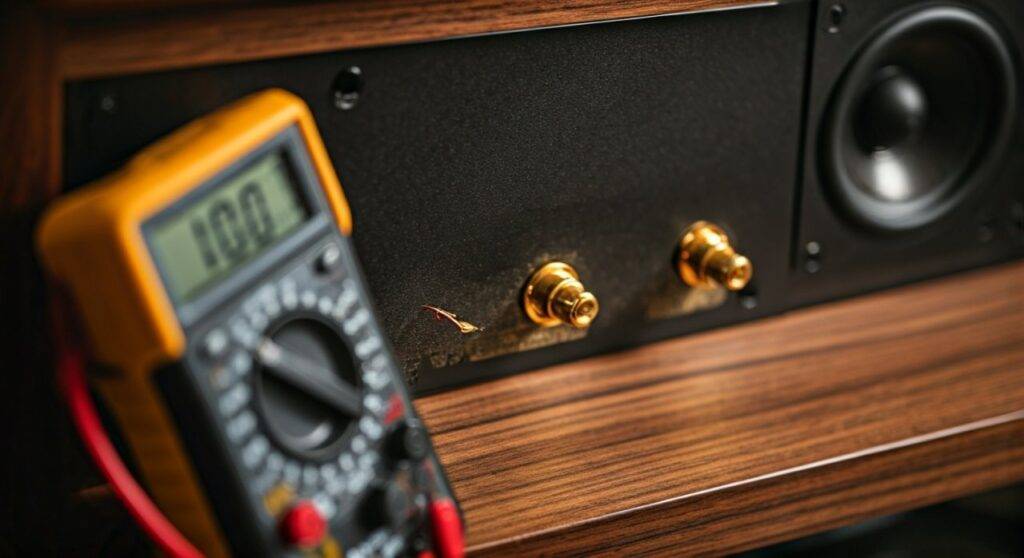
In my years of bench-testing vintage audio gear, I have seen hundreds of high-end woofers ruined by as little as 2 or 3 volts of DC bias. Because DC doesn’t make a sound, you might not even know it’s there until you smell the polyurethane insulation on your voice coils beginning to melt.
TL;DR: Key Takeaways for DC Bias
- Definition: DC bias is unintended direct current flowing from an amplifier to a speaker.
- The Danger: It causes “over-excursion” and extreme heat, often leading to a fried voice coil.
- Detection: Use a digital multimeter set to DC millivolts (mV) at the speaker terminals.
- Safe Range: Any reading under 20mV is excellent; anything over 100mV requires immediate repair of the amplifier.
- Symptoms: A loud “thump” when turning on the amp or a woofer cone that sits visibly off-center.
The Physics of DC Bias: Why It Happens
To understand if can speakers have dc bias, we must look at how an amplifier works. In a perfect world, an amplifier takes an audio signal and oscillates it around a zero-volt center point. This is AC power.
When an internal component in the amplifier—usually a transistor, capacitor, or resistor—fails or drifts out of spec, that center point shifts. Instead of oscillating around 0V, the signal might oscillate around +5V. That +5V is the DC bias.
How DC Bias Affects the Voice Coil
Unlike AC, which moves the speaker cone back and forth to create sound, DC is a constant pressure.
- Fixed Displacement: The cone moves to a fixed position (forward or backward) and stays there.
- Loss of Cooling: Speakers stay cool through the movement of air during oscillation. DC bias stops this movement, causing heat to build up rapidly.
- Reduced Headroom: Because the cone is already “pushed out” by the bias, it has less room to move when the music actually plays, leading to massive distortion.
| DC Offset Level (mV) | Risk Level | Recommendation |
|---|---|---|
| 0mV – 15mV | Ideal | Perfect health for high-end gear. |
| 20mV – 50mV | Acceptable | Normal for most consumer electronics. |
| 50mV – 100mV | Warning | The amplifier needs a bias adjustment. |
| 100mV – 500mV | High Risk | Potential for audible distortion and heat damage. |
| > 1.0V | Critical | STOP usage. This will melt the speaker voice coil. |
How to Measure DC Bias (Step-by-Step Guide)
If you suspect your system has an issue, do not wait for the “smoke test.” I recommend checking the DC offset of every used amplifier you buy before connecting your favorite speakers.
Tools Required:
- A Digital Multimeter (DMM) (e.g., Fluke or Extech).
- Your amplifier (powered on and warmed up).
- NO speakers connected during the initial test.
Step 1: Set Up the Amplifier
Turn the amplifier on and let it idle for at least 10 to 15 minutes. Components change their electrical characteristics as they heat up, and a “cold” measurement might be misleading. Ensure the Volume is at zero and no input source is playing.
Step 2: Configure the Multimeter
Set your multimeter to the DC Voltage setting. If your meter is not auto-ranging, set it to the lowest scale (usually 200mV or 2V).
Step 3: Test the Terminals
Place the Red probe on the Red (+) speaker terminal and the Black probe on the Black (-) terminal.
- Note: Test each channel (Left and Right) separately.
Step 4: Interpret the Data
- If the meter reads 0.005V, that is 5mV—which is excellent.
- If the meter reads 0.150V, that is 150mV—this is high enough to cause “muddy” bass and requires a technician’s attention.
- If the meter reads 35V, your output transistors are likely shorted, and connecting a speaker would destroy it instantly.
Common Causes: Why Can Speakers Have DC Bias?
In my experience, DC bias isn’t usually the speaker’s fault; it’s an amplifier pathology. Here are the primary reasons we see DC leaking into the signal path.
Leaky Output Transistors
The output transistors act as the “valves” for power. If one of these leaks or shorts, the full voltage of the power supply can dump directly into the speaker. This is the most common cause of catastrophic speaker failure.
Dried-out Electrolytic Capacitors
In older “Capacitor Coupled” amplifiers, a large capacitor is used specifically to block DC. Over 20-30 years, these capacitors dry out. When they fail, they lose their ability to block DC, allowing the “bias” to bleed into the speaker line.
Differential Pair Mismatch
Modern direct-coupled amplifiers use a Differential Input Stage. This circuit compares the input to the output to keep the offset at zero. If the two transistors in this pair aren’t perfectly matched (due to heat or age), a constant DC Offset will develop.
Poor Bias Potentiometer Adjustment
Most high-fidelity amplifiers have internal “trimpots” (adjustable resistors) to set the Idling Current and DC Offset. Over time, vibrations or dust can cause these to shift. A simple turn of a screwdriver (while watching a multimeter) can often fix the problem.
Can Speakers Have DC Bias from Active Components?
We often think of passive speakers, but active (powered) speakers are actually more susceptible to hidden DC bias. Because the amplifier is built-in, you cannot easily stick a multimeter on the terminals.
The Dangers for Studio Monitors
In professional studio monitors like KRK Rokits or Yamaha HS series, a failing internal amp can bake the woofer from the inside out. I’ve found that many “blown” active monitors aren’t actually blown by loud music—they were killed by a leaky internal DC rail.
Actionable Advice: If your powered speaker feels unusually hot on the backplate even when no music is playing, or if you see the woofer “jump” significantly when you flip the power switch, it likely has a DC bias issue.
How to Prevent DC Bias Damage
If you are a hi-fi enthusiast or a live sound engineer, protecting your investment is paramount. You can’t always prevent an amp from failing, but you can prevent it from taking your speakers with it.
DC Protection Circuits (Relays)
Most modern, high-quality amplifiers include a Protection Relay. This circuit monitors the output. If it detects more than 0.5V to 1V of DC, it clicks “off,” physically disconnecting the speakers. If your amp stays in “Protect Mode,” do not bypass it. It is saving your speakers from DC bias.
Using Fuses
While not a perfect solution, a fast-blo fuse in line with the speaker wire can sometimes save a driver. However, DC often kills the speaker faster than a standard fuse can blow.
Periodic Maintenance
If you own vintage gear (Pioneer, Sansui, McIntosh), have a technician “re-cap” the unit every 20 years. Replacing the electrolytic capacitors is the single best way to ensure no DC ever reaches your speakers.
DC Blocking Capacitors
If you are building a custom DIY speaker or using a cheap Class-D amp, you can manually install a large non-polar capacitor (e.g., 100uF – 470uF depending on frequency) in series with the speaker. This acts as a high-pass filter and a total DC block.
Expert Insights: The “Smell” of DC Bias
When I’m in the field, I don’t always have a multimeter in my hand. There are physical “tells” that answer the question: can speakers have dc bias?
- The Cone Test: With the amp off, gently push the woofer cone. It should move smoothly. Now turn the amp on (with no music). If the cone feels “stiff” or “locked” in place, there is DC current holding the voice coil in the magnetic gap.
- The Heat Signature: After 10 minutes of idling, touch the dust cap (the center of the woofer). It should be room temperature. If it feels warm to the touch, you have a major DC offset problem.
- The “Pop”: A small “tick” when turning an amp on is normal. A loud, violent “BANG” that moves the cone to its physical limit is a sign of unregulated DC.
Summary of Technical Specifications
To keep your system running optimally, memorize these technical “Golden Rules” regarding DC in audio systems.
| Component | Role in DC Bias | Ideal State |
|---|---|---|
| Output Transistor | Controls power flow | Should only pass AC |
| Coupling Capacitor | Blocks DC voltage | High resistance to DC |
| Voice Coil | Converts electricity to motion | Should never sit stationary under load |
| Multimeter | Diagnostic tool | Should read <50mV at terminals |
| Protection Relay | Safety switch | Should trigger at >1V DC |
Frequently Asked Questions (FAQ)
Can a small amount of DC bias improve speaker sound?
No. Unlike vacuum tube “bias” (which is internal to the amp), DC bias at the speaker terminals is always detrimental. It reduces the linear range of the speaker, causing asymmetric clipping and higher total harmonic distortion (THD).
Does DC offset affect tweeters the same way as woofers?
Tweeters are often safer from DC because most speaker crossovers include a series capacitor for the tweeter. This capacitor naturally blocks DC. Woofers, however, are usually directly connected to the amp through a low-pass inductor, which allows DC to pass right through.
Can a bad speaker cable cause DC bias?
No. A cable is a passive component. It cannot generate DC voltage. However, a shorted speaker cable can cause an amplifier to overheat and fail, which in turn could lead to the amplifier leaking DC bias.
How do I fix DC bias on my own?
If you are comfortable with electronics, locate the Service Manual for your amplifier. Find the “DC Offset Adjustment” section. Using a non-conductive tool, turn the internal trimmer potentiometer while watching your multimeter until the reading is as close to 0.000V as possible.
Will DC bias make my speakers “hum”?
Usually, no. Hum is typically caused by 60Hz AC ground loops. DC bias is silent. If your speaker is humming and the cone is pushed out, you likely have a failed filter capacitor in the power supply, which is allowing “AC ripple” to ride on top of a DC leak.









