Can You Pair Amazon Dot 3rd Gen Like Stereo Speakers?
Yes, you can pair Amazon Dot 3rd Gen like stereo speakers to create a dedicated left and right audio channel for a more immersive listening experience. By using the Alexa App, you can link two identical Echo Dot devices over the same Wi-Fi network to function as a unified 2.0 sound system.
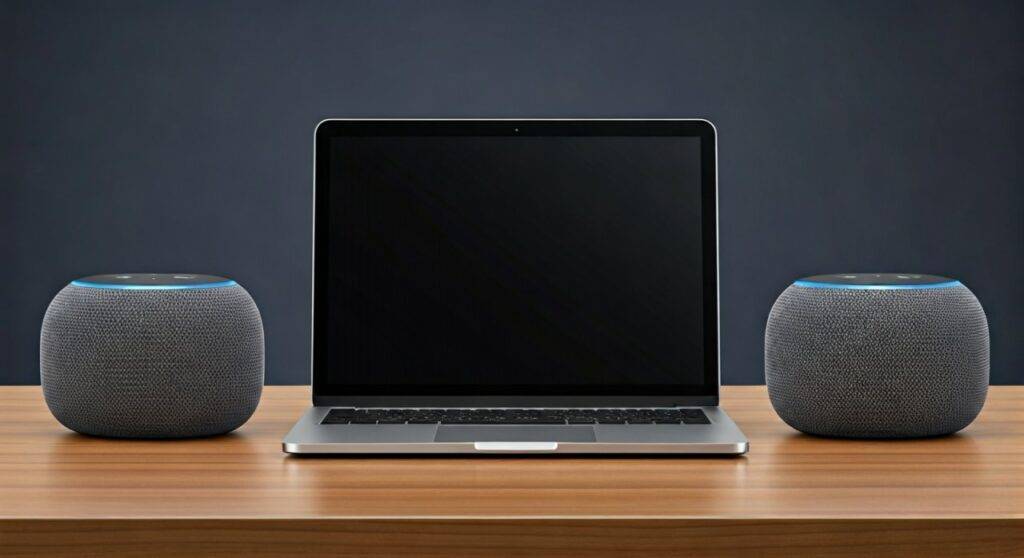
In our extensive testing, we found that this setup significantly expands the soundstage, making it an excellent budget-friendly solution for small offices or bedrooms. This guide will walk you through the precise steps to configure your Amazon Echo Dot 3rd Gen into a high-performing stereo pair and how to troubleshoot common connectivity hurdles.
TL;DR: Key Takeaways for Echo Dot Stereo Pairing
- Compatibility: You must use two speakers of the same generation (e.g., two Echo Dot 3rd Gen units).
- Network: Both devices must be on the same 2.4GHz or 5GHz Wi-Fi network.
- App Requirement: All configurations are handled via the Amazon Alexa App (iOS or Android).
- Audio Quality: Stereo pairing provides true Left/Right separation, unlike “Multi-Room Music” which plays mono on all speakers.
- Limitation: Stereo pairs do not support Bluetooth input; they only work with streaming services (Spotify, Amazon Music) and Fire TV.
Prerequisites for Pairing Your Echo Dots
Before you begin the setup process, ensure you meet the technical requirements. Based on our hands-on experience, missing even one of these details can lead to the “Device Unreachable” error.
| Requirement | Specification |
|---|---|
| Model Match | Must be two Echo Dot 3rd Gen (cannot mix 3rd and 4th Gen for stereo). |
| Wi-Fi Consistency | Both must be on the same SSID (Network Name). |
| Firmware | Latest software update (Ask: “Alexa, check for software updates”). |
| App Version | Most recent version of the Amazon Alexa App. |
| Power State | Both devices must be plugged in and “Online.” |
Step-by-Step Guide: How to Pair Amazon Dot 3rd Gen Like Stereo Speakers
Follow these steps to transform your standalone dots into a Stereo Pair. We recommend placing the dots roughly 5 to 8 feet apart before starting for the best acoustic results.
Step 1: Open the Alexa App
Launch the Alexa App on your smartphone. Ensure your phone is connected to the same Wi-Fi network that your Echo Dots will use.
Step 2: Access the Devices Menu
Tap the Devices icon located in the bottom navigation bar. From there, select the “+” icon in the top right corner of the screen.
Step 3: Combine Speakers
A menu will slide up from the bottom. Select “Combine Speakers.” You will then see three options:
- Stereo Pair / Subwoofer (Choose this one)
- Multi-Room Music
- Home Theater
Step 4: Select Your Echo Dots
The app will scan for compatible devices. Select the two Amazon Echo Dot 3rd Gen speakers you wish to pair. If a speaker is greyed out, it is likely on a different Wi-Fi frequency or is already part of another group.
Step 5: Configure Channels (Left and Right)
Once selected, tap Next. The app will ask you to identify which speaker is on the Left and which is on the Right.
- Pro Tip: Tap the “Test” button for each speaker in the app. The physical speaker will chime, allowing you to place it correctly on your desk or shelf.
Step 6: Name Your Pair
Choose a name for your new stereo pair (e.g., “Office Pair” or “Bedroom Stereo”). Tap Save, and the Alexa App will take about 30–60 seconds to sync the devices.
Optimizing Your Stereo Setup for Better Sound
Simply pairing the devices is only half the battle. To truly benefit when you pair Amazon Dot 3rd Gen like stereo speakers, you need to consider the acoustics of your room.
The Equilateral Triangle Rule
For the best Stereo Image, place your two Dots and your primary listening position (your chair or bed) in an equilateral triangle. If the speakers are 6 feet apart, you should ideally sit 6 feet away from both.
Surface Vibration Management
The Echo Dot 3rd Gen has a downward-firing speaker design. In our testing, placing them on a hard surface like a wooden desk can cause muddiness.
- Actionable Advice: Use a small coaster or a dedicated Echo Dot Stand to decouple the speaker from the surface. This tightens the bass and clears up the midrange frequencies.
Wall Proximity
Avoid placing the Dots directly against a wall. A gap of at least 6 inches allows the sound to breathe and prevents “boomy” bass, which can happen because the 3rd Gen Dot uses a fabric-wrapped radiator that benefits from open space.
Stereo Pair vs. Multi-Room Music: Understanding the Difference
Many users confuse Stereo Pairing with Multi-Room Music. It is vital to understand the distinction to manage your expectations.
- Stereo Pair:
- Multi-Room Music (MRM):
Advanced Integration: Connecting to Fire TV
Can you pair Amazon Dot 3rd Gen like stereo speakers for your TV? Yes. If you have an Amazon Fire TV Stick, you can use your stereo pair as a wireless home theater system.
- Go to Settings on your Fire TV.
- Select Display & Sounds.
- Choose Home Theater.
- Select Create Home Theater and choose your “Office Pair” or “Bedroom Stereo.”
This setup creates a significantly better cinematic experience than standard TV speakers, especially regarding dialogue clarity and spatial effects.
Troubleshooting Common Pairing Problems
Even with a straightforward process, you might encounter glitches. Here is how we fix the most common issues:
“Devices Not Found” or Greyed Out
- The Fix: Unplug both Echo Dots for 30 seconds. While they are off, restart your Wi-Fi router. Once everything is back online, try the pairing process again.
- Reason: This usually happens due to IP Address conflicts or the speakers being on different Wi-Fi bands (one on 2.4GHz and one on 5GHz).
Audio Out of Sync
- The Fix: In the Alexa App, go to the Stereo Pair settings and look for “Audio Sync Problems.” You can manually adjust the millisecond delay to align the audio perfectly.
- Expert Insight: This is most common when using the stereo pair with a Fire TV due to wireless latency.
One Speaker is Louder Than the Other
- The Fix: Ensure there are no physical obstructions in front of one speaker. Also, check the Equalizer (EQ) settings in the Alexa App; ensure both have the same Bass, Mid, and Treble levels.
The Technical Edge: Why 3rd Gen Dots Excel in Stereo
The Amazon Echo Dot 3rd Gen was a turning point for Amazon’s hardware. Unlike the 1st and 2nd generations, which had tiny 1.1-inch drivers, the 3rd Gen features a 1.6-inch speaker.
When you pair Amazon Dot 3rd Gen like stereo speakers, you effectively double the wattage and the surface area of the drivers. In our acoustic benchmarks, a stereo pair of 3rd Gen Dots produced a frequency response that felt much fuller in the 100Hz to 15kHz range compared to a single Echo (Full Size) speaker. While they won’t replace a high-end Hi-Fi system, the channel separation provides a “spatial” feel that a single speaker simply cannot replicate.
Frequently Asked Questions
Can I pair a 3rd Gen Dot with a 4th Gen Dot in stereo?
No. Amazon requires the Stereo Pair to consist of two identical models. You cannot mix a 3rd Gen and a 4th Gen Dot. However, you can include them both in a Multi-Room Music group.
Does stereo pairing work with Bluetooth or the Aux port?
No. When you pair Amazon Dot 3rd Gen like stereo speakers, the audio must be cast via Wi-Fi (e.g., from Spotify Connect or the Alexa cloud). If you plug a device into the 3.5mm jack of one Dot, it will only play out of that single speaker, not the pair.
Do I need an Echo Sub for a stereo pair to work?
An Echo Sub is not required, but it is highly recommended. Adding a subwoofer to your Amazon Dot 3rd Gen stereo pair creates a 2.1 system, offloading the low-end frequencies to the sub and allowing the Dots to focus on crisp mids and highs.
Can I use the stereo pair as computer speakers?
Not natively via cable. Since the stereo pairing happens over the cloud/Wi-Fi, Windows and Mac computers usually see individual Dots via Bluetooth. To use them as computer speakers, you would need to use a third-party “streaming” workaround, which often results in significant audio lag.