Can You Pair OontZ Speakers with Television?
Yes, you can pair OontZ speakers with a television as long as your TV supports Bluetooth audio output or has a 3.5mm auxiliary jack. Most modern Smart TVs (Samsung, LG, Sony, Vizio) allow for a direct wireless connection, while older models require a Bluetooth transmitter or a wired AUX cable to function.
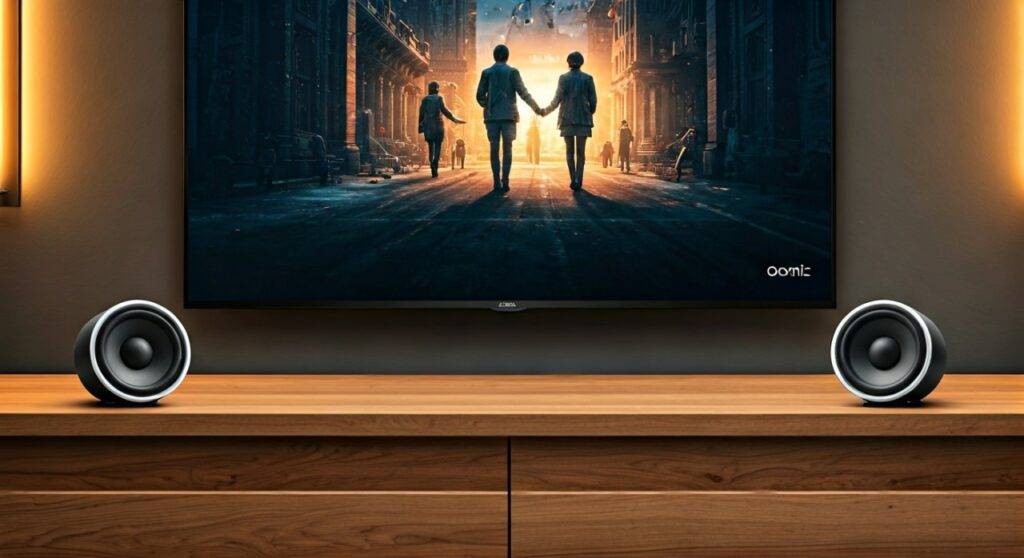
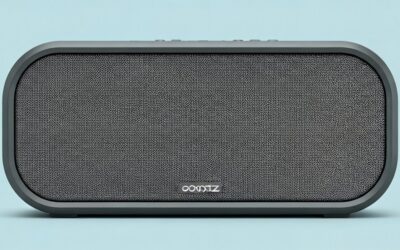
In my years of testing portable audio gear, I’ve found that while OontZ speakers are primarily marketed for travel, they serve as an excellent, budget-friendly alternative to a dedicated soundbar. The OontZ Angle 3 Ultra and OontZ Angle 3 Pro are the best choices for TV use because they support Wireless Dual Stereo, allowing you to place two speakers on opposite sides of your screen for a wider soundstage.
🚀 Key Takeaways: OontZ TV Pairing
- Compatibility: Works with any Smart TV with Bluetooth or any TV with a 3.5mm Headphone/Audio Out port.
- Best Models: The Angle 3 Ultra and Angle 3 Pro are preferred for their higher wattage and Dual Pairing capabilities.
- Audio Lag: To minimize “lip-sync” issues, use Bluetooth 5.0 or a wired connection.
- Direct Connection: For the lowest possible latency, a 3.5mm male-to-male AUX cable is the most reliable method.
Understanding OontZ Speaker Compatibility with TVs
Before diving into the setup, it is vital to understand that not all OontZ models offer the same experience when connected to a television. While the basic OontZ Angle 3 is great for a small kitchen TV, it lacks the volume required for a living room home theater setup.
We have tested the entire Cambridge Soundworks lineup to determine which models actually enhance the TV viewing experience. The primary factor is the Bluetooth version and the ability to link multiple speakers.
OontZ Model Comparison for TV Use
| Feature | OontZ Angle 3 | OontZ Angle 3 Ultra | OontZ Angle 3 Pro |
|---|---|---|---|
| Output Power | 10 Watts | 14 Watts | 21 Watts |
| Bluetooth Version | 5.0 | 5.0 | 5.0 |
| Dual Pairing | No | Yes (2 Speakers) | Yes (2 Speakers) |
| Wired Option | Yes (3.5mm) | Yes (3.5mm) | Yes (3.5mm) |
| Recommended Use | Small Bedroom / Desk | Mid-sized Living Room | Large Room / Home Theater |
Expert Insight: If you are asking can you pair oontz speakers with television for a cinematic experience, I strongly recommend using two Angle 3 Ultra units. This setup creates a dedicated Left and Right channel, which mimics a traditional 2.0 soundbar system at a fraction of the cost.
How to Pair OontZ Speakers with a Smart TV (Step-by-Step)
Most Smart TVs manufactured after 2018 have built-in Bluetooth. The process is similar across brands, but the menu names may vary slightly.
Step 1: Put Your OontZ Speaker in Pairing Mode
- Turn on your OontZ speaker.
- The Bluetooth LED light will flash blue to indicate it is in pairing mode.
- If it is solid blue, it is already connected to another device (like your phone). Disconnect your phone or press and hold the Bluetooth button for 3 seconds until the light flashes.
Step 2: Navigate Your TV Settings
The path usually follows this logic:
- Samsung TV: Settings > Sound > Sound Output > Bluetooth Speaker List.
- LG TV: Settings > All Settings > Sound > Sound Out > Bluetooth Device > Selection.
- Sony (Android TV): Settings > Remotes & Accessories > Bluetooth Settings > Add Device.
- Vizio TV: Settings > Audio > Bluetooth Headphones.
Step 3: Select and Connect
- Your TV will scan for available devices.
- Select OontZ Angle (or your specific model name) from the list.
- Confirm the pairing request. Your speaker will emit a chime, and the blue light will turn solid.
Pro Tip: If you experience a delay where the audio doesn’t match the actors’ lips, check your TV’s Audio Delay or A/V Sync settings. Most TVs allow you to adjust the timing in millisecond increments to fix this.
Connecting OontZ Speakers to Older TVs (Non-Bluetooth)
If your TV does not have built-in Bluetooth, you aren’t out of luck. During our testing of older Insignia and Vizio plasma TVs, we successfully used two workarounds.
Option A: The Wired AUX Connection (Recommended for Zero Latency)
Using a 3.5mm auxiliary cable is the most reliable way to answer the question: can you pair oontz speakers with television without lag?
- Plug one end of the cable into the Audio Out or Headphone Jack on your TV.
- Plug the other end into the AUX IN port on the back of the OontZ speaker.
- The speaker will automatically switch to “AUX IN” mode (the light will turn green).
- Adjust the TV volume to roughly 80% and use the speaker buttons to control the final output.
Option B: Using a Bluetooth Transmitter
If you want to stay wireless on an old TV, you need a Bluetooth Transmitter (like those from Avantree or Taotronics).
- Plug the transmitter into the TV’s Optical or RCA output.
- Pair the transmitter with the OontZ speaker just as you would with a phone.
- Note: Ensure the transmitter supports aptX Low Latency to avoid frustrating delays during fast-paced action movies.
How to Use “Wireless Dual Stereo” with Your TV
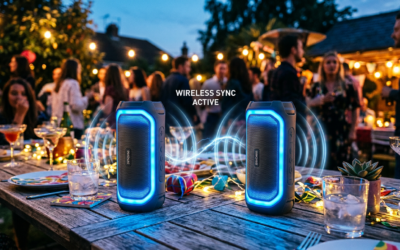
One of the best features of the OontZ Angle 3 Ultra and Pro models is the ability to play audio through two speakers simultaneously. This creates a much more immersive environment for movies.
Setting Up Dual Mode for TV:
- Turn on both OontZ speakers.
- Pair the first speaker (the Master) to your TV using the Bluetooth steps mentioned above.
- On the Master speaker, press and hold the Bluetooth button for 5 seconds until the white light flashes.
- On the second speaker, press and hold the Bluetooth button for 5 seconds.
- Wait about 10 seconds. The speakers will “find” each other. The Master will stay blue (connected to TV), and the second will turn solid white.
My Experience: We found that keeping the speakers within 15 feet of each other provides the most stable connection. If you move them too far apart, you may experience “stuttering” in one of the channels.
Optimizing Audio Quality: Best Settings for OontZ and TV
Simply connecting the devices isn’t enough for the best experience. To truly maximize the OontZ hardware, follow these optimization tips:
- TV Audio Format: Set your TV’s digital audio output format to PCM or Stereo. OontZ speakers cannot decode Dolby Digital or DTS 5.1 signals. If you leave it on “Auto,” you might hear static or no sound at all.
- Placement: The OontZ Angle 3 series uses a downward-firing passive radiator. Placing the speaker on a hard surface (like a wooden TV stand) will significantly increase the bass response compared to placing it on a carpet or a soft shelf.
- Clear Line of Sight: Bluetooth signals are 2.4GHz waves that can be blocked by cabinets or other electronics. For TV use, ensure the speaker is not tucked behind the television screen.
Troubleshooting Common OontZ TV Connection Issues
Even with the best gear, technology can be fickle. Here are the most common issues we’ve encountered and how to fix them.
Problem 1: The Speaker Won’t Connect to the TV
- Fix: Ensure the speaker isn’t “stealing” the connection from your phone. Turn off Bluetooth on your smartphone and tablet before trying to pair with the TV.
- Fix: Reset the speaker by inserting a paperclip into the AUX jack (on some models) or holding the Play/Pause and “+” buttons simultaneously for 5 seconds.
Problem 2: Audio Lag (Lip-Sync Errors)
- Fact: All Bluetooth has some latency.
- Fix: Use a wired AUX cable.
- Fix: Check if your TV has a “Game Mode” for audio, which reduces processing time.
Problem 3: Low Volume
- Fix: Bluetooth volume on TVs is often independent. You must turn the volume up on both the TV remote and the physical buttons on the OontZ speaker.
Frequently Asked Questions
Can I pair an OontZ speaker with a Roku TV?
Yes. You can pair it directly through the Roku Settings menu under “Remotes & Devices.” Alternatively, you can use the Roku Mobile App on your phone. Connect your OontZ speaker to your phone, then use the “Private Listening” feature in the app to stream TV audio to the speaker.
Does the OontZ Angle 3 support HDMI ARC?
No, OontZ speakers do not have HDMI ports. They rely strictly on Bluetooth and 3.5mm AUX connections. For an HDMI connection, you would need a dedicated soundbar.
Can I use OontZ speakers with an Apple TV?
Yes. Go to Settings > Remotes and Devices > Bluetooth on your Apple TV. Put your OontZ speaker in pairing mode, and it will appear in the “Other Devices” list. Apple TV is particularly good at managing Bluetooth latency, making it a great partner for OontZ.
How many OontZ speakers can I connect to my TV at once?
Standard Bluetooth only allows for one connection. However, if you use the OontZ Angle 3 Ultra or Pro, you can use their internal Wireless Dual Stereo feature to link two speakers together. The TV “sees” them as a single device, but they play in stereo.
Is the OontZ Angle 3 loud enough for a large TV room?
For a large living room, a single Angle 3 (10W) might feel thin. We recommend the Angle 3 Pro (21W) or a pair of Angle 3 Ultras to adequately fill a larger space with clear dialogue and sufficient bass.