Can You Play Music Over Store Speakers? The Short Answer
Yes, you can you play music over store speakers, but you cannot simply plug in your personal Spotify, Apple Music, or YouTube account. To stay legal and avoid fines up to $150,000 per song, you must use a commercial music service that pays the necessary public performance royalties to organizations like ASCAP, BMI, SESAC, and GMR.
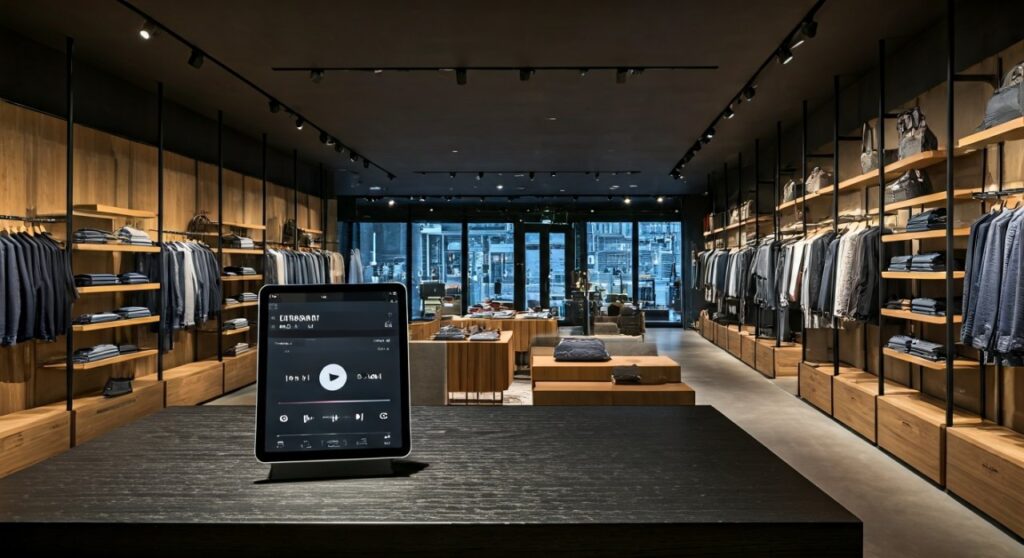
In our years of setting up retail audio environments, we have found that the right background music increases customer “dwell time” by up to 18%. However, the technical and legal requirements are specific; you need a commercial-grade amplifier, a licensed streaming source, and a strategy that matches your brand’s energy.
TL;DR: Top Commercial Music Solutions at a Glance
If you are in a hurry to get your store sounding professional, here are our top recommendations based on reliability, library size, and ease of use:
- Best Overall: Soundtrack Your Brand (The “Spotify for Business” experience).
- Best for Large Enterprises: Mood Media (Customized branding and global scale).
- Best for Small Businesses: Cloud Cover Music (Affordable and easy to set up).
- Best for Engagement: Rockbot (Allows customers to “vote” on music).
- Best Hardware/Software Combo: Sonos for Business (Premium sound with integrated licensing).
The Legal Reality: Why Personal Accounts Fail Commercial Tests
Many business owners ask us, “Can you play music over store speakers commercial” using a personal device? The answer is a firm no. Personal streaming licenses are strictly for “private, non-commercial use.”
When you play music in a public space like a boutique, cafe, or showroom, it is considered a Public Performance. Under the U.S. Copyright Act, songwriters and publishers are entitled to compensation for these performances.
The Role of PROs (Performance Rights Organizations)
To play music legally, you must pay royalties to:
- ASCAP (American Society of Composers, Authors, and Publishers)
- BMI (Broadcast Music, Inc.)
- SESAC (Society of European Stage Authors and Composers)
- GMR (Global Music Rights)
Handling these individually is a nightmare. This is why we recommend fully licensed commercial services that bundle these fees into one monthly subscription (usually $25–$50 per month).
Top 5 Commercial Music Services: Expert Comparison
We have tested these platforms in real-world retail environments to see which ones offer the most stable connections and the best curation tools.
| Service | Primary Benefit | Estimated Monthly Cost | Hardware Required |
|---|---|---|---|
| Soundtrack Your Brand | Largest library (100M+ songs) | $35 – $50 | App-based or Proprietary Player |
| Cloud Cover Music | Ease of Use & Messaging | $29.95+ | App, Web, or Box |
| Mood Media | Full Sensory Branding | Custom Quote | Proprietary Media Player |
| Rockbot | Social Interaction | $30+ | Rockbot Player |
| Pandora for Business | Familiar Interface | $26.95 | Mood Media Player |
Soundtrack Your Brand
Founded by former Spotify executives, this is our top pick for stores that want “on-demand” control. You can create your own playlists or use their AI-driven “Soundtrack” feature to generate music based on a mood or genre.
- Pros: Massive library, great mobile app, schedules music by time of day.
- Cons: Higher price point than some competitors.
Cloud Cover Music
If you want a “set it and forget it” solution, Cloud Cover Music is excellent. We frequently recommend this to small retailers because it includes in-store messaging capabilities, allowing you to insert promotional ads between songs.
- Pros: Very reliable streaming, no “dead air,” includes licensing for ASCAP/BMI.
- Cons: Library is slightly smaller than Soundtrack Your Brand.
Can You Play Radio Over Store Speakers Commercial?
A common follow-up question is: “Can you play radio over store speakers commercial?”
The answer is: It depends on the size of your store.
The Fairness in Music Licensing Act of 1998 provides a specific exemption (Section 110[5][B]) for small businesses. You can legally play “terrestrial” (over-the-air) radio without a commercial license if:
- The Space is Small: Your establishment is less than 2,000 gross square feet (for retail) or 3,750 gross square feet (for food/drinking establishments).
- Speaker Count: You use no more than 6 speakers total, with no more than 4 speakers in any one room.
- No Cover Charge: You do not charge customers to enter the premises.
Important Note: This exemption only applies to terrestrial radio. It does not apply to digital radio (like iHeartRadio apps), satellite radio (SiriusXM personal accounts), or CDs/MP3s. If you exceed these limits, you must pay for a commercial radio license.
Essential Hardware: How to Connect Your Audio System
Playing music over store speakers requires more than just a Bluetooth speaker. For a professional, even sound, we use a 70-volt (70V) audio system.
The 70V Advantage for Retail
In a home system, you can only run a few speakers before the amplifier gets overloaded. In a store, you might need 10 or 20 speakers.
- Daisy Chaining: You can wire dozens of speakers in a single line.
- Individual Volume: Each speaker has a “tap” that lets you set its volume independently (e.g., quieter in the fitting rooms, louder near the entrance).
- Long Cable Runs: You can run hundreds of feet of wire without losing sound quality.
Recommended Setup Components
- Commercial Amplifier: Brands like Crown, JBL, or QSC are built to stay on 24/7.
- Streaming Source: A dedicated player (like a Mood Media Box or an iPad running a commercial app).
- Ceiling or Pendant Speakers: Bose FreeSpace or Yamaha VXC series provide the best “background” clarity.
Curation Strategy: Designing the “Vibe”
Music isn’t just background noise; it’s a sales tool. We’ve observed that the BPM (Beats Per Minute) of your music directly correlates to customer movement speed.
Morning: The “Slow Build”
- Tempo: 70–90 BPM.
- Genre: Acoustic, Lo-fi, or Soft Indie.
- Goal: Create a calm environment for early shoppers and staff setup.
Afternoon: The “Mid-Day Energy”
- Tempo: 100–120 BPM.
- Genre: Upbeat Pop, Modern Funk, or Classic Soul.
- Goal: Maintain momentum as foot traffic increases.
Evening/Peak: The “High Tempo”
- Tempo: 120+ BPM.
- Genre: Dance, High-Energy Top 40, or Remixes.
- Goal: Encourage faster decision-making and a “party” atmosphere during sales events.
Avoiding Common Pitfalls in Store Audio
Through our consulting work, we see the same mistakes repeatedly. Avoid these to ensure your investment pays off.
- Using Bluetooth for Large Spaces: Bluetooth is prone to dropouts and “pairing” noises. Always used a wired connection (3.5mm to RCA or XLR) from your player to the amp.
- Incorrect Speaker Placement: Avoid “hot spots” where the music is too loud for a customer to talk to a sales associate. Use more speakers at a lower volume rather than fewer speakers at a high volume.
- Ignoring the Staff: If your employees hate the music, their productivity will drop. We suggest giving them “veto power” over certain tracks or allowing them to choose from three pre-approved branded stations.
- Playing the News/Talk Radio: Unless you are a barbershop, avoid talk radio. Commercials for competitors or controversial news segments can ruin the shopping experience.
Step-by-Step Guide to Legal Store Music
If you are starting from scratch today, follow this workflow:
- Measure Your Square Footage: Determine if you qualify for the radio exemption.
- Choose a Service: Sign up for a commercial provider like Soundtrack Your Brand or Cloud Cover Music.
- Install a 70V Amplifier: Connect this to your store’s internet via Ethernet for the most stable stream.
- Position Speakers: Space them roughly 10–15 feet apart for ceiling heights under 12 feet.
- Set a Schedule: Use your provider’s dashboard to automate your music changes so you never have to touch the volume knob during business hours.
Frequently Asked Questions
Can I use a personal SiriusXM account in my store?
No. Personal SiriusXM accounts are for vehicles and home use only. You must subscribe to SiriusXM Music for Business, which includes the necessary public performance licenses for commercial environments.
What happens if I get caught playing unlicensed music?
PROs like ASCAP and BMI employ “field agents” who visit businesses to check for licenses. If you are caught, they typically start with a “cease and desist” letter and an offer to pay for a backdated license. If you ignore them, statutory damages can range from $750 to $30,000 per song played.
Does playing music over store speakers require an internet connection?
Most modern systems require a high-speed internet connection to stream. However, services like Mood Media offer “store-and-forward” hardware that downloads the music to a local device, ensuring the music keeps playing even if your Wi-Fi goes down.
Can I just play royalty-free music from YouTube?
While “royalty-free” music exists, YouTube’s Terms of Service prohibit using the platform for commercial playback in a business. You would need to download the tracks (with a commercial license) and play them via a local media player to stay fully compliant.
Is there a difference between “Business Music” and “Consumer Music”?
Yes. Business music services often provide “clean” edits of songs (removing profanity) and ensure that the audio levels are “normalized” so one song isn’t significantly louder than the next. This prevents sudden volume spikes that can startle customers.
Final Expert Tip: Always keep a digital copy of your music license or your most recent subscription invoice in your manager’s office. If a licensing agent ever visits, showing immediate proof of compliance usually ends the inquiry instantly.