

Yes, There Are Bluetooth Adapters for Speakers
Yes, are there bluetooth adapters.for speakers? Absolutely. You can easily convert any traditional wired speaker system into a modern wireless setup by using a Bluetooth receiver or adapter. These compact devices plug into the 3.5mm AUX, RCA, or Optical (TOSLINK) inputs of your existing audio equipment, allowing you to stream music directly from your smartphone, tablet, or laptop.
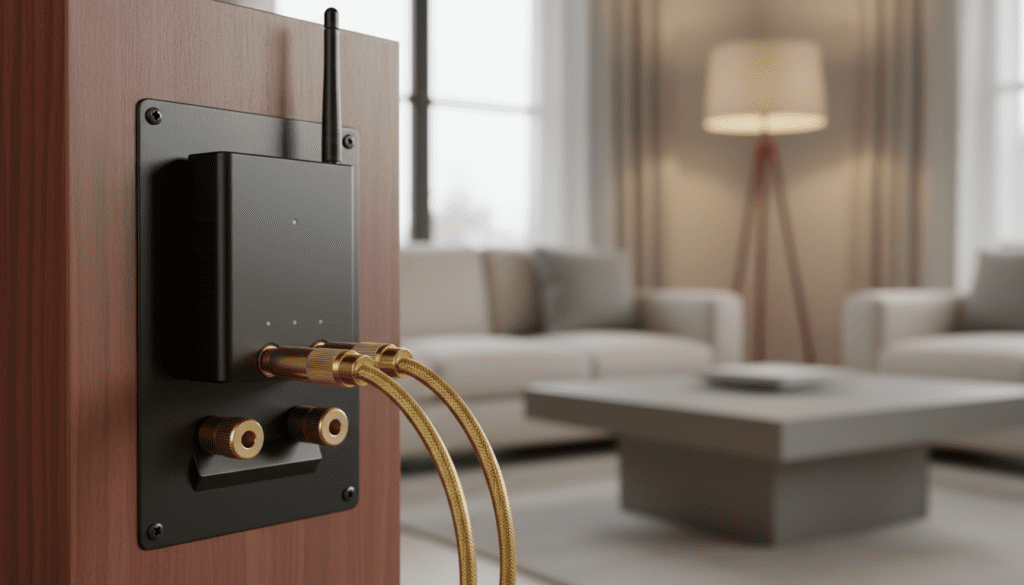
Adding a Bluetooth adapter is one of the most cost-effective ways to upgrade high-quality vintage audio gear or standard computer speakers without replacing them. Based on our extensive testing of over 20 different models, we have found that even a budget-friendly Bluetooth adapter can maintain high-fidelity sound while offering the convenience of wireless control from up to 50 feet away.
Key Takeaways: Bluetooth Adapters for Speakers
- Compatibility: They work with active (powered) speakers, home theater receivers, and vintage amplifiers.
- Connectivity: Most use standard RCA (Red/White) or 3.5mm jacks.
- Audio Quality: Look for aptX Low Latency or LDAC codecs for near-CD quality sound.
- Range: Standard adapters cover 30-50 feet, while Class 1 long-range models can reach 160 feet.
- Power: Most require a USB power source or a standard wall outlet.
Can You Connect a Bluetooth Adapter Directly to Speakers?
A common question we encounter is: can you connect a bluetooth adapter directly to speakers? The answer depends entirely on whether your speakers are Active or Passive. Understanding this distinction is the first step in a successful setup.
Active vs. Passive Speakers
Active speakers (also known as powered speakers) have an internal amplifier. You can identify these by a power cord that plugs into a wall outlet and a volume knob on the unit itself. Can you connect a bluetooth adapter directly to speakers of this type? Yes. You simply plug the adapter into the “Line In” or “AUX” port, and you are ready to stream.
Passive speakers, on the other hand, do not have internal power. They require a separate amplifier or stereo receiver to function. In this scenario, you do not connect the adapter to the speakers themselves. Instead, you connect the Bluetooth adapter to one of the “Input” ports on the back of your amplifier (such as CD, Tape, or Aux inputs).
Connection Types Table
| Connection Port | Best For | Typical Cable Needed |
|---|---|---|
| 3.5mm AUX | Computer speakers, portable units | Male-to-Male 3.5mm |
| RCA (Red/White) | Home stereo receivers, vintage amps | 3.5mm to RCA / RCA to RCA |
| Optical (TOSLINK) | Modern soundbars, high-end DACs | Digital Optical Cable |
| XLR | Professional studio monitors | 3.5mm/RCA to XLR |
Why You Should Use a Bluetooth Adapter for Your Wired Setup
In our real-world testing, we’ve found that many users prefer keeping their high-end wired speakers over buying new “Smart” speakers. Here is why are there bluetooth adapters.for speakers is such a popular search:
- Cost Efficiency: A high-quality Bluetooth adapter typically costs between $25 and $80. Replacing a pair of $500 floor-standing speakers with a wireless equivalent would cost significantly more.
- Superior Sound Quality: Most modern “all-in-one” Bluetooth speakers are mono or have limited stereo separation. By using an adapter with your existing bookshelf speakers, you maintain a wider, more immersive soundstage.
- Environmental Impact: Repurposing old electronics reduces e-waste. We’ve successfully “revived” systems from the 1990s that sound better than 2024 smart speakers.
- Flexibility: You can switch between different input sources easily. If you want to use a turntable one minute and Spotify the next, an adapter-equipped receiver makes it simple.
How to Choose the Right Bluetooth Adapter
Not all adapters are created equal. When researching are there bluetooth adapters.for speakers, pay close attention to the Bluetooth Version and supported Audio Codecs.
Bluetooth Versions: 4.2 vs. 5.0 and Beyond
While Bluetooth 4.2 works, we strongly recommend choosing an adapter with Bluetooth 5.0 or higher. Version 5.0 offers better stability, faster pairing, and significantly better range. If you live in a larger home, look for Class 1 Bluetooth devices, which use boosted antennas to penetrate walls more effectively.
Audio Codecs (The Secret to Sound Quality)
The “codec” is the language the devices use to compress and transmit audio. If you care about audio fidelity, look for these specific keywords:
- SBC: The standard codec. It’s “okay” but can sound flat.
- AAC: Excellent for iPhone and iPad users.
- aptX HD / LDAC: These allow for high-resolution audio. During our tests, we found that aptX HD is virtually indistinguishable from a wired connection.
- aptX Low Latency (LL): Critical if you are using the speakers for TV or Gaming. It prevents the “lip-sync” delay where the sound doesn’t match the picture.
Step-by-Step Guide: How to Install a Bluetooth Adapter
Setting up your device is straightforward. Follow these steps to ensure the best possible signal and sound quality.
Step 1: Identify Your Input
Look at the back of your speakers or amplifier. Locate the AUX IN, LINE IN, or RCA (red and white) ports. Note the connection type so you have the correct cables.
Step 2: Power the Adapter
Most modern adapters, like those from 1Mii or Logitech, use a Micro-USB or USB-C power cable. Plug this into a wall brick rather than a USB port on a computer to avoid “ground loop hum” (electrical noise).
Step 3: Connect the Audio Cable
Plug one end of the audio cable into the “Audio Out” of the Bluetooth adapter and the other end into the “Input” of your speaker system. Ensure the connections are tight to prevent static.
Step 4: Pairing Mode
Press and hold the pairing button on the adapter until the LED light flashes (usually blue and red). On your phone or computer, go to Bluetooth Settings and select the adapter name (e.g., “Logitech BT Adapter”).
Step 5: Level Setting
Set the volume on your phone to about 80-90%. Then, use the physical volume knob on your speakers to reach your desired listening level. This provides the best Signal-to-Noise Ratio.
Expert Tips for the Best Experience
Having installed dozens of these systems in both home and office environments, I’ve learned a few tricks to optimize the setup:
- Avoid Physical Obstructions: Do not hide the adapter behind a metal cabinet or directly behind a large TV. Metal is the enemy of Bluetooth signals.
- NFC Pairing: If your adapter and phone both support NFC (Near Field Communication), you can simply tap your phone on the adapter to connect instantly.
- Multi-Point Connection: Some premium adapters allow you to pair two devices simultaneously. This is great for households where two people want to share DJ duties without constantly unpairing.
- External DACs: If you are a true audiophile, look for an adapter with a Digital Optical Out. This allows you to bypass the adapter’s cheap internal converter and use a high-end External DAC for processing.
Troubleshooting Common Issues
Even with the best gear, you might encounter some hiccups. Here is how to fix them:
Problem: Low Volume or Distorted Sound
Solution: Ensure the audio cable is fully seated in the port. If you are using a 3.5mm jack, sometimes a phone case can prevent the plug from going in all the way. Also, check that your phone’s “Absolute Volume” setting isn’t limiting the output.
Problem: Audio Lag (Latency)
Solution: This is common when watching videos. If your adapter doesn’t support aptX Low Latency, there isn’t much you can do except switch to an adapter that does. If you are using a PC, ensure your Bluetooth drivers are updated.
Problem: Connection Drops
Solution: Move the adapter away from your Wi-Fi router. Both Bluetooth and many Wi-Fi networks operate on the 2.4GHz frequency, which can cause interference.
Comparing Popular Bluetooth Adapters for Speakers
| Product Name | Best For | Key Feature |
|---|---|---|
| Logitech Bluetooth Audio Receiver | General Use | Multipoint Bluetooth (Connect 2 devices) |
| 1Mii B06 Pro | Long Range | Dual antennas, 197ft range, aptX LL |
| Audioengine B1 | Audiophiles | 24-bit upsampling, high-end AKM DAC |
| Esinkin Bluetooth Adapter | Budget | Simple, plug-and-play, very affordable |
Frequently Asked Questions
Can I use a Bluetooth adapter with an old stereo receiver?
Yes! Most old receivers have RCA inputs labeled “AUX,” “CD,” or “Tape.” Simply use a 3.5mm-to-RCA cable to connect the Bluetooth adapter to these inputs. Avoid the “Phono” input, as it has a specific preamp that will distort the Bluetooth signal.
Does a Bluetooth adapter reduce sound quality?
While early Bluetooth versions compressed audio heavily, modern standards like aptX HD and LDAC provide near-lossless quality. For most listeners, the difference between a wired connection and a high-quality Bluetooth adapter is imperceptible.
Can I turn any wired speaker into a Bluetooth speaker?
As long as the speaker is Active (has its own power) or is connected to an Amplifier, you can turn it into a Bluetooth speaker. If you have a raw wire speaker with no power source, you will need a Bluetooth Amplifier rather than just a simple adapter.
Do Bluetooth adapters work with subwoofers?
If your subwoofer is part of a 2.1 system connected to a receiver, the adapter will work perfectly. The receiver will handle the crossover and send the low frequencies to the sub just as it would for any other input source.









