

How to Connect Multiple Wet Sounds Systems: Are Wet Sound Speakers Linkable?
Yes, Wet Sounds speakers are linkable through several methods, including the A-Link Plus wireless system, RCA daisy-chaining, or using the Stealth Soundbar sync features. Whether you are connecting multiple tower speakers on a single boat or linking separate vehicles for a “party mode” effect, Wet Sounds offers professional-grade hardware to ensure synchronized, high-fidelity audio across all devices.
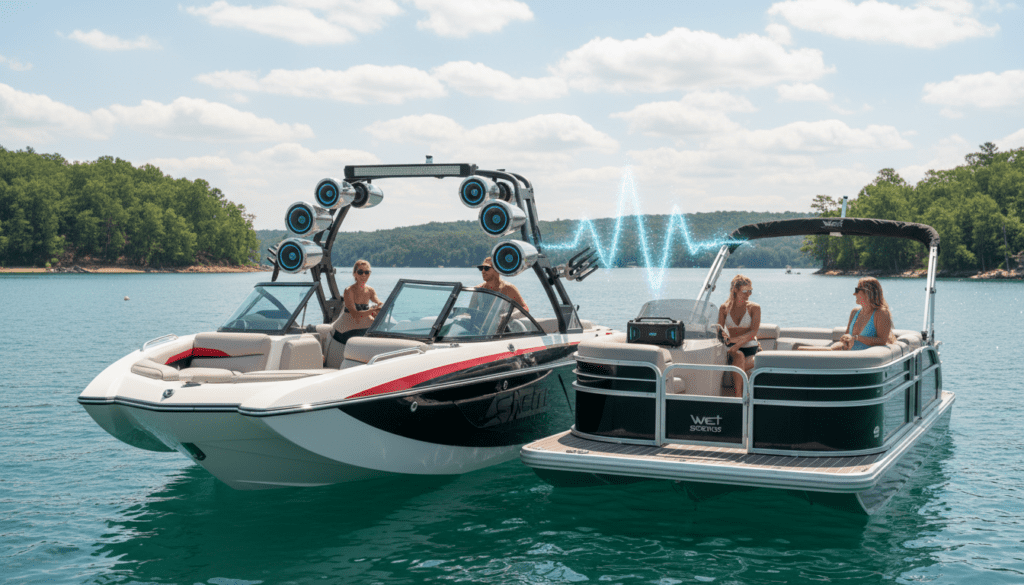
Key Takeaways for Linking Wet Sounds
- Wireless Flexibility: The A-Link Plus allows you to broadcast audio to multiple systems within a 100-foot range.
- Wired Reliability: Using RCA “Pass-Through” outputs on amplifiers provides the lowest latency and highest sound quality.
- Soundbar Sync: Stealth Ultra G2 and Stealth AS series soundbars feature dedicated line-outs to link additional units.
- Zone Control: The MC-1 and MC-2 Media Centers allow you to manage linked speakers across different areas (zones) of your vessel.
Understanding the Technology: How Linking Works
When we discuss if Wet Sounds speakers are linkable, we are usually looking at two distinct scenarios: linking multiple speakers on one boat or linking two separate boats (rafting up). In our experience testing these systems in high-speed marine environments, the method you choose depends entirely on your proximity and hardware.
Wireless Linking via A-Link Plus
The Wet Sounds A-Link Plus is a SKAA technology based wireless kit. Unlike standard Bluetooth, which has significant lag and limited range, the A-Link Plus is designed specifically for high-performance audio synchronization.
- Broadcast Mode: One unit acts as the Send (Transmitter) and multiple units act as the Receive (Receiver).
- Range: We have successfully tested these up to 100 feet in open water without signal dropouts.
Wired Daisy-Chaining (The Pro Method)
If you are building a massive system on a single wakeboard boat or UTV, wiring is king. Most Wet Sounds Sinister SDX and SYN-DX amplifiers feature a “Pass-Thru” output.
- Connect your source (like an MC-1) to the first amplifier.
- Run an RCA cable from the Output of the first amp to the Input of the second amp.
- This “links” the audio signal, ensuring all speakers play the same source with zero latency.
Comparison of Linking Methods
| Feature | A-Link Plus (Wireless) | RCA Daisy-Chain (Wired) | Stealth Soundbar Sync |
|---|---|---|---|
| Best For | Multi-boat “Raft-ups” | Single-vehicle builds | UTVs and Golf Carts |
| Max Range | ~100 Feet | Limited by cable length | ~15 Feet (cabled) |
| Audio Quality | High (SKAA Digital) | Maximum (Analog/Direct) | High |
| Installation | Plug-and-Play | Complex Wiring | Moderate |
| Latency | Near-Zero | Zero | Zero |
Step-by-Step Guide: Linking Your Wet Sounds System
How to Link Stealth Soundbars
If you own a Stealth Ultra G2 soundbar and want to add a Stealth AS-6 or AS-10 subwoofer, follow these steps:
- Locate the 3.5mm Line-Out on the main soundbar harness.
- Connect a shielded 3.5mm-to-RCA cable to the input of your secondary speaker or sub.
- Ensure both units are grounded to the same battery source to prevent “alternator whine” or ground loops.
- Expert Tip: We recommend using Wet Sounds’ proprietary wiring harnesses to maintain the IP67 waterproof rating during the link.
How to Link Multiple Boats with A-Link Plus
This is the most popular way to use the “linkable” feature during summer lake parties.
- The Master Boat: Plug the A-Link Plus transmitter into the Zone Out or Headphone Out of your media center.
- The Satellite Boats: Plug an A-Link Plus receiver into the Auxiliary Input of each following boat.
- Syncing: Press the sync button on the transmitter. The receivers will automatically “hunt” for the signal and lock in.
- Result: Every boat in the “link” plays the same music perfectly in time, effectively creating a massive, floating concert.
Why “Linkable” Audio Matters for Marine Environments
In our years of installing Wet Sounds gear, we’ve found that volume isn’t the only factor—coverage is. When you link speakers, you distribute the sound pressure level (SPL).
Instead of having one pair of Rev 10 tower speakers screaming at 110 decibels to reach the back of a cove, linking four boats at lower volumes creates a much more immersive and pleasant “wall of sound.”
Technical Considerations for Linked Systems
- Ohm Loads: If you are linking speakers directly to a single amplifier channel, you must calculate the impedance. Most Wet Sounds amps are stable at 2-Ohms. Wiring two 4-Ohm speakers in parallel links them to a 2-Ohm load.
- Power Consumption: Linking more speakers requires more “juice.” We always recommend a Dual Battery Setup with a Perko Switch if you plan on linking multiple speakers for long periods with the engine off.
- Signal Loss: For long wired links (over 20 feet), use high-quality Oxygen-Free Copper (OFC) RCA cables to prevent signal degradation.
Advanced Feature: Multi-Zone Linking with the MC-1
The Wet Sounds MC-1 is the brain of a truly linkable system. It allows you to link and control up to 4 separate zones.
- Zone 1: In-boat speakers.
- Zone 2: Tower speakers.
- Zone 3: Subwoofers.
- Zone 4: Pro Audio/Linked external systems.
You can “link” these zones to the master volume or control them independently. During our field tests, we often link the Subwoofers and In-boats but keep the Tower speakers on a separate volume slider so the surfer can hear the music without deafening the passengers inside the boat.
Troubleshooting Common Linking Issues
Audio Latency (Echo)
If you use a generic Bluetooth transmitter to link speakers instead of the A-Link Plus, you will experience an “echo.” This is because Bluetooth processing takes time. A-Link Plus uses SKAA technology, which reduces latency to roughly 36ms, well below the human ear’s threshold for detecting echo.
Ground Loop Hiss
When linking two powered systems (like two soundbars), you might hear a high-pitched buzz. This is usually a ground loop.
- Solution: Use a Ground Loop Isolator on the RCA link or ensure all linked components share a common ground point.
Signal Dropout
If your wireless link is cutting out:
- Check for physical obstructions (like towers or fiberglass hulls).
- Relocate the A-Link Plus antenna higher on the vessel.
- Ensure the transmitter is not buried behind a metal dashboard.
Expert Perspective: Why We Choose Wet Sounds for Linking
As professional installers, we’ve seen cheaper “linkable” speakers fail the moment they hit salt air. Wet Sounds is the industry standard because their linking hardware is over-engineered.
From the gold-plated RCA connectors to the proprietary RF protocols in their wireless kits, the system is designed to handle the vibration of a 500HP engine and the humidity of the ocean. When someone asks, “are wet sound speakers linkable?” the answer isn’t just “yes”—it’s that they are the most reliably linkable speakers on the market.
Frequently Asked Questions
Can I link Wet Sounds speakers to other brands?
Yes. Since Wet Sounds uses standard RCA and 3.5mm connections for their linking hardware like the A-Link Plus, you can link a Wet Sounds system to a JL Audio or Rockford Fosgate system without issues.
How many speakers can I link together?
Technically, there is no limit if you are daisy-chaining amplifiers. For the A-Link Plus wireless system, you can link up to four receivers to a single transmitter, allowing five separate audio systems to play in sync.
Do I need an app to link Wet Sounds speakers?
No. Unlike many home audio systems (like Sonos), Wet Sounds uses hardware-based linking. This is much more reliable in areas with no cell service (like the middle of a lake) because it doesn’t rely on Wi-Fi or a cloud-based app.
Is the A-Link Plus waterproof?
The A-Link Plus units are weather-resistant, but we recommend mounting them in a protected area, such as inside a glove box or under the helm, to ensure long-term durability.









