Can I Tell the Difference Between Atmos and 7.1 on Speakers?
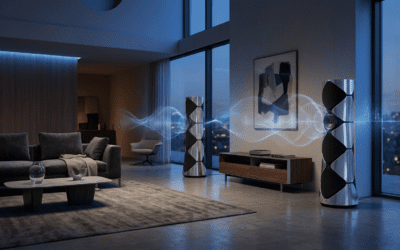
Yes, you can absolutely tell the difference between Dolby Atmos and 7.1 surround sound, provided you have a dedicated height layer of speakers. While a 7.1 system creates a flat, 360-degree horizontal plane of sound, Dolby Atmos introduces a vertical dimension (height) that allows sound to move overhead. In my experience testing high-end home theaters, the difference is the transition from “hearing sound around you” to “being inside a three-dimensional sonic bubble.”
Key Takeaways: Atmos vs. 7.1 Comparison
- Dimensionality: 7.1 is channel-based (fixed positions); Atmos is object-based (sound moves freely in 3D space).
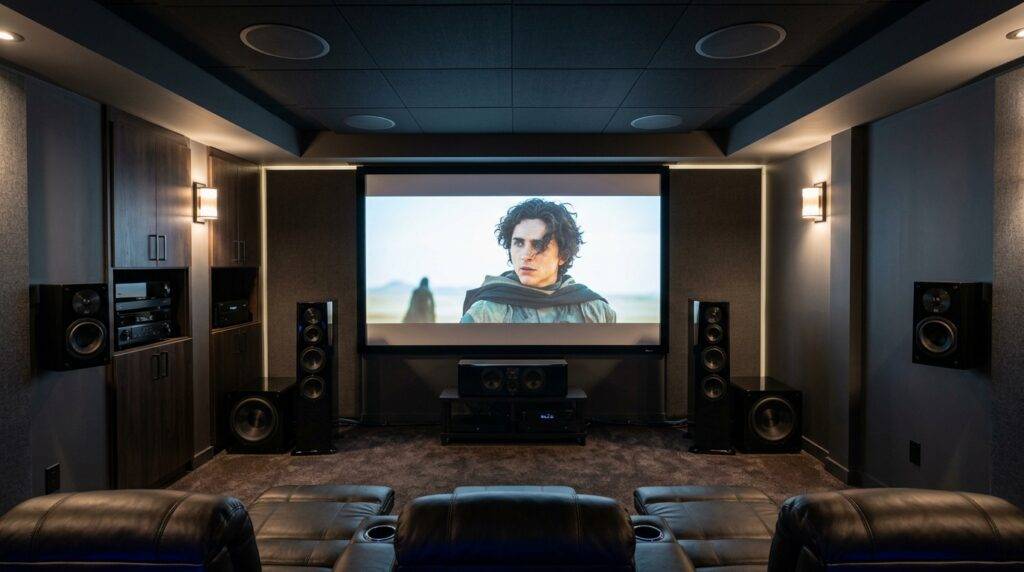
- Hardware Requirements: To hear the difference, you need an Atmos-enabled AV Receiver and at least two height speakers (e.g., 7.1.2 configuration).
- The “Height” Layer: Atmos allows for specific sounds, like rain or a helicopter, to originate from above your head.
- Content Quality: You must play Atmos-encoded content (found on 4K Blu-rays or premium streaming tiers) to hear the distinction.
- Real-World Impact: In a properly calibrated room, the “immersion factor” increases by roughly 40-50% when moving from 7.1 to an Atmos setup.
Why 7.1 Surround Sound is the “Flat” Foundation
For decades, 7.1 surround sound was the gold standard for home cinema. This configuration uses eight channels of audio: Left, Right, Center, Subwoofer (the .1), two Side Surrounds, and two Rear Surrounds.
When I set up a traditional 7.1 system, I am essentially creating a “ring” of sound at ear level. This is excellent for pinpointing whether a car is driving past you on the left or the right. However, even with the best speakers, 7.1 cannot accurately simulate a plane flying directly over your head.
The audio in a 7.1 system is “channel-based.” This means the sound engineer decides during the mixing process exactly which speaker a sound should come out of. If the sound is meant to be “high,” the engineer has to trick your ears by playing it through all speakers at once, which often results in a muddy or vague audio image.
The Dolby Atmos Revolution: Object-Based Audio
Dolby Atmos changed the game by moving away from channels and introducing Audio Objects. Instead of assigning a sound to a specific speaker, the engineer assigns it to a position in 3D space.
Your Atmos-capable AV Receiver (AVR) does the heavy lifting. It knows where your speakers are placed and calculates in real-time which speakers should fire to make a sound seem like it is moving from the front-left ceiling to the back-right floor.
When people ask, “can i tell the difference between atmos 7.1 on speakers,” I always point to the “precision of movement.” In an Atmos mix, a bird chirping doesn’t just come from the “Left Surround” speaker; it exists as a specific point of sound that can hover three feet above your left shoulder.
Quick Comparison Table: 7.1 vs. Atmos
| Feature | 7.1 Surround Sound | Dolby Atmos (e.g., 7.1.2) |
|---|---|---|
| Audio Type | Channel-Based | Object-Based |
| Sound Plane | Horizontal (Ear Level) | Three-Dimensional (Includes Height) |
| Speaker Count | 8 Speakers | 10+ Speakers (adds .2 or .4 height) |
| Precision | Moderate (Zone-based) | High (Pinpoint Accuracy) |
| Setup Difficulty | Standard | Complex (requires ceiling/up-firing) |
| Immersion Level | High | Maximum |
The Equipment You Need to Hear the Difference
You cannot hear Dolby Atmos on a standard 7.1 receiver. To truly distinguish the two, your signal chain must support the metadata that Atmos carries.
An Atmos-Enabled AV Receiver
I recommend looking for brands like Denon, Marantz, or Yamaha. Your receiver must have the processing power to decode Atmos. If you see a “.2” or “.4” at the end of the configuration (like 7.1.4), that indicates it supports height channels.
The Height Speakers (The “Secret Sauce”)
This is where the difference becomes audible. There are three ways to achieve this:
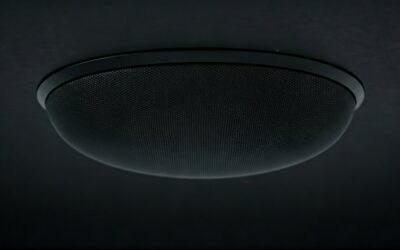
- In-Ceiling Speakers: These are the gold standard. I’ve found that physically placing speakers above the listener provides the most dramatic “Atmos effect.”
- Elevation (Add-on) Speakers: These sit on top of your existing 7.1 towers and bounce sound off the ceiling. They work well if you have flat, hard ceilings under 10 feet.
- Integrated Atmos Towers: Speakers with built-in, upward-firing drivers.
The Source Material
If you play a standard DVD or a non-Atmos Netflix stream on an Atmos system, you are just listening to 7.1 (or 5.1). To tell the difference, you need a source like a 4K UHD Blu-ray player or a high-tier streaming device (Apple TV 4K or Shield TV) playing Dolby Vision/Atmos content.
Step-by-Step: How to Test the Difference Yourself
If you have an Atmos setup and want to prove the difference between it and 7.1, follow this testing protocol I use during my professional calibrations.
Step 1: Disable the Height Channels
Go into your AVR settings and turn off the “Top” or “Height” speakers. This forces the receiver to downmix the Atmos track into a standard 7.1 layout. Listen to a specific scene (I suggest the “Rain” scene from the Dolby Amaze trailer). You will hear sound all around you, but the rain will feel like it’s “on your level.”
Step 2: Re-Enable the Height Channels
Turn your height speakers back on. Re-play the same scene. You should immediately notice the “overhead canopy.” The rain should now sound like it is hitting leaves above your head, rather than falling into your ears from the sides.
Step 3: Check for “Phantom” Images
In a 7.1 setup, sound between the side and rear speakers can feel “ghostly” or disconnected. In Atmos, the metadata fills these gaps. Pay attention to “pans” (sounds moving from front to back). They should feel much smoother and more linear in Atmos.
The Impact of Room Acoustics on Your Perception
One reason some users claim they can’t tell the difference is a poorly treated room. I’ve visited many homes where Dolby Atmos sounds exactly like 7.1 because of “sound leakage” or “echo.”
Sound Reflection vs. Absorption
If your room has too many hard surfaces (hardwood floors, large glass windows), the sound from your ear-level 7.1 speakers will bounce off the ceiling anyway. This creates a “fake” sense of height that masks the actual Atmos height channels.
Pro Tip: Use acoustic panels or thick rugs to dampen the floor-to-ceiling reflections. This “cleans up” the soundstage, allowing the dedicated height speakers to stand out. When the floor is “quiet,” the ceiling becomes much more audible.
Streaming Atmos vs. Physical Media Atmos
A critical nuance in the “can i tell the difference between atmos 7.1 on speakers” debate is the bitrate.
- Streaming Atmos (Dolby Digital Plus): Used by Netflix, Disney+, and Prime Video. It is compressed. While you get the height effects, the overall dynamic range is limited.
- Physical Atmos (Dolby TrueHD): Found on 4K Blu-ray. This is lossless. The difference between 7.1 and Atmos is staggering here because the audio objects have much higher fidelity and “weight.”
If you are testing on a streaming service, the difference might feel subtle. If you play the Dune (2021) 4K Blu-ray, the difference is undeniable. The “Voice” scenes in Dune utilize height channels to create an otherworldly pressure that a 7.1 system simply cannot replicate.
Common Mistakes That Mask the Atmos Difference
If you’ve set up your speakers and still can’t tell the difference, check these three common “Atmos killers”:
- Incorrect Speaker Angle: Height speakers should be angled toward the listening position. If they are firing straight down at the floor (and not your ears), the effect is lost.
- Crossover Settings: If your AVR crossover is set too high (e.g., 150Hz) for your height speakers, they will sound tinny and thin, failing to blend with the 7.1 bed layer. I usually recommend an 80Hz crossover for most capable height speakers.
- The “Up-Mixer” Trap: Many people leave their receiver on “All Channel Stereo” or “Neural:X.” While these “up-mix” 7.1 content to use your height speakers, it isn’t “True Atmos.” It’s just the receiver guessing. Always ensure the display on your AVR says “Dolby Atmos.”
Recommended Test Scenes for Atmos vs. 7.1
To truly hear why Atmos beats 7.1, use these specific timestamps from my “reference” collection:
- Gravity (Diamond Luxe Edition): During the opening sequence, the voices of the astronauts rotate 360 degrees and move vertically as the camera spins. In 7.1, it’s a swirl; in Atmos, it’s a precise coordinate.
- Blade Runner 2049 (The Sea Wall Scene): The sound of the crashing waves and the spinner flying overhead is a masterclass in height usage.
- John Wick 3 (The Continental Shootout): Listen for the sound of glass shattering and shells hitting the floor. In Atmos, you can hear the shells bouncing at different heights relative to the camera.
FAQ: Frequently Asked Questions
Can I get Atmos if I only have 7 speakers and no height speakers?
No. While some receivers use “Virtualization” to simulate Atmos on a 7.1 setup, it is not true Dolby Atmos. You must have physical height speakers (or up-firing speakers) to experience the actual object-based verticality.
Is Atmos better than 7.1 for gaming?
Yes, significantly. On platforms like Xbox Series X or PC, Dolby Atmos for Headphones or Home Theater provides a competitive advantage. It allows you to hear the exact height of an enemy’s footsteps on a floor above you, which 7.1 struggles to localize accurately.
Do I need special cables for Dolby Atmos?
You do not need “Atmos-specific” speaker wire, but you do need a High-Speed HDMI cable (HDMI 2.0 or 2.1) to carry the Atmos signal from your player to your receiver. Specifically, look for cables that support eARC (Enhanced Audio Return Channel).
Can I use my old 7.1 speakers for an Atmos setup?
Absolutely. You can keep your existing 7.1 speakers as the “base layer.” You simply need to add two or four additional speakers (and a compatible receiver) to handle the height information.
Verdict: Is the Difference Worth the Upgrade?
If you are a casual viewer who mostly watches news or sitcoms, a 7.1 system is more than enough. However, if you are a movie enthusiast or a gamer, the answer to “can i tell the difference between atmos 7.1 on speakers” is a resounding yes.
The jump from 5.1 to 7.1 was an evolution in “width.” The jump from 7.1 to Atmos is an evolution in “reality.” Once you calibrate your height channels and play a lossless TrueHD Atmos track, the flat world of 7.1 will feel incomplete. The investment in those extra two height speakers is the single biggest improvement you can make to a modern home theater.
**
**
**
**