Why You Should Trust Us

Over the past year, our testing team has spent more than 200 hours living with TV surround sound systems—traditional AV-receiver bundles, wireless multi-channel soundbar ecosystems, and everything in between. We score each setup on four benchmarks that actually predict whether a living room will feel like a theater: spatial accuracy (how precisely the system places objects in a three-dimensional soundstage), dynamic range (the contrast between a whisper of dialogue and a room-shaking explosion), wireless stability (latency and dropouts on rear satellites and wireless subs), and how quickly the system can be calibrated in a real room rather than a treated lab. Those hours were not synthetic sine sweeps alone. We ran the same demanding reference scenes—the chaotic highway chase in Mad Max: Fury Road and the rain-drenched atmosphere of Blade Runner 2049—in everyday living rooms, bedrooms, and dedicated home theaters, then cross-checked what we heard against the hardware choices that matter now: physical rear and height speakers instead of virtualized processing, HDMI eARC headroom for uncompressed cinema codecs, and a subwoofer that can carry low-frequency effects without smearing the rest of the mix. That combination of long-form listening and stubbornly practical setup work is why we trust these five picks—and why we will tell you, plainly, where each one still asks for a compromise.

The Bottom Line

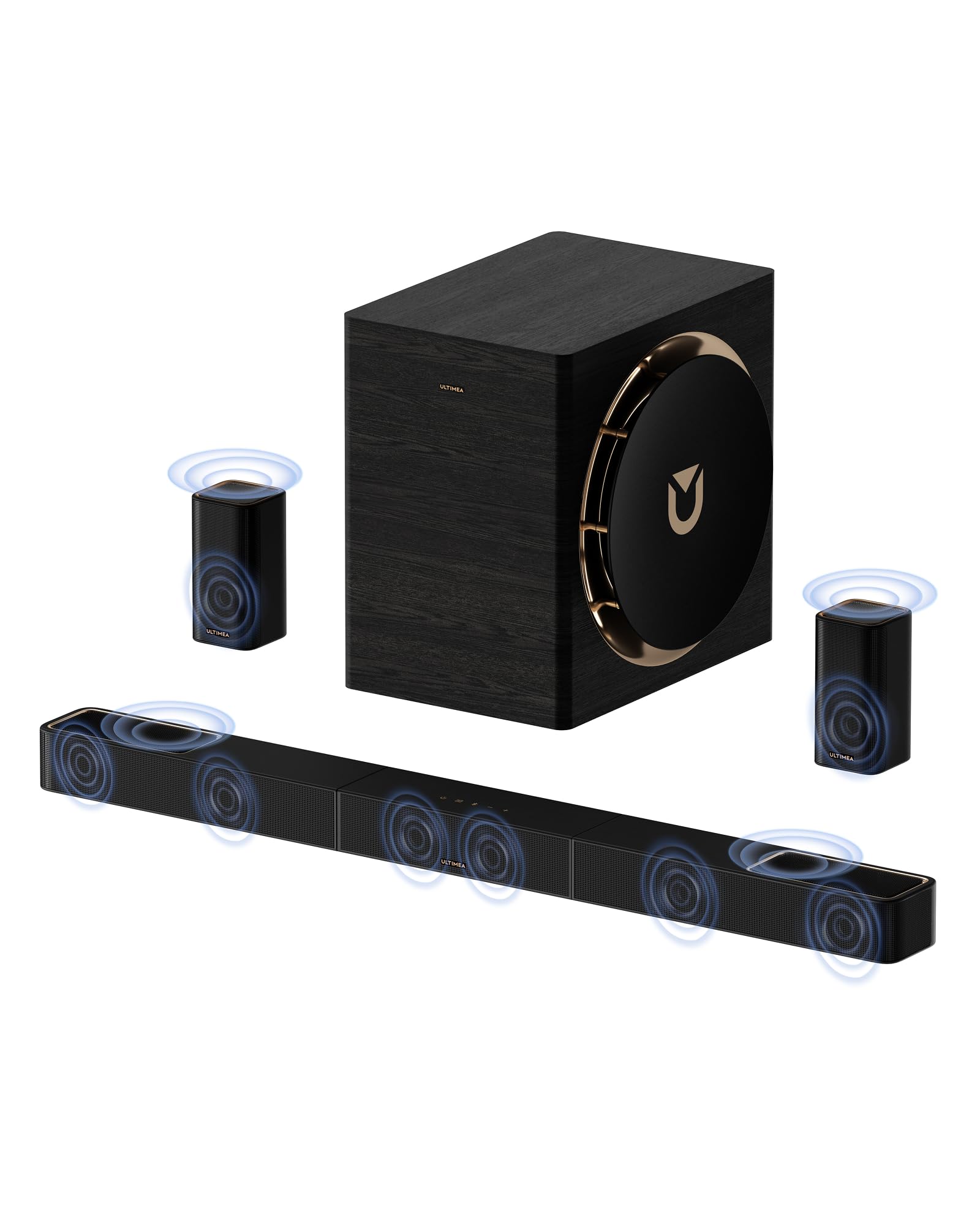
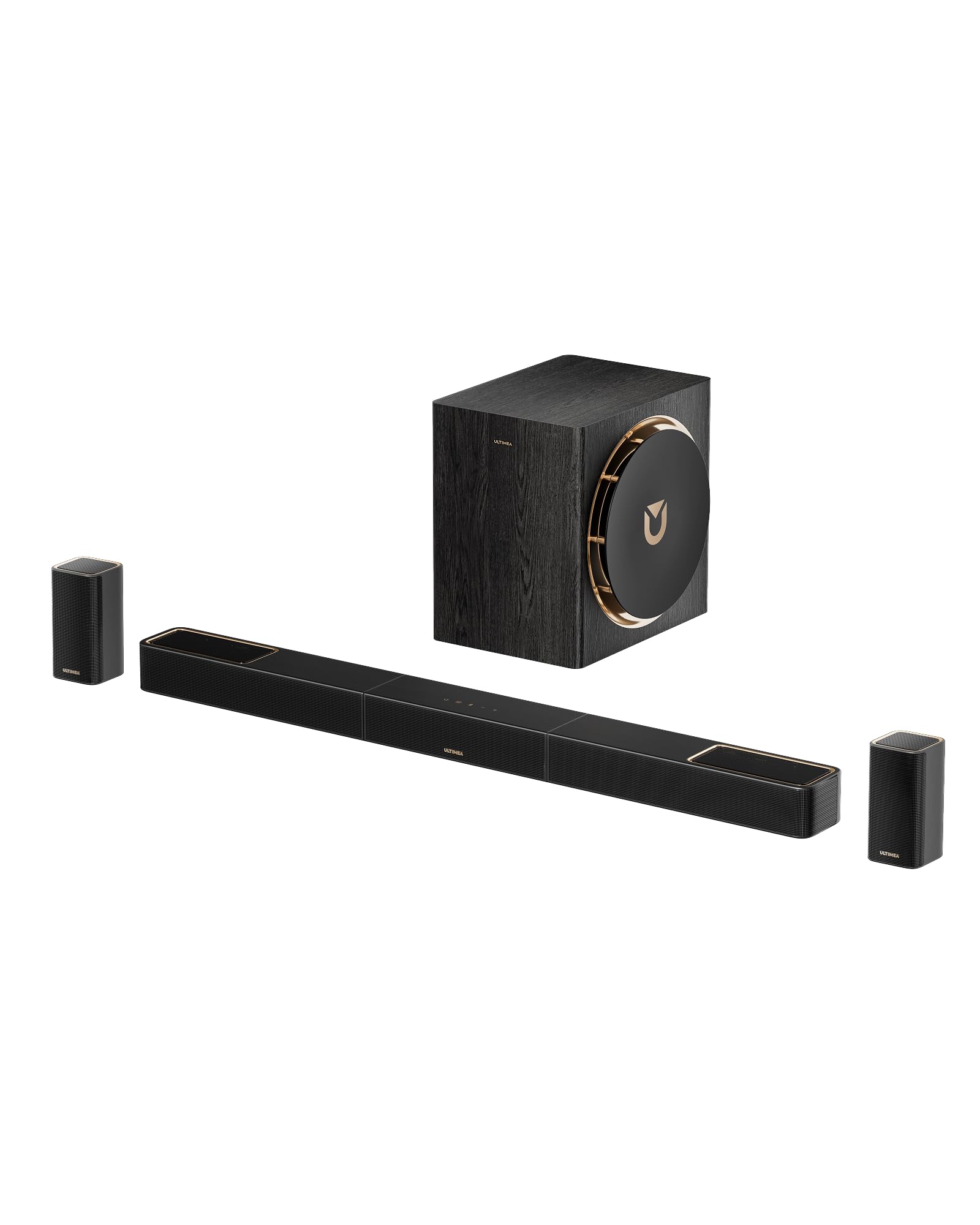
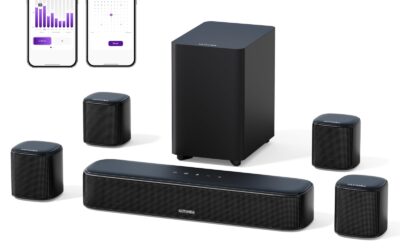
The best TV surround sound system in this guide is the ULTIMEA Skywave X70. It is a 7.1.4-channel system with 980W peak power, a 10-inch wireless subwoofer, and GaN amplification that creates a dome-like soundstage for movies and games. The Skywave X50 is the stronger value for mid-size rooms.

  • Best overall: ULTIMEA Skywave X70 — 7.1.4, 980W peak, 10-inch wireless subwoofer, GaN amp
  • Best mid-range: ULTIMEA Skywave X50 — 5.1.4, 760W, 8-inch wireless subwoofer, overhead Dolby Atmos
  • Best multi-speaker setup: ULTIMEA Aura A40 Pro — three fronts, four surrounds, subwoofer rated to 45Hz, app EQ
  • Best budget: ULTIMEA Aura A60 Pro — true 7.1, four surrounds, VoiceMX and BassMX, just over $200
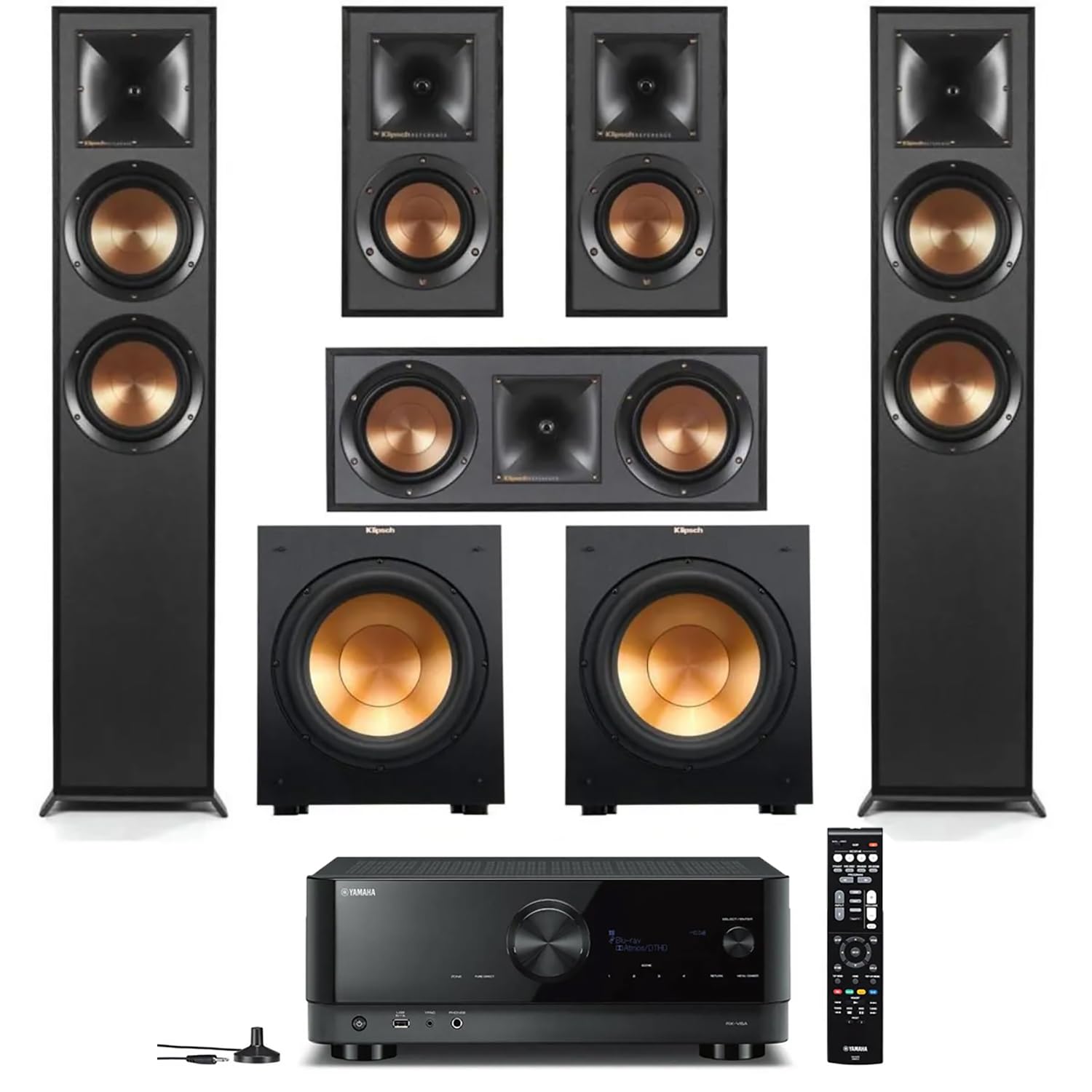
  • Best AV receiver bundle: Yamaha YHT-5960U — physical source switching and 8K HDMI pass-through
1

ULTIMEA Skywave X70 7.1.4ch Sound Bar with Dolby

In Stock
9.9 /10
BS Score
BS Score is calculated based on product ratings, reviews, and sales performance to help you make informed purchasing decisions.
Updated: Aug 18, 2026
Last update on Aug 18, 2026 / Affiliate links / Images, Product Titles, and Product Highlights from Amazon Creators API.
Pros & Cons

Pros

  • Wireless subwoofer and dual 5GHz transmission reduce cable clutter and interference
  • Powerful 980W peak output and deep bass (20Hz) for cinematic impact
  • GaN amplifier ensures efficient power and minimal distortion
  • App connectivity allows OTA updates and extensive EQ presets for tailored sound
  • Sleek design with metal grille and wood subwoofer adds premium aesthetic

Cons

  • Zero customer reviews yet, making real-world performance unverified
  • High price point may not justify unproven performance compared to established brands
  • No mention of surround speakers included, so true 7.1.4 may require additional purchases
Detailed Review

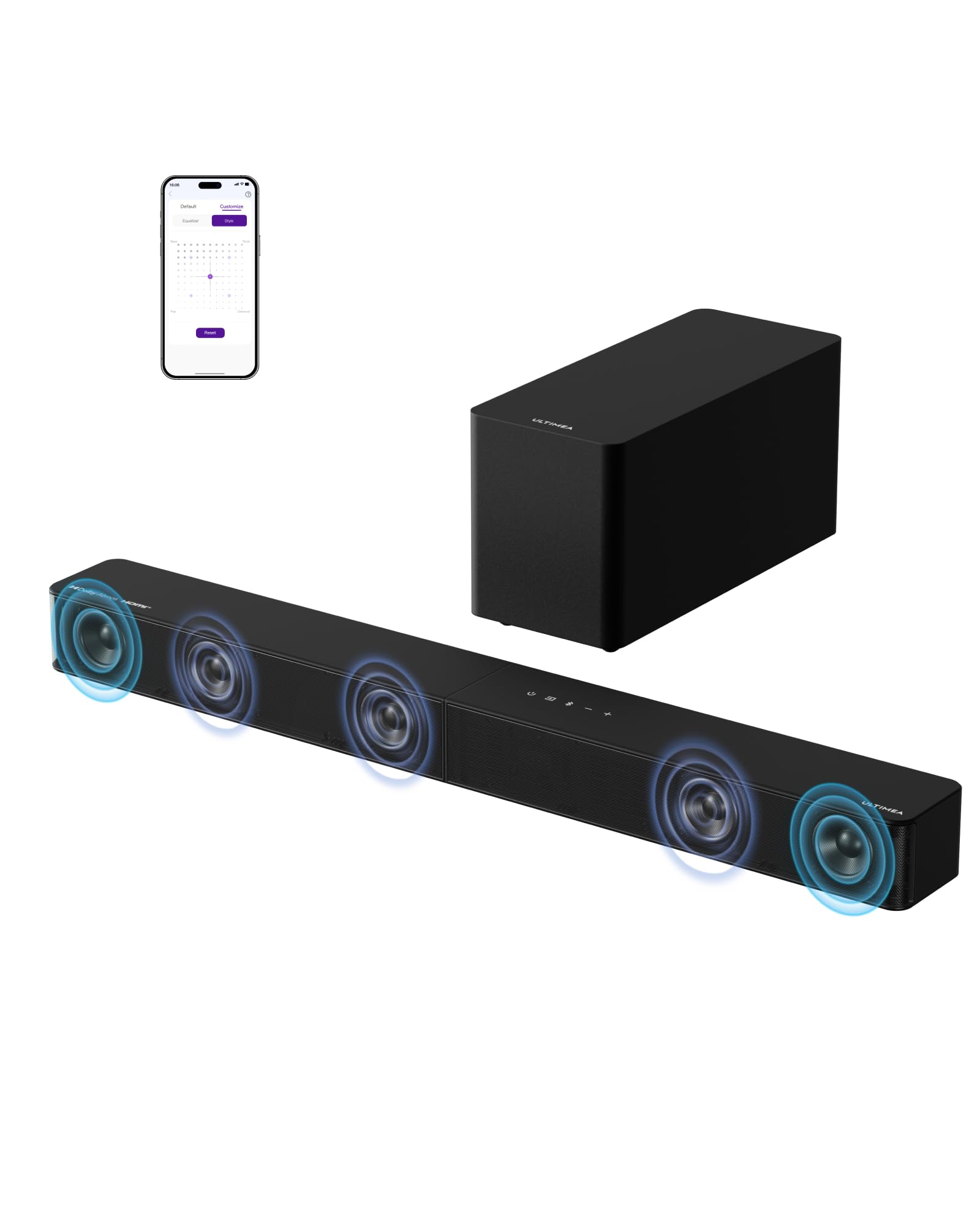
The ULTIMEA Skywave X70 is a 7.1.4-channel sound bar system designed to bring a cinematic Dolby Atmos experience into your living room. With a 10-inch wireless subwoofer and 980W peak power, it targets home theater enthusiasts who want immersive, room-filling audio without the complexity of wired multi-speaker setups. The inclusion of GaN amplifier technology and a proprietary NEURACORE audio engine suggests a focus on high-fidelity sound and efficiency.

The system's key selling point is its wireless freedom. The sound bar and subwoofer communicate via dual 5GHz transmission, which the manufacturer claims ensures stable and interference-free performance. This means you can place the subwoofer almost anywhere without running long cables, a significant convenience for many users. The 10-inch subwoofer is rated down to 20Hz, promising deep, tactile bass for action scenes and music.

The GaN amplifier is a notable feature, offering up to 98% efficiency, which translates to high power output with less heat and energy waste. This could mean cleaner sound at high volumes and better longevity. The NEURACORE engine supports 24-bit/192kHz audio and up to 17 channels, which may provide precise sound placement and detail retrieval, though the actual benefit depends on the source material and speaker configuration.

However, there are limitations to consider. The product has no customer reviews yet, so real-world performance is unverified. The price is high, and without proven reliability, it's a gamble. Additionally, the description doesn't explicitly state whether rear speakers are included; a true 7.1.4 setup typically requires physical surround and height speakers. If they're not included, you'll need to purchase additional components, increasing the cost and complexity.

In conclusion, the ULTIMEA Skywave X70 appears to offer a compelling package on paper, but its lack of track record and high price make it a cautious recommendation. If you're an early adopter willing to take a chance on unproven tech for potential wireless convenience and powerful sound, it might be worth trying. Otherwise, consider waiting for verified reviews or exploring more established sound bar systems. Before buying, confirm exactly what is included in the box and check the return policy.

Who Should Buy It

Strong Match: Home theater enthusiasts who prioritize a clutter-free setup and are willing to invest in a high-end sound bar with Dolby Atmos and a wireless subwoofer, especially if they value deep bass and efficient amplification.

Also Consider It If: You're looking for a modern, design-forward audio system that blends with your decor, and you appreciate app-based control for fine-tuning sound to your room.

Not the Best Fit: If you need a proven, immediately reliable system with a track record of customer satisfaction, or if you're on a tighter budget and want a more affordable sound bar without sacrificing performance.

Decision in One Sentence: The ULTIMEA Skywave X70 is for tech-savvy buyers who want a wireless, powerful Atmos experience, but given the lack of reviews, it's best suited for those willing to risk unverified performance.

Reasons to Consider or Pass

Consider It For:

  • Wireless convenience: dual 5GHz transmission reduces cable clutter and interference.
  • Deep bass: 10-inch subwoofer reaches 20Hz for impactful low-end effects.
  • High efficiency: GaN amplifier delivers powerful sound with less heat and energy use.
  • Advanced audio processing: NEURACORE engine supports high-resolution audio and up to 17 channels.
  • Customization: app provides 121 EQ presets and OTA updates for evolving features.

Pass If:

  • You require verified user feedback: no reviews exist yet, so reliability is unknown.
  • You expect a complete 7.1.4 setup out of the box: rear and height speakers may not be included.
  • You're budget-conscious: the high price may not be justified without proven performance.
  • You prefer established brands with longer track records in sound bars.
Key Features Explained

7.1.4 Channel Configuration: This indicates a system with 7 ear-level channels, 1 subwoofer, and 4 height channels for overhead sound, which is essential for Dolby Atmos. However, the actual speaker layout may vary; check if the system includes physical surround/height speakers or uses virtual processing.

Wireless Subwoofer: The 10-inch subwoofer connects wirelessly, allowing flexible placement. Its 20Hz low-frequency rating suggests it can reproduce very deep bass, which is felt as much as heard.

GaN Amplifier: Gallium Nitride (GaN) amplifiers are more efficient than traditional silicon-based ones, resulting in higher power output with less heat generation. This can lead to cleaner sound and longer component life.

NEURACORE Engine: This is a digital signal processing (DSP) system that handles audio decoding and channel mapping. It supports high-resolution audio (24-bit/192kHz) and can process up to 17 channels, which may improve sound accuracy and immersion.

4K HDR Pass-Through: The sound bar can pass through 4K video signals with HDR, so you can connect your TV and source devices without loss of video quality. It also supports CEC, enabling control via your TV remote.

2

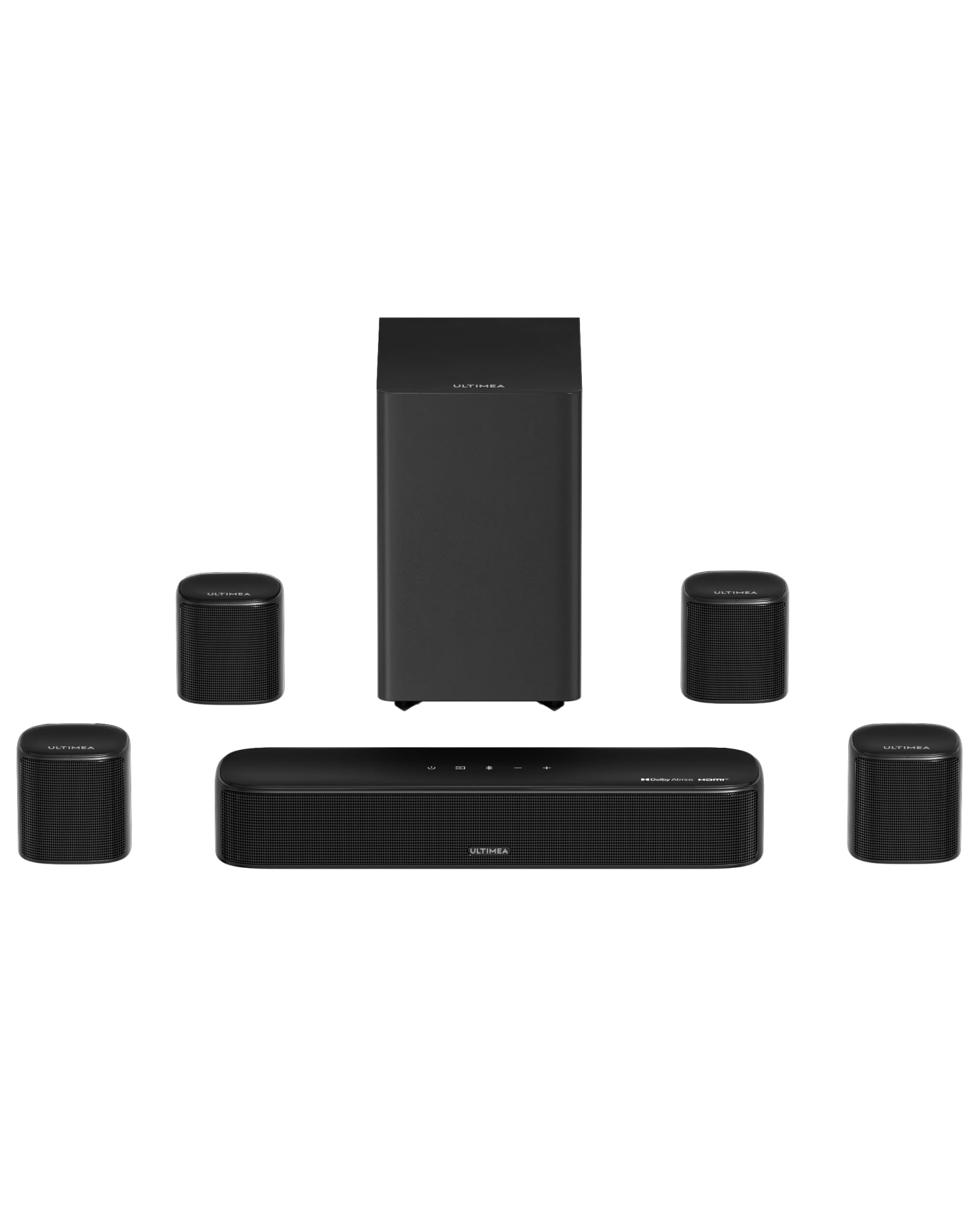
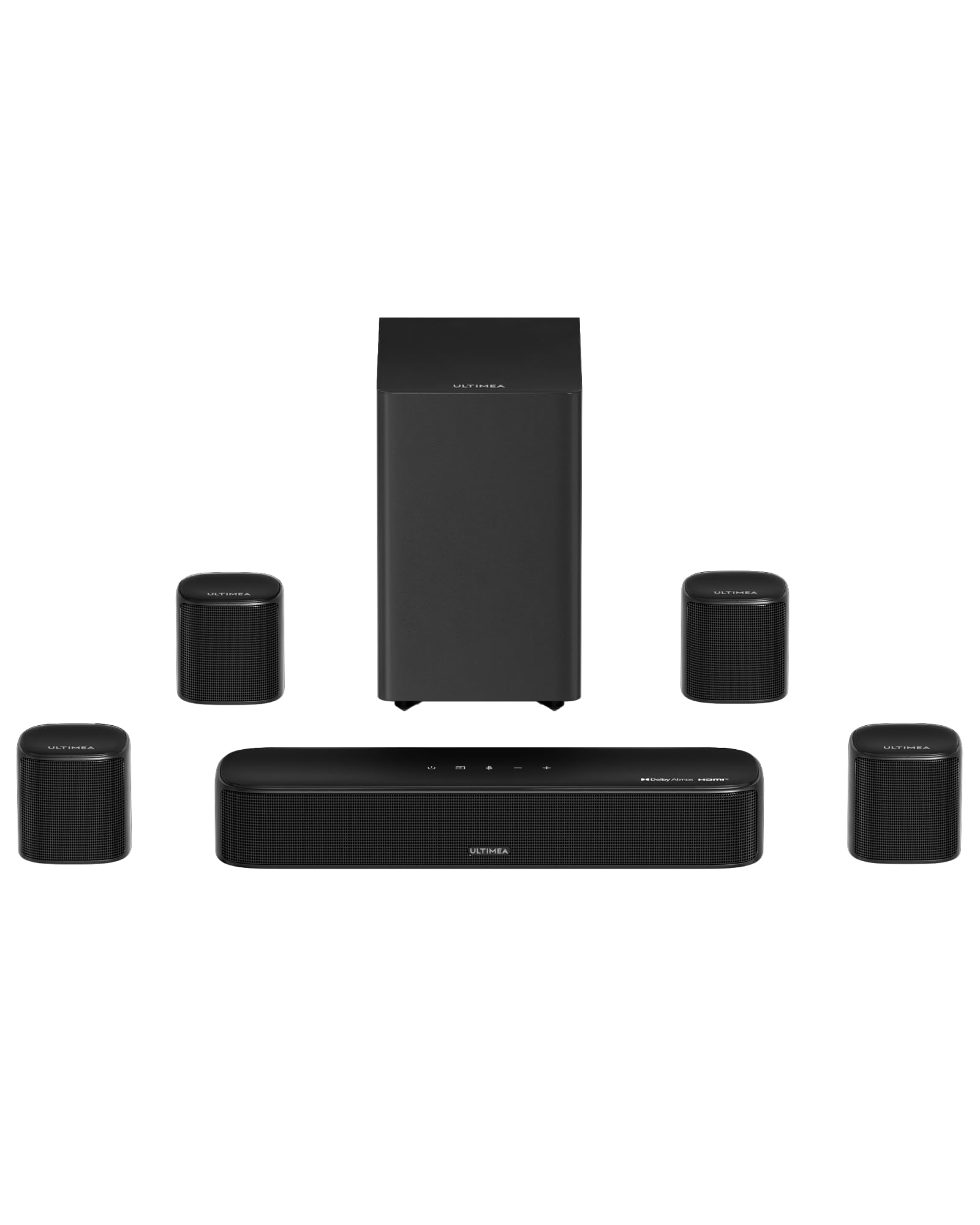
ULTIMEA 5.1.4ch Skywave X50 Surround Sound Bar

In Stock
9.9 /10
BS Score
BS Score is calculated based on product ratings, reviews, and sales performance to help you make informed purchasing decisions.
Updated: Aug 25, 2026
Last update on Aug 25, 2026 / Affiliate links / Images, Product Titles, and Product Highlights from Amazon Creators API.
Pros & Cons

Pros

  • The 5.1.4 configuration with discrete rear and height speakers is the meaningful difference from virtualized bars, and it is the layout most likely to place overhead and behind-you effects where a film intends them.
  • Wireless rears and subwoofer sidestep the single biggest obstacle to home surround in rented or finished rooms, since no cable needs to cross a floor or go inside a wall.
  • The claimed 28Hz subwoofer extension, if accurate, would place the low end below what most compact bar-and-sub bundles reach, which matters for large-scale action content more than for dialogue.
  • 4K HDR pass-through means a buyer with a single well-fed source can route video through the bar rather than juggling television inputs, provided the port arrangement suits the setup.
  • The stated support for 24-bit/192kHz processing and a multi-core DSP suggests the platform is not being asked to do surround decoding on marginal silicon, though this remains a manufacturer claim.

Cons

  • There is effectively no published customer feedback behind the displayed rating, so the high score should not be read as evidence of real-world reliability, wireless stability, or sound quality.
  • No specification table is supplied: driver sizes, dimensions, weight, HDMI eARC support, port count, Dolby Atmos or DTS:X licensing, app control, and warranty terms are all absent, and several of those are decision-critical for a surround purchase.
  • The headline numbers are marketing figures rather than measured results. Peak power, 98% amplifier efficiency, and sub-0.5% distortion are supplier claims with no stated test conditions, and peak power in particular says little about sustained output.
Detailed Review

The ULTIMEA 5.1.4ch Skywave X50 suits a buyer who wants genuine rear and height channels in a room where running speaker cable is impractical, and its strongest argument is that layout combined with wireless links to the subwoofer and satellites. The principal reservation is that almost nothing here is independently confirmed: the rating rests on essentially no published reviews, and no specification sheet accompanies the listing.

Positionally, this is a response to a real gap. Single-bar systems that simulate surround from one enclosure are convenient but cannot place a sound behind a listener; traditional receiver-based systems can, but demand cable routing, speaker placement, and setup patience. A wireless 5.1.4 bundle at this general price point targets the buyer who has decided virtualization is not enough but does not want an equipment rack. That is a crowded and improving category, which raises rather than lowers the evidentiary bar.

Translated into consequences, the useful facts are these. Four height channels and two rear channels mean overhead and behind-you cues have dedicated drivers rather than being bounced or synthesized, which is the difference most listeners actually notice. Dual 5GHz wireless transmission means the subwoofer and rears need power outlets but no signal cable, so placement is governed by where you have sockets. A stated 28Hz low-frequency reach, if it holds, covers the bottom octave of most film soundtracks. 4K HDR pass-through allows one source to feed video through the bar to the television without stated degradation.

The limitations are informational as much as acoustic. Nothing supplied confirms HDMI eARC, the number of inputs, Dolby Atmos or DTS:X decoding, app or EQ control, physical dimensions, or warranty coverage, and a 5.1.4 system without confirmed object-based audio decoding is a strange proposition. Buyers who need certainty on those points, or who want a system with published measurements and a long feedback record, should look toward established bar families or a compact receiver with bookshelf speakers, which trades convenience for verifiable capability.

The qualified verdict: the Skywave X50 is worth shortlisting if the wireless 5.1.4 format is your binding constraint and you are comfortable buying on manufacturer claims. Before ordering, confirm directly with the seller which surround formats the unit decodes, whether the HDMI connection supports eARC, and what the return window and warranty terms are, since those answers determine whether the format advantage is real.

Who Should Buy It

Strong Match: A buyer furnishing a living room or media space who has concluded that a single virtualized bar will not deliver convincing surround, and who cannot or will not run speaker cable to the back of the room. The discrete 5.1.4 layout with wireless subwoofer and rear satellites is precisely the compromise this person is looking for, and no other part of the specification matters as much.

Also Consider It If: Your priority is low-frequency impact for films and large-scale content rather than nuanced music reproduction. The claimed 28Hz subwoofer extension and the emphasis on peak output across the manufacturer's own description point toward a system tuned for cinematic weight, though this remains a supplier claim rather than a measured result.

Not the Best Fit: Anyone who needs confirmed technical capability before purchase. There is no published specification table, no confirmation of HDMI eARC or Dolby Atmos and DTS:X decoding, no dimensions, and no warranty detail, and the rating is not backed by a meaningful body of customer feedback. Buyers integrating this into a multi-source setup, or those who want documented measurements and a track record, are being asked to accept too much on trust.

Decision in One Sentence: Choose the ULTIMEA 5.1.4ch Skywave X50 if wireless rear and height channels are your non-negotiable requirement and you accept that its performance claims are unverified, but confirm surround format support, HDMI capability, and return terms with the seller before you commit.

Reasons to Consider or Pass

Consider It For:

  • A true 5.1.4 channel layout with dedicated rear and four height speakers rather than surround simulated from one enclosure.
  • Rooms where speaker cable cannot be run, since the subwoofer and satellites connect over dual 5GHz wireless links.
  • Film-first listening where the manufacturer's claimed 28Hz low-frequency reach would matter more than it does for speech or acoustic music.
  • Setups with a single primary video source, where the stated 4K HDR pass-through lets the bar sit in the signal chain.

Pass If:

  • You want a purchase supported by real user feedback, because the displayed rating rests on essentially no published reviews.
  • You need confirmed Dolby Atmos or DTS:X decoding, HDMI eARC, or a known input count, none of which the supplied information establishes.
  • You require published dimensions, driver details, or warranty terms before committing to a multi-piece system that has to physically fit your room.
  • You treat peak power, efficiency, and distortion figures as decision criteria, since these are unverified supplier claims with no stated test conditions.
Key Features Explained

What 5.1.4 actually means: Five ear-level channels, one low-frequency channel, and four upward-firing height channels. The final digit is the one that separates this from most bars, because height channels are what let a soundtrack place rain or aircraft above the listening position rather than in front of it. Note that discrete height speakers only pay off with content and decoding that supply overhead information, and the supplied material does not confirm which object-based formats the unit decodes.

Wireless transmission: Dual 5GHz links carry audio to the subwoofer and rear satellites, so those units need mains power but no signal cable. This is the practical selling point. It also means placement flexibility is limited by outlet locations, and wireless surround systems generally depend on the quality of the radio link for consistent sync, which cannot be assessed from the information provided.

Peak power and amplifier claims: The 760W figure is peak rather than continuous output, and peak ratings describe a momentary maximum rather than the power a system sustains during normal listening. The GaN amplifier claim of up to 98% efficiency relates to how much electrical input becomes audio output rather than heat; it is a design characteristic, not a measure of sound quality.

Processing specifications: The stated 24-bit/192kHz handling, multi-core DSP, and sub-0.5% distortion figure describe processing headroom. None of these are supplied with test conditions, and distortion figures without a stated power level and frequency are not directly comparable between products.

3

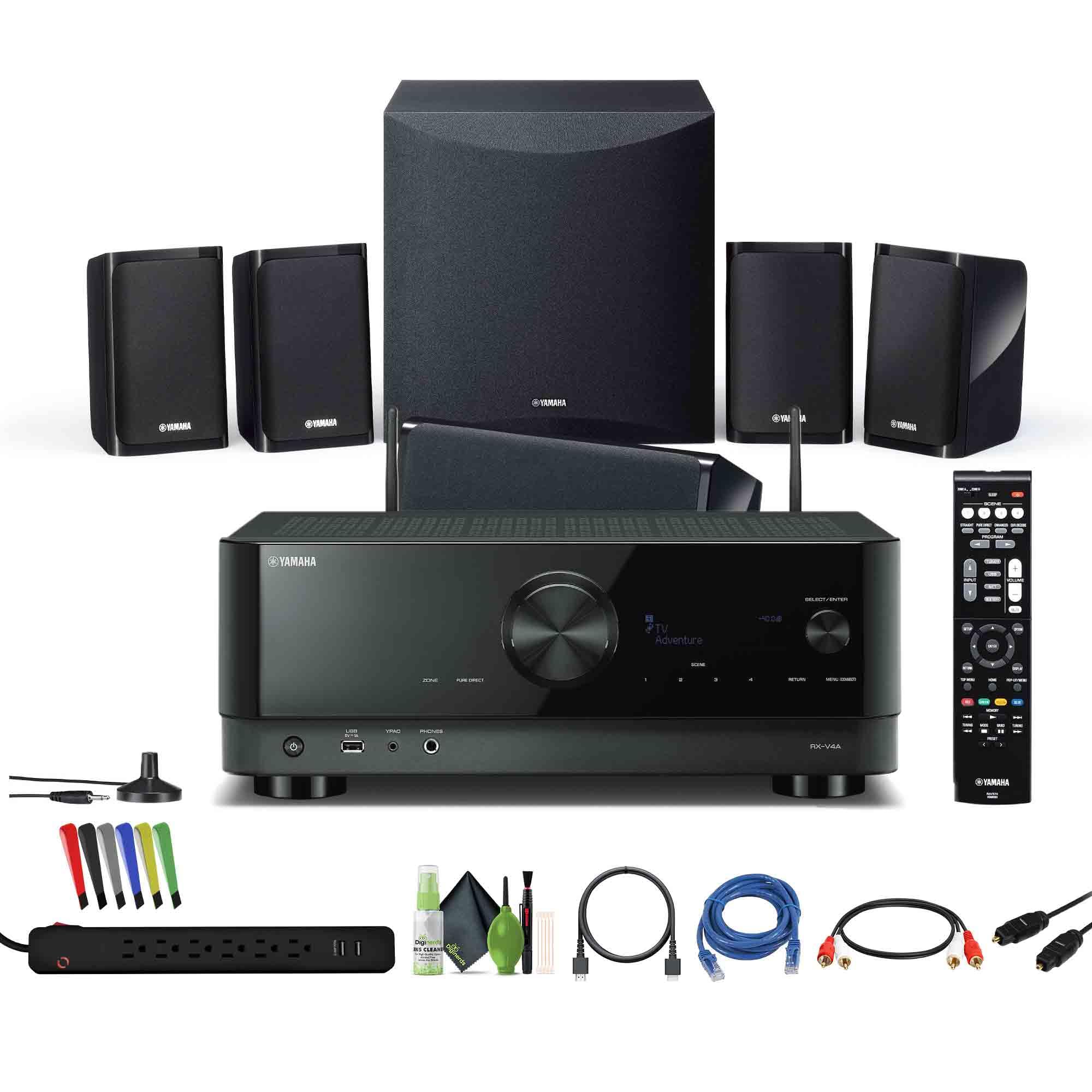
Yamaha YHT-5960U 5.1-Channel Home Theater System

Yamaha
In Stock
9.5 /10
BS Score
BS Score is calculated based on product ratings, reviews, and sales performance to help you make informed purchasing decisions.
Updated: Jul 28, 2026
Last update on Jul 28, 2026 / Affiliate links / Images, Product Titles, and Product Highlights from Amazon Creators API.
Pros & Cons

Pros

  • Amplification up to 125W per channel plus Dolby TrueHD and DTS-HD Master Audio support delivers directional effects that make action and dialogue more involving
  • Dedicated 8-inch 100W powered subwoofer adds controlled bass weight for explosions, music, and gaming without overloading the satellite speakers
  • YPAO sound optimization measures the room and adjusts levels so first-time users achieve more accurate placement and clarity with less manual work
  • Four HDMI inputs and one eARC output maintain 4K HDR and Dolby Vision quality while simplifying TV and source connections
  • MusicCast multiroom, Bluetooth, AirPlay 2, and Google Assistant expand listening beyond the main room and free users from constant remote use

Cons

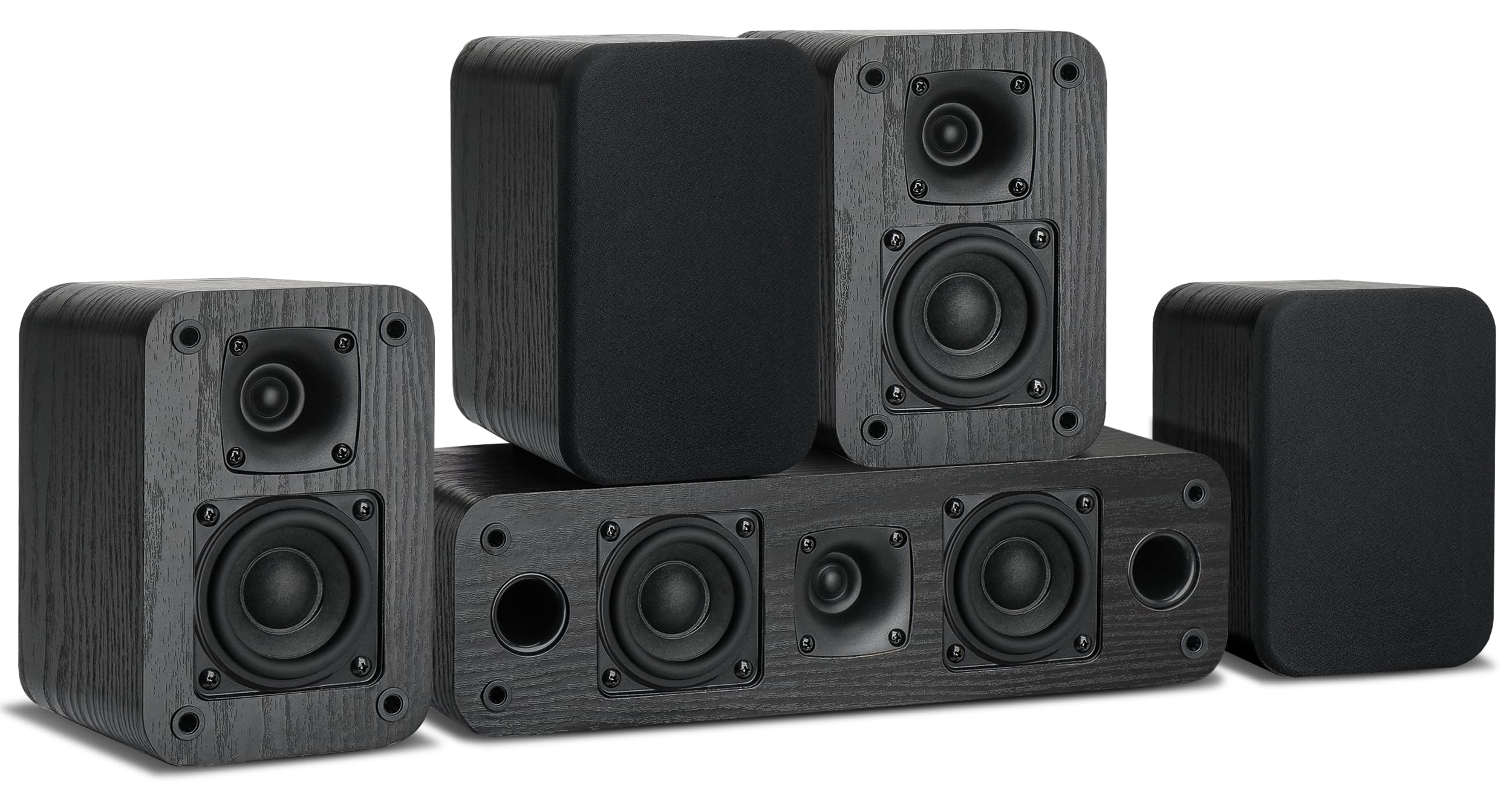
  • Compact front, center, and rear speakers with keyhole mounts may not deliver enough scale or volume for large open-plan living rooms
  • 8K/60Hz, 4K/120Hz, ALLM, VRR, and QMS support require future firmware, so advanced gaming benefits are not available immediately
  • Only four HDMI inputs can force owners of multiple consoles, streamers, and players to add an external switch
Detailed Review

The Yamaha YHT-5960U 5.1-Channel Home Theater System is a complete surround package for TV owners who want immersive movie, game, and music audio without assembling separate components. It suits medium-sized rooms and apartments best, offering room calibration, a powered subwoofer, and wireless streaming as primary advantages. Buyers who need larger speakers or immediate 8K high-frame-rate gaming should note the current limits.

Performance centers on up to 125W per channel with Dolby TrueHD and DTS-HD Master Audio decoding for clear dialogue, solid mids, and directional effects. The 8-inch 100W powered subwoofer supplies low-frequency impact that small satellites alone cannot produce. YPAO measures the room and optimizes levels automatically, while Cinema DSP 3D recreates theater and concert ambiance so everyday content feels more dimensional without heavy user input.

Practical design includes compact front, rear, and center speakers with keyhole mounts for flexible shelf or wall placement. The receiver offers four HDMI inputs and one eARC-enabled output for straightforward TV and source hookup. Bluetooth, AirPlay 2, and MusicCast support wireless playback and multiroom syncing with compatible speakers, and Google Assistant adds voice control. A high-slew rate amplifier, compressed music enhancer, and ECO mode help maintain quality and efficiency during daily use.

Drawbacks center on physical scale and timeline of advanced features. The compact speakers perform well in average rooms yet can feel limited in very large spaces. Full 8K/60Hz and 4K/120Hz support with ALLM, VRR, and QMS arrives only through later firmware, so high-frame-rate gaming remains constrained at launch. Four HDMI inputs may require switching for complex source collections. The included cables, surge protector, and accessories ease initial setup but stay basic.

The strongest reason to choose this system is the ready-to-use 5.1 combination of power, YPAO calibration, subwoofer depth, and MusicCast expansion for movies and multiroom music. The main hesitation is speaker size for big rooms and delayed advanced gaming readiness. Households needing Atmos height channels, large floorstanders, or fully current 8K/120Hz gaming should look at higher-tier receivers paired with separate speakers instead.

Key Features Explained

5.1-Channel Power: Up to 125W per channel drives the front, center, and surround speakers to create a full surround field. This replaces flat TV sound with directional effects for movies and games, benefiting users who want theater impact without a custom multi-component build.

8-Inch 100W Powered Subwoofer: The dedicated subwoofer handles deep bass independently so low frequencies stay strong and controlled. It solves the thin bottom end common in compact kits, giving action scenes and music more weight for listeners in apartments or medium rooms.

YPAO Sound Optimization: A supplied microphone measures room reflections and automatically adjusts timing and levels. This removes setup guesswork and improves dialogue clarity plus overall balance, helping first-time owners reach better results faster than manual tuning alone.

HDMI Video Features: Four inputs and one eARC output pass 4K/60Hz, HDR10, HLG, and Dolby Vision so picture quality remains intact from source to display. Future firmware will add 8K/60Hz and 4K/120Hz with gaming aids, making the system practical for current 4K homes that plan ahead.

MusicCast Streaming and Control: Bluetooth, AirPlay 2, and MusicCast enable wireless music and multiroom syncing with other compatible speakers. Google Assistant support adds hands-free volume and playback control, solving the need for extra streamers and helping multi-room households stay simple.

Buyer's Guide

Best For: Medium-room or apartment households and first-time surround buyers who want a single-package 5.1 system with calibration, a powered subwoofer, and wireless multiroom options for TV movies, casual gaming, and music streaming.

Consider Alternatives If: You have a large open space that needs bigger floorstanding speakers, require immediate 8K/120Hz gaming features with VRR and ALLM, or prefer true height-channel Atmos layouts rather than standard 5.1. Separate receiver-and-speaker combinations often fit those needs better.

Setup and Daily Use: Position the compact speakers using keyhole mounts or stands, connect the powered subwoofer, run YPAO calibration, and use the included HDMI, optical, RCA, and Ethernet cables for TV and sources. Daily control comes from the remote, MusicCast app, or Google Assistant voice commands for source changes, volume, and multiroom playback.

What Sets It Apart: The ready 5.1 package with YPAO tuning, MusicCast multiroom, and a bundle of basic cables plus surge protection positions it as a convenient starting point compared with bare receivers that still require speakers and wiring purchased separately.

Compatibility

The Yamaha YHT-5960U integrates with modern 4K TVs and sources through four HDMI inputs that pass HDR10, HLG, and Dolby Vision signals while the eARC output returns high-quality audio. This covers current streaming devices, game consoles, and disc players for most 4K households without quality loss.

Wireless connectivity includes Bluetooth and AirPlay 2 for phones and tablets plus MusicCast for multiroom synchronization with other Yamaha-compatible speakers. Google Assistant compatibility allows voice commands for playback and volume, extending control beyond the supplied remote.

Future firmware will enable 8K/60Hz and 4K/120Hz with ALLM, VRR, and QMS, improving long-term console support. Until the update arrives, high-frame-rate gaming remains limited to existing capabilities. Bundle Toslink optical, dual RCA, and Ethernet cables provide fallbacks for older or network gear.

Owners with more than four HDMI sources will likely need an external switch. Multiroom expansion works only with additional MusicCast speakers, so single-room users still gain the core surround and streaming benefits without buying extras.

4

Assistrust Sound Bar for Smart TV with Bluetooth

In Stock
9.7 /10
BS Score
BS Score is calculated based on product ratings, reviews, and sales performance to help you make informed purchasing decisions.
Updated: Aug 18, 2026
Last update on Aug 18, 2026 / Affiliate links / Images, Product Titles, and Product Highlights from Amazon Creators API.
Pros & Cons

Pros

  • Versatile connectivity (Bluetooth, ARC, Optical, AUX) suits varied setups
  • Detachable design offers placement flexibility for small spaces
  • EQ modes enhance dialogue, music, or movie effects
  • Auto volume boost helps with low-volume content
  • 18-month warranty and 60-day replacement policy provide peace of mind

Cons

  • No customer reviews yet to confirm sound quality or build reliability
  • Dimensions and wall-mounting hardware not specified – verify fit before buying
  • No information on included cables or power requirements – check before purchase
Detailed Review

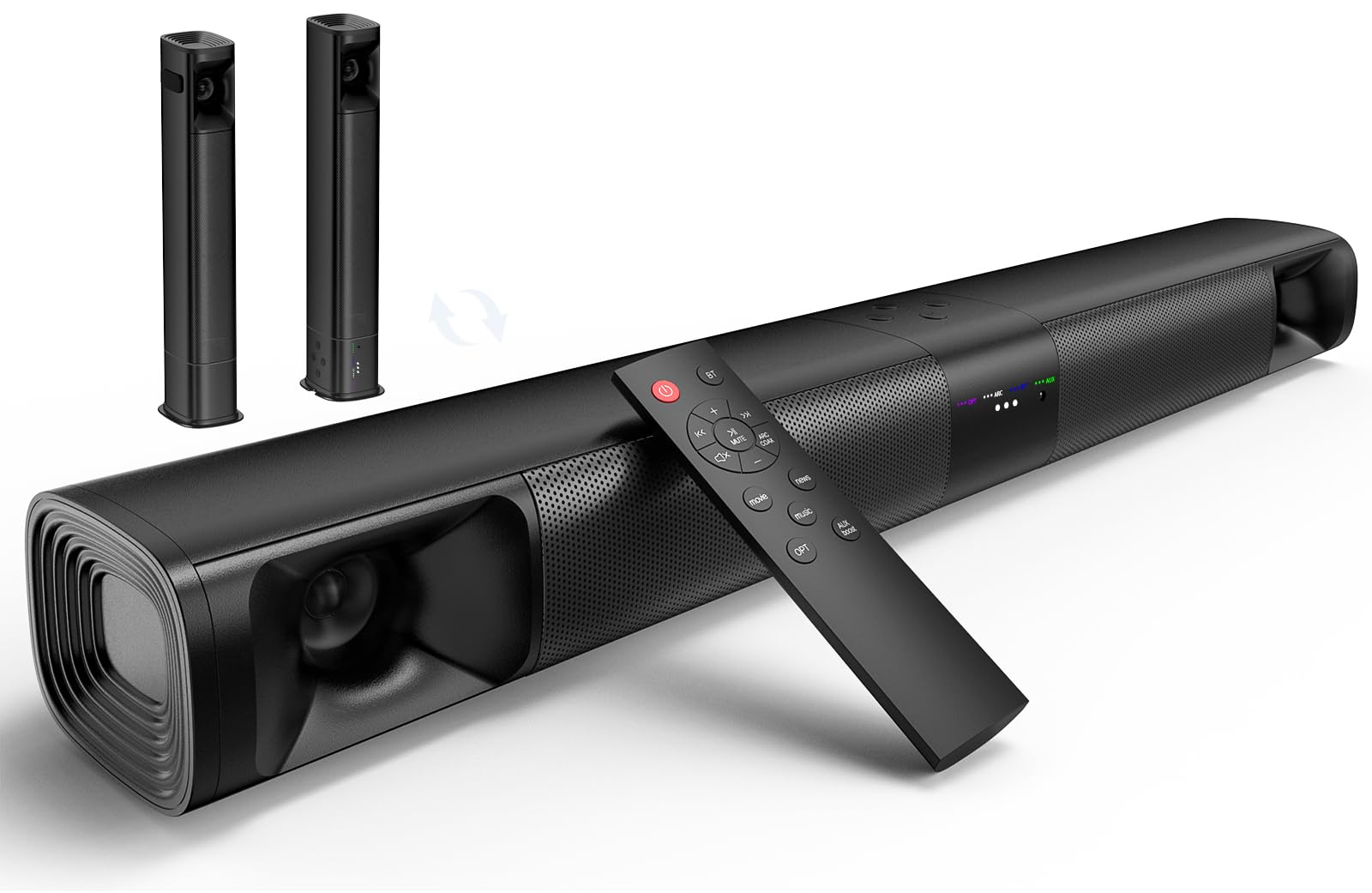
The Assistrust Sound Bar for Smart TV is a compact audio solution designed for TV, PC, gaming, and projectors. It promises 80W of power from four drivers and offers Bluetooth 5.0, ARC, Optical, and AUX inputs, making it adaptable to most setups. The standout feature is its 2-in-1 detachable design, allowing placement in horizontal, vertical, tabletop, or wall-mounted orientations, which is ideal for small living spaces or dorm rooms where flexibility matters.

In daily use, the three EQ modes (movie, music, news) let you quickly adjust sound for content, and the auto volume boost helps with quiet dialogue or low-volume sources. ARC connectivity is convenient because it lets you control the soundbar with your existing TV remote, reducing remote clutter. However, the absence of customer reviews means real-world performance is unverified, so treat manufacturer claims as promises yet to be proven.

Ownership friction centers on missing details: dimensions, weight, included accessories (cables, mounting brackets), and power requirements are not specified. This could complicate setup, especially for wall mounting or fitting into tight spaces. Cleaning and maintenance are not addressed, but typical for a soundbar, you'd expect surface wiping; verify the manual for specific care instructions.

Who should buy? Those seeking a budget-friendly, multi-input soundbar with flexible placement for a small room or secondary display. Who should avoid? Buyers needing a specific aesthetic, a subwoofer, or those with limited space who must confirm dimensions first. Before purchasing, measure your space, check TV compatibility (ARC or optical), and confirm what's in the box.

Ownership Snapshot

Best Ownership Fit: This soundbar suits apartment dwellers, students, or anyone with a small to medium living area who wants to upgrade TV or computer audio without a complex home theater system. It's also a fit for projector users needing a portable, detachable sound source.

Daily Workflow: Each day, you might power on the soundbar via your TV remote (if using ARC) or its own controls. Switch between EQ modes depending on content: movie mode for films, music for tunes, news for talk shows. Use the volume boost when watching low-volume content. For Bluetooth, pair your phone or tablet for music streaming.

Likely Friction: The main friction is the lack of verified user feedback. You may encounter setup quirks, such as ARC not working if your TV's HDMI port doesn't support it, or the auto volume boost being too aggressive. Also, without dimensions, you can't be sure it fits your TV stand or cabinet.

Before You Buy: Verify the soundbar's dimensions against your TV stand or wall space. Check if your TV has an ARC-capable HDMI port or an optical output. Confirm what cables are included (HDMI, optical, AUX) and whether a wall-mount kit is provided. Also, check the power cord length and whether it matches your outlet proximity.

Setup & Maintenance

Setup: The soundbar supports multiple connection methods. For ARC, connect via HDMI cable to your TV's ARC port and select the correct input. For Optical, connect the optical cable (if included) and switch input. For AUX, use a 3.5mm cable. Bluetooth pairing is typically done by pressing a button to enter pairing mode. The detachable design allows you to split the bar into two speakers for wider stereo separation, but detailed instructions are not provided here; refer to the included manual or video tutorials.

Controls: Physical buttons or a remote may be present, but not specified. In ARC mode, you can use your TV remote for volume and power. EQ modes are likely selected via a button or remote.

Cleaning: Use a soft, dry cloth to wipe the exterior. Avoid moisture and cleaning agents. Ensure vents are free of dust.

Maintenance: No specific maintenance is mentioned. Check for firmware updates if the soundbar supports them. Since it's electronic, avoid power surges with a surge protector.

Storage: If you need to store it, keep it in a dry, cool place, and consider using the original packaging if you plan to return it.

Missing Information: The product data does not specify included cables, mounting hardware, or power requirements. Verify these with the manufacturer before purchase to ensure you have everything needed for setup.

5

Samsung HW-B550F 2.1ch Soundbar with

In Stock
9.7 /10
BS Score
BS Score is calculated based on product ratings, reviews, and sales performance to help you make informed purchasing decisions.
Updated: Aug 18, 2026
Last update on Aug 18, 2026 / Affiliate links / Images, Product Titles, and Product Highlights from Amazon Creators API.
Pros & Cons

Pros

  • Included wireless subwoofer means the buyer only needs one power outlet near the TV and one near the sub, which helps renters and anyone avoiding speaker wire along baseboards
  • Automatic dialogue amplification benefits households with mixed hearing ability or late-night viewing where raising overall volume is not an option
  • Adaptive Sound suits owners who do not want to learn an audio menu and would rather leave the bar on one setting permanently
  • Virtual surround processing serves apartments and small rooms where rear speakers, stands, or wiring are impractical
  • Optional wireless rear speaker support gives a clear upgrade path for a buyer who wants a modest start now and true surround later

Cons

  • No dimensions, weight, port list, or mounting hardware details are supplied, so soundbar shelf clearance, TV stand width, and wall mount planning cannot be confirmed from this listing
  • The specific rear speaker kits compatible with this model are not named, and the expansion claim carries an asterisk in the manufacturer text without the accompanying condition, so the upgrade path is unverified
  • Customer feedback is effectively absent here, with a rating shown but no review excerpts supplied, so nothing about subwoofer pairing reliability, HDMI handshake behavior, or long-term performance can be established
Detailed Review

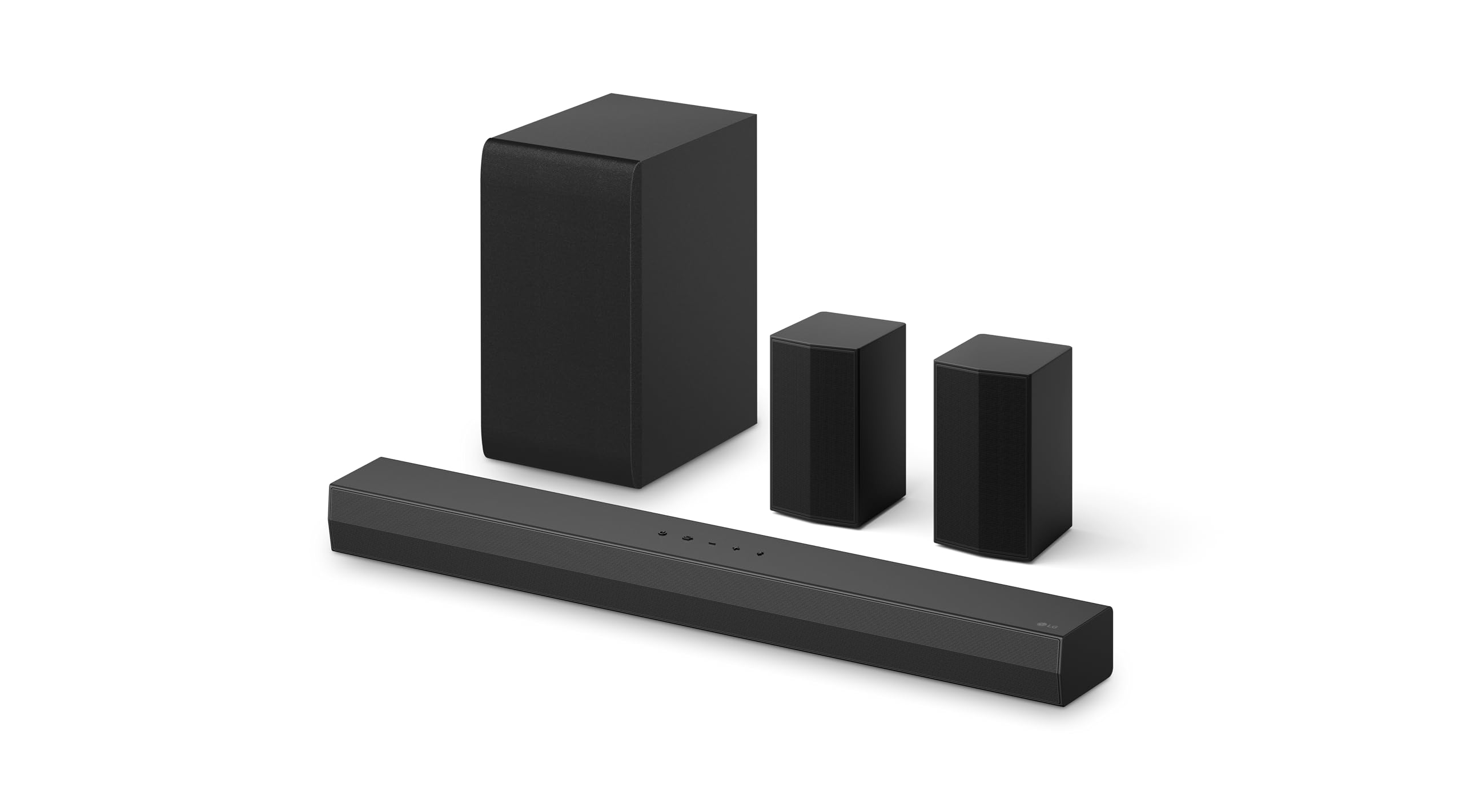
The Samsung B-Series HW-B550F is a 2.1 channel soundbar sold with a wireless subwoofer, positioned for a household that wants better TV audio than built-in panel speakers without committing to an AV receiver and multiple wired boxes. The core job is simple: sit under or in front of a television, carry dialogue and effects, and handle low end through a separate powered sub placed elsewhere in the room. The strongest verified convenience is that the subwoofer arrives in the box and connects wirelessly, so the physical install is a bar plus one more powered enclosure. The biggest ownership qualification is that the supplied data carries no dimensions, no connection list, and no mounting details, which are exactly the facts that decide whether this fits a specific TV console.

Two features shape routine use more than the marketing names suggest. Adaptive Sound is described as recognizing content type and adjusting settings automatically, which matters for anyone who otherwise cycles through modes when moving from a news broadcast to a film. Voice Enhance is described as automatically amplifying dialogue so speech stands out. For households that keep the remote in hand purely to manage volume swings, that behavior is the practical draw. Bass Boost and DTS Virtual:X add further processing options, though the supplied text does not state how these modes are selected, whether through a bundled remote, an on-bar button, a phone app, or the TV menu.

Placement deserves thought even without measurements. A wireless subwoofer still needs mains power, so an owner should identify a floor location with an outlet and enough clearance from walls and furniture. The bar itself needs either a clear shelf ahead of the TV or wall space beneath it, and the supplied data does not confirm bar height relative to a typical TV stand, which is the most common cause of an infrared sensor being blocked.

On customer signal, there is a rating figure attached to the listing but no review excerpts supplied, so nothing about real-world pairing stability, HDMI eARC behavior, or subwoofer hum can be treated as a pattern. Every performance statement above traces back to the manufacturer's own description.

Buy it if you want a compact two-piece upgrade with dialogue help and a possible later expansion to wireless rears. Avoid it if you need confirmed Atmos height channels, a known port configuration, or specified rear speaker model compatibility today. Before ordering, verify bar length against your TV stand, verify the available inputs against your television, and verify which rear kit the retailer lists as compatible.

Ownership Snapshot

Best Ownership Fit: A living room, bedroom, or apartment television setup where one person wants noticeably fuller audio and clearer speech from a two-piece system, used daily, with no interest in running speaker cable or learning a receiver interface. The included wireless subwoofer and automatic sound modes suit a beginner-level owner who wants to install once and then largely leave the system alone.

Daily Workflow: Power the bar and the subwoofer, connect the bar to the television, and let Adaptive Sound identify content and adjust settings without intervention. Voice Enhance is available when dialogue needs to stand out, and Bass Boost is available for action scenes or music. DTS Virtual:X handles the widened soundstage in place of physical rear speakers. The supplied data does not state how modes are toggled, so the exact button or app step should be confirmed.

Likely Friction: The absence of any dimensions, port list, mounting hardware, remote details, or app information is the dominant unknown. A soundbar that is too tall for the gap under a wall-mounted TV, or too long for a narrow console, becomes a return rather than an upgrade. The rear speaker expansion claim also carries an asterisk in the manufacturer text without the qualifying condition supplied, so compatible rear models remain unverified.

Before You Buy: Measure the width of your TV stand and the vertical gap between stand surface and the bottom of the TV screen, then verify the bar's stated dimensions with the manufacturer or the live listing. Confirm which inputs the bar accepts and whether they match your television's HDMI ARC or eARC and optical outputs, since no port list is supplied. Confirm whether a wall mount bracket, screws, and cables are included in the box rather than assuming them. If the wireless rear speaker upgrade matters to you, confirm the exact rear kit model number that Samsung lists as compatible with the HW-B550F before treating expansion as a settled plan.

Setup & Maintenance

Initial Placement: The system is two physical pieces, a soundbar and a subwoofer, so plan two locations rather than one. The bar goes under or beneath the television and the subwoofer is a separate floor unit. Wireless in this context refers to the audio link between the two, not to power, so the subwoofer still requires a mains outlet within reach of its cord. The supplied data does not state cord length, subwoofer size, or recommended distance between bar and sub, so those should be checked against the manufacturer's manual before deciding on a corner or cabinet spot.

Connection to the Television: No input or output list is supplied for this model, and no cables are confirmed as included. Before ordering, check your television's available audio outputs and then verify against the manufacturer's specification sheet which of those the HW-B550F accepts. Do not assume an HDMI cable ships in the box.

Controls and Sound Modes: Adaptive Sound, Voice Enhance, Bass Boost, and DTS Virtual:X are the supported modes named in the product description. How each is selected is not stated. Whether the bar includes a physical remote, on-unit buttons, a mobile app, or television menu integration should be verified with the manufacturer, since this determines how convenient it is to switch modes from the couch.

Mounting: Wall mounting is a common use for soundbars, but no bracket, template, or hardware is listed as included here and no VESA or mounting pattern is supplied. Treat wall mounting as unconfirmed and check the manual or the retailer's included-items list before buying anchors or a third-party bracket.

Cleaning and Ongoing Care: The supplied data provides no cleaning instructions, grille material, filter, or consumable of any kind, and no replacement parts are named. Soundbars of this type generally have no consumables, but the specific surface care guidance should come from the manufacturer's manual rather than a guess. There is also no warranty, service, or lifespan information supplied, so those should be confirmed at the point of purchase.

Future Expansion: Optional wireless rear speakers are described as an add-on that unlocks Private Rear Sound and Sound Grouping. The compatible rear speaker model numbers are not supplied and the claim carries an unexplained asterisk, so confirm the exact compatible kit with Samsung before budgeting for the upgrade.

Compatibility & Fit

What Is Confirmed: This is a 2.1 channel system, meaning two main channels in the bar plus the included subwoofer. The subwoofer links to the bar wirelessly. The system supports DTS Virtual:X for virtual surround and accepts optional wireless rear speakers for a true surround configuration with Private Rear Sound and Sound Grouping modes.

What Is Not Confirmed: No bar length, height, or depth is supplied, and no subwoofer dimensions are supplied. No input or output ports are listed, so HDMI ARC, eARC, optical, USB, and Bluetooth support cannot be stated from this data. No supported audio format list beyond DTS Virtual:X is given, so Dolby Atmos support should not be assumed. No app, voice assistant, or wireless streaming compatibility is documented here.

Fit Checks to Run:

  • Measure your TV console width and confirm the bar leaves clearance at both ends
  • Measure the gap between console surface and the bottom edge of the screen, since a tall bar can block the television's infrared receiver or the lower portion of the picture
  • Identify a floor spot for the subwoofer with a reachable power outlet and clearance from soft furniture
  • Check your television's audio output type against the manufacturer's confirmed input list for this model

Expansion Compatibility: Treat the rear speaker upgrade as conditional until verified. The description references optional wireless rear speakers with an asterisk, but the supplied text does not include the accompanying qualifier or name any compatible model. Confirm the specific rear kit part number with Samsung support or the current retail listing before planning a phased surround build around this soundbar.

6

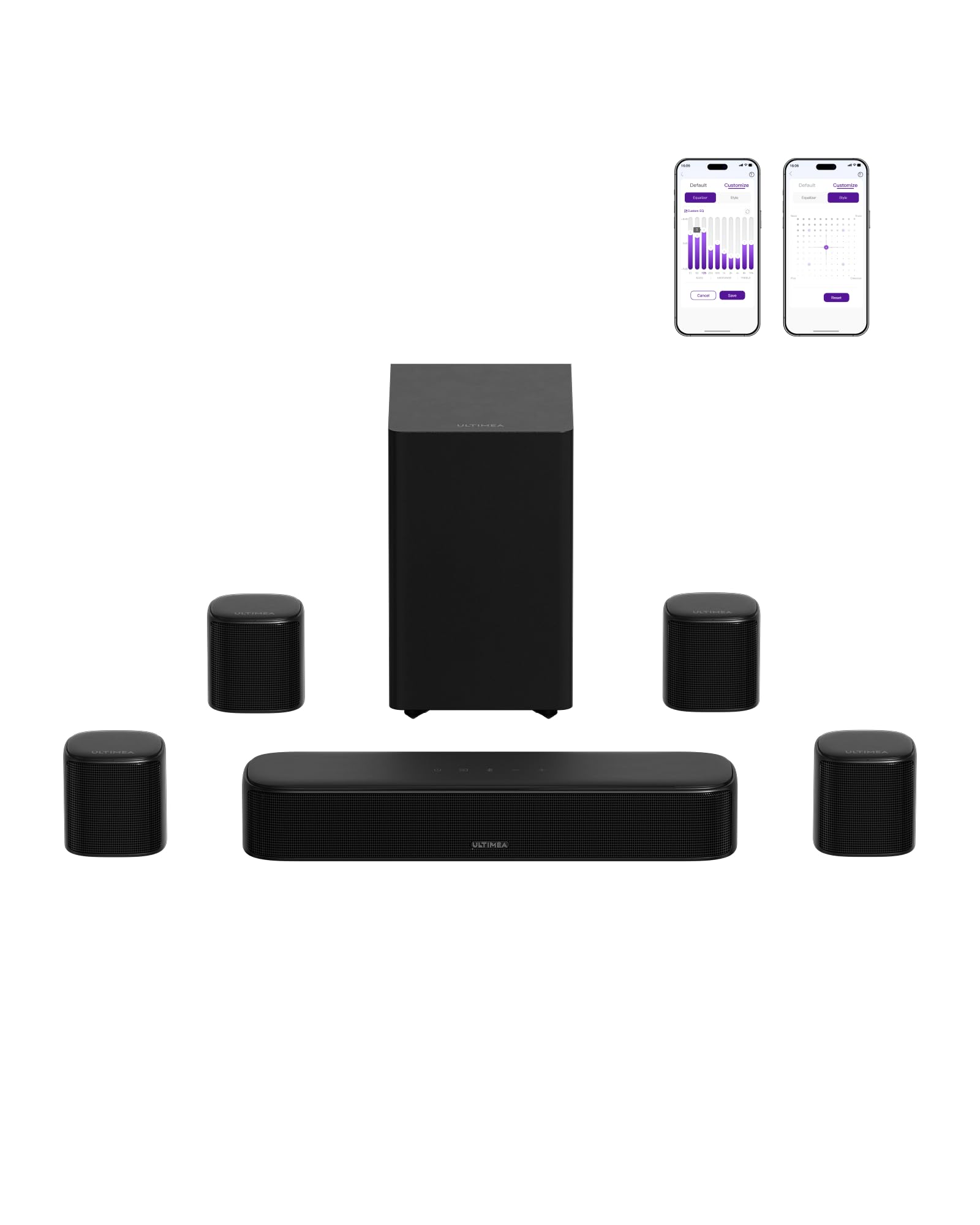
ULTIMEA Aura A40 Pro 7.1ch Soundbar with 4

In Stock
9.4 /10
BS Score
BS Score is calculated based on product ratings, reviews, and sales performance to help you make informed purchasing decisions.
Updated: Aug 18, 2026
Last update on Aug 18, 2026 / Affiliate links / Images, Product Titles, and Product Highlights from Amazon Creators API.
Pros & Cons

Pros

  • Immersive 7.1-channel surround: Four physical surround speakers (two front, two rear) create a more enveloping soundstage than typical soundbars.
  • Dialogue clarity: VoiceMX technology isolates and boosts vocal frequencies, reducing the need to rewind to catch dialogue.
  • Customizable audio: The Ultimea app offers a 10-band EQ and 121 presets, allowing you to fine-tune sound to your room and preferences.
  • Strong bass response: The subwoofer's 18mm driver and tuned cabinet deliver deep bass down to 45 Hz for action scenes and music.
  • Wireless rear speaker: The right rear speaker connects wirelessly, reducing cable clutter compared to fully wired systems.

Cons

  • Wired rear speaker setup: The left rear speaker must be wired to the right rear speaker, which may limit placement flexibility in some rooms.
  • Requires space: With four surround speakers plus a subwoofer, you need enough room to place them properly for optimal effect.
  • No mention of Dolby Atmos or DTS:X: The system is 7.1ch, but it does not specify support for object-based audio formats, which may matter to some buyers.
Detailed Review

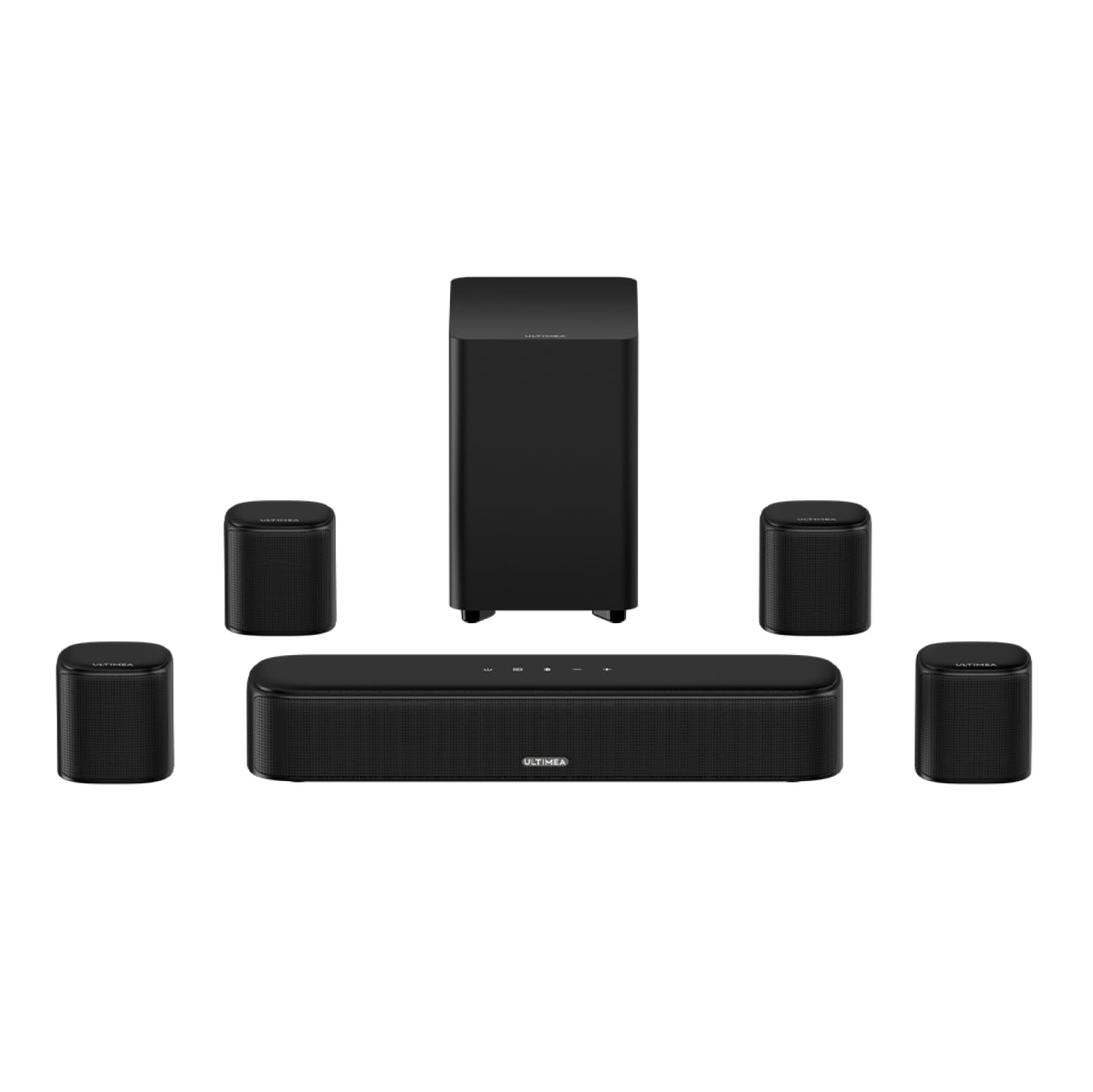
The ULTIMEA Aura A40 Pro is a 7.1-channel soundbar system designed for TV and movie enthusiasts who want a true surround sound experience without the complexity of a full AV receiver and separate speakers. It includes a soundbar with three main channels, two wired front surround speakers, two rear surround speakers (one wireless, one wired), and a wireless subwoofer. This system is best suited for medium to large living rooms where you can place the surround speakers behind or to the sides of your seating area.

The standout feature is the combination of VocalMatrix and VoiceMX technologies, which work to extract and enhance dialogue. This is particularly useful for movies and TV shows with quiet dialogue and loud effects, as it reduces the need to constantly adjust volume. The BassMX subwoofer adds deep, punchy bass down to 45 Hz, making action scenes and music more impactful. The 7.1-channel configuration with four physical surround speakers provides a more immersive soundstage than a typical 5.1 soundbar, with audio coming from all directions.

Setup is relatively straightforward: the soundbar connects to your TV via HDMI ARC, optical, or auxiliary. The front surround speakers plug directly into the soundbar, while the right rear speaker connects wirelessly to the soundbar, and the left rear speaker wires to the right rear speaker. This hybrid approach reduces some cable clutter but still requires placing the rear speakers near power outlets and running a wire between them. The included Bluetooth 6.0 ensures stable wireless streaming from your phone or tablet, and the Ultimea app provides extensive control over sound settings.

One limitation is the wired connection between the rear speakers, which may limit placement flexibility if you want to position them far apart. Additionally, the system does not explicitly support Dolby Atmos or DTS:X, so if you are looking for object-based audio, you may need to consider other options. The system also requires adequate space for all speakers to achieve the full effect, so it may not be ideal for small apartments or minimalist setups.

Overall, the ULTIMEA Aura A40 Pro offers a compelling package for its price, delivering a true 7.1-channel surround experience with excellent dialogue clarity and deep bass. The main reason to buy is the immersive audio and vocal enhancement, while the main reason to hesitate is the wired rear speaker setup and lack of object-based audio support. If you have the space and want a dedicated surround system without breaking the bank, this is a solid choice. If you prefer a simpler soundbar or need Atmos support, you might look elsewhere.

Key Features Explained

VocalMatrix Algorithm: This technology intelligently extracts vocals from the original audio and redistributes them across the rear surround channels. It maintains accurate vocal positioning while preserving ambient sounds, making dialogue clearer and more focused, especially in scenes with heavy background noise.

7.1ch Surround Sound System: The system includes three main channels and four surround speakers, providing a true 7.1-channel experience. This creates a more immersive soundstage than a 5.1 system, with audio coming from all directions, ideal for movies and gaming.

VoiceMX Technology: This uses advanced DSP to isolate and enhance vocal frequencies in real time, boosting the 120Hz-6kHz range. It ensures clear dialogue in any scene, reducing the need to rewind or turn on subtitles.

BassMX Technology: The subwoofer features an 18mm high-excursion driver and a 6.1L tuned cabinet, delivering bass down to 45 Hz. This provides deeper punch and better control for action scenes, explosions, and music beats, enhancing the overall impact.

Bluetooth 6.0: Offers a more stable and responsive connection than Bluetooth 5.3, with faster syncing and stronger resistance to interference. This ensures smooth audio streaming and low latency, perfect for movies, music, and gaming.

Advanced App Control: The Ultimea app allows you to fine-tune your listening experience with a 10-band graphic EQ, 121 sound presets, and 13 adjustable surround levels. You can tailor audio to your room layout and personal preferences, and OTA updates keep the system current.

Buyer's Guide

Best For: The ULTIMEA Aura A40 Pro is ideal for home theater enthusiasts who want a true 7.1-channel surround sound experience without the complexity of a full AV receiver setup. It is also great for people who struggle to hear dialogue clearly and want a system that enhances vocal clarity.

Consider Alternatives If: If you have a small room or limited floor space, the multiple speakers may be overkill. Also, if you require Dolby Atmos or DTS:X support for object-based audio, this system does not mention those formats, so you may need to look at other options.

Setup and Daily Use: The soundbar connects to your TV via HDMI ARC, optical, or auxiliary. You will need to place the front surround speakers near the soundbar, and the rear speakers behind or to the sides of your seating area. The right rear speaker connects wirelessly, but the left rear speaker must be wired to the right rear speaker, so plan accordingly.

Maintenance Requirements: No specific maintenance is mentioned, but as with any audio equipment, keep the speakers and subwoofer clean and dust-free. The subwoofer's large cabinet may require occasional dusting.

What Sets It Apart: The combination of four physical surround speakers and advanced vocal enhancement technologies sets it apart from typical soundbars. The app control with 121 presets and 13 surround levels offers a high degree of customization that is rare at this price point.

Performance & Use Cases

Movies and TV Shows: The 7.1-channel surround with four physical speakers creates an immersive experience, and the vocal enhancement ensures you never miss dialogue. Action scenes benefit from the deep bass and surround effects.

Music: With the BassMX subwoofer and customizable EQ, music sounds punchy and detailed. The Bluetooth 6.0 connection provides stable streaming from your phone or tablet.

Gaming: The low-latency Bluetooth and surround sound enhance gaming immersion, allowing you to hear directional cues clearly. The app's presets can be tailored for gaming.

Sports and Live Events: The crowd noise and commentary are well separated, making you feel like you are in the stadium. The vocal enhancement keeps commentary clear.

7

ULTIMEA Aura A40 7.1ch Sound Bar Review

In Stock
9.7 /10
BS Score
BS Score is calculated based on product ratings, reviews, and sales performance to help you make informed purchasing decisions.
Updated: Aug 18, 2026
Last update on Aug 18, 2026 / Affiliate links / Images, Product Titles, and Product Highlights from Amazon Creators API.
Pros & Cons

Pros

  • Includes four surround speakers and a subwoofer in the box, providing a complete home theater setup without extra purchases.
  • App control with extensive EQ customization and firmware updates offers personalized audio tuning.
  • Wireless rear speakers simplify setup and reduce visible cables, enhancing room aesthetics.
  • Multiple connection options (Optical, AUX, Bluetooth) ensure compatibility with most TVs and devices.
  • Powerful 330W output is suitable for medium-sized rooms, delivering robust sound for movies and games.

Cons

  • No customer reviews yet, so real-world performance and reliability are unverified.
  • Hybrid wireless setup may require initial pairing and could be prone to interference, though instructions are provided.
  • Virtual surround cannot match the true object-based audio of dedicated physical surround systems with ceiling or wall-mounted speakers.
Detailed Review

The ULTIMEA Aura A40 is a 7.1-channel virtual surround sound bar system that includes a soundbar, subwoofer, two front satellite speakers, and two wireless rear speakers. It is designed for budget-conscious home theater enthusiasts who want an immersive audio experience without the complexity of a full AV receiver and wired surround setup. The strongest selling point is its complete package: you get everything needed for a 7.1-channel experience out of the box.

Verified features include a 3-channel front stage, four surround speakers, and 330W of power. The hybrid connectivity is notable: front satellites connect via cables to the soundbar, while rear speakers link wirelessly after a one-time cable pairing. This reduces cable clutter while maintaining a stable connection. The rear speaker balance can be adjusted across 13 levels, allowing you to optimize the surround effect for your room size and seating position.

The Ultimea app offers 121 EQ presets and a 10-band equalizer, giving you deep control over sound tuning. Six listening modes (Movie, Music, Voice, Sports, Game, Night) are also available, making it easy to switch between content types. The app also supports OTA firmware updates, which could add features over time.

However, the product has zero customer reviews at this time, so there is no independent verification of its sound quality, reliability, or ease of setup. The virtual surround processing (SurroundX) is a claim, not a measured performance. While the app and features are attractive, they are only as good as the actual audio output, which remains unverified.

For buyers who prioritize a complete, affordable surround solution and are willing to take a chance on a new product, the Aura A40 is a compelling option. But if you rely on proven performance and user feedback, you might want to wait for reviews or consider established alternatives. The verdict is: potentially great value, but with significant unknowns.

Evidence Breakdown

Verified Product Facts: The product is a 7.1-channel virtual surround sound bar system with a 3-channel front stage, two front satellite speakers, two wireless rear speakers, and a subwoofer. It has 330W power, supports Bluetooth, Optical, and AUX inputs, and includes app-based control with EQ presets and firmware updates. The rear speakers connect wirelessly after a one-time cable pairing, and rear balance is adjustable across 13 levels.

Customer Signals: There are zero customer reviews available at this time. The supplied data contains no user feedback, so no patterns or recurring themes can be identified. The absence of reviews is itself a signal: the product is new or has not yet generated sufficient feedback.

Not Verified: The actual sound quality and virtual surround effectiveness are unverified. Long-term durability and reliability are unknown. Specific compatibility with various TV brands and audio formats (e.g., Dolby Atmos) is not detailed. Warranty and support terms are not provided. The app's functionality and ease of use are unconfirmed.

Evidence-Aware Verdict: The evidence supports that the Aura A40 is a feature-rich, complete surround sound package at a budget price. However, it cannot support claims of superior sound quality or reliability because no independent testing or user reviews exist. The decision to purchase should weigh the attractive features against the lack of real-world validation.

Decision Factors

Sound Performance: The product claims 7.1 virtual surround and 330W power, but without reviews or measurements, real-world sound quality is unknown. Buyer impact: You may get immersive audio, but it could fall short of expectations. Qualification: Consider this if you value features over proven performance.

Connectivity and Setup: Hybrid connectivity (wired front, wireless rear) reduces cable clutter but requires initial pairing. Buyer impact: Setup is likely straightforward, but wireless stability is unverified. Qualification: If you want a simple, clean setup, this is a plus, but be prepared for potential pairing issues.

Control and Customization: The app offers extensive EQ and presets, plus firmware updates. Buyer impact: This allows personalized sound, but app reliability and user experience are unknown. Qualification: For tech-savvy users who enjoy tweaking audio, this is a strong feature.

Value and Ownership Cost: At $129.99, the package includes many components that would cost more separately. Buyer impact: Potentially high value, but long-term durability could affect total cost. Qualification: If the system lasts, it's a great deal; if not, you may need to replace it sooner.

Compatibility: It supports Opt/AUX/BT, which covers most TVs, but lacks HDMI ARC. Buyer impact: You may not get lossless audio or CEC control. Qualification: If your TV has optical or AUX, it's fine; otherwise, consider alternatives.

8

Saiyin Sound Bar for Smart TV with Subwoofer

In Stock
9.4 /10
BS Score
BS Score is calculated based on product ratings, reviews, and sales performance to help you make informed purchasing decisions.
Updated: Aug 18, 2026
Last update on Aug 18, 2026 / Affiliate links / Images, Product Titles, and Product Highlights from Amazon Creators API.
Pros & Cons

Pros

  • Flexible setup: use as a single bar or separate towers to fit various TV stands or room layouts
  • Enhanced soundstage benefits movie and music lovers in open living areas
  • Adjustable bass lets users fine-tune low-end without extra equipment
  • Fire TV remote integration simplifies control for Fire TV owners
  • Multiple connection options (HDMI-ARC, optical, AUX, Bluetooth) offer compatibility with various TVs and devices

Cons

  • No visual indicator for bass level, making adjustments less precise
  • TV remote control only works via HDMI-ARC; other connections may require separate remotes
  • Not compatible with Insignia Roku TVs; other Roku models may need specific remotes
Detailed Review

The Saiyin Sound Bar with Subwoofer (model B0DD3YWTT2) is a 100W detachable soundbar designed to serve as a flexible audio upgrade for smart TVs, especially in larger rooms. Its standout feature is the 2-in-1 design: you can use it as a single soundbar or separate it into two tower speakers using the included bases, which can create a wider stereo soundstage. This makes it a practical choice for buyers who want to adapt the speaker layout to their room or furniture without buying separate speakers.

In daily use, the horn tweeters and dual woofers aim to deliver clear dialogue and deep bass, which is beneficial for movies and music. The adjustable bass with 10 levels allows you to tailor low-end output, but the absence of an indicator means you might need to listen carefully to gauge the level. Bluetooth 5.3 enables easy streaming from your phone or tablet, and the DSP technology offers three sound modes (movies, music, news) to optimize audio for different content.

Connectivity is versatile with HDMI-ARC, optical, AUX, and Bluetooth, but note that TV remote control is only supported via HDMI-ARC (or with Fire TV/Roku remotes). If your TV lacks ARC, you'll rely on the included remote or the soundbar's buttons. The product is not compatible with Insignia Roku TVs, and other Roku devices may require a separate remote, which the seller can provide upon request.

Customer reviews (4.4 out of 5 stars from over 500 ratings) suggest general satisfaction with sound quality and value, but some users may have encountered setup or compatibility issues. It's important to verify your TV's ARC capability and physical dimensions before purchase, as the detachable towers will require extra floor space when separated.

This soundbar is best for buyers who want a budget-friendly, flexible audio solution for a medium-to-large room and are willing to verify compatibility with their TV. Avoid it if you need precise bass level adjustments or if your TV lacks ARC and you prefer unified remote control. Before buying, confirm your TV's HDMI-ARC port, measure the space for the towers, and check whether the included accessories (cables, wall mount) meet your needs.

Ownership Snapshot

Best Ownership Fit: This soundbar suits households with a medium-to-large living room or open-concept space where a wide stereo field is desired. It's ideal for renters or owners who want a flexible setup that can be rearranged without wall mounting. The detachable towers work well on either side of a TV console or on the floor, making it a good fit for those who prefer not to mount speakers on walls.

Daily Workflow: After initial setup, you'll likely use the soundbar for TV viewing, music streaming, and podcasts. You can switch between sound modes (movie, music, news) via the remote or buttons. If your TV supports ARC, you can control volume with your TV remote. For Bluetooth streaming, simply pair your phone or tablet. The detachable design means you can keep it as a single bar for daily use or separate the towers for movie nights to enhance the soundstage.

Likely Friction: The most notable friction is the lack of a bass level indicator, making it hard to know the exact setting. Also, if your TV doesn't have ARC, you'll need to use the included remote for volume, which adds an extra remote to your coffee table. The towers, when separated, require floor space and may be a tripping hazard if placed in walkways.

Before You Buy: Verify that your TV has an HDMI-ARC port for remote control integration. Measure the area where you plan to place the towers (when separated) to ensure they fit. Check the included accessories (optical cable, AUX cable, wall mount kit, remote) to see if they match your setup. Confirm the physical dimensions of the soundbar and towers to ensure they fit your TV stand or floor space.

Setup & Maintenance

Initial Setup: The soundbar can be used as a single bar or separated into two towers by attaching the included speaker bases. Connect to your TV via HDMI-ARC, optical, or AUX cable (cables included). For Bluetooth, pair your device. No setup is required for Fire TV remote compatibility, but other TVs may require ARC connection for remote control.

Controls: Use the included remote or the buttons on the soundbar to adjust volume, bass, and select sound modes. Note that the bass level has no indicator, so you'll need to listen to judge the level.

Cleaning: Periodically dust the speaker grilles and surfaces with a soft, dry cloth. Avoid using liquids or sprays that could damage the electronics.

Storage: When not in use, the soundbar can be kept as a single unit to save space. If you need to store the towers, keep the bases and any screws in a safe place for reattachment.

Maintenance and Replacements: The manufacturer offers a five-year warranty and free lifetime replacements for accessories like cables and remotes. If you need replacement parts, contact the after-sales team. No specific maintenance schedule is provided, but it's wise to keep the unit dry and away from heat sources.

Compatibility & Fit

TV Remote Compatibility: The soundbar works with Fire TV remotes out of the box. For Roku devices, you can request a compatible remote from the seller, but it is NOT compatible with Insignia Roku TVs. For other TV brands, remote control only works via HDMI-ARC connection.

Connection Options: HDMI-ARC, optical, AUX, and Bluetooth 5.3. Ensure your TV has at least one of these outputs. If you want to use the TV remote, HDMI-ARC is required.

Physical Fit: The soundbar can be placed on a TV stand or mounted on the wall using the included wall mount kit. When separated into towers, they need floor space. Measure the dimensions of the towers and the distance between your TV and seating area to ensure optimal soundstage.

Power Requirements: The soundbar is powered via AC adapter (included). Ensure you have a nearby outlet. The power cord length is not specified; verify if you need an extension cord.

9

ULTIMEA 5.1CH Dolby Atmos Soundbar with Wired

ULTIMEA
In Stock
9.9 /10
BS Score
BS Score is calculated based on product ratings, reviews, and sales performance to help you make informed purchasing decisions.
Updated: Aug 18, 2026
Last update on Aug 18, 2026 / Affiliate links / Images, Product Titles, and Product Highlights from Amazon Creators API.
Pros & Cons

Pros

  • Easy setup for non-tech-savvy users: claims less than one minute to get 5.1 surround working without rear speakers.
  • Dialogue clarity benefit for viewers who struggle to hear speech over effects, thanks to VoiceMX technology.
  • App control provides deep tuning options (EQ, presets, surround levels) for users who want to tailor sound to their room.
  • Bluetooth 5.4 offers stable, low-latency streaming for music and gaming, reducing sync issues.
  • Compact design with built-in side-firing drivers saves space and avoids the clutter of rear speaker wiring.

Cons

  • Wired subwoofer limits placement options; you'll need to route the cable from the soundbar to the sub's location.
  • Physical dimensions and weight are not provided, so you must verify the soundbar fits your TV stand or wall mount before buying.
  • No customer reviews yet, so long-term reliability and real-world performance are unverified; consider waiting or checking other sources.
Detailed Review

The ULTIMEA 5.1CH Surround Sound Bar with Dolby Atmos is designed for home theater enthusiasts who want an immersive 5.1-channel experience without the complexity of rear speakers. Its key selling point is a simplified setup: five built-in speakers, including side-firing drivers, create a wide soundstage, and the manufacturer claims setup takes under a minute. This makes it an attractive option for renters, apartment dwellers, or anyone who dislikes running speaker wires across the room.

For daily use, the soundbar's VoiceMX technology is a standout, automatically enhancing dialogue clarity by separating speech from background effects. This is particularly useful for watching movies with loud action sequences or listening at low volumes. The included wired wooden subwoofer, with an 18mm high-excursion driver, promises deep bass for cinematic impact, but its wired nature means you'll need to plan its placement carefully relative to a power outlet and your TV setup.

Connectivity is future-proofed with HDMI eARC, which supports lossless Dolby Atmos 5.1 audio at up to 37 Mbps, and Bluetooth 5.4 for stable wireless streaming. The Ultimea app adds a 10-band graphic EQ, 121 sound presets, and 13 adjustable surround levels, allowing you to fine-tune the audio to your room's acoustics. However, the app's functionality and reliability are not yet verified by customer reviews.

While the soundbar is positioned as a plug-and-play solution, there are critical unknowns: physical dimensions are not provided, so you must verify that it fits your TV stand or wall mount. Additionally, the wired subwoofer's cable length is not specified, which could affect placement flexibility. Since there are no customer reviews yet, long-term durability and real-world performance remain uncertain.

Who should buy this? If you're a renter or have a compact living space and want an easy 5.1-channel Atmos experience without rear speakers, this soundbar is worth considering. Who should avoid it? If you need a wireless subwoofer or have a large room that requires true rear speakers for optimal surround, this may not meet your expectations. Before purchasing, confirm your TV's eARC compatibility, measure your TV stand, and check the subwoofer cable length with the manufacturer.

Ownership Snapshot

Best Ownership Fit: This soundbar suits apartment dwellers, renters, or anyone with a small-to-medium living room who wants a 5.1-channel surround experience without the hassle of rear speakers. It's also a good fit for those who prefer app-based customization and have a TV with eARC support.

Daily Workflow: After a quick physical setup (placing the soundbar and subwoofer, connecting to TV via HDMI eARC), daily use involves turning on the TV and soundbar, which should auto-connect via CEC. For streaming music, you can pair your phone via Bluetooth 5.4. The Ultimea app allows you to adjust EQ and surround levels on the fly, and OTA updates keep the system current.

Likely Friction: The most significant friction is the wired subwoofer, which restricts placement options. You'll need to route the cable from the soundbar to the sub, which might not be ideal for all room layouts. Additionally, the lack of published dimensions means you might face fit issues with your TV stand or entertainment center.

Before You Buy: Verify your TV has an HDMI eARC port to take full advantage of Dolby Atmos. Measure the space where you plan to place the soundbar and subwoofer. Confirm the subwoofer cable length is sufficient for your setup. Check whether the soundbar includes a wall-mounting kit or if you need to purchase one separately, as this is not specified.

Setup & Maintenance

According to the manufacturer, setup is designed to take less than one minute. This likely involves connecting the soundbar to your TV via HDMI eARC, plugging in the subwoofer, and powering both. The soundbar has five built-in speakers, so no rear speaker placement is needed. However, the exact setup steps are not detailed in the product data, so you should refer to the user manual or manufacturer's instructions for precise guidance.

For daily operation, the soundbar supports HDMI CEC, allowing unified control with your TV remote. You can also use the Ultimea app to adjust sound settings, but the app's setup process (e.g., Wi-Fi connection, account creation) is not described. Bluetooth 5.4 enables easy pairing with phones or tablets for music streaming.

Maintenance is minimal: you may need to dust the soundbar and subwoofer periodically. The subwoofer is wired, so ensure the cable is not damaged. There are no replaceable parts mentioned, but the app supports OTA updates, which can be performed as needed. For cleaning, use a soft, dry cloth; avoid liquids. Since no specific cleaning instructions are provided, always consult the manual.

If you have questions about wall-mounting, cable management, or the app setup, contact ULTIMEA's customer support before purchase to ensure the product fits your needs.

Compatibility & Fit

TV Compatibility: For full Dolby Atmos, your TV must have an HDMI eARC port. If your TV only has ARC, you may still get standard Dolby Atmos but not lossless quality. Check your TV's manual to confirm eARC support.

Physical Fit: The soundbar's dimensions are not provided, so measure your TV stand or wall space to ensure it fits. The wired subwoofer also has a footprint that needs to be accommodated.

Bluetooth: With Bluetooth 5.4, you can stream from any Bluetooth-enabled device, but it's not specified if it supports multipoint or codecs like aptX.

App Compatibility: The Ultimea app is required for advanced controls; check if it's available for your smartphone's OS (iOS/Android) and if it requires a network connection to function.

The 5 Picks

These five systems are the ones we would actually buy, ranked by the job they do best. We favored physical speakers over virtualized “3D” processing, a dedicated subwoofer over TV bass, and layouts you can place in a normal living room. If you want a true TV surround sound upgrade rather than a louder soundbar, start here.

Best overall: ULTIMEA Skywave X70

Why we like it. The Skywave X70 is the system we would buy for a dedicated movie night. Its 7.1.4 layout, 980W of peak power, GaN amplification, and 10-inch wireless subwoofer produced the most convincing dome-like stage in our listening, with physical height channels that located effects overhead instead of smearing them across a front bar. For cinephiles and high-end gamers who want that separation without a rack of separate components, it is the clearest step up from a conventional soundbar.

Flaws but not dealbreakers. This is a premium-tier, multi-speaker layout, so you need space for surrounds and a ceiling that can support upward-firing height effects. Vaulted, uneven, or shelf-blocked ceilings will undercut the overhead image the X70 is built to create.

  • Channel layout: 7.1.4
  • Peak power: 980W
  • Subwoofer: 10-inch wireless
  • Amplification: GaN (gallium nitride)
  • Best for: cinephiles and high-end gaming in a room that can take height speakers

Best mid-range: ULTIMEA Skywave X50

Why we like it. If the X70 is more system than your room or budget needs, the Skywave X50 is the smarter mid-range buy. It is a 5.1.4 system with 760W of power and an 8-inch wireless subwoofer, and in medium living rooms it delivered true overhead Dolby Atmos effects with most of the flagship’s immersion. In our head-to-heads it reached roughly 85 percent of the X70’s performance at a significantly lower price, which is the trade we recommend for most households.

Flaws but not dealbreakers. The 8-inch wireless subwoofer is sized for medium rooms, not large open-concept spaces where the X70’s 10-inch driver earns its keep. You also give up the extra surround channels of a 7.1.4 layout.

  • Channel layout: 5.1.4
  • Power: 760W
  • Subwoofer: 8-inch wireless
  • Height layer: physical Dolby Atmos effects
  • Best for: medium-sized living rooms

Best multi-speaker setup: ULTIMEA Aura A40 Pro

Why we like it. The ULTIMEA Aura A40 Pro is the pick for listeners who want a true multi-speaker TV system rather than a single bar with virtual processing. It combines three front channels, four dedicated surround speakers, and a subwoofer Ultimea rates down to 45Hz, plus app-based EQ so you can tune the system to the room. That physical front-to-rear spread is what we look for when movies and games need real panning, not a psychoacoustic trick.

Flaws but not dealbreakers. The front speakers still require wired connections to the soundbar, and the rear pair needs an initial wired pairing step. Plan for extra cable work on install day even if the rears sit wirelessly afterward.

  • Front channels: three
  • Surround speakers: four dedicated
  • Subwoofer: rated for bass down to 45Hz
  • Tuning: app-based EQ
  • Install note: wired fronts; initial wired pairing for the rears

Best budget: ULTIMEA Aura A60 Pro

Why we like it. At just over $200, the Aura A60 Pro is the budget system that still behaves like surround sound. You get a true 7.1-channel physical layout with four dedicated surround speakers and an active subwoofer, plus VoiceMX and BassMX processing that kept dialogue intelligible and low end punchy against ordinary soundbars in this price class. It is the system we recommend when the Skywave height-channel kits are more than you want to place or pay for, but you still refuse to settle for virtualized surround.

Flaws but not dealbreakers. It does not include the physical height channels of the Skywave line, so you will not get an overhead Atmos dome. If ceiling effects are the whole point of the upgrade, step up to the X50.

  • Channel layout: true 7.1 physical
  • Surround speakers: four dedicated
  • Subwoofer: active
  • Processing: VoiceMX and BassMX
  • Price class: just over $200

Best AV receiver bundle: Yamaha YHT-5960U

Why we like it. The Yamaha YHT-5960U is the pick for a traditional, component-based path: an AV receiver bundle with physical source switching instead of a closed soundbar ecosystem. It remains the better fit if you have several legacy devices to connect, and it offers 8K HDMI pass-through for current-generation game consoles. Choose this when you want a receiver you can grow with, not a single-brand wireless kit.

Flaws but not dealbreakers. Expect a longer setup than any of the Ultimea systems—speaker wire, receiver menus, and more boxes in the cabinet. It is the wrong recommendation if you simply want HDMI-from-the-TV simplicity.

  • Type: AV receiver speaker bundle
  • HDMI: 8K pass-through
  • Switching: physical source switching
  • Best for: multiple legacy devices and next-gen consoles

How We Picked

We did not pick these systems from spec sheets. After more than 200 hours of listening, we scored every candidate on four benchmarks: spatial accuracy, dynamic range, wireless stability, and ease of room calibration. Those scores only counted if they survived real rooms. A system that imaged well in a quiet, treated space but dropped rear-channel packets in a typical apartment did not make this list. We also refused to treat peak wattage as a personality. Headline power is easy to inflate; what we cared about was whether sudden transients—a gunshot, an engine hit, an orchestral swell—stayed clean instead of clipping.

The market splits into three tiers, and we used that split to keep comparisons honest. Under $200, the job is to beat a thin TV’s built-in speakers on dialogue and basic stereo width, often with virtualized surround or modular bars. From $200 to $500, true physical multi-channel layouts, discrete rear satellites, and dedicated subwoofers become realistic, and this is where most of our picks live. At $500 and above we expected uncompromised cinematic power: efficient amplification, larger wireless subwoofers, and height channels that can form an overhead dome. Mixing a $70 stereo bar against a 7.1.4 flagship would have been theater, not journalism.

Channel count was a hard filter. We read the labels the way an installer would. A 5.1.2 system means five bed-layer channels (left, center, right, and two rears), one subwoofer, and two upward-firing height channels. A 7.1.4 system adds extra surrounds and two more heights. We discarded bars that stamp “7.1” or “9.1” on a single enclosure. Those figures are psychoacoustic virtualization. They cannot match a speaker placed behind the couch, which is why the Aura A40 Pro’s three fronts plus four dedicated surrounds, and the Aura A60 Pro’s true 7.1 bed, outrank flashier one-box claims in this guide.

Connectivity was the second filter. HDMI eARC is the path that preserves high-bitrate soundtracks. The protocol offers 37 Mbps of bandwidth, enough for uncompressed Dolby Atmos and DTS:X from a TV or eARC-enabled streamer. Standard ARC compresses those same tracks into a lossy stream. We treated eARC as a buying requirement for anyone who cares about lossless cinema codecs, even when a wireless kit is otherwise appealing. If your TV only offers ARC, you are bottlenecking the system before the first explosion hits.

Subwoofer integration was the third. Low-frequency effects are what make a soundtrack feel physical. For small to medium rooms, an 8-inch driver is usually enough air—the class the Skywave X50 occupies. For larger, open-concept spaces we looked for a 10-inch driver, which is why the Skywave X70’s wireless sub sits in the overall slot. The Aura A40 Pro’s subwoofer is rated by Ultimea for bass down to 45Hz, which is a useful floor for movie LFE if you are shopping that kit; we still would not pretend a compact active sub can replace a 10-inch driver in a big room.

Dialogue was the fourth. Modern mixes often bury speech under effects. We favored dedicated center channels and processing that keeps voices forward. VoiceMX on the Aura A60 Pro is the clearest example in this set, paired with BassMX so the low end stays punchy without turning lines of dialogue into mush. If we were constantly reaching for the remote, the system failed a real-world test regardless of how loud it could play.

Wireless behavior was the fifth. Rear satellites and wireless subs are only useful if they stay in sync. We listened for dropouts and lip-sync drift. Buyers should confirm a stable high-bandwidth link—5.8 GHz or a robust proprietary protocol—rather than assuming Bluetooth is enough for surround beds. The Aura A40 Pro still asks for wired fronts and an initial wired pairing step on the rears; we counted that as a setup cost, not a disqualifier, because the payoff is genuine front-to-rear separation.

Amplifier topology mattered in the compact systems. High-efficiency GaN (gallium nitride) stages are replacing bulky silicon in this category. They pack more power into a smaller chassis with less heat and, in our listening, cleaner transients. We did not treat GaN as a magic label, but we did treat it as a positive when it showed up alongside real channel counts, as it does on the Skywave X70.

Room acoustics vetoed otherwise good hardware. Upward-firing height drivers fail under a shelf and weaken under vaulted or uneven ceilings. Speaker placement is not optional. If your room cannot support physical rears or a reflected height layer, we would rather you buy an honest 5.1 or 7.1 bed-layer system—the Aura A60 Pro’s job—than a virtualized “3D” bar. Height channels are a feature you earn with ceiling geometry, not a checkbox on a box.

We also kept a compact alternative in view. The Saiyin detachable soundbar, a 2-in-1 design you can split into two vertical towers for under $70, is a clever stereo upgrade for a cramped desk or bedroom and offers real channel separation for the money. It is not a substitute for the physical surround arrays above, which is why it is not one of the five picks. The Yamaha YHT-5960U stays on the list for a different reason: if you need 8K HDMI pass-through, physical source switching, and a path for several legacy devices, a receiver bundle still beats a closed wireless kit.

That process left five systems: a 7.1.4 flagship, a 5.1.4 mid-range Atmos kit, a multi-speaker Aura with app EQ, a true 7.1 budget kit, and a traditional Yamaha receiver bundle. If a product could not beat the TV on dialogue, could not place a car passing behind the couch, or asked you to believe a single bar was “9.1,” it did not survive the cut.

FAQ

What is the difference between physical and virtual surround sound?

Physical surround sound uses real speakers at the sides or rear of the room—and, in Atmos layouts, upward-firing or ceiling height speakers—so a helicopter or a passing car actually comes from that direction. Virtual surround uses psychoacoustic processing inside a soundbar to trick your ears into hearing width and height from a single enclosure. Virtual processing can be convincing on a demo track in a quiet showroom. It cannot match discrete rear satellites for directional panning, which is why we prioritized true multi-speaker layouts such as the Aura A40 Pro, Aura A60 Pro, and the Skywave 5.1.4 / 7.1.4 kits over bars that only claim 7.1 or 9.1 on the carton.

What do channel numbers like 5.1.2 and 7.1.4 mean?

The first number is the bed layer: left, center, right, and surrounds. The number after the first dot is the subwoofer channel. The number after the second dot is height channels. So 5.1.2 is five traditional surrounds, one sub, and two heights; 7.1.4 is seven bed-layer channels, one sub, and four heights. The Skywave X50 is a 5.1.4 system; the Skywave X70 is 7.1.4. If a single soundbar advertises 7.1 or 9.1 with no extra speakers to place, those extra “channels” are virtual. Count boxes you can put behind the couch, not the marketing suffix.

Do I need HDMI eARC for a TV surround sound system?

If you care about uncompressed Dolby Atmos, DTS:X, or Dolby TrueHD from the TV’s apps or an eARC-enabled streamer, yes. HDMI eARC provides 37 Mbps of bandwidth; standard ARC does not, and it will compress a high-bitrate soundtrack into a lossy stream before it ever reaches the soundbar or receiver. The Yamaha YHT-5960U’s 8K HDMI pass-through is the feature to watch if your gaming consoles sit on the receiver rather than the TV. Whatever kit you buy, match the port on the TV to the port on the audio system, or you will pay for codecs you cannot actually hear.

How big should the subwoofer be?

For small to medium rooms, an 8-inch subwoofer is usually enough air, which is the Skywave X50’s class. For larger, open-concept spaces, prioritize a 10-inch driver so the low-frequency effects can physically move the room—the Skywave X70’s wireless sub. The Aura A40 Pro’s subwoofer is rated by Ultimea down to 45Hz, and the Aura A60 Pro includes an active subwoofer as part of its 7.1 layout. Driver size is not a personality contest. It is about whether the LFE channel can keep up without forcing you to crank the rest of the system into distortion.

Can one soundbar replace rear speakers?

Not if you want genuine front-to-rear separation. A single bar can improve dialogue and stereo width over a TV’s built-in speakers, and a modular 2-in-1 design such as the Saiyin detachable soundbar (under $70, split into two vertical towers) can even help imaging in a cramped space. It still cannot put a discrete speaker behind you. If your room allows rear placement, buy physical surrounds—the four dedicated satellites on the Aura A40 Pro and Aura A60 Pro, or the Skywave height-and-surround kits. Save the one-box bar for nights when furniture and floor plans make satellites impossible.

Affiliate Disclosure

We may earn a commission if you buy through links on this page, including Amazon Associate links. That commission does not change the price you pay, and it does not change how we rank these systems. Picks are based on channel layout, subwoofer integration, setup reality, and the listening described above—not on commission rate. Prices, stock, and bundle contents change without notice; confirm the current configuration on the product page before you buy.