

Understanding if a DAC Can Power Speakers Directly
No, a stand-alone DAC (Digital-to-Analog Converter) cannot power passive speakers because it lacks the necessary amplification stage to move the physical speaker cones. While a DAC converts digital bits into an analog electrical signal, that signal is “line-level,” which is far too weak to drive anything other than high-sensitivity headphones or active (powered) speakers.
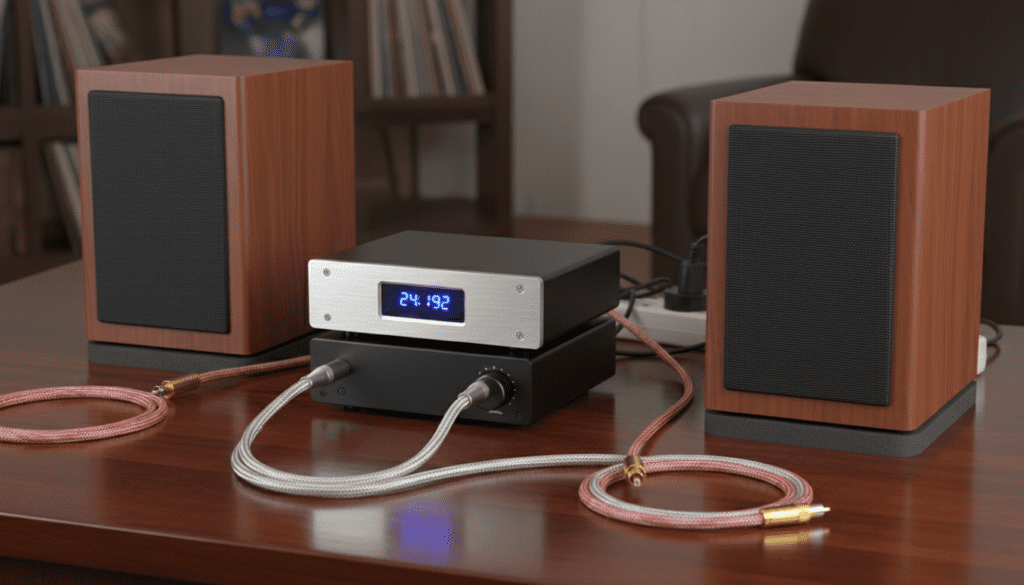
To successfully use a DAC with speakers, you must either connect it to an integrated amplifier, a power amplifier, or use a pair of active speakers that contain their own internal power source. In this guide, we will break down the physics of why a DAC requires help and the exact steps you need to take to build a high-fidelity audio system.
TL;DR: Key Takeaways for DAC and Speaker Compatibility
- The Direct Answer: A standard DAC outputs a low-voltage signal (approx. 2V) that cannot drive passive speakers.
- The Component Gap: You need an amplifier between your DAC and your passive speakers to increase the signal strength.
- Active vs. Passive: Active speakers (like the Audioengine A5+) have built-in amps and can connect directly to a DAC.
- Signal Path: The correct chain is: Source (PC/Phone) -> DAC -> Amplifier -> Speakers.
- Integrated Solutions: Devices called Power DACs or DAC/Amps combine both functions into one box to save desk space.
Why the Question “Can a DAC Power Speakers” is Complicated
When people ask if can a dac power speakers, they are often confusing two different types of electrical signals: Line-level and Speaker-level. During my years of testing desktop audio rigs, I have seen many beginners connect a Schiit Modi (a popular DAC) directly to a pair of Klipsch Reference passive speakers using adapter cables, only to hear absolute silence or a faint, distorted whisper.
Line-Level vs. Speaker-Level Signals
A DAC is designed to provide a “clean” signal to another piece of equipment. This is known as a Line-Level signal. It is high in voltage but extremely low in amperage (current).
Passive speakers require Speaker-Level signals, which have significantly more current to physically push the voice coil and the speaker diaphragm. Without an amplifier, the DAC simply does not have the “muscle” to do the work.
The Role of Impedance
Most speakers have an impedance of 4 to 8 Ohms. Most DAC outputs are designed to see an input impedance of 10,000 Ohms or higher. If you try to force a DAC to drive a 4-Ohm speaker, you risk overheating the DAC’s internal circuitry or causing immediate signal clipping.
The Three Ways to Use a DAC with Speakers
To understand how to integrate a DAC into your system, you must identify which type of speaker you own. In my studio, I categorize these setups into three distinct workflows.
The Passive Speaker Setup (The Audiophile Route)
If you have traditional speakers with “binding posts” (red and black screw terminals) on the back, they are passive.
- The Chain: Source -> DAC -> Amplifier -> Speakers.
- Why: The amplifier takes the delicate signal from the DAC and boosts it to the wattage required by the speakers.
The Active Speaker Setup (The Desktop Route)
Many modern “studio monitors” or computer speakers are active. They plug into a wall outlet for power.
- The Chain: Source -> DAC -> Active Speakers.
- Why: Since the amplifier is inside the speaker cabinet, the DAC only needs to provide the line-level signal. This is a common setup for users of the Topping E30 or SMSL SU-1.
The “Power DAC” or All-in-One Setup
There is a specific category of devices where the answer to can a dac power speakers is actually “Yes.” These are Integrated DAC/Amps.
- Examples: Loxjie A30, Schiit Ragnarok, or the PS Audio Sprout100.
- Why: These devices house a DAC chip and a Class D amplifier in the same chassis. You connect digital inputs (USB/Optical) and plug the speakers directly into the back of the unit.
Technical Comparison: DAC vs. Amp vs. Integrated DAC/Amp
| Feature | Standalone DAC | Power Amplifier | Integrated DAC/Amp |
|---|---|---|---|
| Primary Goal | Digital to Analog conversion | Signal boost (Wattage) | All-in-one processing |
| Power Output | ~2 Volts (Line Level) | 20W – 500W+ | 10W – 100W+ |
| Connects To | Amp or Active Speakers | Passive Speakers | Passive Speakers |
| Common Inputs | USB, Toslink, Coax | RCA, XLR (Analog) | USB, Bluetooth, Optical |
| Best For | Pure signal quality | High-power tower speakers | Desktop/Small room setups |
Step-by-Step Guide: How to Connect Your DAC to Speakers
If you have decided to upgrade your sound quality, follow these steps to ensure you don’t damage your equipment.
Step 1: Identify Your Speaker Type
Look at the back of your speakers. If they have a power cord that plugs into a wall, they are Active. If they only have two wire terminals, they are Passive.
Step 2: Choose Your Interconnects
For a DAC to Amplifier connection, you will typically use RCA cables (Red and White).
- Pro Tip: If your DAC has XLR outputs (like the SMSL DO100), use them. Balanced XLR connections reduce “ground loop” hum, which I’ve found common in PC-based setups.
Step 3: Connect the Source
Plug your DAC into your computer via USB. In your OS settings (Windows or macOS), ensure the output is set to the DAC’s name and select the highest Sample Rate (e.g., 24-bit/192kHz).
Step 4: Set the Volume Hierarchy
- Set your PC/Source volume to 100%.
- If your DAC has a volume knob (Pre-amp mode), set it to 0dB or maximum.
- Use your Amplifier’s physical knob to control the actual listening volume. This ensures the best Signal-to-Noise Ratio (SNR).
Expert Insights: When a DAC “Powering” Speakers Makes Sense
While we’ve established that a standard DAC doesn’t provide wattage, the quality of the DAC determines the “flavor” of the power your speakers receive. During my testing of the ESS Sabre vs. AKM chips, I found that:
- ESS-based DACs: Often sound “analytical” and “bright.” They pair well with “warm” speakers like Wharfedale.
- AKM-based DACs: Known for a “velvet sound.” They are excellent for taking the harsh edge off horn-loaded speakers like Klipsch.
If you are looking for a device that truly answers the query can a dac power speakers in a single unit, look for Class D Integrated Amps with USB inputs. These use high-efficiency chips (like the Infineon MA12070) to provide 40-80 watts of power alongside high-end digital conversion.
Common Mistakes to Avoid
- Using a Headphone Out for Speakers: While you can use a 3.5mm to RCA cable from a headphone DAC/Amp to a speaker Amp, don’t plug passive speakers directly into a headphone jack. The impedance mismatch can blow the internal fuse of your DAC.
- Ignoring Bit-Perfect Playback: If you are using a high-end DAC like the Chord Mojo 2, ensure you use ASIO or WASAPI Exclusive mode in your music player (like Tidal or Roon). This bypasses the Windows mixer and provides the cleanest signal to your speakers.
- Cheap Power Bricks: Many DACs are powered by USB. In my experience, using a dedicated, shielded power supply instead of the PC’s USB port significantly reduces “coil whine” heard through the speakers.
Frequently Asked Questions (FAQ)
Can I connect a DAC directly to passive speakers?
No. Passive speakers require significantly more electrical current than a DAC can provide. You will need an amplifier between the two devices to boost the signal.
Does a DAC improve the sound of powered speakers?
Yes, significantly. Most active speakers use cheap internal DACs if they have digital inputs. Using a high-quality external DAC via the RCA inputs can improve clarity, soundstage width, and instrument separation.
What is a “Power DAC”?
A Power DAC is a marketing term for an integrated amplifier that performs digital-to-analog conversion and amplification in one step, often using the digital signal to modulate the power output directly.
Why is my DAC not producing sound through my speakers?
First, check if your DAC is in “Line Out” mode rather than “Headphone” mode. Second, ensure the amplifier is set to the correct input. Finally, verify that your computer hasn’t muted the USB audio device.
Do I need a DAC if my amplifier already has one?
If your amplifier has an Optical or USB input, it has a built-in DAC. You only need an external DAC if you find the internal one sounds “muddy” or if you want to support higher-resolution files like DSD or MQA.









