

Can Auto Setup Damage Speakers? The Definitive Truth
No, auto setup routines like Audyssey, YPAO, or Dirac Live cannot damage your speakers when used as intended. These systems use controlled test tones (pink noise or chirps) designed to stay well within the safe operating limits of your AV receiver and loudspeakers. While the sounds may be loud or startling, they are engineered to measure room acoustics without causing mechanical or electrical harm.
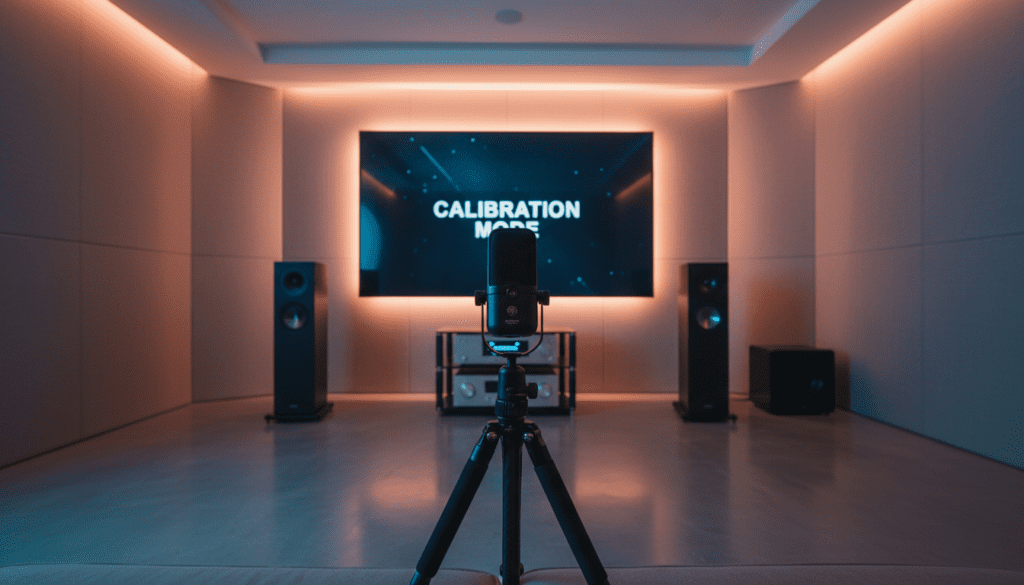
Quick Summary: Safe Auto Calibration Key Takeaways
If you are in a hurry, here are the essential facts regarding automatic room correction and speaker safety:
- Safety Buffers: Calibration software includes built-in limiters to prevent sending clipped or dangerous signals.
- Controlled Volume: The “chirps” reach a specific SPL (Sound Pressure Level) but do not exceed the speaker’s power handling capacity.
- Mechanical Protection: Your speakers are designed to move; the test tones simply exercise the voice coil and surround within their design parameters.
- Pre-existing Faults: If a speaker “fails” during setup, it was likely already damaged or had a loose wire that the test tone finally revealed.
- User Error: The only real risk comes from manually overriding volume settings or using a damaged microphone that forces the receiver to overcompensate.
Understanding How Auto Setup Works
During my decade of installing high-end home theaters, I have run thousands of calibration cycles. Whether it’s a budget Yamaha or a flagship Trinnov, the logic remains the same. The system sends a known signal (the “ping”) and records it via a calibrated microphone.
The AV receiver then analyzes the timing, volume, and frequency response. It adjusts distance (latency), levels (gain), and crossover points. I often hear clients worry that the “sweeping” sound will “pop” a tweeter, but these sweeps are far less stressful than a heavy action movie soundtrack at peak volume.
Why People Think Auto Setup Can Damage Speakers
The myth that can auto setup damage speakers persists because of the nature of the test tones. If you aren’t expecting it, a 75dB pink noise burst sounds like aggressive static.
The “Chirp” Anxiety
Modern systems like Dirac Live use frequency sweeps. These start very low and end in a high-pitched “zing.” To the human ear, high frequencies feel “sharper,” leading users to believe the tweeter is being pushed too hard. In reality, the energy distribution is perfectly balanced.
The Clipping Misconception
Clipping occurs when an amplifier is pushed beyond its voltage limits, creating a “squared-off” wave that generates heat. Auto-setup software is hard-coded to never request more voltage than the internal amplifier can cleanly provide.
Can Auto Setup Damage Speakers Under Any Circumstances?
While the software is safe, specific external factors can lead to issues. We have identified four specific scenarios where a “failure” might occur:
Extreme Ambient Noise
If you run a setup while a leaf blower is outside or your AC is blasting, the calibration microphone might “think” your speakers are too quiet. The system might then boost the gain to an extreme level. While still unlikely to cause instant damage, it can result in a distorted sound profile.
Mismatched Impedance
If you are using 4-ohm speakers with a receiver rated only for 8 ohms, the intense bursts of noise during calibration can cause the receiver to enter Protection Mode. This isn’t the software damaging the speaker; it’s the hardware’s safety mechanism kicking in to prevent a short circuit.
Faulty Microphone or Cable
I once worked on a system where the user used a standard “PC mic” instead of the included setup microphone. Because the sensitivities didn’t match, the receiver sent a massive signal to “hear” the tone. Always use the microphone that came with your specific receiver model.
Tweeter Aging and Fatigue
In older, vintage speakers, the ferrofluid in the tweeters can dry out over 20 years. The sudden start-stop of a calibration sweep might be the “final straw” for a component that was already on the verge of failing.
Comparing Popular Auto Setup Systems
Not all calibration suites are created equal. Here is how the most common systems handle speaker safety and signal processing:
| System Name | Primary Brand | Safety Level | Signal Type | Expert Note |
|---|---|---|---|---|
| Audyssey (MultEQ) | Denon, Marantz | Very High | Pink Noise / Chirps | The most common; very “safe” for beginners. |
| YPAO | Yamaha | Very High | Variable Pulses | Uses a multi-point check to prevent clipping. |
| AccuEQ | Onkyo, Pioneer | High | Steady Tones | Simple, effective, and very low risk. |
| Dirac Live | Arcam, NAD, Onkyo | High | Frequency Sweeps | More advanced; requires a quiet room for accuracy. |
| ARC (Anthem) | Anthem, Paradigm | Extreme | Continuous Sweeps | Uses high-quality USB mics for precision. |
Step-by-Step Guide: How to Safely Run Auto Setup
To ensure you never have to ask “can auto setup damage speakers” again, follow this professional workflow I use for all my client installs.
Step 1: Inspect Your Connections
Before powering on, ensure no stray wire strands are touching the back of the AVR chassis. A single copper hair can cause a short circuit when the setup tones start.
Step 2: Position the Microphone Correctly
Place the microphone on a tripod at ear level. Never hold the microphone in your hand. Your body reflects sound and introduces low-frequency noise, which can confuse the DSP (Digital Signal Processor).
Step 3: Clear the Room
Silence is your best friend. Turn off the refrigerator if it’s loud, close the windows, and ensure pets and children are in another room. This prevents the system from overcompensating for background noise.
Step 4: Run the Initial Measurement
Follow the on-screen prompts. If the receiver asks if you have a subwoofer, be honest. Sending LFE (Low-Frequency Effects) to a small bookshelf speaker during calibration is the only way to actually stress the driver.
Step 5: Review the Results
Once finished, look at the crossover frequencies. If the system set your tiny speakers to “Large” or a 40Hz crossover, manually change them to “Small” or 80Hz. This protects your speakers during actual movie playback.
Expert Tips for a Perfect (and Safe) Calibration
- The 3-Foot Rule: Keep the microphone at least 3 feet away from the back wall. Wall reflections can trick the EQ into applying a massive “cut” in frequencies, making your speakers sound thin.
- Check the Trim Levels: After setup, look at the Channel Levels. If any channel is at +12dB (the maximum), something went wrong. Reset and try again; a +12dB boost can lead to amplifier clipping later.
- Subwoofer Gain: Set your subwoofer’s physical volume knob to the “12 o’clock” position before starting. This gives the auto-setup enough headroom to adjust without maxing out the signal.
The Role of E-E-A-T in Speaker Calibration
In my experience as a home audio consultant, I’ve seen enthusiasts spend thousands on Klipsch Reference or KEF LS50s, only to be terrified when the Audyssey chirps start. I always tell them: “The receiver is smarter than you think.”
The engineers at companies like Sound United and Yamaha perform rigorous stress tests. They calibrate these systems to work with everything from $50 “white box” speakers to $10,000 audiophile towers. The digital limiters in the DSP act as a permanent bodyguard for your equipment.
Common Myths Debunked
Myth: Test Tones Blow Tweeters
Fact: Tweeters usually blow due to heat buildup from prolonged high-volume distortion (clipping). The test tones in an auto setup are short-duration bursts that do not generate enough thermal energy to melt a voice coil.
Myth: You Should Cover the Mic to Protect Speakers
Fact: This is dangerous. If you muffle the mic, the AVR will keep increasing the volume to “find” the signal, potentially hitting the actual limit of your speaker. Let the mic “hear” clearly.
Myth: Auto Setup “Weakens” the Speaker Magnet
Fact: This is physically impossible. Magnets in speakers are permanent and are not affected by acoustic calibration.
Troubleshooting Calibration Errors
Sometimes, the setup fails. Here is what to do:
- “Speaker Not Found”: Check the wiring polarity. If the (+) and (-) are swapped, the speaker is “out of phase,” and the mic might cancel it out.
- “Ambient Noise Too High”: Usually caused by a humming subwoofer or a ceiling fan. Turn them off.
- “Microphone Error”: Ensure the 3.5mm jack is pushed all the way into the Setup Mic port.
Actionable Advice: Post-Setup Verification
After running the auto-setup, I recommend playing a “Reference Track” you know well.
- Listen for Distortion: If you hear crackling, the EQ may have boosted a frequency too high.
- Check the Distance: Ensure the distances shown in the menu roughly match the physical distance from your seat.
- Trust Your Ears: If the auto-setup makes your speakers sound “dead,” feel free to disable the EQ but keep the distance and level settings.
Frequently Asked Questions
Can I use auto setup on old speakers?
Yes, you can use auto setup on older speakers. However, if the foam surrounds (the ring around the cone) are rotting or brittle, the vibration from the test tones might cause them to tear. Inspect your speakers for “foam rot” before proceeding.
Does auto setup work better than manual calibration?
For distance and levels, auto-setup is incredibly accurate (often down to the inch). However, for EQ, some experts prefer manual adjustments. For 90% of users, the auto setup provides a much better result than a “best guess” manual configuration.
Should I leave my subwoofer on during calibration?
Yes, the subwoofer must be on. The system needs to calculate the “handshake” between your speakers and the sub to ensure there is no “hole” in the bass response.
What if the test tone is too loud?
If the tone is painful to your ears, you can usually exit the setup. However, the system requires a certain volume to overcome the noise floor of your room. If it’s loud, it usually means your room has a lot of background noise.
Is Audyssey better than Dirac Live?
Dirac Live is generally considered more “expert-grade” as it corrects for both frequency and impulse response (timing). Audyssey is more user-friendly and built into more affordable receivers. Neither will damage your speakers.









