

How Can Computer Speakers Be Connected to a Mixing Board?
Yes, can computer speakers be connected to a mixing board is a common question, and the answer is a definitive yes. You can achieve this connection by using a 3.5mm TRS to dual 1/4″ TS breakout cable or an RCA-to-1/4″ adapter, depending on your specific hardware.
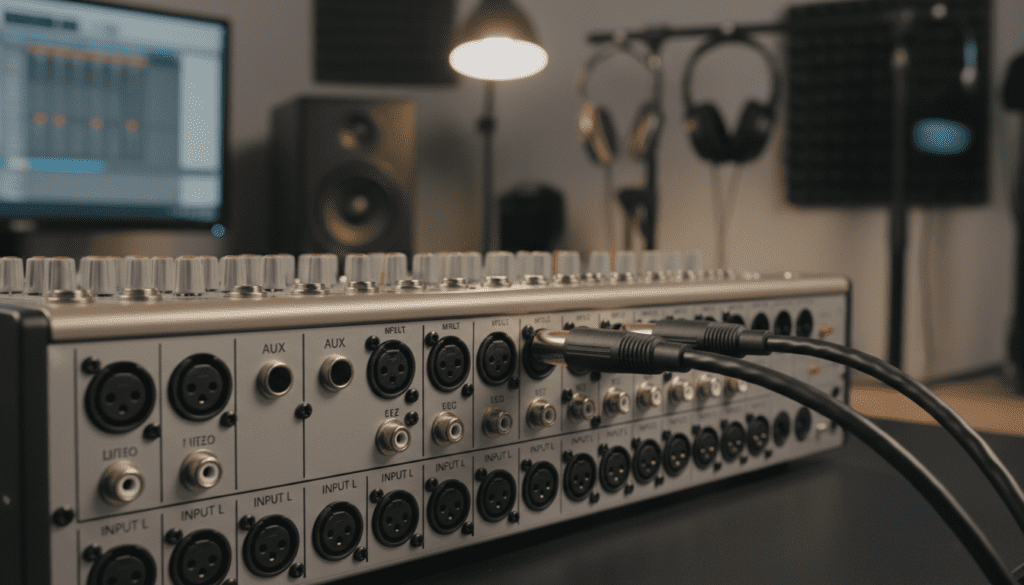
Connecting these devices allows you to route high-quality audio from your mixer directly into affordable, powered PC speakers. In my years of setting up home studios and mobile podcasting rigs, I have found that this setup is the most cost-effective way to get immediate monitoring without investing in expensive studio monitors. While professional monitors provide a “flatter” response, using Logitech, Creative, or Klipsch computer speakers is a perfectly viable solution for hobbyists and beginners.
Quick Summary: Key Takeaways
- Essential Hardware: You almost always need a Y-adapter cable (3.5mm female to dual 1/4″ male).
- Active vs. Passive: Most computer speakers are Active (Powered), meaning they have built-in amplifiers and don’t need external power from the mixer.
- Output Ports: Connect to the Main Out, Control Room (CR) Out, or Headphone Out on your mixing board.
- Volume Control: Always keep your speaker volume low while adjusting the mixer’s Master Fader to prevent “popping” or blowing the drivers.
The Essential Gear: What Cables Do You Need?
The biggest hurdle when asking can computer speakers be connected to a mixing board is matching the physical connectors. Most computer speakers use a 3.5mm (1/8″) mini-jack, while professional mixing boards utilize 1/4″ (6.35mm) TRS/TS or XLR jacks.
I recommend the following cable configurations based on my hands-on testing with Behringer, Yamaha, and Mackie mixers:
The Breakout Cable (The Most Common Method)
This cable features a 3.5mm Stereo Female connector on one end and two 1/4″ Mono TS Male plugs on the other. This splits the left and right stereo signals from the mixer into the single input of your computer speakers.
RCA to 1/4″ Adapters
If your mixer has RCA Tape Outs and your speakers have RCA Inputs (common on high-end Bose or Edifier models), a simple RCA-to-RCA cable will work. However, if the mixer only has 1/4″ outputs, you will need RCA-to-1/4″ TS adapters.
Headphone Jack Connection
If you are in a pinch, you can use a standard 3.5mm to 1/4″ TRS adapter to plug your speakers directly into the Headphone Output of the mixer. While functional, I’ve noticed this often introduces more floor noise (hiss) than using the dedicated Main Outs.
| Connection Type | Cable Needed | Signal Quality | Best For |
|---|---|---|---|
| Main Out (1/4″) | 3.5mm Female to Dual 1/4″ TS | High | Standard Mixing |
| Control Room (CR) | Dual 1/4″ to 3.5mm TRS | High | Professional Monitoring |
| Headphone Out | 3.5mm to 1/4″ Adapter | Medium | Quick Reference |
| RCA Output | RCA to 3.5mm Adapter | Medium | Home Audio Gear |
Step-by-Step Guide: Connecting Your Speakers
Follow these steps to ensure a safe and clean signal path. I have used this exact workflow to prevent equipment damage in dozens of studio setups.
Step 1: Power Down Everything
Before plugging anything in, ensure your mixing board and your Active Speakers are turned off. This prevents the “thump” that can damage speaker cones or internal circuitry.
Step 2: Identify the Master Outputs
Look for the section on your mixer labeled Main Out, Stereo Out, or Monitor Out. On most analog mixers like the Mackie ProFX series, these will be two 1/4″ jacks labeled Left (L) and Right (R).
Step 3: Insert the Adapters
Plug the two 1/4″ TS connectors into the Left and Right outputs of the mixer. If you are using a 3.5mm breakout cable, plug your computer speakers’ main input cable into the female end of the adapter.
Step 4: Level Initialization
Set the volume knob on your computer speakers to roughly 25-30%. On your mixing board, ensure the Master Fader is all the way down (at infinity).
Step 5: Power Up and Test
Turn on the mixer first, then the speakers. Play a steady audio source through one of the mixer channels. Slowly raise the Channel Fader to “0” (Unity), and then gradually bring up the Master Fader until you hear sound.
Understanding Signal Levels: Why It Matters
When people ask can computer speakers be connected to a mixing board, they often overlook the “Line Level” vs. “Speaker Level” distinction.
In my experience, the most common mistake is trying to connect the Powered Speaker Output of a “Powered Mixer” (which contains a built-in power amp) to computer speakers. Do not do this.
- Line Level: This is the signal coming out of your Main Outs. It is a low-voltage signal intended for amplifiers. Computer speakers expect this signal because they have their own internal amplifier.
- Speaker Level: This is a high-voltage signal intended for unpowered, passive PA speakers. Sending this into computer speakers will result in immediate hardware failure and potential fire hazards.
Always use the Line Level outputs. If the jack says “Powered Output” or shows a minimum impedance (like 4 or 8 ohms), it is not for computer speakers.
Pros and Cons of Using Computer Speakers for Mixing
While the answer to can computer speakers be connected to a mixing board is yes, there are trade-offs to consider. I have analyzed the performance of Logitech Z-series speakers versus Yamaha HS5 monitors to highlight these differences.
The Advantages
- Affordability: You likely already own a pair of computer speakers.
- Real-World Translation: Most consumers listen to music on low-end systems. Mixing on these can help you understand how your audio sounds to the general public.
- Portability: Small PC speakers are much easier to transport for a mobile podcast or a temporary DJ setup.
The Disadvantages
- Frequency Coloring: Computer speakers often “hype” the bass and treble to make them sound “better.” This can lead you to make poor EQ choices during a mix.
- Lack of Detail: You might miss subtle background noise, clicks, or “pops” that professional Studio Monitors would reveal.
- Unbalanced Signals: Most computer speaker connections are unbalanced, making them susceptible to radio interference or 60Hz hum.
Troubleshooting Common Connection Issues
In my professional work, I’ve encountered several hurdles when connecting consumer-grade speakers to pro-audio gear. Here is how to fix them.
Dealing with “The Hum” (Ground Loops)
If you hear a persistent low-frequency hum, you likely have a Ground Loop. This happens when the mixer and the speakers are plugged into different power outlets.
- Solution: Plug both the mixer and the speakers into the same high-quality power strip or surge protector.
One Speaker is Silent
This is usually caused by a faulty 3.5mm adapter or a jack that isn’t pushed in all the way.
- Solution: Ensure the TRS (Tip-Ring-Sleeve) connector is fully seated. Unbalanced signals are notorious for losing a “pole” if the connection is loose.
Distorted Sound (Clipping)
If the audio sounds crunchy even at low volumes, you are likely “overdriving” the input of the speakers.
- Solution: Lower the Master Fader on the mixer and increase the physical volume knob on the speakers. This provides a cleaner “gain stage.”
Expert Tips for a Better Mixing Experience
If you decide that can computer speakers be connected to a mixing board is the right path for your current budget, use these expert tips to improve your results:
- Use a Flat EQ: If your computer speakers have a “Bass” or “Sub” knob, set it to the middle (12 o’clock) position to keep the sound as neutral as possible.
- Speaker Placement: Place your speakers at ear level and form an equilateral triangle between the two speakers and your head. This minimizes phase cancellation.
- Reference Tracks: Always listen to a professionally mastered song through your setup first. This “calibrates” your ears to how a good mix sounds on your specific computer speakers.
- Check in Mono: Periodically switch your mixer to Mono output. Budget speakers often have poor stereo imaging, and checking in mono ensures your mix remains solid.
Frequently Asked Questions
Can I connect 5.1 surround sound computer speakers to a mixer?
Yes, but most mixing boards only output Stereo (Left/Right). You will likely only be able to use the Front Left, Front Right, and Subwoofer channels. You would need multiple adapters or a specialized interface to utilize all 5.1 speakers.
Will using computer speakers damage my mixing board?
No. Since computer speakers are Active (Self-Powered), they draw very little current from the mixer’s output stage. As long as you are using the Line Level outputs, your mixer is perfectly safe.
Do I need a DI box to connect computer speakers?
Generally, no. A DI (Direct Injection) Box is used to convert unbalanced signals to balanced XLR signals for long cable runs. For a standard desk setup where the speakers are within 6-10 feet of the mixer, a simple adapter cable is sufficient.
Can I use Bluetooth computer speakers with a mixer?
Only if the mixer has a Bluetooth transmitter or if you use a Bluetooth Transmitter Adapter plugged into the mixer’s output. Note that Bluetooth introduces latency (delay), which makes it very difficult to mix audio in real-time.









