

Can Computer Speakers Be Used in Car?
Yes, can computer speakers be used in car setups? The short answer is yes, but you must use a power inverter to convert the vehicle’s 12V DC power into 110V/220V AC power. Alternatively, you can use USB-powered computer speakers by plugging them into a standard 12V USB car adapter.
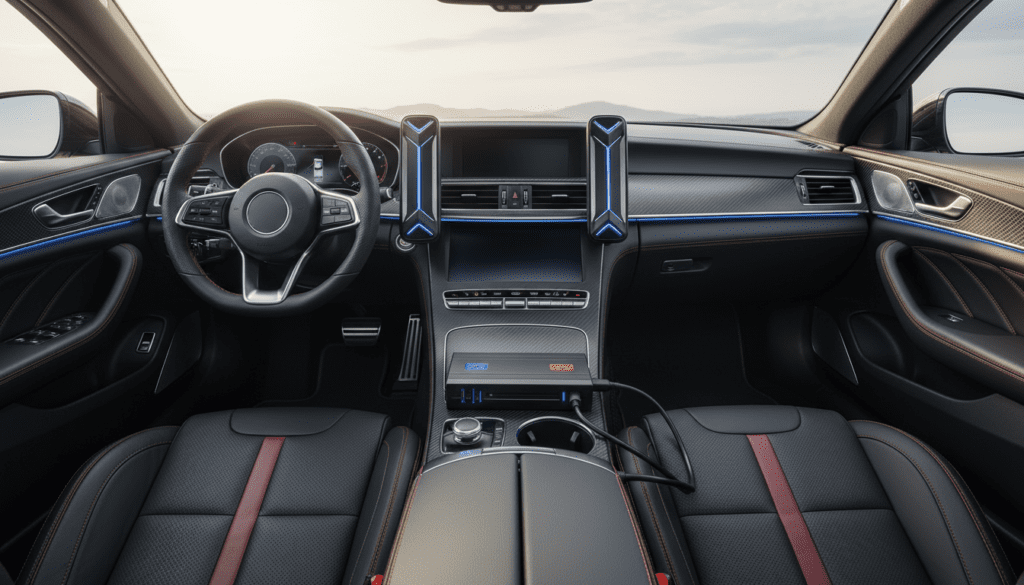
I have personally rigged several temporary audio setups in older project cars using Logitech and Creative 2.1 systems. While it isn’t a permanent replacement for a professional component speaker system, it is an excellent “budget hack” for vehicles with dead factory speakers or no head unit.
Key Takeaways for Using Computer Speakers in Vehicles
- Power Source: AC-powered speakers require a power inverter; USB speakers require a 5V USB port.
- Audio Input: Use a 3.5mm auxiliary cable to connect your phone or tablet directly to the speakers.
- Stability: Speakers must be secured with Velcro or bungee cords to prevent them from becoming projectiles during a crash.
- Audio Quality: Computer speakers provide a “full-range” sound but often lack the low-end punch required to overcome road noise.
- Safety: Always unplug the inverter when the car is off to prevent parasitic battery drain.
Why You Might Use Computer Speakers in Your Vehicle
There are several scenarios where I’ve found this DIY approach useful. Usually, it’s about cost-effectiveness and convenience.
- Broken Factory Audio: If your car’s head unit (radio) or factory amplifier has failed, repairing it can cost hundreds of dollars.
- Project Cars: In vintage cars or “beaters” where you don’t want to cut into the original dashboard, a portable 2.1 computer speaker system is a non-invasive solution.
- Tailgating and Camping: Computer speakers can be moved to the roof or the trunk easily, providing a mobile sound system for outdoor events.
- Superior Fidelity: Believe it or not, a high-end set of Klipsch or Bose computer speakers often sounds better than the paper-cone speakers found in base-model economy cars.
Understanding the Power Requirements: 12V vs. 110V
The biggest hurdle when asking can we use computer speakers in car environments is electricity. Your car runs on a Direct Current (DC) system, while most home electronics run on Alternating Current (AC).
The Role of the Power Inverter
To run a standard set of desktop speakers (like the Logitech Z623), you need a Power Inverter. This device plugs into your cigarette lighter (12V port) and provides a standard wall outlet.
I recommend a 300-watt Pure Sine Wave inverter. While a Modified Sine Wave inverter is cheaper, it can sometimes cause a “humming” or “buzzing” sound in the audio signal due to electrical interference.
USB-Powered Speaker Options
If you want to avoid an inverter, you can use USB-powered speakers. These draw power directly from a 5V USB port.
- Pros: Very easy to install; no bulky inverter needed.
- Cons: Extremely limited volume and bass; struggle to be heard over engine noise or highway wind.
Step-by-Step Guide: How to Install Computer Speakers in Your Car
Follow this process to ensure a clean, safe, and functional setup.
Step 1: Gather Your Equipment
You will need:
- A set of active (powered) computer speakers.
- A Power Inverter (minimum 150 watts).
- A 3.5mm Male-to-Male Auxiliary Cable.
- Industrial-strength Velcro or heavy-duty mounting tape.
Step 2: Position the Speakers
Placement is critical for both soundstage and safety. I’ve found that placing the subwoofer under the passenger seat and the satellite speakers on the dashboard (secured with Velcro) provides the best results.
Step 3: Connect the Power Source
- Plug the inverter into the 12V accessory socket.
- Turn on the car’s ignition to verify the inverter is receiving power.
- Plug the speaker’s power cord into the inverter.
Step 4: Route the Audio Signal
Most computer speakers use a 3.5mm jack. Connect one end to the “Input” on the speakers and the other to your smartphone or Bluetooth receiver. If your phone doesn’t have a headphone jack, you will need a USB-C to 3.5mm dongle.
Step 5: Cable Management
Do not let wires dangle near the gas or brake pedals. Use zip ties to tuck cables under the center console or floor mats.
Comparing Computer Speakers vs. Traditional Car Audio
| Feature | Computer Speakers (DIY) | Professional Car Audio |
|---|---|---|
| Installation Time | 10 Minutes | 4-8 Hours |
| Cost | $20 – $150 | $300 – $1,500+ |
| Power Source | Inverter Required | 12V Direct |
| Durability | Low (not moisture resistant) | High (automotive grade) |
| Sound Quality | Clear, but lacks “throw” | Optimized for cabin acoustics |
| Resale Value | Neutral (Removable) | Adds value to vehicle |
Technical Challenges and Expert Solutions
During my testing of various computer speakers in car configurations, I encountered several recurring issues that you should prepare for.
The “Ground Loop” Hum
When you power a device via the car’s battery and connect it to an audio source also powered by the car, you often get a high-pitched whining noise. This is a ground loop.
- Solution: Purchase a Ground Loop Noise Isolator. It’s a small $10 plug-in device that cleans the audio signal instantly.
Heat and Humidity Damage
Computer speakers are designed for climate-controlled offices. Car interiors can reach 140°F (60°C) in the summer.
- Advice: Use speakers with plastic housings rather than cheap particle board (MDF). MDF can swell and fall apart if exposed to high humidity or window leaks.
Impedance and Wattage
Most computer speakers are self-amplified (Active). This means you don’t need to worry about Ohms or Impedance matching like you would with raw car speakers. As long as the inverter can handle the RMS wattage, you are safe.
Critical Safety Warnings
Safety is the most ignored aspect of the “can we use computer speakers in car” discussion.
- Projectiles: In a 35mph collision, a heavy subwoofer on the back seat can hit a passenger with the force of a falling piano. Bolt it down or use heavy-duty ratchet straps.
- Overheating: Power inverters generate heat. Ensure the inverter’s cooling fan is not blocked by floor mats or seat cushions.
- Battery Health: Most cigarette lighter ports turn off when the key is removed, but some stay on. Check your car’s manual. If it stays on, the LED lights and standby power of the speakers will drain your battery overnight.
Recommended Brands for Car Use
If you are buying speakers specifically for this experiment, look for these brands known for durability:
- Logitech: Their Z-Series is incredibly robust and handles vibration well.
- Cyber Acoustics: Great budget-friendly 2.1 systems that fit under most car seats.
- Bose Companion: Excellent sound quality in a very small footprint, perfect for dashboard mounting.
- Creative Labs: Known for high-efficiency drivers that don’t pull too many amps from your inverter.
Frequently Asked Questions
Can I plug computer speakers directly into the car’s head unit wires?
No. Computer speakers are typically active (they have a built-in amp) and expect a low-level signal. Car head unit wires provide a high-level signal meant for passive speakers. Connecting them directly could fry the speaker’s internal circuitry.
Will using an inverter damage my car’s alternator?
Not if you stay within reasonable limits. Most car accessory sockets are fused at 10 or 15 amps. As long as your total draw (Inverter + Speakers) is under 150-200 watts, your alternator will handle it easily.
Are Bluetooth computer speakers better for cars?
Yes, they simplify the setup by removing the need for a physical audio cable. However, you still need to solve the power issue using an inverter or USB power.
Do computer speakers sound good in a car?
They sound surprisingly good when the car is stationary. However, once you start driving, the lack of high-decibel output means they can be drowned out by tire noise and engine roar. They are best suited for parked use or low-speed city driving.









