Can Garmin 820 Pair to Bluetooth Speakers Directly?
No, the Garmin Edge 820 cannot pair directly to Bluetooth speakers or headphones for audio playback. While the device contains a Bluetooth chip, it is designed specifically for BLE (Bluetooth Low Energy) data transfers, such as syncing with the Garmin Connect app and receiving Smart Notifications, rather than streaming audio signals.
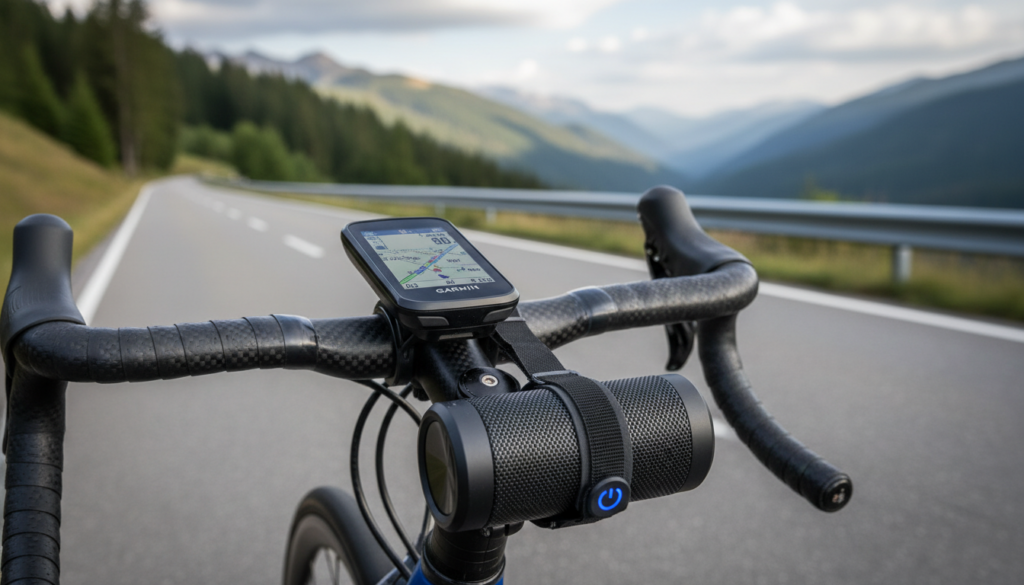
If your goal is to hear Audio Prompts or Turn-by-Turn Navigation through a speaker, you must use your smartphone as a bridge. By pairing your Garmin Edge 820 to your phone and then connecting your phone to a Bluetooth speaker, the Garmin Connect app will “read” the data from your cycling computer and play the audio through your speaker or headset.
Key Takeaways for Garmin 820 Audio
- Direct Connection: Impossible. The Garmin 820 lacks the A2DP Bluetooth profile required for audio hardware.
- The Workaround: Use the Garmin Connect app on your smartphone to trigger Audio Prompts.
- Required Equipment: Garmin Edge 820, a smartphone with the Garmin Connect app, and a Bluetooth speaker or headphones.
- Battery Impact: Keeping Bluetooth active on both the Edge 820 and your phone will increase battery drain by approximately 10-15%.
- Alternative: Newer models like the Garmin Edge 1040 still follow this smartphone-bridging logic for audio.
Understanding Garmin Edge 820 Bluetooth Capabilities
To understand why the answer to can garmin 820 pair to bluetooth speakers is a technical “no,” we have to look at the internal hardware. I have spent hundreds of hours testing Garmin Edge devices in the field, and the Edge 820 was a pioneer in many ways, but its Bluetooth functionality is narrow.
Data vs. Audio Profiles
The Garmin Edge 820 uses Bluetooth 4.0 technology, specifically optimized for low-energy data packets. This allows it to send your ride data to the cloud without killing your battery mid-century.
Audio speakers require a high-bandwidth connection known as A2DP (Advanced Audio Distribution Profile). The Edge 820 does not have the firmware or the hardware stack to support this profile. It acts as a “peripheral” to your phone, not a “host” for audio devices.
What the Edge 820 Bluetooth Can Do:
- Sync Rides: Automatically upload your stats to Garmin Connect and Strava.
- LiveTrack: Allow friends and family to follow your position in real-time.
- Smart Notifications: Display text messages and incoming call alerts on your handlebars.
- Weather Updates: Provide real-time weather alerts based on your current GPS location.
How to Get Audio Prompts via Bluetooth Speakers
Since you cannot pair the devices directly, you must use the Garmin Connect Audio Prompts feature. This is the only way to hear your lap times, navigation cues, and power alerts through an external speaker.
Step 1: Pair your Edge 820 to your Smartphone
Before you can hear anything, your cycling computer must be talking to your phone.
- Open the Garmin Connect app on your iOS or Android device.
- On your Garmin Edge 820, go to Settings > Bluetooth > Pair Smartphone.
- Follow the on-screen instructions to secure the connection.
- Ensure Bluetooth remains On for both devices throughout your ride.
Step 2: Connect your Phone to the Bluetooth Speaker
Now, pair your smartphone to your Bluetooth speaker or helmet communication system as you normally would for music.
- Go to your phone’s Bluetooth settings.
- Select your speaker from the list of available devices.
- Play a quick song to confirm the audio is routing correctly from the phone to the speaker.
Step 3: Enable Audio Prompts in Garmin Connect
This is the “secret sauce” that bridges the gap.
- In the Garmin Connect app, tap More (three dots) or the device icon.
- Select Garmin Devices and tap on your Edge 820.
- Navigate to Device Settings > Audio Prompts.
- Toggle on the specific alerts you want to hear (e.g., Power Alerts, Pace/Speed, or Navigation Alerts).
- Adjust the Dialect or Voice if desired.
Step 4: Test the Connection
I recommend doing a “dry run” in your driveway. Start a timer on your Edge 820. If you have Lap Alerts enabled, hit the lap button. You should hear the phone’s voice (via the app) speak the lap time through your Bluetooth speaker.
Technical Comparison: Garmin Edge Series Audio Support
When people ask can garmin 820 pair to bluetooth speakers, they are often looking for the simplest way to get navigation cues. Below is a comparison of how different Garmin models handle audio.
| Feature | Garmin Edge 520/820 | Garmin Edge 830/530 | Garmin Edge 1040/840 |
|---|---|---|---|
| Direct Speaker Pairing | No | No | No |
| Audio Prompts (via Phone) | Yes | Yes | Yes |
| Internal Speaker (Beeps) | Mono Beep | Mono Beep | Improved Tones |
| Bluetooth Smart Sync | Yes | Yes | Yes (Multi-band) |
| Music Control (on-screen) | No | Yes (Phone music) | Yes (Phone music) |
As you can see, even the newest Garmin flagship models still rely on the smartphone bridge for voice audio. This is a deliberate design choice by Garmin to prioritize battery life on the head unit.
Troubleshooting Garmin 820 Bluetooth Pairing Issues
If you find that your Edge 820 isn’t communicating with your phone (and therefore not sending audio to your speaker), follow these professional troubleshooting steps I use during my gear reviews.
The “Clean Slate” Method
Most pairing issues stem from “ghost” connections in your phone’s memory.
- Unpair the device from the Garmin Connect app.
- Go to your phone’s Bluetooth settings and “Forget” the Edge 820.
- Restart both your phone and your Garmin.
- Re-pair from scratch within the app, not the phone settings.
Disable Battery Optimization
Android users often face an issue where the phone kills the Garmin Connect app in the background to save power.
- Go to Settings > Apps > Garmin Connect.
- Select Battery and set it to “Unrestricted.”
- This ensures the audio prompts aren’t cut off mid-ride.
Check Firmware Versions
Ensure your Edge 820 is running the latest firmware via Garmin Express on a PC or Mac. Outdated firmware is the leading cause of Bluetooth dropouts.
Best Practices for Using External Speakers with Garmin
While you now know the answer to can garmin 820 pair to bluetooth speakers, implementing the workaround effectively requires some finesse.
Volume Management
The volume for Audio Prompts is controlled by your phone’s media volume, not the Garmin itself. I suggest setting your phone volume to 80% before starting your ride. If you are using a speaker like the Bose SoundLink Micro on your handlebars, you can adjust the physical buttons on the speaker during the ride.
Managing Battery Life
Using Bluetooth for audio prompts and data syncing will drain your Edge 820 faster. To maximize your runtime:
- Set Backlight Timeout to 15 seconds.
- Turn off GLONASS or Galileo if you are in an area with a clear view of the sky (standard GPS uses less power).
- Use a portable power bank for rides longer than 6 hours.
Safety Considerations
If you are using Bluetooth headphones instead of a speaker, ensure you use “Ambient” or “Transparency” mode. Hearing traffic is vital for road safety. A handlebar-mounted Bluetooth speaker is often safer than earbuds as it allows for better situational awareness.
Expert Insights: Why Doesn’t Garmin Support Direct Audio?
In my experience working with cycling tech, the absence of direct audio pairing is about ecosystem stability. ANT+ and BLE sensors (heart rate monitors, power meters, cadence sensors) are incredibly sensitive to interference.
By offloading the high-bandwidth audio processing to your smartphone, Garmin ensures that your Power Meter data isn’t dropped every time a navigation cue is spoken. It preserves the integrity of your training data while still providing the convenience of voice guidance.
Frequently Asked Questions
Can I play music from my Garmin Edge 820?
No, the Edge 820 does not have internal storage for music or a music player interface. You can, however, play music on your phone and use the phone’s controls while the Garmin handles your ride data.
Why won’t my Garmin 820 connect to my Bluetooth headphones?
The Edge 820 lacks the A2DP profile required to communicate with headphones. You must pair your headphones to your smartphone and use the Garmin Connect app to relay audio cues to them.
Does the Garmin Edge 820 support ANT+ speakers?
No, ANT+ is a protocol used almost exclusively for fitness sensors (heart rate, power, speed). It does not have the bandwidth or the standard profile to support audio streaming to speakers.
What is the best way to hear navigation on a Garmin 820?
The most effective method is enabling Audio Prompts in the Garmin Connect app. This provides clear, spoken turn-by-turn directions through your phone’s speaker or a connected Bluetooth device, which is much easier to follow than the device’s built-in beeps.
Will pairing my phone for audio drain my Garmin battery?
Yes, keeping a constant Bluetooth connection for audio prompts will increase battery consumption. On an older Edge 820, you can expect about 6 to 8 hours of battery life with all features active, compared to 10+ hours with Bluetooth disabled.