

Can I Blow My Headphone Speakers Using Equalizer? The Direct Answer
Yes, you can absolutely blow your headphone speakers using an equalizer if you are not careful. While software EQ itself doesn’t carry “voltage,” it can force your digital-to-analog converter (DAC) and amplifier to output a distorted signal known as clipping.
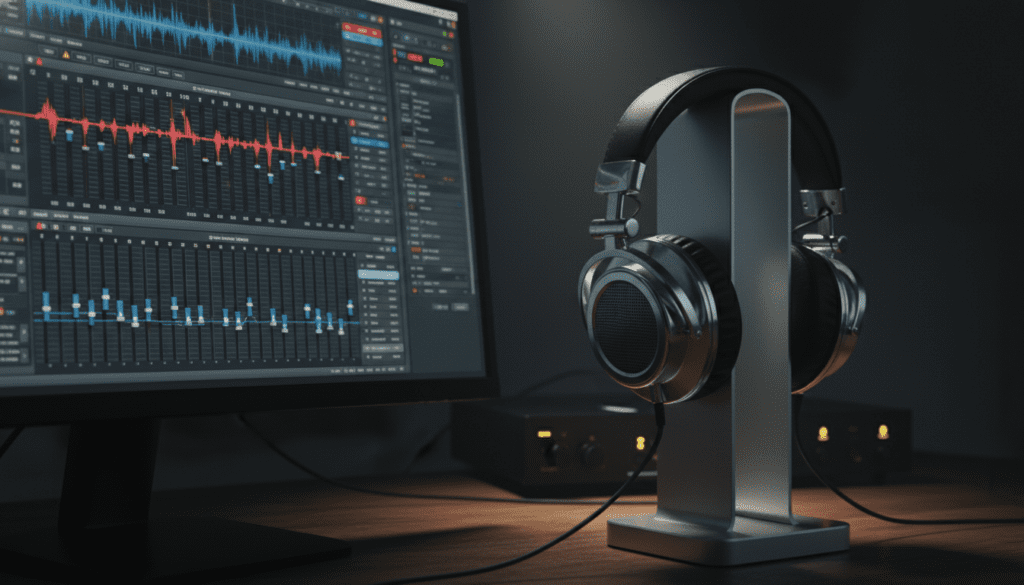
When you boost a frequency (like the bass) too high without lowering the overall pre-amp gain, the audio signal “squares off,” causing the voice coil in your headphones to overheat or the driver to exceed its physical excursion limits. This results in permanent hardware damage, characterized by rattling, buzzing, or a total loss of sound.
💡 Key Takeaways for Safe Equalization
- Avoid Positive Gain: Never boost a frequency above 0 dB without applying a corresponding negative pre-amp gain.
- Listen for Distortion: If you hear crackling or “fuzz” during bass-heavy tracks, your headphone drivers are likely hitting their physical limit.
- Software Matters: Use high-quality EQ software like Peace/Equalizer APO (Windows) or Wavelet (Android) that includes “Auto-clipping” protection.
- Physical Limits: Every headphone has a limit; open-back headphones are generally more susceptible to “bottoming out” when EQing heavy sub-bass compared to closed-back models.
Understanding the Risks: How Can I Blow My Headphone Speakers Using Equalizer?
To understand how an equalizer can damage your gear, we have to look at how sound is processed. In my years of testing audiophile-grade equipment, I’ve found that most users believe damage only comes from turning the volume knob too high. This is a dangerous misconception.
The Danger of Digital Clipping
When you use an equalizer, you are modifying the digital amplitude of specific frequencies. If you boost the 60Hz range by +10dB, you are telling your computer to make that sound much louder. If that boost pushes the signal beyond the maximum bits available (0 dBFS), the peaks of the sound waves are “clipped” or flattened.
This flat-top wave acts like Direct Current (DC) for a split second. Instead of the voice coil moving back and forth smoothly, it stays pushed out, generating massive amounts of heat. This heat can melt the thin wires of the voice coil, leading to a dead driver.
Physical Driver Excursion
Every headphone driver has a “throw” or a maximum distance it can move. If you apply a massive bass shelf via an equalizer, you are forcing the diaphragm to move further than it was engineered to go. This is called over-excursion. You will often hear a physical “clack” or “pop” when the driver hits the magnet or the frame.
Comparative Risks: EQ Settings vs. Hardware Health
| EQ Action | Risk Level | Potential Damage Type | Recommended Fix |
|---|---|---|---|
| Boosting Bass (+10dB) | High | Voice Coil Burnout / Clipping | Apply -10dB Pre-amp gain |
| Lowering Treble (-5dB) | Zero | None (Safe) | No action needed |
| Using High Shelf (+3dB) | Low | Harshness / Minor Distortion | Monitor for ear fatigue |
| Maxing Volume + EQ Boost | Critical | Permanent Driver Failure | Lower volume immediately |
Step-by-Step: How to Use a Headphone Equalizer Safely
If you want to improve your sound without the fear of asking, “can i blow my headphone speakers using equalizer,” follow this professional workflow. I use this exact method whenever I’m tuning a new pair of Sennheiser or HiFiMAN headphones.
Step 1: Install a Parametric Equalizer
Avoid the “Simple” EQ sliders built into Windows or Spotify. Use a Parametric EQ like Equalizer APO with the Peace GUI. This allows for precise control over the Q-factor (width of the boost) and Pre-amp gain.
Step 2: Set Your Negative Pre-amp
This is the most critical step. If your highest EQ boost is +6dB, you must set your Pre-amp to -6.5dB. This creates “headroom.” It ensures that even with your boosts, the total digital signal never crosses the 0 dB threshold into the “danger zone” of clipping.
Step 3: Use Small Increments
Do not jump straight to a +12dB bass boost. Your ears—and your drivers—need to adjust. Increase frequencies in 1dB to 2dB steps. If the sound becomes “muddy” or “veiled,” you have likely reached the limit of what that specific headphone driver can handle.
Step 4: Test with High-Dynamic Range Music
Play a track with heavy sub-bass and clean highs (I often use “Limit to Your Love” by James Blake). Listen closely. If the bass notes sound like they are “farting” or if the vocals crackle during the bass hits, your EQ is too aggressive.
Critical Signs Your EQ is Damaging Your Headphones
As someone who has accidentally pushed a pair of Planar Magnetic headphones too far, I can tell you the signs aren’t always obvious until it’s too late. Watch for these “Red Flags”:
- Intermodulation Distortion: This happens when the bass boost is so strong it “wobbles” the higher frequencies. If the singer’s voice sounds like it’s vibrating only when the bass hits, lower your EQ.
- The “Smell” of Hot Electronics: If your headphones are high-power (low sensitivity) and you are using a powerful Headphone Amp, you might actually smell the voice coil getting hot. Unplug them immediately.
- Channel Imbalance: If one side starts sounding quieter or “thinner” than the other after an aggressive EQ session, you may have partially melted a component in the driver.
Why Different Headphones React Differently to EQ
You might wonder, “can i blow my headphone speakers using equalizer” more easily on certain brands? The answer is yes, based on the driver technology.
Dynamic Drivers (Sony, Sennheiser, Bose)
These use a traditional cone and coil. They are generally robust but have very specific resonant frequencies. If you EQ too hard at their resonance point, they can distort rapidly. Closed-back dynamic headphones often handle bass EQ better than open-back ones because the air pressure inside the cup helps “spring” the driver back.
Planar Magnetic Drivers (Audeze, HiFiMAN)
These use a flat diaphragm with magnets on both sides. They are famous for having “linear” bass, meaning they can handle heavy EQ much better than dynamic drivers. However, because they are so clean, you might not notice how loud you are pushing them until the diaphragm physically touches the magnets (stators).
Expert Pro-Tips for “Zero-Risk” Equalization
- Subtract, Don’t Add: Instead of boosting the bass, try lowering the treble and mids. This is called Subtractive EQ. It achieves the same tonal balance without any risk of digital clipping.
- Use a High-Pass Filter: If you are pushing bass, set a High-Pass Filter (HPF) at 20Hz. Human ears can’t hear much below this, but the driver still tries to move. Cutting these “sub-sonic” frequencies saves the driver from unnecessary stress.
- Check the “Peak” Meter: In software like Peace EQ, there is a peak meter at the bottom. If it turns RED, you are in the danger zone. Lower your pre-amp until it stays GREEN even during the loudest parts of the song.
Frequently Asked Questions
Can a software EQ really break hardware?
Yes. While the software itself is just code, it controls the electrical signal sent by your DAC/Amp. A clipped digital signal translates into a “square wave” electrical signal, which is highly destructive to the voice coils inside your headphones.
How do I know if I’ve already blown my headphones?
Listen to a pure sine wave sweep (available on YouTube). If you hear buzzing, rattling, or static at specific frequencies that wasn’t there before, the driver is likely damaged. Physical damage usually sounds like a “rattle” on low notes.
Is it safer to EQ on my phone or my PC?
PC is generally safer because tools like Equalizer APO offer much more granular control and better visual clipping indicators. Mobile apps often “hide” the pre-amp setting, making it easier to accidentally push the signal into distortion.
Does a better amplifier prevent blowing speakers with EQ?
Actually, a more powerful amplifier can make it easier to blow your headphones. If your EQ is set to boost bass and you have a high-wattage amp, you can easily provide enough raw power to physically tear the driver or melt the coil. Always use the Negative Pre-amp rule regardless of your amp’s power.









