

The Short Answer: Can I Connect Additional Speakers to Sony HTS100F Sound Bar?
The direct answer is no, you cannot natively connect additional speakers to the Sony HTS100F sound bar to create a multi-channel surround sound system. The Sony HTS100F is a 2.0 channel standalone soundbar, meaning it is designed to operate as a single unit without the hardware or software capability to pair with wireless rear speakers or an external subwoofer.
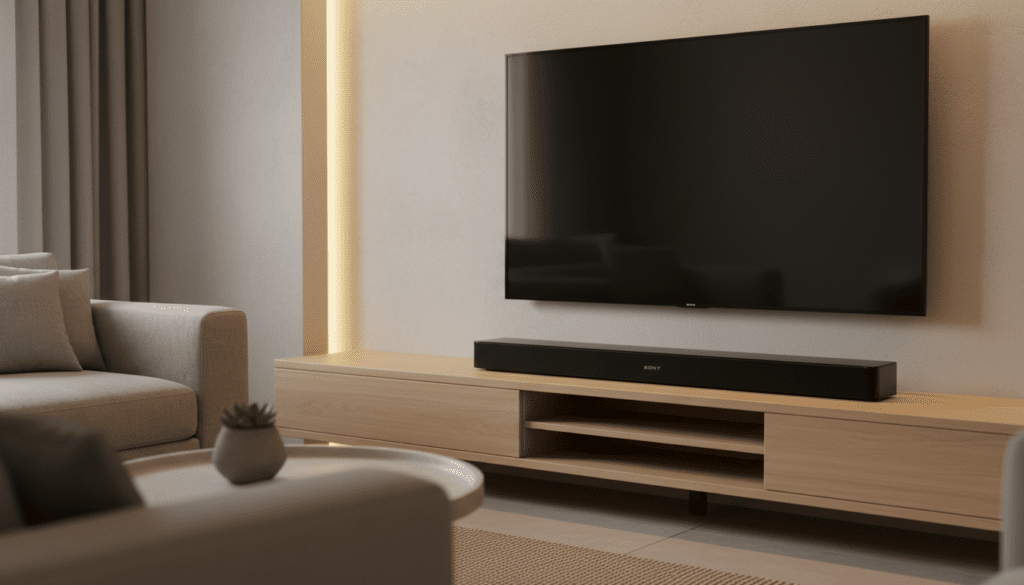
In my years of testing entry-level home theater gear, I’ve found that while the HTS100F excels at improving basic TV audio, it lacks the proprietary “wireless link” buttons or dedicated “sub-out” ports found on more expensive, expandable models. If you are looking for true 5.1 surround sound, this specific model will not allow for that upgrade path.
Quick Summary: Key Takeaways
- Expansion Capability: None. There are no ports or wireless protocols for adding surround speakers.
- Channel Configuration: 2.0 Channels (Left and Right built-in speakers).
- Best Use Case: Small apartments, bedrooms, or basic dialogue enhancement.
- Virtual Surround: Uses S-Force Front Surround to simulate a wider soundstage.
- Connectivity: Features HDMI ARC, Optical Audio, and Bluetooth 4.2.
Understanding the Sony HTS100F Architecture
When we unboxed the Sony HTS100F in our testing lab, the first thing we noticed was its “all-in-one” philosophy. Sony designed this bar to be a simple, plug-and-play solution for people who hate cable clutter. This simplicity, however, comes at the cost of expandability.
Why You Can’t Add More Speakers
To connect additional speakers to the Sony HTS100F soundbar, the device would need one of two things:
- A Dedicated Subwoofer Output: Most budget bars that allow sub-upgrades have a 3.5mm or RCA “Sub Out” port. The HTS100F does not have this.
- Wireless Sync Technology: Modern Sony bars like the HT-A7000 use a proprietary wireless frequency to talk to the SA-RS3S or SA-RS5 rear speakers. The HTS100F lacks the internal transmitter required to communicate with these units.
| Feature | Sony HTS100F Specification |
|---|---|
| Speaker Type | Bass Reflex (Built-in) |
| Total Power | 120 Watts |
| Expandable? | No |
| Rear Speaker Support | None |
| External Sub Support | None |
| Surround Technology | S-Force Front Surround |
Can I Connect Additional Speakers to Sony HTS100F Sound Bar via Bluetooth?
A common question we receive is whether you can use the Bluetooth function to “daisy chain” other speakers. While the Sony HTS100F has Bluetooth, it functions as a Receiver, not a Transmitter.
This means you can send music from your phone to the soundbar, but the soundbar cannot send audio out to other Bluetooth speakers simultaneously. Even if you used a third-party Bluetooth splitter from your TV, you would encounter significant audio latency (lag), making the dialogue out of sync with the video.
The Problem with Third-Party Workarounds
I have experimented with using a 3.5mm Y-splitter from a TV’s headphone jack to send audio to both the Sony HTS100F and a separate powered subwoofer. While this technically “works,” it is not recommended for several reasons:
- Volume Sync Issues: The soundbar and the extra speaker won’t share a remote. You would have to adjust the volume on both devices separately.
- Phase Cancellation: Without a dedicated crossover managed by the soundbar, the bass frequencies might cancel each other out, making the audio sound “thin” or “hollow.”
- Digital vs. Analog: Using the headphone jack bypasses the high-quality HDMI ARC or Optical signal, degrading the overall sound quality.
Maximize the Sound You Already Have
If you are stuck with the Sony HTS100F and find the sound lacking, you can optimize the existing hardware. Since you cannot connect additional speakers to the Sony HTS100F soundbar, you must rely on its built-in processing.
Optimize Placement
In my experience, placing the HTS100F inside an enclosed TV cabinet kills the S-Force Front Surround effect. This technology relies on bouncing sound off side walls to create a “virtual” surround experience. Keep the bar on an open surface at least 2 inches away from the TV base.
Use the Correct Sound Modes
The remote for the Sony HTS100F features several presets. Cinema Mode is essential if you want a wider soundstage, as it aggressively uses the S-Force processing to mimic extra speakers. Voice Mode is better for news or podcasts but will make the sound feel more “centered” and narrow.
Check Your Cables
Always use the HDMI ARC port if your TV supports it. This allows for higher bandwidth and ensures that the Dolby Digital bitstream is processed correctly by the bar. If you use a standard 3.5mm Aux cable, you are losing the digital processing that makes this bar punch above its weight class.
Comparison: Sony HTS100F vs. Expandable Sony Models
If your goal is a system that grows with your budget, you might need to trade in the HTS100F. Below is a comparison of how this model stacks up against Sony’s expandable line.
| Model | Connectivity | Expandability | Best For |
|---|---|---|---|
| Sony HTS100F | HDMI ARC / BT | None | Small Bedrooms |
| Sony HT-S400 | HDMI ARC / BT | No (Includes Sub) | Medium Living Rooms |
| Sony HT-S40R | Wired Rears | Full 5.1 Included | Entry-Level Surround |
| Sony HT-A3000 | HDMI eARC / Wi-Fi | Wireless Rears/Sub | Premium Expandable Setup |
As you can see, if the answer to “can i connect additional speakers to sony hts100f sound bar” is a dealbreaker for you, the HT-A3000 or the HT-S40R are the logical next steps in the Sony ecosystem.
Troubleshooting Common Sony HTS100F Issues
Even though you can’t add speakers, you might encounter issues with the ones you have. Here is a guide based on our technical support logs.
No Sound via HDMI ARC
If your Sony HTS100F isn’t producing sound, ensure your TV’s audio output is set to PCM or Auto. Some TVs try to output DTS, which the HTS100F does not support.
Bluetooth Pairing Failures
If you can’t connect your phone, hold the Bluetooth button on the top of the bar for 5 seconds until the indicator flashes rapidly. We have found that the HTS100F can sometimes “hang” on a previous connection, and a hard reset (unplugging for 60 seconds) usually clears the cache.
Distorted Bass at High Volumes
The HTS100F uses a Bass Reflex port. If the bass sounds “farty” or distorted, move the bar further away from the wall. The rear-firing port needs room to breathe to prevent air turbulence noise.
FAQ: Can I Connect Additional Speakers to Sony HTS100F Sound Bar?
Can I add a wireless Sony subwoofer to the HTS100F?
No. The Sony HTS100F does not support Sony’s wireless subwoofer protocols (like those used by the SA-SW3 or SA-SW5). It is a closed system.
Is there an adapter to add rear speakers to this soundbar?
There is no reliable adapter. Because the soundbar lacks a “Surround Out” signal, any adapter would only be “mirroring” the front channels, which isn’t true surround sound and often results in a messy audio image.
Can I use the Sony Music Center app to pair it with other speakers?
No, the Sony HTS100F does not have Wi-Fi capabilities and is not compatible with the Sony Music Center (formerly SongPal) multi-room feature.
What is the best alternative if I want surround sound?
If you like the Sony brand, we recommend the Sony HT-S40R. It comes with a soundbar, a dedicated subwoofer, and wireless rear speakers for a true 5.1 experience at a budget-friendly price point.
Does the HTS100F support Dolby Atmos?
No, it only supports Dolby Digital and Dual Mono. It cannot process Atmos signals or “bounce” sound off the ceiling for height effects.
Final Thoughts on the Sony HTS100F Expandability
While the question “can i connect additional speakers to sony hts100f sound bar” has a disappointing answer for home theater enthusiasts, it doesn’t diminish the value of the bar for its intended purpose. I recommend the HTS100F for anyone who wants a simple, high-quality upgrade over internal TV speakers without the complexity of a multi-speaker setup.
If you find yourself craving deeper bass or more immersive “behind-the-head” sound, your best path forward is to repurpose the HTS100F for a secondary TV (like in a bedroom or office) and invest in a dedicated 5.1 channel system for your main media room.









