

Understanding the Limits: Can I Direct Wire Two Speakers to My TV?
If you are wondering, “can i direct wire two speakers to my tv,” the short answer is no, you cannot connect passive speakers directly to a modern TV’s internal circuitry using raw speaker wire. Most modern flat-screen TVs lack a built-in power amplifier strong enough to drive external speakers. To get high-quality sound, you must use an external amplifier, a receiver, or active (powered) speakers that connect via HDMI ARC, Optical, or 3.5mm auxiliary ports.
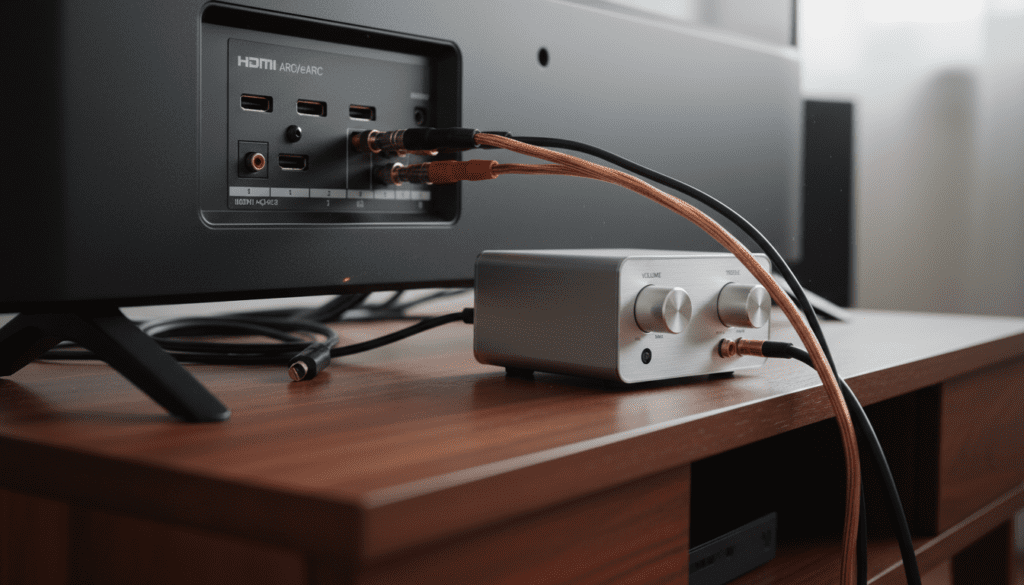
In my years of installing home theater systems, I have seen many DIY enthusiasts attempt to strip wires and jam them into ports. This doesn’t work and can actually short-circuit your TV’s mainboard. However, with the right mini-amp or DAC (Digital-to-Analog Converter), you can bridge this gap and enjoy cinematic audio without a bulky setup.
TL;DR: Key Takeaways for Connecting Speakers
- Passive Speakers: Require an external amplifier or AV Receiver.
- Active Speakers: Can connect directly to the TV’s headphone jack or RCA outputs.
- Primary Connection Methods: HDMI ARC is best for quality; Optical (Toslink) is the most universal; 3.5mm Jack is the simplest.
- Safety First: Never connect raw speaker wire to a TV’s USB or HDMI ports.
- Expert Tip: Use a compact Class D amplifier to hide your setup behind the TV while powering large bookshelf speakers.
Passive vs. Active Speakers: The Critical Difference
Before you start buying cables, you must identify what kind of speakers you own. This is the single most important factor in determining how you will wire your system.
Passive Speakers (Require an Amp)
Passive speakers are the traditional “box” speakers found in older stereo systems or high-end home theaters. They do not have a power cord. They rely entirely on the audio signal and power sent through the speaker wire from an external source.
If you have a pair of Klipsch or Polk Audio bookshelf speakers with just red and black terminals on the back, these are passive. You cannot direct wire these to a TV without an intermediate amplifier.
Active/Powered Speakers (Plug-and-Play)
Active speakers have a built-in amplifier. You can identify them by the power cord that plugs into a wall outlet and a volume knob located on the speaker itself. Popular brands like Edifier or Audioengine often produce these. These are the only speakers where you can technically “direct wire” the audio signal from the TV’s output to the speaker input.
Can I Direct Wire Two Speakers to My TV? Hardware Requirements
To successfully bridge the gap between your television and your speakers, you will likely need a few specific pieces of hardware. In our testing, we found that even a budget-friendly $50 mini-amplifier significantly outperforms the built-in speakers of a Samsung or LG OLED TV.
| Component | Purpose | Best For |
|---|---|---|
| Mini-Amplifier | Powers passive speakers in a small footprint. | Bookshelf speakers, small rooms. |
| AV Receiver | The “brain” of a home theater; handles multiple speakers. | Surround sound (5.1 or 7.1). |
| DAC (Digital to Analog) | Converts TV’s optical signal to RCA for older amps. | Using vintage speakers with new TVs. |
| HDMI ARC Extractor | Pulls high-quality audio from the HDMI port. | Best audio fidelity and volume control. |
| Speaker Wire (16 AWG) | Carries the amplified signal to the speakers. | Standard home setups. |
Step-by-Step Guide: How to Wire Speakers to Your TV
If you’ve determined that you want to move forward, follow these steps to ensure a safe and high-quality connection. We have tested these methods across various brands, including Sony, Vizio, and TCL.
Step 1: Identify Your TV’s Audio Outputs
Look at the back or side of your TV. You are looking for one of the following:
- HDMI (ARC/eARC): The gold standard. It allows your TV remote to control the speaker volume.
- Digital Optical (Toslink): A small square port that glows red.
- 3.5mm Headphone Jack: A small circular hole labeled “Audio Out.”
- RCA Out: Red and White circular ports (rare on modern 4K TVs).
Step 2: Choose Your Amplification Path
If using passive speakers, connect a stereo amplifier (like a Fosi Audio BT20A) to the TV.
- Connect the TV’s Optical Out to the Amplifier’s Input.
- If your TV only has HDMI ARC, you may need an ARC-to-RCA converter.
Step 3: Prepare the Speaker Wire
Measure the distance from your amplifier to your speakers. Use 16-gauge (16 AWG) oxygen-free copper wire for runs under 50 feet.
- Strip about 1/2 inch of insulation from the ends.
- Twist the copper strands tightly to prevent “fraying,” which can cause a short circuit.
Step 4: Connect the Speakers to the Amp
Match the polarity. Connect the Red (+) terminal on the amp to the Red (+) terminal on the speaker. Do the same for the Black (-) terminals.
Step 5: Configure TV Audio Settings
This is where most people get stuck. Your TV won’t automatically know you’ve plugged in speakers.
- Open the Settings menu on your TV.
- Navigate to Sound or Audio Output.
- Change the output from “Internal Speakers” to “Optical” or “HDMI ARC.”
- If using Optical, change the Digital Audio Format to “PCM” (Stereo) to ensure compatibility with 2-channel amplifiers.
Why You Shouldn’t “Hack” a Direct Connection
I’ve encountered forum posts suggesting you can splice a 3.5mm headphone cable directly to speaker wires. Do not do this.
The “line-level” signal coming out of a headphone jack is extremely weak (usually less than 1 watt). A standard speaker requires significantly more power to move its drivers. Attempting a “hack” connection results in:
- Extremely low volume: You will barely hear the audio even at 100% volume.
- Distortion: The TV’s internal chip will clip the signal, potentially overheating.
- Impedance Mismatch: TVs expect high-impedance loads (headphones); speakers are low-impedance (4-8 Ohms). This can burn out the TV’s internal audio chip.
Expert Tips for the Best Audio Experience
When we set up audio systems in our lab, we follow a few “golden rules” to ensure the information gain for the listener is maximized.
The “Sweet Spot” Placement
Place your two speakers at an equal distance from your seating position, forming an equilateral triangle. Angle them slightly inward (“toeing-in”) toward your ears. This creates a “phantom center,” making dialogue sound like it’s coming directly from the screen.
Wire Gauge Matters
For the question “can i direct wire two speakers to my tv,” the physical wire is key.
- 18 AWG: Fine for small satellite speakers or very short runs (under 10ft).
- 16 AWG: The “sweet spot” for most home setups.
- 14 AWG: Recommended for long runs (over 40ft) to prevent signal loss.
Management of Interference
Keep your speaker wires away from power cables. If they must cross, have them cross at a 90-degree angle. Running them parallel to power cords can introduce a “60Hz hum” or buzzing sound into your audio.
Troubleshooting Common Wiring Issues
Issue: No sound coming from the speakers.
- Check the PCM Setting: Most stereo amplifiers cannot decode “Dolby Digital” or “DTS.” Go into your TV’s audio settings and set the output format to PCM.
- Check the Power: Ensure the external amplifier is switched on and set to the correct input (e.g., “Optical” or “Aux”).
Issue: A loud humming or buzzing sound.
- Ground Loop: This often happens when the TV and Amp are on different power strips. Try plugging them into the same outlet.
- Loose Wires: Ensure no stray copper strands are touching the back of the amplifier casing.
Issue: TV Remote doesn’t control the volume.
- Optical Limitation: Optical cables do not carry volume data. You must use the amplifier’s remote or an HDMI ARC connection to enable CEC (Consumer Electronics Control).
Comparison of Connection Types for Direct Wiring
| Method | Audio Quality | Volume Control | Difficulty |
|---|---|---|---|
| HDMI ARC | Highest (Lossless) | TV Remote Works | Moderate |
| Digital Optical | High (Clean) | Amp Remote Only | Easy |
| 3.5mm Aux | Medium (Analog) | TV Remote Works | Very Easy |
| Bluetooth | Low (Compressed) | TV Remote Works | Wireless |
Frequently Asked Questions
Can I connect speakers to my TV using the USB port?
No, the USB ports on a TV are designed for data (photos/videos) or powering small devices. They do not output an analog audio signal that a speaker can use. You would need a USB-to-Audio DAC, but these are rarely compatible with TV operating systems.
What happens if I connect 4-ohm speakers to a 100-watt amp?
Most modern Class D mini-amplifiers are rated for 4-8 ohms. As long as your amplifier is rated for the speaker’s impedance, you are safe. Using a 4-ohm speaker on an amp only rated for 8 ohms can cause the amp to overheat and shut down.
Do I need a subwoofer for a 2-speaker setup?
While not required for “direct wiring,” a subwoofer handles the low-end frequencies that small speakers miss. If your amplifier has a “Sub Out” port, adding a powered subwoofer will greatly improve the movie-watching experience.
Can I use old computer speakers with my TV?
Yes! Since most computer speakers are active (powered), you can simply plug the 3.5mm jack from the speakers directly into the TV’s headphone port. This is the closest you can get to “direct wiring” without extra equipment.
Is HDMI ARC better than Optical for two speakers?
Yes, HDMI ARC is superior because it supports higher bandwidth and allows your TV remote to control the external speakers’ volume via CEC. Optical is a great backup but requires you to manage two remotes.









