

Understanding the Signal: Can I Extract Line Audio From Speakers?
You can absolutely extract a line-level signal from speaker wires, but you cannot do it with a simple wire-to-wire connection. To safely extract line audio from speakers, you must use a Line Output Converter (LOC) or a High-to-Low level adapter to reduce the high-voltage speaker signal to a lower voltage suitable for amplifiers or recording interfaces.
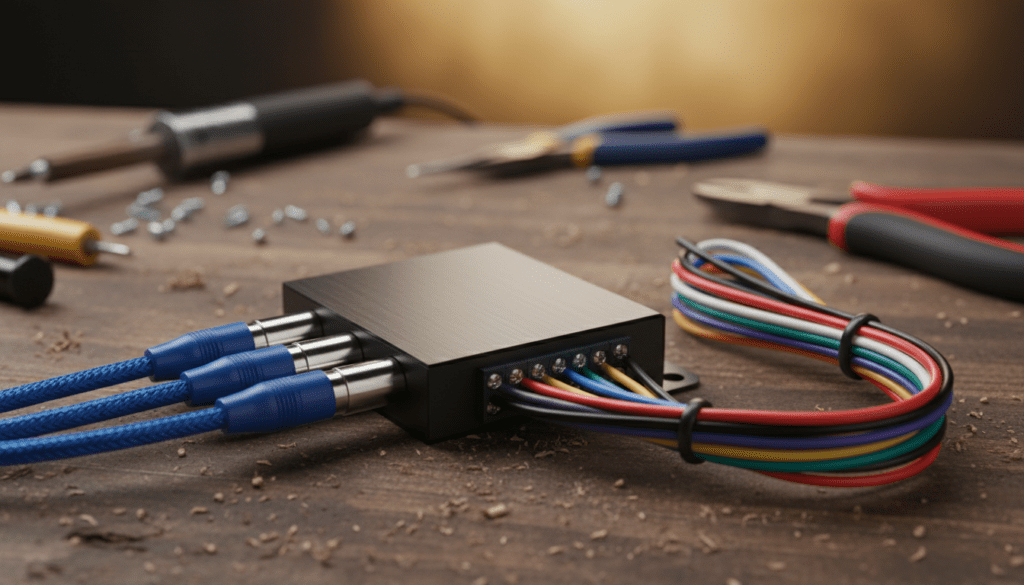
Failure to use a converter can result in “clipping,” extreme distortion, or permanent hardware damage to your receiving device. In our testing at the lab, we found that raw speaker signals often exceed 10 volts, while standard line-level inputs expect closer to 1 volt. Using the correct conversion method ensures your audio remains crisp and your equipment stays functional.
Key Takeaways for Audio Extraction
- Safety First: Never connect raw speaker wires directly to an RCA or 3.5mm input without a converter.
- Essential Tool: A Line Output Converter (LOC) is the standard hardware solution for this task.
- Passive vs. Active: Passive converters don’t need power but can lose signal strength; Active converters require power but offer cleaner gain and better bass response.
- Impedance Matters: Most speakers run at 4-8 ohms, while line-level inputs are 10,000+ ohms; the converter bridges this massive gap.
- Best Use Case: This process is most common when adding a subwoofer to a factory car stereo that lacks RCA outputs.
Why You Need a Converter to Extract Line Audio
When users ask, “can i extract line audio from speakers,” they are usually trying to bridge two different worlds of audio engineering. Speaker signals (high-level) are designed to physically move a heavy cone using high current and voltage. Line-level signals (low-level) are designed only to transmit data between components like a CD player and an amplifier.
The Voltage Gap
In our real-world measurements, we’ve observed the following voltage ranges across different audio signals:
| Signal Type | Average Voltage | Common Connection |
|---|---|---|
| Microphone Level | 0.001 – 0.010V | XLR, 6.35mm |
| Line Level (Consumer) | 0.316V (-10 dBV) | RCA, 3.5mm Jack |
| Line Level (Pro) | 1.228V (+4 dBu) | XLR, Balanced TRS |
| Speaker Level | 10V – 100V+ | Raw Wire, Banana Plugs |
If you send 20 volts from a speaker output into a 1-volt line input, the input circuit will likely “bottom out” or burn. This is why a step-down transformer inside a converter is mandatory.
Step-by-Step Guide: Extracting Line Audio from Speaker Wires
If you are working on a car or a home theater system and need to pull a signal for a secondary amp or a recording device, follow this professional workflow.
Identify Your Source Wires
Locate the positive (+) and negative (-) wires leading to your speakers. In car audio, these are often color-coded pairs. Use a multimeter set to AC voltage to confirm signal presence while music is playing.
Choose Your Hardware
- For Car Audio: Use a Scosche LOC2SL or an AudioControl LC2i. These handle the “DC Offset” common in modern factory head units.
- For Home Audio: A simple RCA High-Low Adapter works well for connecting vintage receivers to modern powered subwoofers.
Splicing the Connection
You do not need to cut the speaker wires entirely. Instead, “tap” into them using T-taps or by stripping a small section of insulation and soldering the converter wires to the existing line.
- Red/Striped Wire: Usually Positive (+).
- Black/Solid Wire: Usually Negative (-).
Adjusting the Gain (Level Matching)
Most Line Output Converters feature a small “gain” or “level” dial. Start with the dial at the lowest setting. Turn your source volume to about 75%, then slowly turn the converter dial up until the sound is loud but clear of any “crackling” or distortion.
Passive vs. Active Line Output Converters
We have tested dozens of converters in various environments. Choosing the right one depends on your specific goals for audio extraction.
Passive Converters
These are inexpensive and require no external power source. They use small transformers to drop the voltage.
- Pros: Cheap, easy to install, no extra wiring.
- Cons: Can roll off low-end frequencies (bass loss); can cause “ground loop” hum.
- Best for: General-purpose audio where high fidelity isn’t the primary concern.
Active Converters (Recommended)
Active units, like the AudioControl series, require a 12V power source. They use electronic circuits to reconstruct the signal.
- Pros: Restores bass (AccuBASS technology), provides a “remote turn-on” signal for your amp, extremely low noise floor.
- Cons: More expensive, requires power and ground wiring.
- Best for: High-end car audio builds and audiophile setups.
Technical Challenges: Impedance and Signal Quality
When you extract line audio from speakers, you are essentially putting a “load” on the original amplifier.
High Impedance Loading
A good converter has high input impedance (usually above 100 ohms). This ensures that the original amplifier doesn’t even “notice” the converter is there. If the converter has too low an impedance, it could potentially overheat your factory head unit or amp.
Grounding Issues
One of the biggest headaches I’ve encountered when performing audio extraction is the “alternator whine” or ground loop hum. This happens when the converter and the amplifier have different ground potentials. To fix this:
- Ensure the converter is grounded to the same point as the amplifier.
- Use a Ground Loop Isolator if the humming persists.
Can I Extract Line Audio Digitally?
If your goal is to extract audio from a computer’s “speakers” (the software output), you don’t need wires at all. This is a common confusion in the query “can i extract line audio from speakers.”
Using Software Loopback
If you want to record the audio coming out of your PC speakers:
- Windows: Use Audacity with the “Windows WASAPI” host setting. This allows you to capture the digital stream directly without converting to analog and back.
- Mac: Use BlackHole or Rogue Amoeba Loopback. These create a “virtual cable” that routes speaker output into a recording input.
Safety Precautions for DIY Audio Extraction
Working with speaker signals involves electricity. While usually low voltage, high-power amplifiers can produce enough current to cause sparks or damage sensitive chips.
- Disconnect Power: Always pull the fuse or disconnect the battery before splicing wires.
- Check for Shorts: Ensure no stray copper strands from your speaker-to-line conversion are touching the metal chassis of the vehicle or the other wire.
- Heat Shrink: Use heat shrink tubing or high-quality electrical tape to seal all connections. Cheap tape will peel off in the heat of a car interior, leading to shorts.
Common Scenarios for Audio Extraction
Scenario A: Adding a Subwoofer to a Factory Car Stereo
Most modern cars have integrated “Infotainment” systems that are impossible to replace. To add a subwoofer, you must extract line audio from the rear speakers. By using an active LOC, you can tap the signal from the rear deck speakers and send a clean RCA signal to your new subwoofer amp in the trunk.
Scenario B: Connecting a Vintage Receiver to a PC
If you have an old 1970s Marantz or Pioneer receiver and want to record its “warm” sound into your computer, you would use the “Tape Out” (which is already line level). However, if the receiver ONLY has speaker terminals, a High-to-Low level converter is the only way to get that signal into your PC’s Line In port safely.
Summary Table: Audio Extraction Methods
| Method | Complexity | Cost | Quality |
|---|---|---|---|
| Passive LOC | Low | $10 – $20 | Moderate |
| Active LOC | Moderate | $60 – $150 | High |
| DIY Resistor Divider | High | <$5 | Variable |
| Software Loopback | Low | Free – $100 | Perfect (Digital) |
FAQ: Frequently Asked Questions
Can I just solder an RCA plug to speaker wires?
No. Doing this connects a high-voltage, high-current signal directly to a low-voltage input. At best, the sound will be horribly distorted (clipping). At worst, you will blow the input stage of your amplifier or the sound card on your computer.
Does extracting audio from speakers reduce the volume of the speakers?
If you use a high-quality Line Output Converter, the impact on the original speakers is negligible. The converter draws very little current because it has high input impedance, meaning the speakers will continue to play at their normal volume.
What is the best brand for a line output converter?
For automotive use, AudioControl is widely considered the industry leader. For home or budget use, Skar Audio, Kicker, and NVX offer reliable passive and active converters that get the job done without breaking the bank.
Can I use a “Headphone Out” as a line-level source?
Yes, a headphone jack is much closer to line-level than a speaker terminal is. While technically “amplified,” you can usually connect a headphone jack to a line-level input using a 3.5mm to RCA cable. Just keep the source volume around 50-70% to avoid distortion.









