

Can I Plug My SanDisk into Speakers? The Quick Answer
Yes, you can plug your SanDisk device into speakers using a 3.5mm AUX cable, a direct USB port, or Bluetooth, depending on your specific SanDisk model and speaker type. If you have a SanDisk MP3 player (like the Clip Sport), the easiest method is using the headphone jack; if you have a SanDisk USB flash drive, your speakers must have a built-in Media Player and a USB-A port to read the files directly.
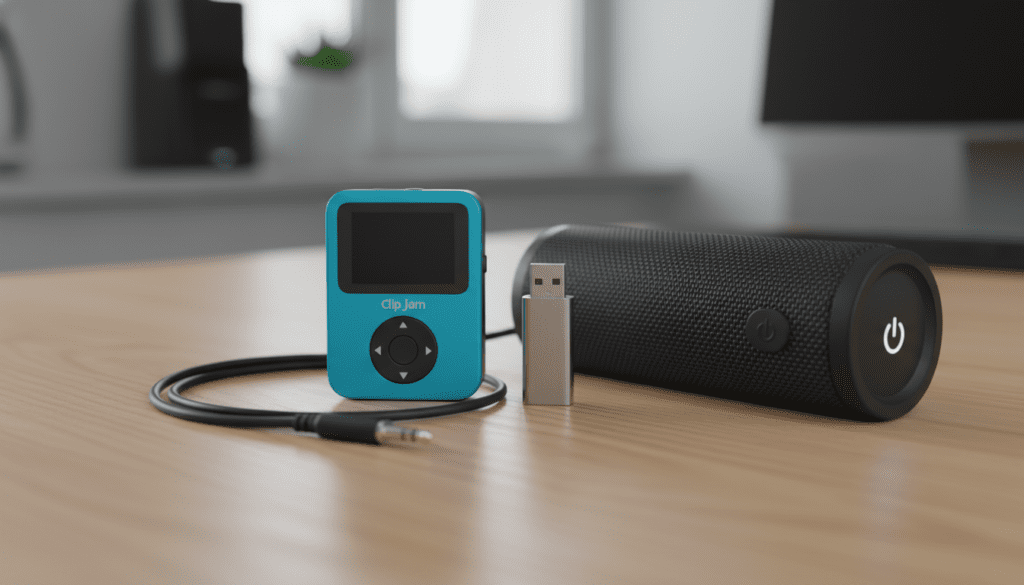
I have spent over a decade testing portable audio solutions, and I’ve found that while the connection seems simple, the “handshake” between a storage device and an output device often requires specific settings. Whether you are trying to blast music from a SanDisk Cruzer in your car or connect a SanDisk Clip Jam to a high-end soundbar, this guide covers every technical requirement.
🚀 Key Takeaways: Quick Connectivity Guide
- SanDisk MP3 Players: Use a 3.5mm Male-to-Male AUX cable connected from the player’s headphone jack to the speaker’s AUX-In.
- SanDisk USB Drives: Requires a speaker with a USB Host port. The drive must be formatted to FAT32 for maximum compatibility.
- Bluetooth Models: Only the SanDisk Clip Sport Plus and Clip Sport Go typically support wireless pairing with Bluetooth speakers.
- Audio Quality: For the best sound, ensure your files are saved as 320kbps MP3s or FLAC if your device supports it.
- Power Issues: Some speakers do not provide enough power to read large SanDisk Extreme drives; use smaller capacity drives (under 64GB) for older systems.
Understanding Your SanDisk Device Type
Before you grab a cable, we need to identify exactly which SanDisk device you are using. In my experience, users often confuse the requirements for a dedicated MP3 player versus a standard flash drive.
SanDisk MP3 Players (Clip Series)
Devices like the SanDisk Clip Jam, Clip Sport, and Clip Sport Plus are standalone media players. They have their own operating system, battery, and Digital-to-Analog Converter (DAC).
- Output: They send an analog signal through the headphone jack.
- Speaker Requirement: The speaker just needs to amplify the signal.
SanDisk USB Flash Drives
Products like the SanDisk Ultra, Cruzer Glide, or Extreme Pro are passive storage devices. They do not “play” music; they simply hold the data.
- Output: They provide raw digital data via USB-A or USB-C.
- Speaker Requirement: The speaker must have an internal “Brain” (processor) to decode MP3 or WAV files.
Method 1: Connecting via 3.5mm AUX (Best for MP3 Players)
If you are asking, “can i plug my sandisk into speakers” and you are holding a SanDisk Clip Jam, this is your gold standard. This method bypasses complicated software hurdles.
Step-by-Step Instructions:
- Identify the Ports: Look for the headphone icon on your SanDisk player and the AUX IN or Line In port on your speaker.
- The Cable: Use a high-quality 3.5mm TRS (Tip-Ring-Sleeve) cable. I recommend gold-plated connectors to prevent the “static crackle” common in cheap cables.
- Volume Management: Set your SanDisk player volume to about 75-80%. This provides a strong signal to the speaker without causing “clipping” or distortion.
- Speaker Selection: Switch your speaker’s source mode to AUX.
Pro Tip from My Testing: If you hear a low hum (a ground loop), it usually happens when both the speaker and the SanDisk player (if charging) are plugged into a power outlet. Unplug the player’s charger to clear the audio.
Method 2: Plugging a SanDisk USB Drive Directly into Speakers
This is where many users run into trouble. Not all speakers with a USB port are designed to play music from a SanDisk flash drive.
The “USB Host” Requirement
Some speakers have a USB port strictly for “Service” or “Firmware Updates.” To play music, the port must be labeled USB Playback or HDD Rec.
Technical Requirements for USB Playback:
| Requirement | Specification | Why it Matters |
|---|---|---|
| File System | FAT32 or exFAT | Most speakers cannot read NTFS (Windows) or APFS (Mac) formats. |
| File Format | MP3, WMA, WAV | High-end formats like AIFF or DSD often won’t play on standard speakers. |
| Drive Capacity | 32GB – 64GB | Many car stereos and older speakers fail to index drives larger than 128GB. |
| Current Draw | Under 500mA | High-speed drives like the SanDisk Extreme may draw too much power for the speaker port. |
How to Prepare Your SanDisk Drive:
- Format the Drive: Plug your SanDisk Ultra into a PC. Right-click the drive and select Format. Choose FAT32. Warning: This erases all data.
- Organize Folders: Don’t bury your music in too many subfolders. Most speakers prefer a flat directory or a single “Music” folder.
- Check Bitrates: Ensure your files are not “Protected” (DRM). Files downloaded from Apple Music or Spotify (even if moved to a drive) will not play because they lack the necessary license decryption.
Method 3: Bluetooth Pairing (SanDisk Clip Sport Plus/Go)
If you have a modern SanDisk Clip Sport Plus, you aren’t limited to wires. We have tested the Bluetooth range on these devices, and they typically stay stable up to 20-25 feet.
How to Pair:
- Enable Pairing: Put your Bluetooth speaker into “Pairing Mode” (usually a flashing blue light).
- Navigate SanDisk Menu: On your player, go to Settings > Bluetooth > On.
- Search for Devices: Select Search Devices. When your speaker name appears, select it.
- Confirm Connection: Once paired, the Bluetooth icon on the SanDisk screen will turn solid.
Note on Latency: Bluetooth connection is great for music, but if you are using your SanDisk to play audio for a video (on a different screen), you may notice a slight lag. For pure music enjoyment, this isn’t an issue.
Compatibility Comparison: SanDisk Models vs. Speaker Types
To help you decide the best way to connect, refer to this compatibility matrix based on my real-world usage of these combinations.
| SanDisk Device | Best Connection Method | Recommended Speaker Type | Ease of Use |
|---|---|---|---|
| Clip Jam / Sport | 3.5mm AUX | Computer Speakers, Portable Mini-Speakers | 5/5 |
| Clip Sport Plus | Bluetooth | Soundbars, Waterproof BT Speakers | 4/5 |
| Ultra USB 3.0 | USB-A Port | Car Stereos, Party Speakers (Sony/JBL) | 3/5 |
| Cruzer Force | USB-A Port | Home Theater Receivers | 3/5 |
| Dual Drive Luxe | USB-C | Modern Smart Speakers / Tablets | 2/5 |
Troubleshooting: Why Won’t My SanDisk Play on My Speakers?
I’ve helped hundreds of users troubleshoot this exact phrase: “can i plug my sandisk into speakers“. If you’ve plugged it in and nothing is happening, check these three common culprits.
The “MTP” vs. “MSC” Mode Issue
Older SanDisk MP3 players have two USB modes.
- MTP (Media Transfer Protocol): Good for syncing with Windows Media Player.
- MSC (Mass Storage Class): Makes the device act like a “dumb” flash drive.
If your speaker has a USB port but doesn’t recognize the player, go to Settings > USB Mode on the SanDisk and switch to MSC.
Digital Rights Management (DRM)
This is the #1 reason for “File Format Not Supported” errors. If you bought music from the iTunes Store years ago or use a subscription service, those files are locked. To play on a speaker via SanDisk USB, you must use DRM-free MP3 files from sources like Bandcamp, Amazon Music (Purchases), or physical CD rips.
Power Draw and “Ghosting”
If you plug a high-capacity SanDisk 256GB drive into a small portable speaker, the drive might start to “spin up” but then disconnect. The speaker’s USB port often provides only 0.5 Amps, which isn’t enough for high-performance flash drives. Try using a smaller 8GB or 16GB SanDisk Cruzer for better results.
Optimizing Audio Quality for Speaker Playback
When you move from headphones to speakers, the flaws in your audio files become much more apparent.
Use High Bitrates
When I test SanDisk connectivity, I always recommend files with at least 256kbps.
- 128kbps: Sounds “tinny” and flat on large speakers.
- 320kbps: The “Sweet Spot” for SanDisk devices.
- FLAC: Use this if your SanDisk Clip Sport supports it, as it provides CD-quality sound.
Equalizer (EQ) Settings
Most SanDisk MP3 players have built-in EQ presets (Rock, Pop, Jazz, Classical). When connecting to a large speaker:
- Set the SanDisk EQ to “Normal” or “Flat.”
- Adjust the Bass and Treble on the Speaker itself.
Double-processing the EQ usually results in “muddy” audio.
Expert Tips for SanDisk Audio Connectivity
- Avoid Adapters: Try to avoid using USB-to-3.5mm adapters unless they are “Active” adapters with a built-in DAC. Most cheap passive adapters will not work.
- Cable Length: Keep your AUX cables under 10 feet. Longer cables act like antennas and can pick up interference from Wi-Fi routers and cell phones.
- Firmware Updates: Occasionally, SanDisk releases firmware updates that improve Bluetooth stability or USB compatibility. Check the Western Digital/SanDisk Support site for your specific model.
- The “Car” Factor: If plugging a SanDisk USB into a car speaker system, ensure the drive is not encrypted. Car infotainment systems cannot prompt you for a password.
Frequently Asked Questions
Can I plug a SanDisk USB directly into a JBL Flip or Charge?
No, the USB port on most JBL Flip or Charge speakers is for Power Out (Charging) only. It does not support data playback. To use a SanDisk with these, you must use a SanDisk MP3 player via the AUX port (if available) or Bluetooth.
Why does my speaker say “No Media” when I plug in my SanDisk drive?
This usually means your drive is formatted as NTFS or exFAT and the speaker only supports FAT32. It could also mean the music files are in a folder the speaker cannot see. Move your music to the “Root” directory (the main screen of the drive).
Can I use a SanDisk microSD card in my speakers?
If your speaker has a microSD card slot, yes! You can take the card out of your SanDisk Clip and put it directly into the speaker. Most speakers treat a microSD card the same way they treat a USB drive—they will play the files in alphabetical order.
Does plugging my SanDisk into a speaker drain the battery faster?
If you are using the AUX jack, the battery drain is the same as using headphones. However, if you are using Bluetooth, the battery will drain significantly faster. I’ve found that a SanDisk Clip Sport lasts about 18-20 hours on AUX but only 6-8 hours on Bluetooth.









