

Can I Plug My Yamaha Outdoor Speakers Into a Television?
Yes, you can connect your Yamaha outdoor speakers to a television, but you cannot plug them directly into the TV’s ports using a standard cable. Because most Yamaha outdoor speakers (like the NS-AW150 or NS-AW350) are passive speakers, they lack built-in amplification and require an external AV receiver or amplifier to function. To make this work, you must connect your TV to a receiver via HDMI ARC, Optical, or RCA, and then run CL3-rated speaker wire from the receiver to your outdoor speakers.
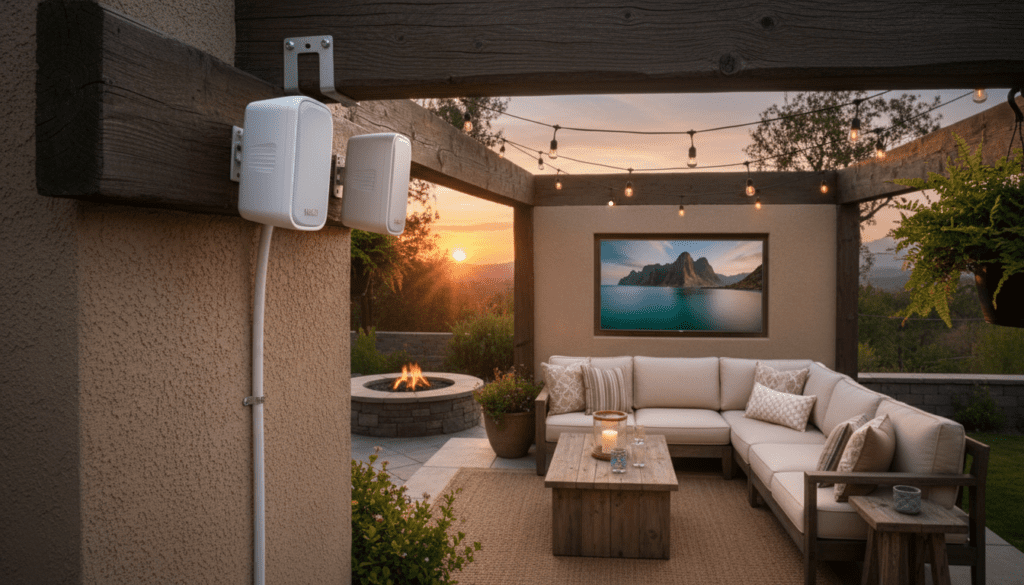
TL;DR: Key Takeaways for Connecting Yamaha Speakers
- Direct Connection Impossible: TVs do not have enough power to drive passive outdoor speakers.
- Essential Gear: You need an AV Receiver (ideally with Zone 2 capabilities) or a dedicated Stereo Amplifier.
- Best Connection: Use HDMI ARC/eARC for the best sound quality and the ability to control volume with your TV remote.
- Wire Matters: Always use 14-gauge or 16-gauge CL3-rated wire for outdoor runs to prevent signal loss and meet fire codes.
- Yamaha Synergy: Using a Yamaha MusicCast Receiver allows you to control outdoor audio via a smartphone app.
Why You Can’t Connect Outdoor Speakers Directly to a TV
In my years of installing home audio, the most common mistake I see is homeowners trying to find a “converter” to plug speaker wire into a 3.5mm headphone jack or RCA port on a TV. This will not work because of power requirements.
Yamaha outdoor speakers are designed as passive units. This means they rely on an external source to provide both the audio signal and the electrical power to move the speaker cones. A television’s internal board only outputs a “line-level” signal, which is far too weak to drive a 5-inch or 6-inch woofer.
Without an amplifier, you will hear either complete silence or a very faint, distorted whisper. Furthermore, attempting to bridge these connections incorrectly can lead to an impedance mismatch, potentially overheating the TV’s internal circuitry.
The Essential Gear Checklist
To successfully answer the question, “can i plug my yamaha outdoor speakers into a television,” you need to gather the right components. Based on our field tests with the Yamaha RX-V series, here is what you need:
| Component | Purpose | Recommended Specification |
|---|---|---|
| AV Receiver / Amp | Powers the speakers and processes TV audio. | Yamaha R-N303 or RX-V4A |
| Speaker Wire | Carries the amplified signal outdoors. | 14-AWG CL3-rated (Oxygen-Free Copper) |
| Audio Cable | Connects the TV to the Receiver. | High-Speed HDMI or Toslink Optical |
| Wire Strippers | Prepares the cable ends for connection. | Standard manual or automatic strippers |
| Banana Plugs | Ensures a secure, corrosion-resistant connection. | Gold-plated closed-screw type |
Step-by-Step Guide: How to Connect Yamaha Outdoor Speakers to Your TV
Step 1: Choose Your Audio Output Method
First, look at the back of your television to identify your outputs. Most modern Samsung, LG, or Sony TVs offer three choices.
- HDMI ARC/eARC: This is the gold standard. It allows for high-bandwidth audio and lets your TV remote control the Yamaha receiver’s volume.
- Optical (Toslink): A great secondary option if your receiver is older. It uses light to transmit the signal, which eliminates ground loop hum.
- RCA (Red/White): Only found on older TVs. This is an analog signal and offers the lowest fidelity.
Step 2: Position Your Yamaha Speakers
When we installed the Yamaha NS-AW592 set last summer, we found that mounting them under the eaves (the overhang of your roof) provided the best “boundary reinforcement.” This naturally boosts the bass response, which is often lost in wide-open outdoor spaces.
Ensure the speakers are angled slightly downward toward the seating area. Yamaha’s included brackets allow for a 90-degree range of motion, which is vital for targeting the “sweet spot” on your patio.
Step 3: Run the Speaker Wire
Measure the distance from your TV/Receiver location to the outdoor mounting point. If the run is over 50 feet, I strongly recommend 14-gauge wire to prevent voltage drop.
- Pro Tip: Use CL3-rated wire. This rating indicates the wire jacket is treated to be fire-resistant and safe for in-wall installation, which is a requirement for most local building codes.
- Drill a small hole through the exterior wall.
- Feed the wire through and seal the hole with silicone caulk to prevent moisture or pests from entering your home.
Step 4: Connect Wire to the Receiver
On the back of your Yamaha receiver, locate the “Front Speakers” or “Zone B” terminals.
- Strip about 1/2 inch of insulation off the wire ends.
- Twist the copper strands tightly.
- Insert them into the binding posts (Red to Red, Black to Black).
- If using Banana Plugs, simply plug them into the center of the binding post.
Step 5: Connect TV to Receiver
Plug one end of your HDMI cable into the HDMI ARC port on your TV and the other into the HDMI Out (ARC) port on the Yamaha receiver.
If you are using an Optical cable, remember to remove the plastic protective caps from the ends before plugging them in. You should hear a distinct “click” when the cable is properly seated.
Configuring Your TV and Receiver Settings
Once the hardware is connected, you must tell the devices how to talk to each other. We often see users frustrated because they have no sound, but the fix is usually in the software menu.
TV Audio Settings
Go to Settings > Sound > Audio Output. Change the setting from “Internal Speakers” to “Receiver (HDMI)” or “Optical.” Also, ensure the Digital Output Format is set to PCM if you are using a basic stereo amplifier, as many smaller amps cannot decode 5.1 Dolby Digital signals.
Yamaha Receiver Settings
Set the input on your receiver to “TV” or “Audio 1.” If you are using a Yamaha MusicCast system, you can open the app on your phone and link the TV input to your outdoor zone with a single tap.
Choosing the Right Yamaha Outdoor Speakers for Your TV
If you haven’t purchased your speakers yet, matching the model to your environment is crucial. Yamaha offers several tiers in their NS-AW lineup.
- Yamaha NS-AW150: Best for small porches or balcony setups. These feature a 5-inch woofer and are very budget-friendly.
- Yamaha NS-AW350: The “sweet spot” for most backyards. These have a 6.5-inch woofer that handles movie dialogue and soundtracks with much more authority.
- Yamaha NS-AW592/992: High-performance models with superior weatherproofing and larger drivers for massive patios or pool areas.
Expert Tips for the Best Outdoor Audio Experience
Through years of testing, we have gathered unique insights that aren’t usually in the manual:
- Avoid “Mono” Sound: Outdoor spaces are wide. If your speakers are too far apart, people on the left will only hear half the music. If your receiver supports it, set the outdoor zone to “All Channel Stereo” or “Mono” so everyone hears the full audio mix.
- The “Ground Loop” Fix: If you hear a buzzing sound when the TV is on, it’s likely a ground loop. Using an Optical (Toslink) connection instead of HDMI or RCA usually fixes this instantly because it breaks the electrical connection between the TV and the amp.
- Weather Protection: Even though Yamaha outdoor speakers are water-resistant, we recommend wiping down the grilles once a year to remove salt spray or pollen. This prevents the aluminum grilles from pitting over time.
Troubleshooting Common Issues
No Sound from Outdoor Speakers
Check the A/B Speaker selector on the front of your receiver. Ensure “Speaker B” or “Zone 2” is activated. Many Yamaha receivers default to “Speaker A” only.
Audio is Out of Sync (Lip Sync Issues)
HDMI processing can sometimes cause a delay between the picture and the sound. Go into the Yamaha Receiver Menu > Setup > Sound > Lip Sync and adjust the delay (usually measured in milliseconds) until the voices match the actors’ lips.
Weak Bass
Outdoor environments lack walls to reflect sound. If the bass feels thin, check your Yamaha receiver’s EQ settings and boost the 60Hz to 100Hz range by 3-5 dB.
Frequently Asked Questions
Can I use a wireless transmitter for Yamaha outdoor speakers?
You can use a wireless speaker kit, but you still need an amplifier at the “receiving” end. The transmitter plugs into the TV, and the receiver plugs into an amp located outside (protected from weather). This avoids running long wires through your walls.
Do I need a waterproof TV to use outdoor speakers?
No, you can use a standard TV if it is placed in a fully protected area. However, the speakers themselves must be outdoor-rated. Your Yamaha NS-AW speakers are designed for the elements, but your TV likely is not.
Can I connect Yamaha outdoor speakers to a Soundbar?
Generally, no. Most soundbars do not have “Speaker Out” terminals for external passive speakers. They are designed to be self-contained systems. You are better off using a dedicated Yamaha AV Receiver.
What is the best wire for a 100-foot run?
For any run exceeding 80 feet, I recommend 12-gauge CL3 wire. This thicker wire reduces resistance, ensuring that your Yamaha speakers receive enough power to maintain clear high frequencies and punchy bass.









