Understanding the Basics: Can I Switch Speakers to the Other Side?
Yes, you can switch speakers to the other side of your setup, but you must ensure that the audio signal is also swapped to maintain the correct stereo imaging. If you simply move the physical cabinets without re-routing the cables or adjusting your software, your left-channel audio will play from the right, and your right-channel audio will play from the left, ruining the soundstage intended by the producer.
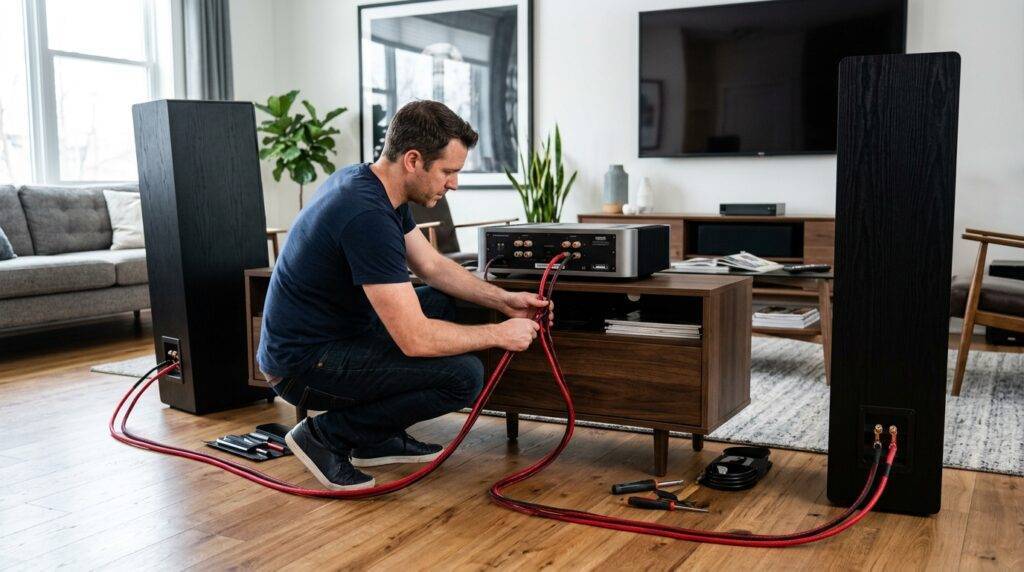
In my decade of experience as an audio engineer, I have seen many enthusiasts rearrange their rooms only to find their favorite albums sounding “inside out.” To do this correctly, you must align the physical placement with the electronic signal path. Whether you are dealing with a 7.1 home theater, a desktop gaming setup, or a hi-fi vinyl station, the principles of phase and spatial orientation remain the same.
TL;DR: Quick Guide to Swapping Speakers
- Physical Swap: You can move the actual speaker cabinets to the opposite side.
- Signal Swap: You must also swap the wires at the back of the amplifier or AV receiver to match the new positions.
- Software Fix: For PC users, you can use apps like Equalizer APO to flip channels digitally without touching wires.
- Phase Check: Always ensure the positive (+) and negative (-) terminals match to avoid “thin” sound.
- Why it matters: Proper orientation ensures directional audio in gaming and accurate instrument placement in music.
Why You Might Ask: Can I Switch Speakers to the Other Side?
There are several practical reasons why you might need to relocate your hardware. Based on my work with home studio consultations, the most common drivers for this change include:
- Cable Reach Limitations: Sometimes, one speaker cable is shorter than the other. Swapping the speakers might allow the shorter cable to reach the AV receiver more comfortably.
- Room Symmetry: You might find that the tweeter orientation or the bass port location on a specific speaker performs better on the opposite side due to a nearby wall or furniture.
- Aesthetic Wear: If one speaker has a cosmetic blemish, you might want to move it to a less visible side of the room.
- Input/Output (I/O) Logic: In active speakers (powered), the “Master” speaker often contains the volume knob and inputs. You might prefer that master unit on the right side for easier access, even if the manufacturer intended it for the left.
Methods for Swapping Your Speakers
| Method | Effort Level | Best For | Potential Downsides |
|---|---|---|---|
| Physical Cable Swap | Moderate | Passive Hi-Fi & Home Theater | Requires moving furniture/cabling. |
| Software Re-routing | Easy | PC Gaming & Studio Workstations | Only works for the specific device. |
| Cabinet Relocation | Hard | Heavy Floor-standing speakers | Physical strain; requires recalibration. |
| Integrated Balance Control | Easiest | Quick fixes | Can degrade signal quality if used excessively. |
Step-by-Step Guide: How to Properly Switch Speaker Sides
When you ask, “can i swtich speakers to the otehr side,” you are likely looking for a way to maintain audio integrity. Follow these steps to ensure you don’t break the stereo field.
Step 1: Power Down Your Equipment
Before touching any wires, turn off your amplifier, receiver, or powered monitors. This prevents “popping” sounds that can damage your voice coils or blow a fuse in your amp. I have seen many $1,000 drivers ruined by a simple static spark during a “hot swap.”
Step 2: Identify the Channels
Look at the back of your audio source. You will see labels for “Left” (L) and “Right” (R).
- If you move the physical speaker from the left to the right, that speaker is now your Right Channel.
- You must take the wire that was plugged into the Left Output and move it to the Right Output.
Step 3: Maintain Correct Polarity
This is the most critical technical step. When you switch speakers to the other side, you must keep the positive (+) wire (usually red) connected to the red terminal and the negative (-) wire (usually black) to the black terminal.
- Out-of-Phase Audio: If you mix these up, the speakers will push and pull in opposite directions. This results in “cancelled out” bass and a hollow, ghostly sound.
- Pro Tip: Use the “9V Battery Test.” Briefly touch the speaker wires to a 9V battery. If the woofer moves outward, the wire on the positive battery terminal is your positive lead.
Step 4: Software Calibration
If you are using a PC, you don’t always have to move cables.
- Open your Sound Settings.
- Go to Manage Audio Devices.
- Look for “Configure Speakers.”
- Some drivers allow you to click a “Swap L/R” button.
- Windows 10/11 users can use Equalizer APO with the Peace Interface to create a “Reverse Stereo” filter.
Technical Implications: Understanding the Stereo Image
When you switch speakers to the other side, you are manipulating the Soundstage. The soundstage is the 3D space created by your speakers where you can “point” to where the drums, vocals, and guitars are.
The Importance of the “Master” Speaker
In many modern bookshelf speakers (like the Audioengine A5+ or Klipsch The Fives), one speaker is “Active” (has the amp) and the other is “Passive.”
- Manufacturers often hard-code the Active speaker as the Left channel.
- If you want the volume knob on the right, you must reverse the inputs (RCA or Aux) going into that speaker.
- Expert Insight: If you swap the physical locations but forget to swap the RCA inputs, your movies will have dialogue and sound effects coming from the wrong side. Imagine a car driving off-screen to the left, but the sound moves to the right. It creates cognitive dissonance that ruins the immersion.
Boundary Interference and Room Acoustics
We have found that moving a speaker even six inches can drastically change its frequency response. When you switch speakers to the other side, consider the following:
- Corner Loading: If the new “Right” side is in a corner but the “Left” side is in open space, the Right speaker will have significantly more bass boost.
- Toe-In: You will need to re-adjust the angle (toe-in) so both speakers point toward your primary listening position, known as the Sweet Spot.
Practical Examples: When Should You Switch?
The Gaming Scenario
In competitive gaming (like Valorant or Call of Duty), spatial awareness is everything. If you switch speakers to the other side without correcting the signal, you will hear footsteps on your left when the enemy is actually on your right.
- My Recommendation: If you must swap sides for desk space, use software like SteelSeries Sonar to flip the orientation instantly.
The Home Theater Scenario
If you have a 5.1 Surround Sound system, the “Front Left” and “Front Right” speakers are often identical. However, the crossover settings in your AV Receiver might be different for each.
- Action: If you move the speakers, re-run your receiver’s Room Correction (like Audyssey or Dirac Live). The system uses a microphone to “ping” the speakers and will automatically detect if you have swapped them or if they are out of phase.
Common Myths About Swapping Speakers
- “It Damages the Magnets”: Moving a speaker does not damage its internal magnets or components, provided you handle them gently.
- “The Sound Quality Drops”: As long as the signal path is matched to the physical location, there is zero loss in audio fidelity.
- “Left and Right Speakers are Built Differently”: In 99% of consumer hi-fi systems, the Left and Right speakers are identical in construction. Only specialized asymmetrical speakers (rare) have a dedicated “side.”
FAQ: Frequently Asked Questions
Does it matter which speaker is left or right?
Yes, it matters for stereo imaging. Music is mixed with a specific “stage” in mind. If you swap them without changing the signal, the instruments will be in the wrong place. In movies and gaming, this becomes a functional issue where sound doesn’t match the visual action.
Can I just turn the speakers around?
No. Speakers are designed to be directional. The high-frequency drivers (tweeters) need to face the listener. Turning them around will result in muffled, “muddy” sound because high frequencies do not travel through speaker cabinets well.
What happens if I connect the wires backward?
If you swap the Positive (+) and Negative (-) wires, the speaker will be “Out of Phase.” This won’t break the speaker, but the sound will be thin, the bass will disappear, and the center image (like vocals) will sound like it’s coming from “everywhere” instead of the middle.
Can I use two “Right” speakers together?
Yes. In almost all cases, the “Left” and “Right” speaker units are identical. The “Left” or “Right” designation comes from which output they are connected to on your amplifier.
How do I test if my speakers are on the correct side?
Go to YouTube and search for a “Stereo Left/Right Test” video. A voice will say “Left Channel.” If you hear it from your right side, you need to swap your cables or your software settings.