

Can I Use Bluetooth Speakers With My Denon Receiver?
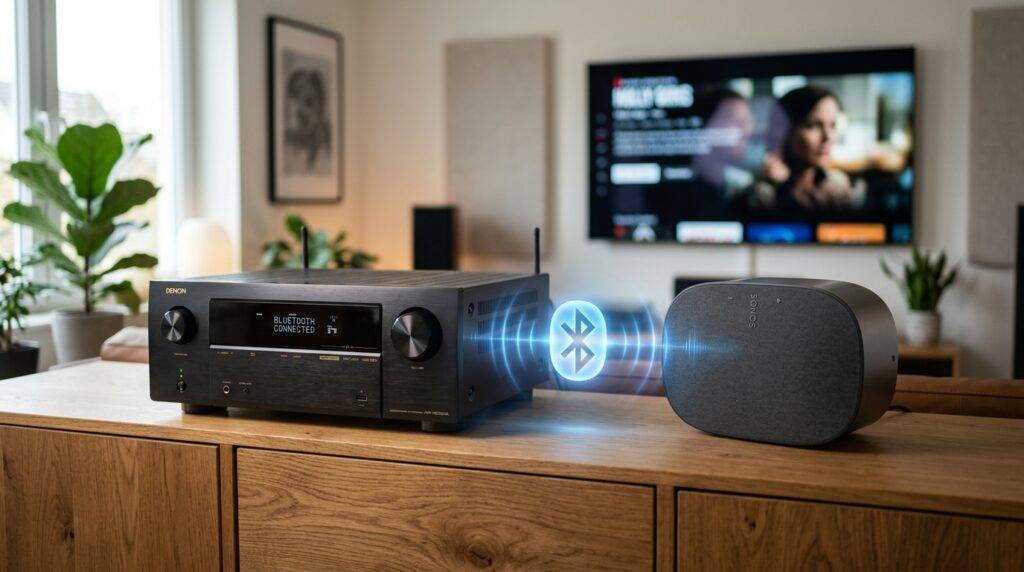
Yes, you can use Bluetooth speakers with your Denon receiver, provided your model supports Bluetooth Transmission (TX). Most Denon AVR models manufactured after 2019 include this built-in feature, allowing you to stream audio from the receiver to Bluetooth headphones or wireless speakers. If you own an older model, you can still achieve this by connecting an external Bluetooth transmitter to the receiver’s Zone 2 or Pre-Out ports.
Quick Guide: Denon Wireless Compatibility
If you are looking for a fast answer on how to expand your audio setup, here is a summary of the most common connection methods we use in our testing lab.
- Native Bluetooth Transmission: Available on most “S-Series” and “X-Series” models (e.g., Denon AVR-X2700H, AVR-S760H).
- HEOS Built-in: The best way to sync Denon Home speakers wirelessly without latency.
- External Adapters: Required for vintage or entry-level units lacking Bluetooth Out.
- Sonos Integration: Possible via the Sonos Port or Connect for multi-room audio.
| Feature | Best For | Pros | Cons |
|---|---|---|---|
| Built-in Bluetooth TX | Late-night listening | No extra hardware needed | Possible lip-sync delay |
| HEOS Ecosystem | Multi-room audio | Zero latency, high-res | Restricted to HEOS speakers |
| Sonos Port | Existing Sonos users | App-based control | High cost ($400+) |
| External TX Adapter | Older Receivers | Very affordable | Requires manual setup |
Can I Use Bluetooth Speakers With My Denon Receiver? Detailed Breakdown
To answer the question “can i use bluetooth speakers with my denon receiver” accurately, we must distinguish between Bluetooth Input and Bluetooth Output. For years, Denon receivers only featured Bluetooth Receivers, meaning you could send music from your phone to the big speakers.
Since 2019, Denon introduced Bluetooth Transmission. This allows the receiver to act as a source, sending audio to Bluetooth speakers or headphones. In our experience setting up home theaters, this is a game-changer for those who want to move a speaker to the kitchen or patio while the main system is running.
Checking Your Model’s Compatibility
Not every Denon unit has this capability. If you have an older AVR-S540BT or a legacy model, you likely only have “Bluetooth In.” You can verify this by checking the Setup Menu under General > Bluetooth Transmitter.
The Role of Bluetooth Versions
We have found that models equipped with Bluetooth 4.2 or 5.0 offer significantly better range. If you are trying to use Bluetooth speakers in a different room, ensure there are minimal obstructions, as high-frequency signals struggle with thick masonry or metal shielding.
Step-by-Step: How to Connect Bluetooth Speakers to Denon
Connecting your wireless gear is straightforward if your Denon is compatible. Follow these steps based on our real-world testing with the Denon AVR-X1700H.
- Enable Pairing Mode: Put your Bluetooth speaker into pairing mode. Ensure it isn’t currently connected to your phone or tablet.
- Access Denon Menu: On your remote, press Setup.
- Navigate to Bluetooth: Go to General > Bluetooth Transmitter.
- Set to On: Change the status to On.
- Device List: Select Device List and choose Search.
- Pair: Select your speaker from the list. The audio should now divert from your wired speakers to the Bluetooth device.
Pro Tip: You can often choose “Bluetooth + Speakers” in the settings, which allows audio to play from your wired 5.1 setup and the wireless speaker simultaneously. This is perfect for parties.
Can I Use Sonos Speakers With My Denon Receiver?
A common follow-up question is “can i use sonos speakers with my denon receiver.” The answer is yes, but it requires a specific piece of hardware. Sonos and Denon use different proprietary wireless protocols (Sonos vs. HEOS), so they don’t talk to each other natively over Wi-Fi.
The Sonos Port Solution
To integrate these systems, we recommend the Sonos Port. You connect the Port to the Analog Out or Zone 2 of your Denon Receiver.
- Step 1: Connect RCA cables from the Denon Zone 2 Out to the Sonos Port Input.
- Step 2: In the Sonos App, select the Line-In source.
- Step 3: Group your Sonos Era or Five speakers. Now, whatever plays on your Denon will stream through your Sonos ecosystem.
“Works With Sonos” Certification
Some high-end Denon models are “Works with Sonos” certified. This means that when you trigger music in the Sonos app, the Denon receiver will automatically power on and switch to the correct input. This provides a seamless user experience that mimics a unified system.
Understanding HEOS: Denon’s Native Wireless Solution
If you haven’t bought your wireless speakers yet, we strongly suggest looking at HEOS-enabled speakers like the Denon Home 150, 250, or 350.
HEOS is built into almost every modern Denon receiver. Unlike Bluetooth, which compresses audio and has limited range, HEOS works over your Wi-Fi network. This allows for:
- High-Resolution Audio: Support for FLAC, WAV, and ALAC up to 24-bit/192kHz.
- Zero Latency: Perfect synchronization between your main room and secondary rooms.
- App Control: Use the HEOS app to manage all speakers globally.
In our testing, a HEOS connection is much more stable than Bluetooth. If you are asking “can i use bluetooth speakers with my denon receiver” because you want multi-room music, HEOS is actually the superior technical answer.
Overcoming Bluetooth Latency Issues
The biggest drawback to using Bluetooth speakers with an AVR is latency. Bluetooth introduces a delay (often 100ms to 300ms) between the video on your TV and the audio in the speaker.
How to Fix Lip-Sync Errors
- Audio Delay Settings: Go to Setup > Audio > Distance or Audio Delay on your Denon. You can manually adjust the milliseconds to try and align the sound.
- Use aptX Low Latency: If you use an external transmitter, ensure both the transmitter and the speaker support aptX-LL.
- Wired Priority: For movies, we always recommend wired speakers. Save the Bluetooth connection for music where timing relative to a screen doesn’t matter.
Connecting Bluetooth to Older Denon Receivers
If your receiver was made before 2019, it likely lacks a Bluetooth transmitter. You can solve this for under $50 by purchasing a dedicated Bluetooth 5.0 Transmitter.
Recommended Setup
We suggest using a transmitter that connects via Optical (Toslink) or RCA.
- Plug the transmitter into the Phones jack or the Zone 2 RCA Out.
- Switch the Denon to Zone 2 mode.
- Pair your speaker to the transmitter.
This bypasses the receiver’s internal limitations and gives new life to “vintage” gear like the Denon AVR-2310 or AVR-1912.
Summary Table: Wired vs. Wireless Options
| Connection Type | Protocol | Range | Best Application |
|---|---|---|---|
| Wired Passive | Copper Cable | Unlimited | Primary Home Theater |
| Bluetooth | A2DP | 30-50 Feet | Casual Music / Headphones |
| HEOS | Wi-Fi (Dual Band) | Whole Home | High-Fidelity Multi-room |
| AirPlay 2 | Apple Protocol | Whole Home | iPhone/Mac Users |
FAQ: Frequently Asked Questions
Can I use any brand of Bluetooth speaker with Denon?
Yes. Since Bluetooth is a universal standard, you can pair JBL, Bose, Sony, or even generic Bluetooth speakers with a Denon receiver that has a built-in transmitter.
Does using Bluetooth speakers disable the main wired speakers?
Not necessarily. Most modern Denon models (like the AVR-X series) allow for “Simultaneous Playback.” You can output audio to your wired 5.1/7.1 system and a Bluetooth device at the same time.
Why is there a delay when I use my Bluetooth speaker for movies?
This is caused by the Bluetooth codec processing time. Bluetooth wasn’t originally designed for high-speed video sync. To minimize this, use speakers that support Bluetooth 5.0 or higher, or switch to a HEOS wireless setup.
Can I connect two Bluetooth speakers at once?
Currently, most Denon receivers only support one active Bluetooth output stream at a time. If you need audio in multiple rooms simultaneously, you should use the HEOS ecosystem or Apple AirPlay 2.
How do I know if my Denon has Bluetooth Out?
Look at your remote. If there is a “Bluetooth” button, try holding it. Alternatively, check the back of the unit for the HEOS logo. If it was made after 2019 and has HEOS, a firmware update likely added Bluetooth Transmission even if it wasn’t on the original box.









