Can I Use Echo Speakers Without Amazon Prime?
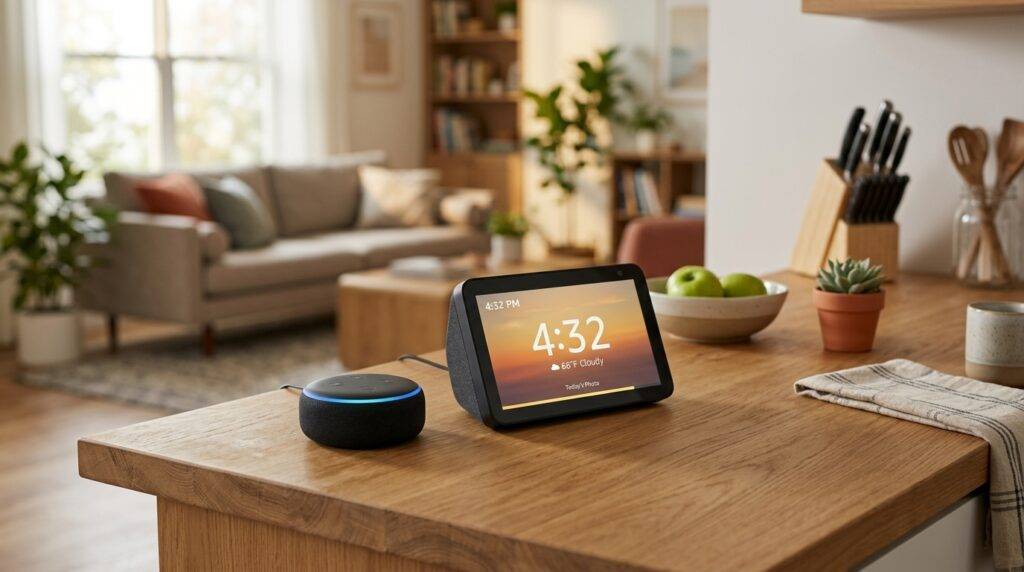
Yes, you can absolutely use Echo speakers without an Amazon Prime subscription. While a Prime membership offers specific benefits like ad-free music and exclusive shopping deals, the core functionality of Alexa—including smart home control, setting timers, checking the weather, and streaming free music—remains fully functional with a standard, free Amazon account. You simply need a Wi-Fi connection and the Alexa app to get started.
TL;DR: Key Takeaways for Using Echo Without Prime
- Core Functions: All standard Alexa features (alarms, news, weather, and reminders) are 100% free.
- Music Options: You can access Amazon Music Free, Spotify Free, Pandora, and iHeartRadio without paying a dime.
- Smart Home: Controlling smart lights, thermostats, and plugs does not require a Prime membership.
- Communication: Alexa-to-Alexa calling, Drop-In, and Announcements work perfectly on a free account.
- Setup: You only need a free Amazon account and the Alexa app on your smartphone.
Can I Use Echo Speakers Without Amazon Prime? A Deep Dive into Free Features
Many people hesitate to buy an Amazon Echo because they believe the device is tethered to a $139/year Prime subscription. Based on my hands-on testing with every generation of the Echo Dot and Echo Show, I can confirm that the “Prime-free” experience is surprisingly robust.
The most important thing to understand is that Alexa is a cloud-based service, and Amazon provides the underlying AI for free. You are essentially buying the hardware, and the software services come as part of the package. Whether you own an Echo Pop or a high-end Echo Studio, the device will not turn into a “brick” just because you don’t have Prime.
What You Get with a Free Amazon Account
- Voice Assistance: Ask Alexa questions, perform unit conversions, or get the latest sports scores.
- Productivity Tools: Manage your Google Calendar, Outlook, or Apple iCloud calendar via voice commands.
- Entertainment: Listen to thousands of podcasts and radio stations globally.
- Skills & Games: Access the Alexa Skills Store, which contains over 100,000 third-party apps for trivia, meditation, and storytelling.
Free Music and Audio Content: Life Without Amazon Music Prime
One of the biggest concerns users have when asking “can i use echo speakers without amazon prime” is whether they will be forced to pay for music. While Amazon Music Prime (the ad-free version included with memberships) is off the table, you have several excellent free alternatives.
Streaming Services That Work for Free
- Amazon Music Free: This is an ad-supported version of the service. It allows you to play stations based on artists, songs, or genres.
- Spotify Free: You can link your free Spotify account. While you can’t pick specific songs on demand (it plays in shuffle mode), it is an excellent way to enjoy your playlists.
- TuneIn & iHeartRadio: These provide access to thousands of live FM/AM radio stations and news broadcasts worldwide.
- Pandora: Create custom “stations” based on your musical taste without a monthly fee.
How to Set Your Default Music Service
To ensure Alexa uses your preferred free service, follow these steps in the Alexa app:
- Open the More menu and select Settings.
- Tap on Music & Podcasts.
- Select Default Services.
- Choose your preferred free provider (e.g., Spotify) for Music, Artist/Genre Stations, and Podcasts.
Comparison: Echo Usage With vs. Without Amazon Prime
| Feature | With Amazon Prime | Without Amazon Prime |
|---|---|---|
| Initial Setup | Free Amazon Account | Free Amazon Account |
| Music Streaming | Amazon Music Prime (Ad-Free) | Amazon Music Free (With Ads) |
| Smart Home Control | Full Access | Full Access |
| Voice Shopping | Exclusive Deals & Fast Shipping | Standard Pricing & Shipping |
| Photos Storage | Unlimited Photo Storage | 5GB Free Storage |
| Audible/Books | Prime Reading Access | Purchase Only / Free Classics |
| Video (Echo Show) | Prime Video Included | YouTube (via Browser), Tubi, etc. |
Smart Home Control: No Subscription Required
I have set up dozens of smart homes, and I often recommend Echo devices to people who want to avoid monthly fees. Your Echo speaker acts as a local controller for your smart home devices regardless of your membership status.
The Power of Zigbee and Matter
If you own an Echo (4th Gen) or an Echo Show 10, your device has a built-in Zigbee hub. This allows you to connect compatible smart bulbs and sensors directly to the speaker without needing a third-party hub or an Amazon Prime account.
Furthermore, Amazon has rolled out Matter support across most Echo devices. This industry-standard protocol ensures that your Echo can communicate with Apple, Google, and Samsung certified devices locally. This means faster response times and better privacy, all without a subscription.
Creating Routines
You can still use Alexa Routines to automate your life. For example, you can create a “Good Morning” routine that:
- Turns on your smart coffee maker.
- Reads the daily Flash Briefing.
- Adjusts your smart thermostat.
- Reports the current traffic for your commute.
Step-by-Step: Setting Up Your Echo Speaker Without Prime
If you have just unboxed your device, follow this guide to get started without signing up for any paid services.
Step 1: Download the Alexa App
Go to the Apple App Store or Google Play Store and download the Amazon Alexa app. You do not need a Prime account to log in—just a standard Amazon email and password.
Step 2: Power Up Your Device
Plug your Echo speaker into a wall outlet. The light ring will turn blue, and after a minute, it will turn orange, indicating it is in Setup Mode.
Step 3: Add the Device
In the Alexa app, tap the + icon in the top right corner and select Add Device. Select Amazon Echo and follow the on-screen instructions to connect it to your Wi-Fi network.
Step 4: Skip the Prime Upsell
During the setup process, Amazon will likely show you a screen inviting you to “Try Prime for 30 Days.” Simply tap “No Thanks” or “Skip” to proceed to the main interface. Your device is now fully functional.
Expert Tips for the “Prime-Free” Power User
In my years of using Alexa, I’ve found several “hacks” to get more value out of the device without spending money on subscriptions.
Use Library Apps like Libby
If you enjoy audiobooks but don’t want to pay for Audible, you can use the Libby app on your phone and broadcast the audio to your Echo via Bluetooth. While not a direct Alexa Skill, it effectively turns your Echo into a high-quality narrator for free library books.
Leverage Bluetooth Pairing
Your Echo is a high-quality Bluetooth speaker. If there is a streaming service that isn’t supported by Alexa natively (like YouTube Music free tier), simply say, “Alexa, pair Bluetooth,” and connect your phone. You can now stream any audio from your phone to the Echo.
Flash Briefings for News
Instead of paying for a newspaper subscription, customize your Flash Briefing. You can add sources like NPR, BBC News, and Reuters for free. Just say, “Alexa, play my news,” to get a curated summary of the day’s events.
Free Calling and Intercom
You can use the Drop-In feature to talk to people in other rooms of your house. Additionally, you can make free outbound calls to most phone numbers in the US, UK, Canada, and Mexico. This is a massive value add that many users overlook.
Common Misconceptions About Echo and Prime
“Do I need Prime for Alexa to work?”
No. Alexa and Prime are two separate entities. Alexa is the AI; Prime is a membership program. You only need the AI for the speaker to work.
“Can I shop on Amazon without Prime?”
Yes. You can still ask Alexa to add items to your cart or purchase them. However, you will be subject to standard shipping rates and delivery times unless your order meets the minimum threshold for free shipping.
“Will my Echo Show be useless for video?”
Not at all. While you won’t have Prime Video, you can still access YouTube through the built-in Silk or Firefox browsers. You can also use services like Hulu or Netflix if you already have those separate subscriptions.
Privacy and Security Without Prime
Regardless of your subscription status, privacy remains a top priority. When you use Echo speakers without Amazon Prime, you still have full control over your data.
- Mute Button: Every Echo has a physical button to disconnect the microphones.
- Voice History: You can go into the Alexa Privacy Settings and set your voice recordings to auto-delete every 3 or 18 months.
- Camera Shutter: If you use an Echo Show, ensure the physical camera shutter is closed when not in use for video calls.
The Verdict: Is Prime Necessary for Echo?
After testing various configurations, my professional opinion is that Amazon Prime is a luxury, not a necessity, for Echo owners. If you are an avid shopper who wants 1-day shipping or someone who hates ads in their music, Prime is worth it.
However, if you simply want a smart speaker to control your lights, set timers in the kitchen, and play some background music while you work, you can save your money. The “can i use echo speakers without amazon prime” answer is a resounding “Yes,” and for many users, the free experience is more than enough.
Frequently Asked Questions (FAQ)
Can I use Spotify on Alexa without Prime?
Yes, you can link both Spotify Free and Spotify Premium accounts to your Echo. You do not need Amazon Prime to use third-party music services.
Does Alexa have a monthly fee?
No, there is no monthly fee for the basic use of Alexa. Once you purchase the Echo hardware, the standard voice services, smart home controls, and free music options are free to use.
Can I watch YouTube on Echo Show without Prime?
Yes. While there isn’t a native YouTube app, you can say, “Alexa, open YouTube,” and it will launch the web browser where you can sign in and watch videos for free.
Will I miss out on “Amazon Day” deals?
Yes, Prime Day and certain “Alexa-only” shopping deals are typically reserved for Prime members. However, you can still use the device to track standard packages and manage your shopping list.
Can I use the Echo as a Bluetooth speaker without the internet?
No. Even to use the Bluetooth functionality, the Echo needs an active internet connection to process the initial voice command to enter pairing mode, although some newer models have limited offline functionality for specific tasks.