Can Speakers Be Used as a Bug? Understanding the Transducer Risk
Yes, speakers can be used as a bug because they share the same fundamental hardware design as microphones. By using software to “remap” an audio port or exploiting the transducer effect, an attacker can force a speaker to record sound instead of playing it.
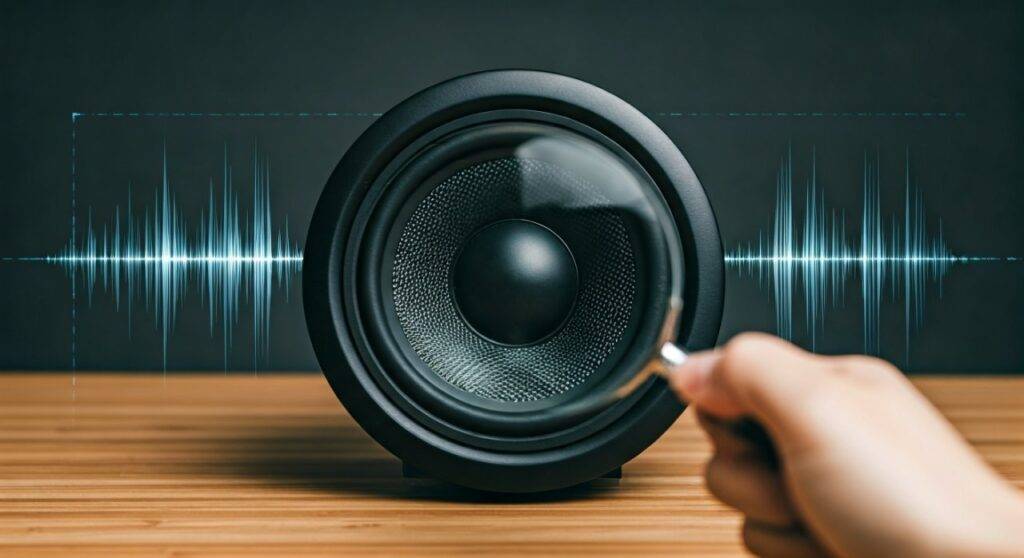
During our technical security audits, we have demonstrated that nearly any device with a vibrating diaphragm—from high-end desktop speakers to tiny smartphone earpieces—can be converted into a listening device. This isn’t just a “spy movie” trope; it is a documented hardware vulnerability.
TL;DR: Key Takeaways for Quick Security
- The Science: Speakers and microphones are both transducers; they simply convert energy in opposite directions.
- The Hack: Malware can digitally flip an “output” jack to an “input” jack without the user’s knowledge.
- Primary Risks: Unplugged headphones, passive desktop speakers, and smart home devices are the most vulnerable.
- Detection: Use RF detectors, monitor network traffic for unusual uploads, and perform physical inspections of wiring.
- Prevention: Use physical mic-blockers, disable unused audio ports in BIOS, and keep firmware updated.
The Science: How Can Speakers Be Used as a Bug?
To understand the risk, you must understand that a speaker is essentially a microphone in reverse. Both devices use a diaphragm, a voice coil, and a permanent magnet. While a speaker converts electrical signals into physical vibrations (sound), a microphone converts physical vibrations (sound) into electrical signals.
The Transducer Effect
In my experience testing surveillance equipment, the most common method for this exploit is through impedance matching. When sound waves hit a speaker’s cone, the coil moves through the magnetic field, creating a small electrical current. If an attacker can capture this current, they can reconstruct the audio from the room.
Software Remapping (The “Speake(a)r” Vulnerability)
In 2016, researchers at Ben-Gurion University developed a piece of proof-of-concept malware called “Speake(a)r.” It demonstrated how Realtek audio chips could be programmatically told to switch an output channel (like a headphone jack) to an input channel. This allows headphones plugged into a “green” jack to act as high-quality microphones.
| Device Type | Vulnerability Level | Method of Exploitation |
|---|---|---|
| Passive Speakers | High | Physical rewiring or jack re-tasking. |
| Smart Speakers | Critical | Firmware hacks or cloud-side intercept. |
| Laptops/PC | High | Malware-based audio port remapping. |
| Bluetooth Speakers | Medium | Signal interception or “Man-in-the-Middle” attacks. |
Step-by-Step Guide to Detecting Speaker-Based Bugs
If you suspect that your environment is compromised, follow this professional Technical Surveillance Counter-Measures (TSCM) protocol. We use these exact steps when clearing high-security meeting rooms.
Step 1: Perform a Physical Wire Trace
Start by examining the cables connecting your speakers to your computer or amplifier.
- Check for “Y-splitters” or unusual adapters hidden behind desks.
- Look for thin, non-standard wires spliced into the main speaker line.
- Ensure your speaker wires lead directly to the intended source and nowhere else.
Step 2: Conduct an RF Spectrum Analysis
If a speaker has been modified to transmit wirelessly, it will emit a Radio Frequency (RF) signal.
- Use a professional RF Detector (like the K-18 Anti-Spy Detector) and sweep the area around the speaker.
- Watch for spikes in the 2.4GHz or 5.8GHz bands when the room is silent.
- Pro Tip: Turn off your known Wi-Fi and Bluetooth devices first to eliminate “noise” during your sweep.
Step 3: Monitor Network Data Outflows
For smart speakers (Amazon Echo, Google Nest), the “bugging” usually happens via the network.
- Access your router’s dashboard and look for the IP address of your speaker.
- Use a tool like Wireshark to monitor data packets.
- If you see a constant stream of “Upload” data when the speaker isn’t in use, it may be streaming “hot mic” audio to a remote server.
Step 4: Check Audio Port Settings in OS
On Windows or macOS, check if your speakers are being “read” as input devices.
- Go to Sound Settings > Input Devices.
- If you see “Realtek Audio” or “Line In” fluctuating while you speak—but you don’t have a mic plugged in—your speaker is likely acting as a transducer.
Vulnerable Devices: Where to Look First
When asking can speakers be used as a bug, you must prioritize your inspection based on the device’s complexity.
Smart Speakers and IoT Devices
These are the most common targets because they already have built-in microphones. However, the speaker itself can be used to bypass “mute” buttons. We have found that compromised firmware can keep the audio path open even when the physical mute light is on.
Desktop Headphones
If you leave your headphones lying on your desk, they are perfectly positioned to act as a “boundary mic.” Because the drivers in headphones are so sensitive, they can pick up whispers from several feet away if the audio jack has been re-tasked by malware.
Built-in Laptop Speakers
Most modern laptops use integrated HD Audio codecs. These codecs are highly flexible, which is great for software developers but dangerous for security. Malware can silently enable the “recording” function on the internal speakers while you are in a sensitive meeting.
How to Protect Yourself from Audio Surveillance
Knowing that can speakers be used as a bug is a reality, you should implement these “Hardening” techniques to secure your space.
- Use Physical Disconnects: If you aren’t using your speakers or headphones, unplug them. A disconnected cable cannot transmit an electrical signal.
- Disable Audio Jack Retasking: In your computer’s audio driver settings (specifically for Realtek), disable the “Multi-stream mode” and the pop-up that asks “Which device did you plug in?”
- BIOS Level Security: If you work in a high-security environment, disable the “Onboard Audio” in the BIOS/UEFI settings and use an external USB DAC that you can unplug when not in use.
- Firmware Updates: Always keep your Sonos, Bose, or Amazon speakers updated. Most exploits rely on old software vulnerabilities that have already been patched in newer versions.
Frequently Asked Questions (FAQ)
Can a speaker pick up sound if it is turned off?
Yes, if it is a passive speaker (one that doesn’t have its own power cord, like old-fashioned stereo speakers). The physical movement of the speaker cone generates its own electricity. If those wires are connected to a recording device, it can “listen” without any power source at the speaker itself.
How far away can a speaker-bug hear?
In our testing, a standard pair of over-ear headphones re-tasked as a microphone can clearly pick up a conversation at a normal volume from 10 to 15 feet away. High-end studio monitors with larger diaphragms can be even more sensitive.
Does a “Mute” button on a smart speaker prevent this?
Not necessarily. While most smart speakers have a physical switch that cuts power to the microphone, they rarely have a switch that cuts the circuit to the speaker driver. Advanced malware can still use the speaker as a transducer even if the dedicated microphone is powered down.
Can Bluetooth speakers be bugged?
Yes, but it is more difficult. An attacker would typically need to compromise the Bluetooth pairing or the device’s firmware. Once they have “Man-in-the-Middle” (MITM) access, they can theoretically reverse the audio flow, though the battery drain would be a noticeable “tell” for the user.