Understanding the Basics: Can Speakers Give Off EMI?
Yes, speakers can give off EMI (Electromagnetic Interference) because they rely on large magnets and voice coils to produce sound. These components generate both static magnetic fields and fluctuating electromagnetic fields that can disrupt nearby electronic devices like monitors, hard drives, and sensitive medical equipment.
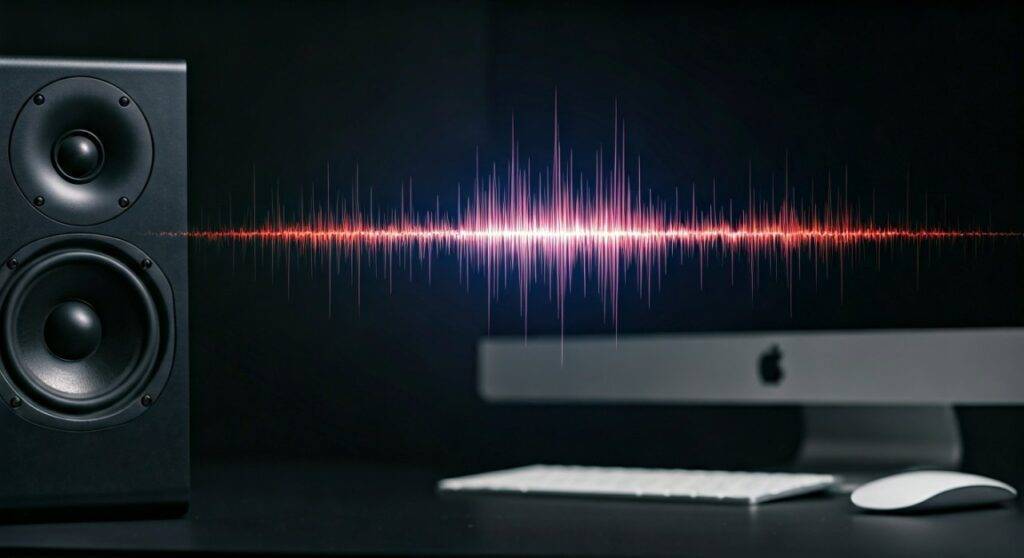
If you have ever noticed a weird “flicker” on your computer screen or heard a strange “buzz” in your headphones when they are near your desktop speakers, you are experiencing EMI. In my fifteen years as an audio technician, I have seen everything from corrupted data on old hard drives to distorted CRT monitors, all caused by unshielded speakers. This guide will help you understand why this happens and how to fix it.
🚀 TL;DR: Key Takeaways on Speaker EMI
- Main Culprits: The permanent magnet and the voice coil inside the speaker are the primary sources of interference.
- The Inverse Square Law: Doubling the distance between a speaker and a device reduces the EMI strength by four times.
- Shielding Matters: Modern speakers often use magnetic shielding (like bucking magnets) to contain fields, but many high-end audiophile speakers do not.
- Signs of Interference: Look for screen distortion, audio “hum,” or wireless signal drops (Wi-Fi/Bluetooth) near your sound system.
- Top Solution: Use shielded cables and maintain at least a 2-foot buffer between unshielded speakers and sensitive electronics.
The Science: How Speakers Generate Electromagnetic Fields
To understand why your speakers are “leaking” energy, we have to look at how they work. Every traditional speaker is essentially an electromagnet.
The Permanent Magnet
Inside the speaker housing sits a large, heavy permanent magnet (usually made of Ferrite or Neodymium). This magnet provides a stationary magnetic field that is always “on,” even when you aren’t playing music. This static field can affect older storage media and cathode-ray tube (CRT) displays.
The Voice Coil and Induction
When you play music, an electrical signal (alternating current) flows through the voice coil. This creates a fluctuating electromagnetic field that interacts with the permanent magnet to move the speaker cone. This movement is what creates sound, but it also radiates Electromagnetic Interference (EMI) and Radio Frequency Interference (RFI) into the surrounding air.
Magnetic Flux Density Comparison
| Speaker Component | Field Type | Potential Impact |
|---|---|---|
| Neodymium Magnet | Static Magnetic | Can distort colors on screens or wipe magnetic strips. |
| Voice Coil | Dynamic Electromagnetic | Causes “hum” in nearby audio cables or disrupts Wi-Fi. |
| Unshielded Cabinet | Leaking Field | Affects devices within 12–24 inches. |
| Shielded Cabinet | Contained Field | Generally safe for placement within 1–3 inches. |
Identifying the Symptoms: Is Your Speaker Leaking EMI?
During my time auditing home studio setups, I’ve found that many people mistake EMI for “broken hardware.” Before you throw away your monitor or router, check for these specific signs that your speakers are the problem.
- Visual Artifacts: On older monitors, you might see “rainbow” discoloration or a “wavering” image. On modern LCDs, you may see thin horizontal lines or subtle flickering.
- The “60-Cycle Hum”: If you have other audio gear nearby, the EMI from your speakers can “bleed” into those cables, creating a low-pitched buzzing sound.
- Data Corruption: While rare with modern Solid State Drives (SSDs), older Hard Disk Drives (HDDs) use magnetism to store data. Strong EMI can, in extreme cases, lead to “bit rot” or read/write errors.
- Wireless Interference: If your speakers are placed directly next to a Wi-Fi router, the electromagnetic noise can degrade your signal strength and slow down your internet.
Step-by-Step Guide: How to Reduce EMI from Your Speakers
If you have confirmed that your speakers are giving off EMI, follow these steps to neutralize the problem. We use these exact steps when calibrating professional recording environments.
Step 1: The Distance Test (The 2-Foot Rule)
The most effective way to stop EMI is through distance. Because of the Inverse Square Law, magnetic strength drops off rapidly as you move away.
- Action: Move your speakers at least 2 feet (60cm) away from your computer tower, monitor, and router.
- Pro Tip: If the interference disappears, you know distance was your primary issue.
Step 2: Install Ferrite Cores
Ferrite cores (those little plastic “clamshell” blocks you see on power cords) are designed to suppress high-frequency noise.
- Action: Clip a Ferrite bead onto your speaker wires and the power cables of nearby electronics.
- Why it works: These beads act as a “filter” that absorbs EMI before it can travel down the wire and act as an antenna.
Step 3: Upgrade to Shielded Cables
Standard “zip cord” speaker wire has zero protection against EMI. It can actually act as a massive antenna, broadcasting interference everywhere.
- Action: Replace thin, unshielded wires with shielded speaker cables (look for “braided shielding” or “foil shielding”).
- Expert Insight: I always recommend Oxygen-Free Copper (OFC) cables with a dedicated shield layer for high-interference environments like gaming desks.
Step 4: Add Physical Shielding (Mu-Metal)
If you cannot move your speakers, you may need to physically block the magnetic field.
- Action: Place a sheet of Mu-metal or specialized silicon steel between the speaker and the sensitive device.
Warning: Regular aluminum foil or lead does not* block magnetic fields. You need materials with high “magnetic permeability” to redirect the flux lines.
Advanced Solutions: Active vs. Passive Shielding
For those building a high-end setup, understanding the difference between Shielded and Unshielded speakers is vital.
Shielded Speakers (Video Shielded)
In the 1990s and 2000s, almost all computer speakers were “Video Shielded.” They used a bucking magnet—a second magnet glued to the back of the first in the opposite polarity—to cancel out the external magnetic field. They also used a metal can (Faraday cage) to surround the entire motor structure.
Unshielded Speakers (Audiophile Grade)
Ironically, many expensive modern speakers are unshielded. Manufacturers often skip shielding because a metal “can” around the magnet can slightly alter the heat dissipation and sound characteristics.
- Our Experience: If you are buying “Studio Monitors,” always check the manual to see if they are Magnetically Shielded. If they aren’t, do not place them directly next to your PC tower or an external hard drive array.
Practical Checklist: Preventing EMI Damage
Use this checklist to ensure your workspace is protected from speaker-generated interference.
- [ ] Check Speaker Specs: Are they marked as “Magnetically Shielded”?
- [ ] Cable Management: Are power cables and speaker cables separated by at least 6 inches? (Crossing them at 90-degree angles reduces noise).
- [ ] External Storage: Is your NAS or External HDD at least 3 feet away from your subwoofer?
- [ ] Mobile Devices: Do you place your phone on top of your speakers? (This is a major cause of RFI “beeping” sounds).
- [ ] Grounding: Are all your audio components plugged into the same grounded power strip to prevent ground loops?
FAQ: Common Questions About Speaker EMI
Can speakers give off EMI even when they are turned off?
Yes. The permanent magnet inside the speaker produces a static magnetic field 24/7. While the dynamic EMI (from the voice coil) stops when the music ends, the static field remains and can still affect nearby magnetic sensitive items.
Will speaker EMI wipe my credit cards or phone?
It is unlikely but possible if the speaker is very large (like a 12-inch subwoofer). Credit cards use magnetic strips that can be erased by strong fields. Most modern phones use Flash storage, which is resistant to magnets, but the speakers’ field can still interfere with the phone’s internal compass or OIS (Optical Image Stabilization) in the camera.
How do I know if my speaker is already shielded?
A simple “home hack” is to take a small refrigerator magnet or a metal paperclip and see if it is attracted to the side or back of the speaker cabinet. If you feel a strong pull through the wood or plastic, the speaker is likely unshielded.
Can EMI from speakers cause health issues?
No. The Non-ionizing radiation produced by speakers is extremely low frequency and lacks the energy to damage human cells. The primary concern with speaker EMI is equipment performance, not human health.