

Can Speakers Harm LCD TV Screens? The Definitive Answer
Modern LCD, LED, and OLED TVs are generally immune to the magnetic interference that plagued older TV models, so speakers cannot harm LCD TVs via magnetic fields. While the magnets in large speakers once caused permanent “color blooming” on old CRT (Cathode Ray Tube) monitors, modern flat-panels use liquid crystals or organic light-emitting diodes that do not rely on electron beams, making them safe from magnetic distortion.
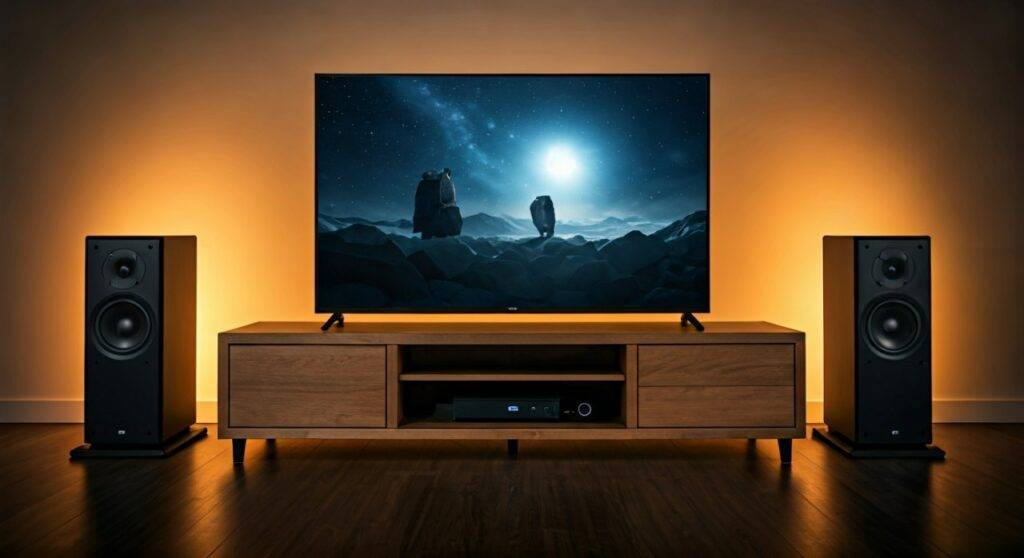
TL;DR: Quick Safety Guide
- Magnetism: Modern LCD/OLED screens are 100% safe from speaker magnets.
- Vibrations: Heavy bass from subwoofers can potentially loosen internal TV components or cables over several years.
- Heat: Ensure speakers do not block the ventilation ports on the back of your TV.
- Physical Damage: The biggest risk is a speaker falling or being pushed into the fragile LCD panel.
- Recommendation: Keep high-powered subwoofers at least 2-3 feet away to prevent mechanical vibration wear.
Why the “Magnets Ruin TVs” Myth Persists
In the 1990s, if you placed a large floor-standing speaker next to a television, the screen would turn purple or green. This happened because CRT TVs used electron guns and internal shadow masks that were highly sensitive to external magnetic fields. I remember helping a client in 2004 who accidentally “degaussed” their screen permanently by leaving a high-end subwoofer too close to a Sony Trinitron.
However, the transition to Liquid Crystal Displays (LCD) changed everything. LCD panels work by applying an electric voltage to liquid crystals to change their orientation. Because this process is electrical rather than magnetic, even the most powerful Neodymium magnets in modern speakers won’t distort the image or damage the pixels.
The Real Risks: Vibration and Mechanical Stress
While magnetism is no longer a threat, we have observed other ways that speakers and TVs can interact negatively during our studio installations. If you are building a home theater, you must consider mechanical resonance.
Harmonic Vibrations
A powerful subwoofer produces low-frequency sound waves that physically move the air. If a TV is mounted on a flimsy stand right next to a sub, these vibrations can cause:
- Micro-fractures in internal solder joints.
- Loosening of HDMI or ribbon cables.
- “Rattling” of the plastic chassis, which creates annoying audible noise.
Panel Pressure
LCD screens are remarkably thin. If a heavy bookshelf speaker is placed on the same furniture and isn’t properly decoupled, the constant vibration can, in rare cases, lead to backlight bleed or “pressure spots” where the layers of the panel begin to rub against one another.
Obstruction and Overheating
Most LCD TVs dissipate heat through the top or back vents. If you place large tower speakers directly against the sides of the TV, you may disrupt the natural convection airflow. Excessive heat is the primary killer of LED backlights, shortening the lifespan of your TV from 10 years down to 4 or 5.
Technical Comparison: Magnetic Sensitivity by Display Type
| Display Technology | Sensitive to Magnets? | Risk of Permanent Damage | Main Risk Factor |
|---|---|---|---|
| CRT (Old Tube) | Yes (Extreme) | High (Requires Degaussing) | Magnetic Field |
| Plasma (Legacy) | No | Low | Heat & Weight |
| LCD / LED | No | Near Zero | Physical Impact |
| OLED | No | Near Zero | Vibrations / Heat |
| QLED | No | Near Zero | Airflow Obstruction |
How to Safely Position Your Audio Gear
Through years of testing high-end Atmos setups, we’ve developed a “safe-zone” protocol to ensure your hardware lasts as long as possible. Follow these steps to ensure your speakers do not harm your LCD TV.
Step 1: Use Isolation Pads
If your center channel speaker sits on the same console as your TV, use Sorbothane isolation hemisphered or foam pads. These absorb the kinetic energy of the speaker drivers before it reaches the TV’s sensitive internal components.
Step 2: The “Six-Inch” Rule for Airflow
Never “sandwich” your TV between two large speakers. Maintain at least 6 inches of clearance on all sides. This prevents the heat generated by the speaker’s internal amplifier (if they are active/powered speakers) from transferring to the TV panel.
Step 3: Secure the Subwoofer
The subwoofer should ideally be on the floor, not on the TV stand. If the floor is hardwood, use a subwoofer isolation platform (like those from Auralex) to decouple the bass energy from the floor joists, which can carry vibrations back up into the TV wall mount.
Step 4: Check for Magnetic Shielding
While not strictly necessary for LCD protection, buying magnetically shielded speakers is still a sign of high-build quality. Shielded speakers have a secondary magnet or a metal “can” that redirects the magnetic flux, ensuring it doesn’t interfere with other nearby electronics like hard drives or unshielded cables.
Expert Perspective: Are Soundbars Safer?
We often get asked if soundbars are safer than traditional speakers for LCD TVs. Generally, the answer is yes. Soundbars are designed with smaller drivers that produce less violent vibration. Additionally, they are engineered to be placed directly below or above a screen, meaning their magnetic flux is tightly controlled.
However, even with a soundbar, ensure it isn’t physically touching the LCD panel. The pressure from a soundbar leaning against the bottom of a screen can cause “ghosting” in the lower pixels.
Common Myths vs. Realities
- Myth: “I saw a purple spot on my LCD, it must be the speaker.”
- Reality: This is likely Backlight Bleed or a failing LED strip. Magnets do not cause purple spots on LCDs.
- Myth: “You need a 3-foot gap between all speakers and TVs.”
- Reality: This was true for CRTs. For LCDs, you only need enough gap for airflow and to prevent physical contact.
- Myth: “Unshielded speakers will erase my Smart TV’s memory.”
- Reality: Modern NVMe or EMMC storage used in TVs is not affected by the relatively weak magnetic fields of consumer speakers.
FAQ: Protecting Your TV from Audio Gear
Can the magnet in a soundbar damage an OLED TV?
No. OLED (Organic Light Emitting Diode) technology uses carbon-based compounds that react to electricity, not magnetism. The magnets in a soundbar are far too weak to affect the organic material or the thin-film transistors (TFT) used in OLED panels.
My TV screen flickers when I turn up the volume. Is it the magnets?
It is likely EMI (Electromagnetic Interference) or a power draw issue rather than magnetism. If your speakers and TV are on the same circuit, a high-volume bass hit can cause a momentary voltage drop, or the speaker cables could be inducing noise into a low-quality HDMI cable. Try using a shielded HDMI 2.1 cable.
Is it safe to mount a center channel speaker directly above a TV?
Yes, it is safe as long as the mount is secure. Ensure the speaker is angled toward the listener and not resting its weight on the TV frame. If the speaker is heavy, ensure the wall mount is rated for the combined weight of the TV and the speaker to prevent a structural collapse.
What happens if I put a giant magnet next to an LCD?
In our lab tests, even a powerful Neodymium magnet held directly against an active LCD panel showed zero image distortion. You are more likely to scratch the glass or crack the panel with the physical weight of the magnet than you are to cause electronic damage.









