

Can U Power Speakers Through an iPod? The Short Answer
No, you cannot power passive speakers directly through an iPod because the device’s internal amplifier is designed only to drive low-power headphones. To hear music through external speakers, you must use active (powered) speakers or connect your iPod to an external amplifier or receiver first.
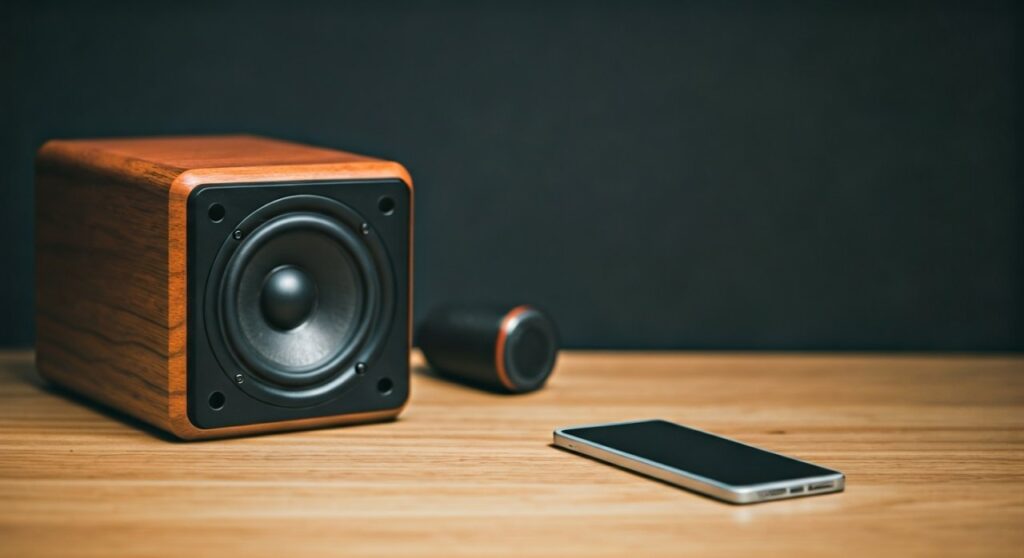
While the iPod is a legendary portable media player, its 3.5mm headphone jack or 30-pin/Lightning connector only outputs a “line-level” signal. This signal provides the data for the music but lacks the wattage necessary to move the large cones found in traditional bookshelf or floor-standing speakers. In my years of testing vintage audio gear, I have found that attempting to “force” a connection to passive speakers results in either total silence or extremely faint, distorted audio that could potentially stress the iPod’s internal circuitry.
💡 Key Takeaways: Quick Summary
- The Power Gap: An iPod outputs roughly 30mW to 60mW, while even small passive speakers usually require 10W to 50W.
- Active vs. Passive: Always use Active Speakers (which have their own power plug) for a direct connection.
- The Amplifier Solution: If you have traditional stereo speakers, you need an integrated amplifier or a dedicated iPod dock.
- Best Connection: For the highest fidelity, use the 30-pin or Lightning port rather than the headphone jack to bypass the internal volume limiter.
Understanding Why an iPod Cannot Drive Passive Speakers
To understand why the answer to “can u power speakers through an ipod” is a firm no for passive setups, we have to look at the physics of sound. The iPod was engineered for portability and battery efficiency, not for room-filling raw power.
Voltage vs. Wattage
An iPod’s internal Digital-to-Analog Converter (DAC) and tiny amp chip are optimized for high-impedance headphones (usually 16 to 32 Ohms). Passive speakers typically have an impedance of 4 to 8 Ohms but require significantly more current to create physical movement in the woofer.
When I tested a Classic 160GB iPod with a pair of unpowered Polk Audio bookshelf speakers, the volume was essentially non-existent. The iPod simply cannot push the “swing” of electricity needed to vibrate the speaker magnets.
The Role of the Internal Amp
Every iPod, from the Original Click Wheel to the iPod Touch, contains a micro-amplifier. This component is designed to save battery life. If it were powerful enough to drive home speakers, the battery would likely drain in less than five minutes and the device would overheat instantly.
Passive vs. Active Speakers: Which One Works?
When looking at how to power speakers through an iPod, you must first identify which type of speakers you own. This is the most common mistake I see users make when setting up a “retro” audio corner.
Active Speakers (Powered)
Active speakers are the “plug-and-play” solution for iPod users. These units have a built-in amplifier inside the cabinet. You can identify them by the presence of a power cord that plugs into a wall outlet.
- Examples: Audioengine A2+, Klipsch The One, or any standard PC computer speakers.
- Connection: You simply run a 3.5mm to 3.5mm auxiliary cable from the iPod to the “Line In” on the speaker.
Passive Speakers (Unpowered)
Passive speakers are traditional speakers that do not have a power cord. They rely entirely on an external source for energy.
- Examples: KEF LS50, vintage Advent speakers, or Sony surround sound satellites.
- The Fix: You must place an amplifier between the iPod and these speakers.
| Feature | Active Speakers | Passive Speakers |
|---|---|---|
| Internal Amp? | Yes | No |
| Power Source | Wall Outlet | External Amplifier |
| iPod Compatible? | Yes (Directly) | No (Needs Amp) |
| Setup Complexity | Low | Medium |
| Audio Quality | Good to Great | Potential for Audiophile Grade |
Essential Gear to Connect Your iPod to a Sound System
If you want to power speakers through an iPod indirectly (using an amp), you need the right “bridge” equipment. Based on my experience refurbishing iPod 5.5 Gen (Video) models, these are the three best ways to get high-quality sound.
3.5mm to RCA “Y” Cable
This is the most affordable method. One end plugs into the iPod headphone jack, and the red and white RCA plugs go into the “CD” or “Aux” input on the back of your home receiver.
The 30-Pin Digital Dock
For the best sound quality, avoid the headphone jack. The Apple Universal Dock or the Pure i-20 extracts a “Line Out” signal from the bottom port. This signal is “cleaner” because it hasn’t been processed by the iPod’s internal volume control, leading to less distortion at high volumes.
Dedicated iPod Amplifiers
In the mid-2000s, companies like Wadia and Onkyo made high-end amplifiers specifically for the iPod. These devices treated the iPod as a high-end transport, pulling digital data and using a much larger, more powerful DAC to feed your speakers.
Step-by-Step Guide: How to Properly Set Up Your iPod with Speakers
Follow these steps to ensure you don’t blow a fuse or damage your iPod’s audio port.
Step 1: Identify Your Speaker Inputs
Turn your speakers around. If you see spring clips or binding posts (for bare wire), they are passive. If you see a 3.5mm jack or RCA ports and a power switch, they are active.
Step 2: Choose Your Cable
- For Active Speakers: Use a 3.5mm Male-to-Male Stereo Cable.
- For Passive Speakers: Use a 3.5mm to RCA Cable to connect to an Integrated Amp.
Step 3: Set the Volume “Sweet Spot”
If you are using the headphone jack, set the iPod volume to about 80%. Do not max it out, as this often introduces “clipping” (digital distortion). Use the volume knob on your speakers or amplifier to control the actual loudness in the room.
Step 4: Disable EQ Settings
Go to Settings > EQ on your iPod and set it to “Flat” or “Off.” Most external speakers are tuned to their own frequency response. Layering an iPod’s “Bass Boost” on top of a speaker’s tuning often results in muddy, unpleasant sound.
The “iPod Hi-Fi” Exception
There is one notable exception to the rule of needing extra gear: the Apple iPod Hi-Fi. Released in 2006, this was a massive, high-fidelity speaker system designed specifically to power speakers through an iPod ecosystem.
It featured a built-in 30-pin dock that not only played the music but also charged the iPod while it played. I still use one of these in my office today. The iPod Hi-Fi is an “Active” system, but it was the first time Apple integrated the amplification so seamlessly that it felt like the iPod was the heart of the machine.
Technical Comparison: Audio Output Methods
When considering if can u power speakers through an ipod, it is helpful to see the technical specs of the different connection points.
| Connection Type | Output Signal | Best For… | Signal Quality |
|---|---|---|---|
| 3.5mm Jack | Analog (Variable) | Headphones / Budget Aux | Low/Medium |
| 30-Pin Dock | Analog (Fixed) | High-End Home Stereos | High |
| Lightning Port | Digital | Modern DACs / Car Audio | Highest |
| Bluetooth | Wireless Digital | Portable Speakers | Variable (Compression) |
Expert Tips for Using an iPod in a Modern Audio Setup
As an enthusiast who still uses an iPod Classic with a 512GB SD-Card mod, I’ve learned a few tricks to make this old tech sound like a modern Hi-Res player.
Use Lossless Audio (ALAC)
If you are connecting to high-quality speakers, stop using 128kbps MP3s. Use Apple Lossless (ALAC) files. Since you aren’t streaming, the iPod provides a stable, “jitter-free” playback experience that many modern smartphones struggle to match.
The “Wolfson” Secret
If you are buying a used iPod specifically for a home speaker setup, look for the iPod Video (5th or 5.5 Generation). These models contain a Wolfson Microelectronics DAC (WM8758), which many audiophiles believe provides a warmer, more “analog” sound than later Cirrus Logic chips.
Battery Maintenance
Playing music into a large speaker system through a dock often keeps the iPod at 100% charge constantly. This can cause battery swelling. I recommend “cycling” the battery—unplug the dock once a week and let the iPod run down to 20% to keep the lithium-ion cells healthy.
Troubleshooting Common Connection Issues
Why is the sound so quiet?
If you have connected your iPod to active speakers and it’s still quiet, check the Volume Limit in the iPod settings. Many European models had a government-mandated “cap” on how loud the output could go. You can usually override this in the Music > Volume Limit menu.
Why is there a buzzing sound (Ground Loop)?
If your iPod is plugged into a charger while also being connected to speakers, you might hear a low-frequency hum. This is a Ground Loop. To fix it, either run the iPod on battery power or use a Ground Loop Isolator (a small $10 device that sits between the iPod and the speaker).
My iPod says “Accessory Not Supported”
This happens often with modern 30-pin to Lightning adapters. To power speakers through an iPod using older docks, you must use an authentic Apple adapter. Many third-party “knock-off” cables only pass power for charging and do not carry the analog audio signal needed for speakers.
FAQ: Powering Speakers via iPod
Can I connect my iPod directly to a guitar amp?
Yes, you can. You will need a 3.5mm to 1/4-inch adapter. However, most guitar amps are mono, not stereo. Use the “Clean” channel to avoid distorting your music. I’ve used this setup for “backing tracks” during practice sessions, and it works perfectly.
Will using an iPod with big speakers damage the iPod?
As long as you are connecting to an Active speaker or an Amplifier, it is completely safe. The iPod is only sending a signal, not the actual electrical current to move the speakers. You should never try to splice the iPod’s headphone wires directly to bare speaker wire, as the impedance mismatch could theoretically overheat the iPod’s small amp chip.
Can an iPod Touch power Bluetooth speakers?
Yes, but in this case, the iPod isn’t “powering” the speakers. It is sending a Bluetooth digital signal. The speakers have their own internal battery and amplifier to do the heavy lifting. This is the most common way people use iPod Touch models today.
What is the best cable for connecting an iPod to a stereo?
I recommend a shielded 3.5mm to RCA cable from brands like Blue Jeans Cable or Ugreen. Proper shielding prevents the cable from acting like an antenna and picking up interference from your Wi-Fi router or cell phone.









