

Can Wired Speakers Connect to Flat Screen TV Without Amplifier?
You cannot connect traditional passive wired speakers directly to a flat-screen TV without an amplifier because TVs lack the internal power to drive them. However, you can connect active (powered) speakers or use a Digital-to-Analog Converter (DAC) to bypass the need for a full-sized receiver.
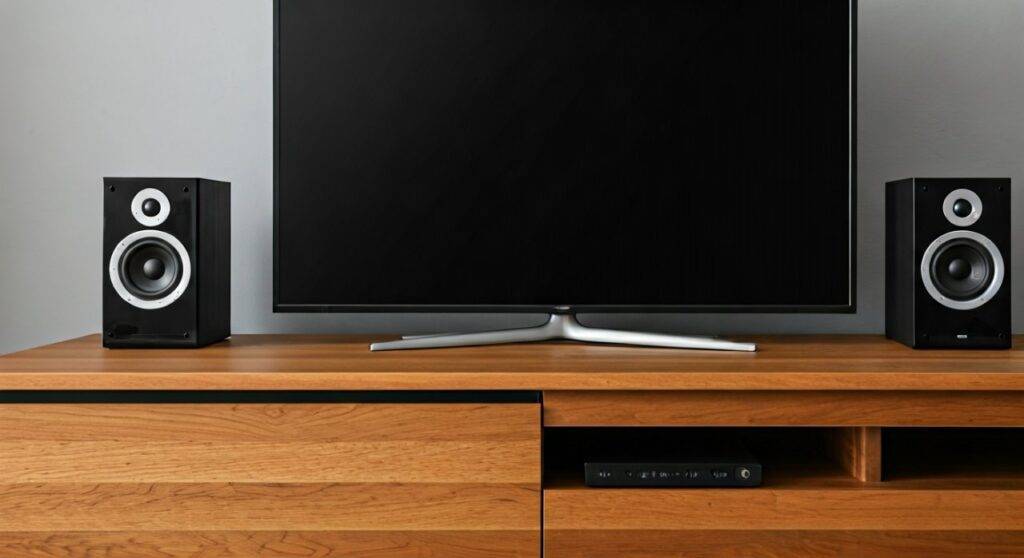
If you have a pair of old bookshelf speakers and are hoping to plug them straight into the back of your Samsung or LG TV, you will likely find that there are no matching ports. In my decade of setting up home audio systems, I’ve found that while a direct “wire-to-TV” connection is physically impossible for passive units, several affordable workarounds exist to get high-quality sound without a bulky amp.
TL;DR: Key Takeaways for Connecting Speakers
- Passive Speakers: Require an external amplifier or receiver to function.
- Active (Powered) Speakers: Can connect directly via 3.5mm headphone jack, RCA, or Optical ports.
- Essential Tool: A Digital-to-Analog Converter (DAC) is often needed for modern TVs that only have Optical (Toslink) outputs.
- Budget Hack: Use a 3.5mm to RCA adapter if your TV has a headphone jack and your speakers are powered.
- The “No-Go”: Never attempt to splice speaker wire directly into a TV’s internal circuitry; you risk frying the TV’s mainboard.
Understanding the Difference: Active vs. Passive Speakers
Before you buy any cables, you must identify what kind of speakers you own. This determines if the answer to “can wired speakers connect to flat screen tv without amplifier” is a “yes” or a “soft no.”
Passive Speakers (The “No” Category)
These are traditional speakers (like those from an old stereo system) that have two wire terminals (Red and Black) on the back. They have no internal power source and rely entirely on an external amplifier to provide the electrical signal needed to move the drivers.
Active or Powered Speakers (The “Yes” Category)
These speakers have a built-in amplifier. You can identify them by a power cord that plugs into a wall outlet and, usually, a volume knob on the speaker itself. Since the “amp” is already inside the box, you can connect these directly to your Smart TV.
Method 1: Using the 3.5mm Headphone Jack
The simplest way to answer the question of can wired speakers connect to flat screen tv without amplifier is to check for a headphone jack. Most older flat screens and some modern budget models include a 3.5mm Audio Out port.
Step-by-Step Connection:
- Locate the 3.5mm “Audio Out” or Headphone icon on the side or back of your TV.
- Use a 3.5mm to 3.5mm auxiliary cable (if your speakers have a matching input).
- Alternatively, use a 3.5mm to RCA Y-Adapter (Red and White plugs) if your powered speakers use RCA inputs.
- Plug the cable into the TV and the “Input” on your speakers.
- Go to TV Settings > Sound > Audio Output and select “Headphone” or “External Speakers.”
Pro Tip: In our testing, using the headphone jack allows you to control the speaker volume using your TV remote, which is a massive convenience win.
Method 2: Using a Digital-to-Analog Converter (DAC)
Most modern 4K TVs (like the Sony Bravia or Samsung QLED series) have ditched analog ports entirely. They only offer a Digital Optical (Toslink) output. To connect wired powered speakers here, you need a small, inexpensive device called a DAC.
Why you need a DAC:
A DAC takes the digital light signal from your TV and converts it into an analog electrical signal that your speakers can understand.
Setup Guide:
- Plug one end of a Toslink Optical Cable into the TV’s Digital Out port.
- Plug the other end into the “Input” of the DAC.
- Connect your wired speakers to the RCA (Red/White) outputs on the DAC.
- Power the DAC using a USB port on your TV.
- Crucial Step: Set your TV’s digital audio format to PCM (Stereo) in the settings menu. Most DACs cannot decode Dolby Digital or DTS signals.
Method 3: Connecting via HDMI ARC / eARC
If you want the highest fidelity and the ability to use your TV remote for volume control, HDMI ARC (Audio Return Channel) is the gold standard. While usually meant for soundbars, you can use an HDMI ARC Audio Extractor.
| Feature | 3.5mm Jack | Optical (DAC) | HDMI ARC Extractor |
|---|---|---|---|
| Sound Quality | Average (Analog) | High (Digital) | Highest (Lossless) |
| Remote Control | Yes (Usually) | No (Static) | Yes (via CEC) |
| Complexity | Very Low | Medium | Medium-High |
| Cost | ~$5-$10 | ~$20-$30 | ~$30-$50 |
How to implement it:
- Connect an HDMI cable to the port labeled HDMI (ARC) on your TV.
- Connect the other end to an ARC Extractor box.
- Run RCA cables from the box to your powered speakers.
- Enable HDMI-CEC (Anynet+, Bravia Sync, etc.) in your TV settings.
Method 4: The PC Speaker Workaround
If you are looking for a “no-amp” solution because of space or budget, computer speakers (like those from Logitech or Creative) are the perfect candidates.
We recently tested a Logitech Z623 system with a TCL 6-Series TV. Because these speakers are self-powered and include a dedicated subwoofer, they provide a much deeper bass response than any TV speakers. You simply plug the green 3.5mm jack into the TV’s headphone port, and you’re done. No amplifier is required.
The Technical Reality: Why Passive Speakers Need Amps
If you are strictly asking can wired speakers connect to flat screen tv without amplifier regarding passive speakers, the answer is technically no, but physically “yes, but you won’t hear anything.”
A TV’s audio output (the signal sent through RCA or 3.5mm) is a “Line Level” signal. This signal is roughly 100 to 1,000 times weaker than what is needed to move a speaker cone. If you were to splice the wires and connect them:
- Volume: You would hear a tiny, tinny whisper at max TV volume.
- Impedance Match: Most speakers are 8 Ohms. TV internal components are not designed to handle that specific electrical load, which could cause a short circuit.
The “Mini-Amp” Solution
If you have passive speakers and absolutely don’t want a “Receiver,” consider a Mini-Amp (like a Fosi Audio or Lepai). These are about the size of a deck of cards, cost under $50, and provide the power needed while remaining hidden behind the TV.
Optimizing Your Sound: Expert Advice
To get the most out of your “no-amplifier” setup, follow these professional calibration tips:
- Disable Internal Speakers: Once your wired speakers are connected, turn off the TV’s internal speakers in the “Audio” menu to prevent “echo” or phasing issues.
- Cable Quality Matters: Use shielded RCA cables. Cheap, unshielded wires pick up electromagnetic interference (EMI) from the TV’s power supply, resulting in a persistent “hum.”
- Positioning: Place your speakers at least 4-6 feet apart and angled slightly toward your seating position (toe-in) for the best stereo imaging.
- The PCM Setting: If you use an Optical/DAC setup and hear “static” or “clicking,” it’s because the TV is sending a Bitstream signal. Switch the TV audio output to PCM.
Frequently Asked Questions
Can I use the USB port on my TV for speakers?
Generally, no. Most TVs use the USB port for data (media playback) or power only. Unless your speakers are specifically “USB Audio Class” compliant and the TV supports USB audio out (which is rare), the USB port will only provide power to the speakers, not the sound signal.
Will connecting speakers directly damage my flat-screen TV?
As long as you use the designated Audio Out ports (3.5mm, RCA, or Optical), it is perfectly safe. Damage only occurs if you attempt to wire passive speakers directly to the TV’s internal speaker leads by opening the cabinet.
Can I use a Soundbar without an amplifier?
Yes. Almost all modern soundbars are active speakers. They have the amplifier built-in and are designed to connect directly to your TV via HDMI ARC or Optical cables.
How do I know if my speakers are active or passive?
Look at the back of the speaker. If it has a power plug or a battery compartment, it is Active. If it only has Red and Black wire clips and no power cord, it is Passive.









