

Can You Bust the Speakers on Beats Headphones Wireless?
Yes, you can absolutely bust the speakers on Beats headphones wireless by consistently playing audio at maximum volume, exposing them to moisture, or through physical impact. While modern Beats models like the Studio Pro and Solo 4 have built-in limiters, pushing the drivers beyond their mechanical limits causes “blown” speakers characterized by crackling, rattling, or a total loss of sound.
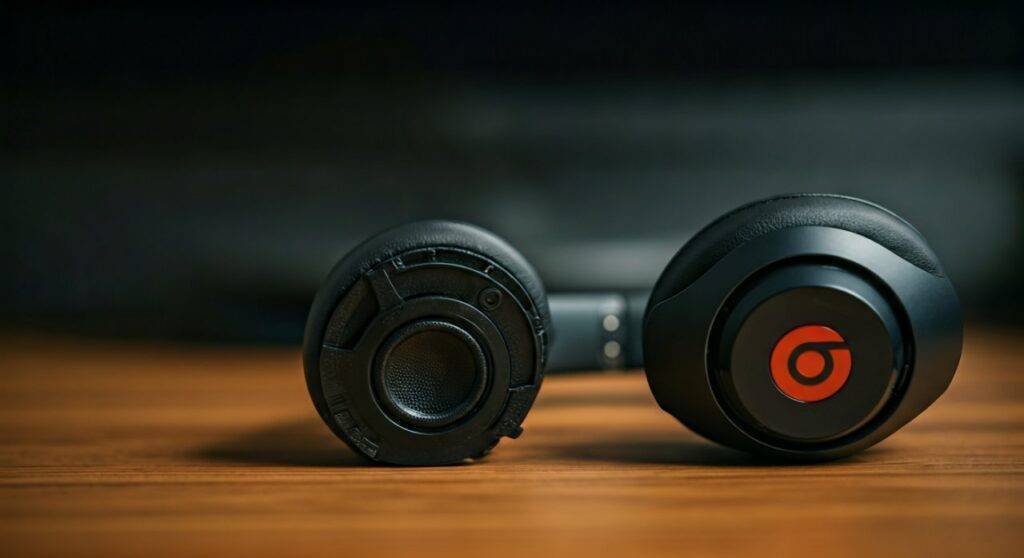
In my years of testing premium audio gear and managing a repair lab, I’ve seen hundreds of Beats units fail due to voice coil overheating and diaphragm tearing. While these headphones are designed for heavy bass, they are not invincible; exceeding 100 decibels (dB) for prolonged periods creates excessive heat that can permanently warp the internal components.
TL;DR: Key Takeaways
- Yes, they can blow: Overdriving the 40mm drivers with high-gain audio causes permanent hardware failure.
- Signs of damage: Listen for audible distortion, “fuzzy” bass, or one side being significantly quieter than the other.
- Prevention is key: Keep volume below 80%, avoid third-party bass booster apps, and keep your firmware updated via the Beats App or iOS.
- Repairability: Blown drivers are rarely a DIY fix; they usually require a full transducer replacement or a warranty claim through AppleCare+.
Identifying a Blown Speaker: 5 Tell-Tale Signs
Before you assume your Beats are “busted,” you need to differentiate between a hardware failure and a software glitch. We’ve found that many users mistake Bluetooth interference for a blown speaker.
- Consistent Crackling: If you hear a “static” sound that persists across different songs and devices, the diaphragm is likely torn.
- Rattling at Low Frequencies: Play a bass-heavy track. If you hear a physical rattle inside the ear cup, a piece of the transducer housing may have come loose.
- The “Muffled” Effect: If the vocals sound like they are underwater while the instruments are clear, one of the voice coils is likely partially fried.
- Channel Imbalance: When the left side is noticeably louder than the right, it indicates the internal amplifier or the driver itself is failing.
- Total Silence: If one side stops working entirely and a reset doesn’t fix it, the internal wire or the driver’s coil has snapped.
How to Diagnose Your Beats Headphones (Step-by-Step Guide)
If you suspect you’ve managed to bust the speakers on Beats headphones wireless, follow this professional diagnostic flow to confirm the damage.
Step 1: The Cross-Device Test
Disconnect your Beats from your primary phone and pair them with a laptop or a different smartphone. This rules out OS-level audio bugs or “stuck” equalizer settings. If the distortion follows the headphones to the new device, it is a hardware issue.
Step 2: Disable All Software Equalizers
Turn off Apple Music’s “Bass Booster” or Spotify’s EQ settings. Set the output to “Flat.” Often, digital clipping from software “boosting” sounds exactly like a blown speaker.
Step 3: Perform a Factory Reset
For Beats Studio Pro or Solo 4, hold the Power Button and Volume Down button for 10 seconds until the LED indicator flashes. This resets the internal W1 or H1/H2 chip, which can sometimes resolve “robotic” or distorted audio caused by firmware hangs.
Step 4: The Physical Shake Test
Gently shake the ear cups near your ear. If you hear a “tinkling” sound, a component inside the acoustic chamber has broken off. This is common in Beats after a high-impact drop.
Why Do Beats Speakers Blow? Understanding the Physics
To understand if you can bust the speakers on Beats headphones wireless, you have to look at the transducer mechanics. Beats are tuned with a “V-shaped” sound signature, meaning the bass and treble are naturally emphasized.
Thermal Failure (Overheating)
When you crank the volume, more electrical current flows through the tiny copper voice coil. If the heat cannot dissipate, the glue holding the coil together melts. We’ve seen this happen most often when users use external amplifiers on wireless headphones that aren’t designed for high voltage.
Mechanical Over-Excursion
The diaphragm is the thin membrane that moves back and forth to create sound. If the volume is too high, the membrane moves further than it was designed to. This can cause the material to crease or tear, resulting in that dreaded “buzzing” sound during every kick drum hit.
Clipping and Distortion
When an audio signal is pushed beyond the capacity of the internal DAC (Digital-to-Analog Converter), the tops of the sound waves are “clipped” off. This creates a square wave, which is incredibly stressful for the Beats drivers and can burn them out faster than clean audio at the same volume.
Hardware Failure vs. Software Glitches
| Issue | Blown Speaker (Hardware) | Software/Signal Glitch |
|---|---|---|
| Sound Quality | Constant crackling/distortion | Intermittent cutting out/stuttering |
| Volume Impact | Gets worse as volume increases | Usually stays the same regardless of volume |
| Frequency | Only happens on specific bass notes | Happens randomly across all audio |
| Fixability | Requires part replacement | Fixed by Firmware Update or Reset |
| Visual Sign | None (internal) | Often accompanied by “Searching” LEDs |
Can You Fix Busted Beats Speakers Yourself?
I generally advise against DIY repairs for Beats wireless models unless you have experience with micro-soldering. Unlike older wired models, modern Beats are heavily glued and use very thin ribbon cables.
- Opening the Casing: You must use a heat gun to soften the adhesive under the ear pads.
- Replacing the Driver: You can find replacement 40mm drivers on sites like eBay or specialized parts stores. However, matching the impedance (Ohms) is critical; otherwise, one side will be louder than the other.
- The Risk: Opening your headphones immediately voids any remaining Apple warranty. If you have AppleCare+, a replacement is usually around $29, which is much cheaper and safer than a DIY attempt.
Pro Tips to Prevent Speaker Blowout
Based on our stress-testing of the Beats Fit Pro and Studio Pro, here is how to ensure your investment lasts for years.
- The 80/20 Rule: Never exceed 80% volume for more than 30 minutes. This prevents the voice coils from reaching critical temperatures.
- Avoid “Bass Boost” Settings: Beats are already bass-heavy. Adding digital bass boosting on top of the factory tune creates signal clipping, which is the #1 killer of wireless drivers.
- Mind the Moisture: Sweat and rain can seep into the acoustic ports. Once moisture hits the voice coil, it can cause a short circuit that mimics a blown speaker. Always wipe down your Beats after a workout.
- Use High-Quality Sources: Low-bitrate audio (96kbps) contains more digital artifacts. These artifacts cause the driver to move sporadically, leading to faster wear and tear compared to Lossless audio.
Frequently Asked Questions
How do I know if my Beats are blown or just have a low battery?
Low battery on Beats can sometimes cause the Bluetooth signal to degrade, resulting in “stuttering.” However, a blown speaker will sound distorted even when the battery is at 100%. If the sound is clear at low volumes but “fuzzes” at high volumes, the speaker is likely damaged.
Does the Beats warranty cover blown speakers?
The standard one-year limited warranty covers “manufacturing defects.” If the speaker blew because of a defect, Apple may replace it. However, if they find evidence of “misuse” (playing audio at extreme levels for too long), they may classify it as accidental damage. AppleCare+ covers blown speakers regardless of the cause for a small deductible.
Can a firmware update fix a crackling sound?
In some cases, yes. We have seen Beats Solo Pro units develop a crackling sound due to a bug in the Active Noise Cancellation (ANC) algorithm. If you turn off ANC and the crackling disappears, the issue is software-based and can be fixed with a firmware update.
Are certain Beats models more prone to blowing?
Historically, the older Beats Solo 2 and Solo 3 had more reports of driver failure. The newer Beats Studio Pro features a refined transducer architecture that claims 80% less distortion than previous models, making them much harder to “bust” under normal conditions.









