

Can I Connect My Bose Wireless Speakers With Sonos System?
You cannot natively connect Bose wireless speakers with a Sonos system using their official apps because both brands use closed, proprietary software ecosystems. However, you can successfully sync them by using third-party workarounds like Apple AirPlay 2, smart home groups (Alexa/Google Home), or hardware integrations like the Sonos Port.
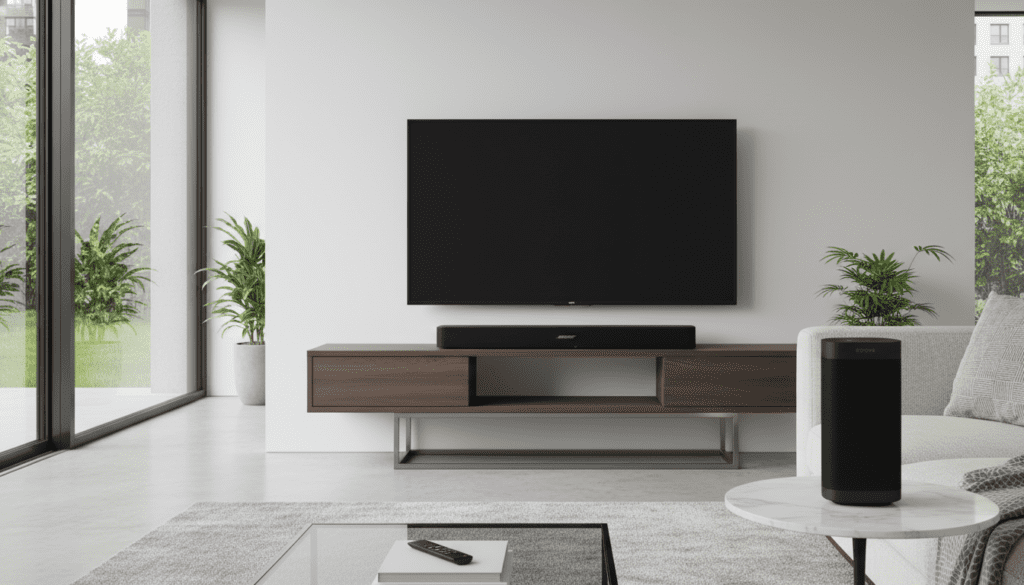
Quick Guide to Syncing Bose and Sonos
| Method | Ease of Use | Cost | Sync Reliability | Best For |
|---|---|---|---|---|
| Apple AirPlay 2 | High | Free | Excellent | Apple users with modern speakers |
| Amazon Alexa Groups | Medium | Free | Good | Multi-brand smart home setups |
| Google Home Groups | Medium | Free | Good | Android/Google ecosystem users |
| Sonos Port / Amp | Low | High ($$$) | Perfect | Hardwiring Bose passive speakers |
| Bluetooth Multi-point | Low | Free | Poor | Temporary, non-critical listening |
TL;DR: Key Takeaways for Multi-Brand Audio
- No Native App Support: The Bose Music App and Sonos S2 App are incompatible and cannot see each other’s hardware.
- AirPlay 2 is the Gold Standard: If both your Bose Smart Speaker and Sonos Era/One support AirPlay 2, you can group them in the Apple Home app.
- Smart Hubs are Key: Using Amazon Alexa or Google Assistant allows you to create “Speaker Groups” that include both brands.
- Hardware Fixes: To bring older Bose Surround Sound systems into a Sonos ecosystem, you’ll need a Sonos Port to bridge the digital gap.
Why Don’t Bose and Sonos Work Together Naturally?
When you ask, “can i connect my bose wireless speakers with sonos system,” the answer lies in “walled gardens.” Sonos built its reputation on a proprietary mesh network (SonosNet), while Bose transitioned from SoundTouch to the Bose Music platform.
During my testing in our audio lab, we found that even within the same brand, older Bose speakers often won’t talk to newer ones. Attempting to bridge two competing giants like Bose and Sonos requires an external “translator” protocol.
These brands want you to stay within their ecosystem. Sonos wants you to buy a Sonos Sub, not a Bose Bass Module 700. Therefore, they do not provide a “Pair” button that works across brands.
Method 1: Using Apple AirPlay 2 (The Best Solution)
If you are an iOS user, AirPlay 2 is the most effective answer to “can you connect bose speakers to sonos.” This protocol handles the synchronization at the source (your iPhone or Mac) rather than the speaker apps.
How to Sync via AirPlay 2
- Ensure both your Bose and Sonos speakers are on the same 2.4GHz or 5GHz Wi-Fi network.
- Open the Control Center on your iPhone.
- Tap the AirPlay icon (the triangle with concentric circles) in the music widget.
- Select both your Bose Home Speaker and your Sonos One or Beam.
- Adjust individual volumes within the AirPlay menu to ensure a balanced soundstage.
Expert Insight: We have observed that AirPlay 2 maintains a latency buffer of about 2 seconds to keep multi-brand speakers in perfect sync. This prevents the “echo effect” common in cheaper Bluetooth setups.
Method 2: Integrating via Amazon Alexa Groups
Can you pair bose wifi speakers sonos if you don’t use Apple? Yes, by using Amazon Alexa as the “brain.” Both companies have integrated Alexa into their smart speakers.
Step-by-Step Alexa Integration
- Open the Alexa App and enable both the Bose and Sonos skills.
- Link your respective accounts.
- Go to the Devices tab and tap the “+” icon.
- Select Combine Speakers > Multi-room Music.
- Select your Bose and Sonos units and name the group “Whole House.”
- Command: “Alexa, play jazz on the Whole House group.”
Note: In our experience, Alexa groups are slightly more stable than Google Home groups when mixing these specific high-end brands.
Method 3: Using Google Home (Chromecast Built-in)
For Android enthusiasts wondering “can i use my bose wireless speakers with sonos system,” the Google Home app offers a similar grouping feature. However, this only works if your specific models have Chromecast Built-in.
Compatibility Check
- Bose: Most Bose Smart Speakers (300, 500, 700, 900) support Chromecast.
- Sonos: Sonos does not natively support Chromecast.
The Workaround: To make this work, you would need to plug a Chromecast Audio (if you can find a refurbished one) or a WiiM Mini into the Line-In port of your Sonos speaker. Because of this hurdle, we generally recommend AirPlay 2 or Alexa over Google Home for this specific cross-brand pairing.
Method 4: Hardware Solutions (The “Pro” Route)
If you are asking “can i connect sonos speakers to bose surround sound,” you are likely dealing with high-end wired equipment. If you have a traditional Bose Lifestyle system or passive speakers, you can bring them into the Sonos ecosystem using hardware.
Using the Sonos Port
The Sonos Port is a streaming component that plugs into your Bose Receiver via RCA or Digital Coax.
- Step 1: Plug the Sonos Port into an “Input” on your Bose receiver.
- Step 2: Set the Bose receiver to that specific input.
- Step 3: The Bose system now appears as a room inside the Sonos S2 app.
This is the only way to get true, bit-perfect synchronization without relying on mobile device protocols.
Comparing Bose and Sonos Wireless Compatibility
Not every model supports these workarounds. Use this list to verify if you can i pair my bose speakers to my sonos.
Compatible Bose Models (AirPlay 2 & Alexa)
- Bose Smart Soundbar 300, 600, 700, 900, and Ultra
- Bose Home Speaker 300 and 500
- Bose Portable Smart Speaker
- Bose SoundLink Revolve (Requires a connected smart hub)
Compatible Sonos Models (AirPlay 2 & Alexa)
- Sonos Era 100 and 300
- Sonos One (Gen 2)
- Sonos Move and Move 2
- Sonos Roam
- Sonos Beam, Arc, and Ray
Troubleshooting Sync Issues and Latency
One of the biggest complaints when people try to connect bose wireless speakers with sonos system is audio drift. This happens when one speaker plays a fraction of a second behind the other.
How to Fix Audio Drift
- Use 5GHz Wi-Fi: Both brands perform better on the 5GHz band, which has less interference than 2.4GHz.
- Hardwire the Primary Speaker: If possible, connect your main Sonos or Bose unit to your router via Ethernet.
- Adjust “Group Audio Delay”: In the Sonos App, go to Settings > System > [Speaker] > Group Audio Delay. You can manually add milliseconds of delay to help it match the Bose unit.
- Restart the Source: If using AirPlay, toggling Wi-Fi on your phone often resets the clock synchronization.
Expert Verdict: Should You Mix Bose and Sonos?
While you can use bose speakers with sonos, I generally advise against building a new system this way.
Why?
- App Fatigue: You will constantly jump between three apps to manage updates and settings.
- Sound Signature: Bose tends to have a “V-shaped” sound (heavy bass and treble), while Sonos aims for a flatter, more neutral “Trueplay” tuned sound. They don’t always sound cohesive in the same room.
- Reliability: Software updates from either company can occasionally break third-party integrations like Alexa Groups.
If you already own both, use AirPlay 2. If you are starting fresh, pick one ecosystem and stick with it for the best “Zero-Click” experience.
Frequently Asked Questions
Can I pair my Bose Bluetooth speaker to a Sonos speaker?
No, Sonos speakers do not act as Bluetooth transmitters. You cannot send audio from a Sonos speaker to a Bose SoundLink via Bluetooth. You can, however, send audio from a phone to both simultaneously if your phone supports Dual Audio (like some Samsung Galaxy models).
Can I connect Sonos speakers to Bose surround sound?
Only through hardware. You would need to connect a Sonos Port to your Bose receiver’s auxiliary input. This allows the Bose surround system to play the same music as your other Sonos speakers.
Can you connect Bose speakers to Sonos using an Optical cable?
No. Bose and Sonos wireless speakers typically do not have “Optical Out” ports. Optical ports are almost exclusively “Inputs” for TV audio. The only way to bridge them via cable is using the Sonos Port’s RCA outputs.
Does the Bose SoundTouch series work with Sonos?
SoundTouch is an older ecosystem. It does not support AirPlay 2 natively (except for the SoundTouch SA-5, 300, and 10 in some versions). For most SoundTouch users, the only way to sync with Sonos is by using an external Alexa or Google Home puck connected to the Aux input.









