

Can You Connect a TR8 Directly to Speakers?
Yes, you can connect a TR8 directly to speakers, provided they are active (powered) speakers or studio monitors. If you have passive speakers, you must first route the Roland TR-8 through an external amplifier or receiver to boost the signal.
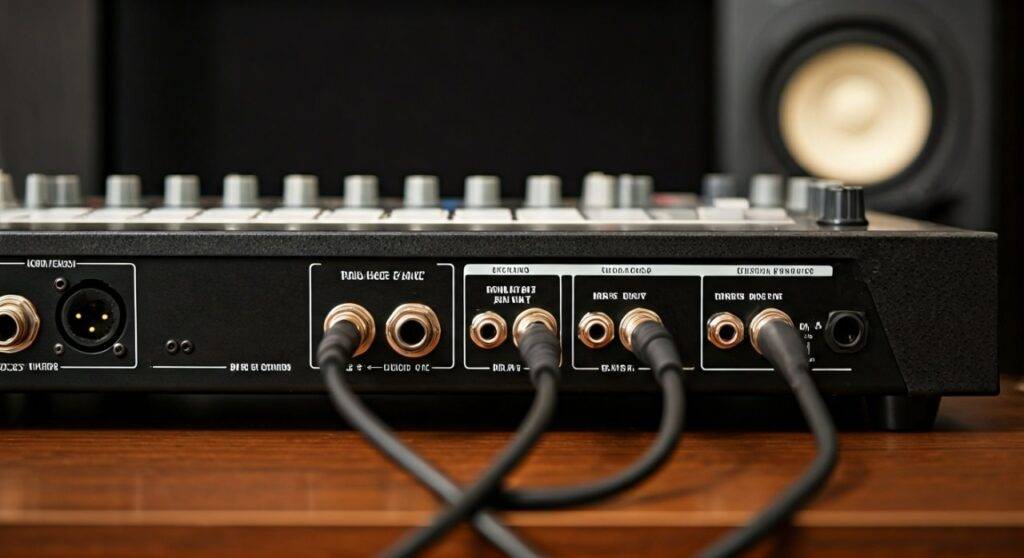
For the best results, use two 1/4-inch TS (unbalanced) cables to connect the “Mix Out” jacks on the back of the TR-8 to the inputs of your speakers. During my years of live performance and studio sessions with the Aira series, I’ve found that while direct connection is possible, understanding the difference between line-level signals and amplified signals is the key to preventing hardware damage.
TL;DR: Quick Connection Guide
- Active Speakers: Connect directly using 1/4-inch to 1/4-inch or 1/4-inch to RCA cables.
- Passive Speakers: You cannot connect directly; you need an Amplifier or Audio Interface.
- Best Cable: Use high-quality shielded TS cables to reduce interference.
- Master Volume: Always start with the TR-8 Master Volume at zero before powering on speakers.
- Stereo Setup: Use both L/Mono and R outputs for the full Scatter effect and panning.
Understanding the Roland TR-8 Output Specifications
To understand if you can connect a TR8 directly to speakers, we first need to look at what’s happening under the hood of the Roland Aira TR-8. The TR-8 produces a line-level signal, which is the standard strength for professional audio equipment.
The back of the TR-8 features several output options:
- Mix Out (L/Mono, R): This is your main stereo feed.
- Assignable Out (A, B): These allow you to send specific drum sounds (like the Kick or Snare) to separate mixer channels.
- Phones: A dedicated stereo jack for headphones.
In my experience, many beginners mistake the Assignable Outs for additional speaker outputs. These are meant for multi-track processing, not for driving a second set of speakers directly.
Signal Flow Comparison
| Speaker Type | Direct Connection? | Equipment Needed | Sound Quality |
|---|---|---|---|
| Active Monitors | Yes | 1/4″ TRS or TS Cables | Professional/High |
| Computer Speakers | Yes | 1/4″ to 3.5mm Adapter | Moderate |
| Passive Hi-Fi | No | Power Amplifier | Varies by Amp |
| PA System | Yes | Mixer or DI Box | High (Live Venue) |
Step-by-Step: Connecting Your TR-8 to Active Speakers
Active speakers (also called Powered Monitors) have a built-in amplifier. This is why you can plug your TR-8 directly into them without extra gear.
Step 1: Identify Your Speaker Inputs
Check the back of your speakers. Most professional monitors like the Yamaha HS series or KRK Rokits will have XLR or 1/4-inch (6.35mm) inputs. If you are using consumer speakers, they might have RCA (red and white) inputs.
Step 2: Choose the Right Cables
- For Studio Monitors: Use two 1/4″ TS to 1/4″ TS cables.
- For Home Stereo Speakers: Use a Dual 1/4″ TS to Dual RCA cable.
- For Portable Speakers: Use a Dual 1/4″ TS to 3.5mm Stereo Mini-jack cable.
Step 3: The Connection Process
- Ensure both the TR-8 and the Speakers are powered OFF.
- Plug one cable into the L/Mono Mix Out and the other into the R Mix Out.
- Connect the other ends to the Left and Right inputs of your speakers.
- Turn the TR-8 Master Volume knob all the way to the left.
- Power on the TR-8, then power on your Speakers.
Connecting to Passive Speakers: Why You Need an Amp
If you are asking “can you connect a tr8 directly to speakers” and your speakers do not have a power cord, you are likely dealing with passive speakers.
Passive speakers require a massive amount of electricity to move the physical speaker cones. The TR-8 only outputs a few milliwatts of power—enough for a signal, but not enough for volume. If you try to force a connection using adapters, the sound will be whisper-quiet and may contain significant impedance mismatch noise.
How to Connect via an Amplifier
- Connect the TR-8 Mix Outs to the CD, Tape, or Line In inputs on your home receiver/amplifier.
- Use the amplifier’s volume control as your primary “Master” level.
- Avoid using the “Phono” input, as this is designed for turntables and will distort the TR-8’s signal heavily.
Cable Technicalities: TS vs. TRS for the TR-8
A common question we see in the Aira community is whether to use Balanced (TRS) or Unbalanced (TS) cables.
The Roland TR-8 outputs are unbalanced. While you can use a TRS (Tip-Ring-Sleeve) cable, it won’t provide the “noise-canceling” benefits of a balanced circuit because the TR-8 hardware itself doesn’t support it.
Expert Tip: If you notice a “hum” or “buzz” when you connect a TR8 directly to speakers, it might be a ground loop. This often happens when the TR-8 is connected to a computer via USB at the same time it is connected to speakers. I recommend using a USB ISO (Isolator) or simply running on a clean power circuit to fix this.
Pro-Level Gain Staging for the Best Sound
When you connect a TR8 directly to speakers, you become the “Sound Engineer.” Improper gain staging can lead to digital clipping or a “hissy” signal.
- Set TR-8 Individual Faders: Keep your drum faders (Kick, Snare, etc.) around 75-80%. This gives the “internal engine” room to breathe.
- The Master Knob: Set the TR-8 Master Volume to about 12 o’clock (noon).
- Speaker Volume: Adjust the volume on the back of your Active Monitors until the sound is at a comfortable listening level.
- The Scatter Effect: Be careful! The Scatter knob on the TR-8 can cause sudden peaks in volume. Always test your Scatter settings at lower volumes before cranking the speakers.
Using the TR-8 as an Audio Interface (The Digital Connection)
There is another way to “connect” your TR-8 to speakers, and that is through your computer. The TR-8 is a powerful USB Audio Interface.
By connecting the TR-8 to your PC/Mac via USB, you can route the audio through your computer’s soundcard and out to whatever speakers are connected to your computer.
- Pros: Access to all 14 channels of audio individually in your DAW (Ableton, FL Studio, etc.).
- Cons: Potential latency (delay) between hitting a pad and hearing the sound.
If you choose this route, you aren’t technically connecting the TR-8 “directly” to speakers, but rather using it as a digital source.
Common Connection Problems and Fixes
Only Hearing Sound in One Speaker
This usually happens if you only plugged a cable into the L/Mono jack. While this works for a mono PA system, for home speakers, you need two cables (Left and Right) to hear the full stereo image.
The Sound is Distorted
If the sound is “crunchy,” check your Master Volume. If the TR-8 is at 100% and your speaker’s gain is also at 100%, you are likely “clipping” the input. Back both off to 70% and find the “sweet spot.”
Low Volume/Thin Sound
This is a classic sign of using passive speakers without an amp. If your speakers don’t have a power light or a plug, you must get an amplifier.
Essential Gear List for TR-8 Connection
| Item | Purpose | Recommended Type |
|---|---|---|
| Cables | Primary Connection | 2x 1/4″ TS Mono Jack Cables |
| Adapter | Mobile/Laptop Speakers | 3.5mm Male to Dual 6.35mm Female |
| Isolation Box | Removing Hum | Radial Engineering StageBug |
| Studio Monitors | Best Audio Accuracy | PreSonus Eris or JBL 305P |
Expert Perspective: Why Direct Connection is Great for Live Performance
In my professional opinion, the Roland TR-8 shines when it is connected directly to a high-powered PA system or Active Subwoofer. Because the TR-8 models the original 808 and 909 analog circuits using ACB (Analog Circuit Behavior), the low-end frequencies are incredibly “punchy.”
When you connect a TR8 directly to speakers like a QSC K12.2 or a Bose L1, you feel the sub-bass in a way that computer speakers simply cannot replicate. If you are performing live, skip the mixer if you only have one instrument and go straight into the powered PA—it reduces the number of failure points in your signal chain.
Frequently Asked Questions (FAQ)
Can I use my TR-8 with Bluetooth speakers?
Generally, no. Most Bluetooth speakers have a significant “latency” or delay. When you hit a drum trigger on the TR-8, you would hear the sound nearly half a second later, making it impossible to stay in time. If your Bluetooth speaker has an Aux In (3.5mm), you can use a wired connection.
Is it safe to connect the TR-8 to a guitar amp?
You can, but I don’t recommend it. Guitar amps are designed for the mid-range frequencies of a guitar. The deep sub-bass of a TR-8 Kick Drum can actually damage or “blow” a guitar speaker if played at high volumes. Use a Bass Amp or a Keyboard Amp instead, as these are designed for wide-frequency ranges.
Do I need a mixer to connect my TR-8 to speakers?
A mixer is not required if the TR-8 is your only instrument. However, if you want to connect a TB-3, a System-1, and a TR-8 all to the same pair of speakers, a mixer becomes essential to combine those signals into one output.









