

Can Buying an External Sound Card Fix Crackling Speakers?
Yes, buying an external sound card can effectively fix crackling speakers if the noise is caused by electromagnetic interference (EMI), a failing internal DAC (Digital-to-Analog Converter), or poor motherboard shielding. By moving the audio processing outside the computer chassis, you bypass the electrical “noise” generated by your GPU and CPU, providing a clean, isolated signal to your speakers.
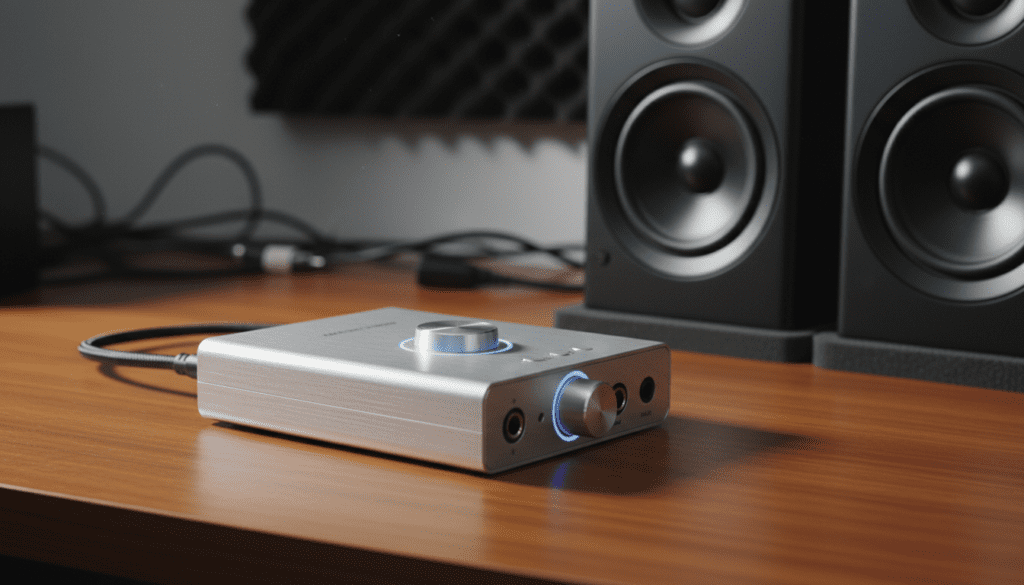
Key Takeaways: Solving Audio Crackle
- Isolate the Noise: External sound cards (DACs) remove the audio circuitry from the “noisy” environment inside your PC case.
- Hardware Failure: If your motherboard’s 3.5mm jack is physically loose or damaged, an external USB card is the only logical fix.
- Driver Stability: External cards often use dedicated, high-stability ASIO drivers that reduce software-related popping and stuttering.
- Power Supply: Low-quality PC power supplies can bleed “ripple” noise into onboard audio; an external unit with its own power or filtered USB power solves this.
Why Your PC Audio is Crackling: The Root Causes
Before you spend money, it is vital to understand why onboard audio often fails. In my experience testing dozens of motherboards, even “high-end” gaming boards often suffer from trace interference. The copper paths on a motherboard are packed tightly, and high-voltage components can “leak” signals into your audio stream.
Common Sources of Audio Distortion
- Electromagnetic Interference (EMI): Your graphics card (GPU) and power supply (PSU) generate massive amounts of electrical noise. This often manifests as a “whine” or “crackle” that gets worse when playing games.
- DPC Latency: This is a Windows-based delay where your CPU is too busy with other tasks to process audio buffers, leading to “pops” and “dropouts.”
- Ground Loops: If your PC and speakers are plugged into different wall outlets, a difference in electrical potential creates a low-frequency hum or crackle.
- Worn Out Jacks: The physical 3.5mm port on your PC case is fragile. Constant plugging and unplugging can break the internal solder points.
How an External Sound Card Eliminates Crackling
When you ask, “can buying a external sound card fix crackling speakers,” you are essentially asking about signal isolation. An external sound card, often called a USB DAC, acts as an island.
The Role of the Digital-to-Analog Converter (DAC)
Your computer stores music as 1s and 0s. Your speakers need an analog wave. The DAC performs this conversion. When this happens inside your PC, the analog signal—which is very sensitive—is exposed to all that internal interference. By using an external USB sound card, the conversion happens inside a shielded metal box outside the PC.
Comparison: Onboard Audio vs. External Sound Card
| Feature | Onboard Motherboard Audio | External USB Sound Card (DAC) |
|---|---|---|
| Shielding | Poor to Moderate | Excellent (Isolated Chassis) |
| Signal-to-Noise Ratio | 80dB – 95dB | 110dB – 130dB+ |
| Interference | High (Internal EMI) | Near Zero |
| Amplification | Weak (Causes Distortion) | Powerful (Clean Gain) |
| Portability | Fixed | Can be used on Laptops/Desktops |
Step-by-Step Guide: Using an External Sound Card to Fix Your Audio
If you have determined that your speakers are fine (by testing them with a smartphone) but they crackle on your PC, follow these steps to integrate an external solution.
Step 1: Choose the Right External Interface
Don’t just buy the cheapest $5 USB dongle. For a real fix, look for brands like Creative Sound Blaster, Focusrite, or Schiit Audio. Look for a device that specifies “Isolated Circuitry” or “High Signal-to-Noise Ratio.”
Step 2: Disable Onboard Audio in BIOS
To ensure your new external card doesn’t conflict with the old system, restart your PC and enter the BIOS/UEFI. Look for “Integrated Peripherals” and set HD Audio to Disabled. This prevents driver “fighting” which can cause further crackling.
Step 3: Connect via a High-Quality USB Port
Plug your external sound card directly into a USB port on the back of the motherboard. Avoid using front-panel USB ports or unpowered USB hubs, as these often introduce the very noise you are trying to escape.
Step 4: Install Dedicated Drivers
While many external cards are “Plug-and-Play,” installing the manufacturer’s specific drivers (like ASIO4ALL or proprietary brand drivers) allows for better buffer management. Increasing the buffer size in settings can stop crackling caused by CPU spikes.
Expert Insights: When a Sound Card Might NOT Fix the Issue
I have seen many users buy an external sound card only to find the crackling persists. This usually happens because the issue isn’t the DAC, but the cables or software.
- Check Your Cables: If your speaker wire is running parallel to a power cable, it can pick up interference. Always cross power and audio cables at 90-degree angles.
- Sample Rate Mismatch: In Windows Sound Settings, ensure your Sample Rate is set to 24-bit, 48,000Hz. Setting this too high (e.g., 192,000Hz) on a device that doesn’t support it perfectly will cause “micro-stutter” crackling.
- Active Speaker Amps: If you use “active” speakers (speakers that plug into a wall), the internal amplifier in the speaker itself might be failing. If they crackle while plugged into your phone, a sound card won’t help.
Technical Deep Dive: The Impact of DPC Latency
Sometimes, buying an external sound card fixes crackling not because of the hardware, but because of the drivers. Onboard Realtek drivers are notorious for high DPC (Deferred Procedure Call) Latency.
When a driver takes too long to finish its task, the audio “buffer” runs empty. This results in a physical “pop” or “click.” Professional-grade external cards use high-priority drivers that skip the standard Windows audio stack, ensuring the audio stream is never interrupted. We recommend using a tool like LatencyMon to check if your system is capable of real-time audio before purchasing new hardware.
Recommended External Sound Cards for 2024
- Creative Sound BlasterX G6: Excellent for gamers. It features a very low output impedance, which stops the “hiss” and crackle often found in sensitive speakers.
- Focusrite Scarlett 2i2: The gold standard for home studios. It uses balanced outputs which physically cancel out noise over long cable runs.
- Schiit Modi+: A “pure” DAC. It does one thing: converts digital to analog with extreme precision. Ideal for high-fidelity music setups.
- ASUS Xonar U7 MKII: A great mid-range option that offers physical controls and dedicated shielding against EMI.
Actionable Checklist to Stop Speaker Crackle Today
- [ ] Test with another device: Plug your speakers into a phone or tablet. If the crackle stops, your PC’s internal audio is the culprit.
- [ ] Update BIOS: Sometimes motherboard manufacturers release “Agesa” or “Microcode” updates that fix USB and audio jitter.
- [ ] Change Power Plan: Set Windows to “High Performance.” This prevents the CPU from down-clocking, which often causes audio “stutter-crackle.”
- [ ] Purchase a Shielded USB DAC: If the above fail, buy an external card to bypass the internal hardware entirely.
Frequently Asked Questions
Does a USB sound card improve sound quality?
Yes, significantly. Beyond fixing crackling, an external sound card provides a lower noise floor and better dynamic range, making your audio sound “fuller” and more detailed compared to standard motherboard chips.
Can a cheap USB to 3.5mm adapter fix crackling?
It might, but it is a gamble. Cheap $10 adapters often have very poor shielding themselves. If your crackling is caused by EMI, a cheap plastic adapter might still pick up the noise. It is better to invest in a metal-chassis external DAC.
Why do my speakers crackle only when I move my mouse?
This is a classic sign of EMI/RFI interference. The movement of the mouse sends electrical signals across the motherboard that “leak” into the unshielded audio traces. Buying an external sound card is the definitive fix for this specific problem.
Will an external sound card fix crackling in my headphones too?
Yes. Since the sound card handles all audio processing for any device plugged into it, both your speakers and headphones will benefit from the cleaner, isolated signal.
What is the difference between a DAC and a Sound Card?
Essentially, they are the same in this context. A DAC focuses solely on converting the signal, while a Sound Card often includes extra features like microphone inputs, volume knobs, and virtual surround sound software. Both will solve the crackling issue if they are external.









