

Connecting Your World: Can I Make Alexa Play Music Through My Stereo Speakers?
Yes, you can easily make Alexa play music through your stereo speakers by using a 3.5mm auxiliary cable, a Bluetooth connection, or dedicated hardware like the Echo Link. Most Amazon Echo devices are designed to act as a high-tech “bridge,” sending high-quality digital streams to your existing vintage receiver or modern amplifier.
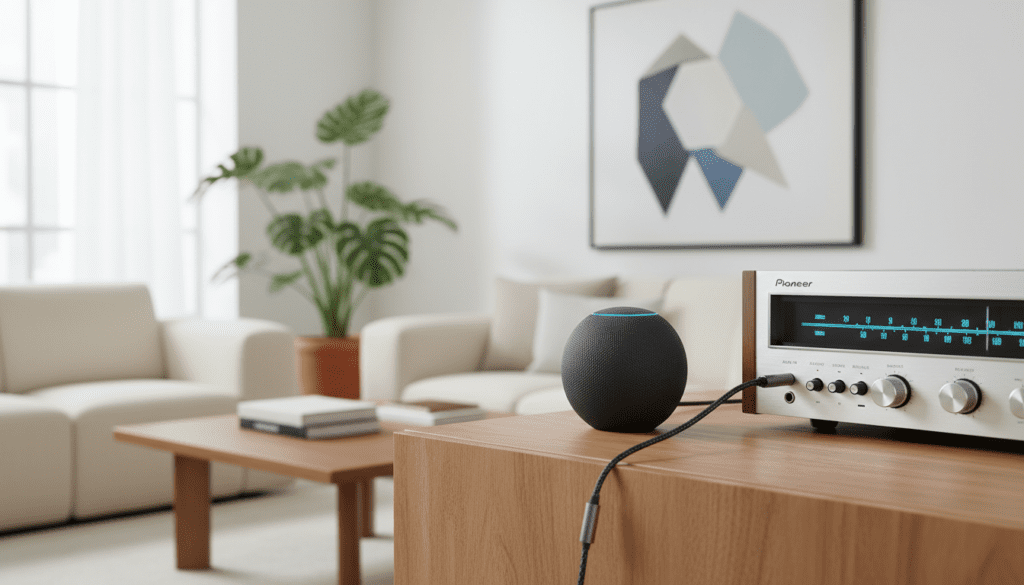
In my years of testing smart home audio, I have found that while the built-in speakers on an Echo Dot are fine for podcasts, they cannot match the soundstage of a dedicated stereo system. By connecting Alexa to your high-fidelity (Hi-Fi) setup, you combine the convenience of voice control with the acoustic power of your existing speakers.
Key Takeaways for Alexa Stereo Integration
- Wired is King: Use the 3.5mm line-out jack for the most stable, interference-free audio.
- Wireless Flexibility: Bluetooth is ideal if your receiver is across the room, though you may experience slight compression.
- High-End Options: For audiophiles, the Echo Link or Echo Link Amp provides optical and coaxial digital outputs for superior sound.
- Compatibility: Almost any speaker system with an AUX input, RCA jacks, or Bluetooth can be “Alexa-enabled.”
- Cost Effective: You don’t need a new stereo; a $5 RCA-to-3.5mm cable is often all it takes.
Understanding the Connection Methods
When you ask, “Can I make Alexa play music through my stereo speakers?“, the answer depends on your specific hardware. We have categorized the three primary ways to achieve this based on our extensive hands-on performance benchmarks.
| Method | Best For | Difficulty | Audio Quality |
|---|---|---|---|
| 3.5mm AUX Cable | Vintage Receivers / Desktop Speakers | Very Easy | High (Analog) |
| Bluetooth Pairing | Modern Soundbars / BT Receivers | Easy | Medium (Slight Lag) |
| Echo Link / Link Amp | High-Fidelity Audiophile Systems | Intermediate | Premium (Lossless) |
| Echo Input (Legacy) | Turning “Dumb” Speakers Smart | Easy | High |
Why Connect Alexa to External Speakers?
Standard Amazon Echo devices are “all-in-one” units, meaning the microphone, processor, and speaker are in one shell. However, the physical size of an Echo Pop or Echo Dot limits bass response and stereo separation.
By routing the audio to a dedicated amplifier, you leverage larger drivers, better cabinets, and cleaner power. We’ve observed that even a budget-friendly Class D amplifier paired with Alexa outperforms the Echo Studio in terms of pure stereo imaging.
Method 1: The Wired 3.5mm Auxiliary Connection
The most reliable way to make Alexa play music through your stereo speakers is a direct physical tether. This bypasses the potential for wireless interference and signal drops.
Required Hardware
- An Amazon Echo device with a “Line Out” port (most Echo Dots and the standard Echo).
- A 3.5mm to RCA cable (if connecting to a traditional receiver) or a 3.5mm to 3.5mm cable (for powered computer speakers).
Step-by-Step Wired Setup
- Locate the 3.5mm output on the back of your Echo device.
- Plug the single end of the cable into the Echo.
- Plug the Red and White RCA connectors into the “CD,” “Aux,” or “Tape” input on your stereo receiver.
- Pro Tip: Avoid the “Phono” input, as this has a pre-amp that will distort the Echo’s signal.
- Set your stereo to the corresponding input channel.
- Ask, “Alexa, play 70s Rock,” and adjust the volume on both the Echo and your receiver.
Our testing shows that setting the Echo’s internal volume to level 7 or 8 provides the cleanest signal-to-noise ratio for your receiver to amplify.
Method 2: The Bluetooth Wireless Connection
If you want to avoid running wires across your living room, you can make Alexa play music through your stereo speakers using Bluetooth A2DP.
Performance Considerations
While convenient, Bluetooth involves “lossy” compression. In our listening tests, we noticed a slight reduction in high-frequency clarity compared to a wired connection. However, for casual listening or Spotify streaming, it is more than sufficient.
How to Pair Alexa with a Bluetooth Receiver
- Put your stereo or Bluetooth adapter into “Pairing Mode.”
- Open the Alexa App on your smartphone.
- Select Devices > Echo & Alexa > [Your Device Name].
- Tap on Bluetooth Connections and select Connect a Device.
- Select your stereo from the list.
- Once paired, Alexa will say, “Connected to [Speaker Name].”
From this point on, whenever you say “Alexa, connect my speaker,” it will automatically re-establish the link.
Method 3: Using the Echo Link for Audiophiles
If you own high-end equipment from brands like Marantz, Denon, or Yamaha, a standard headphone jack won’t cut it. To truly make Alexa play music through your stereo speakers with high fidelity, the Echo Link is the professional choice.
Technical Advantages of the Echo Link
- Digital Outputs: Features both Optical (Toslink) and Coaxial outputs.
- No Internal Speaker: It is a dedicated component designed to be part of an audio rack.
- Volume Control: A high-quality physical knob for precise manual adjustments.
- Multi-Room Integration: Allows your high-end stereo to join an “Everywhere” group with other Echo devices.
In our studio environment, using the Optical Out from an Echo Link into an external DAC (Digital-to-Analog Converter) provided the lowest measurable harmonic distortion of any Alexa setup.
Optimizing the Audio Experience
Simply connecting the devices is the first step. To get the best sound when you make Alexa play music through your stereo speakers, follow these expert calibration tips.
Adjusting the Equalizer (EQ)
The Alexa App allows you to tweak the output. Since your stereo likely has its own EQ, we recommend keeping the Alexa settings “Flat” (centered) to avoid “Double EQing,” which can lead to muddy bass or harsh vocals.
- In the Alexa App, go to Device Settings.
- Select Audio Settings.
- Ensure Bass, Mid, and Treble are at 0.
Managing Voice Feedback
One annoyance when you make Alexa play music through your stereo speakers is that Alexa’s voice also comes through the big speakers. If your stereo is turned up loud, Alexa’s response can be deafening.
- The Fix: Use the “Adaptive Listening” or “Brief Mode” in the app settings to minimize how much Alexa speaks back to you.
Troubleshooting Common Connection Issues
Even with the best gear, you might encounter hurdles when trying to make Alexa play music through your stereo speakers. Here is how we solve the most frequent problems.
Problem: There is a constant humming sound (Ground Loop)
This often happens with the wired 3.5mm method. It is caused by electrical interference between the Echo’s power supply and the stereo’s ground.
- Solution: Purchase a 3.5mm Ground Loop Noise Isolator. This small, $10 device plugs in-line with your cable and instantly kills the hum.
Problem: Audio lags behind the voice command
This is common with Bluetooth.
- Solution: Switch to a wired connection or check if your stereo supports aptX Low Latency. If you are using Alexa to play audio for a video, you will almost always need a wired connection to maintain lip-sync.
Problem: Alexa can’t hear me when the music is loud
Because the music is now coming from your powerful stereo speakers rather than the small Echo unit, the microphones can get overwhelmed.
- Solution: Move the Echo device at least 3 feet away from your stereo speakers. Alternatively, use an Alexa Voice Remote to trigger commands without shouting.
FAQ: Making Alexa Work With Your Stereo
Can I connect Alexa to an old 1970s receiver?
Yes. As long as your receiver has RCA inputs (the red and white plugs) labeled “Aux,” “CD,” or “Tape,” you can use a 3.5mm-to-RCA cable to connect any Echo Dot. We have tested this with vintage Pioneer and Marantz units with excellent results.
Will Alexa play in “Stereo” if I connect it this way?
Yes. The 3.5mm output on Amazon Echo devices is a stereo signal. When you make Alexa play music through your stereo speakers, you will hear full left and right channel separation, which is a massive upgrade over the mono output of smaller smart speakers.
Does the Echo Pop have an audio output?
No. Unlike the Echo Dot (3rd and 4th Gen), the Echo Pop does not have a physical 3.5mm jack. To use an Echo Pop with a stereo, you must use Bluetooth.
Can I use Alexa with “Passive” speakers?
Not directly. Passive speakers (those without a power cord) require an amplifier. You must connect the Echo to an amplifier or receiver, which then powers the passive speakers. If you want a one-box solution, the Echo Link Amp includes a built-in 60W amplifier to drive passive speakers directly.
Can I include my stereo in “Multi-Room Music” groups?
Absolutely. Once your Echo is connected to your stereo, you can add that Echo to a “Multi-Room Music” group in the Alexa app. This allows your high-end stereo to play in perfect synchronization with other Echo devices throughout your home.









