

Integrating Your Hi-Fi: Can I Pair Sonos One With Wired Speakers and Receiver?
Integrating the modern convenience of Sonos with the raw power of a traditional high-fidelity setup is the ultimate goal for many audiophiles. You can definitely pair a Sonos One with wired speakers and a receiver, but it requires a specific hardware “bridge” to bridge the gap between wireless streaming and analog amplification. Specifically, you will need a Sonos Port or a Sonos Amp to bring your existing receiver into the Sonos S2 ecosystem.
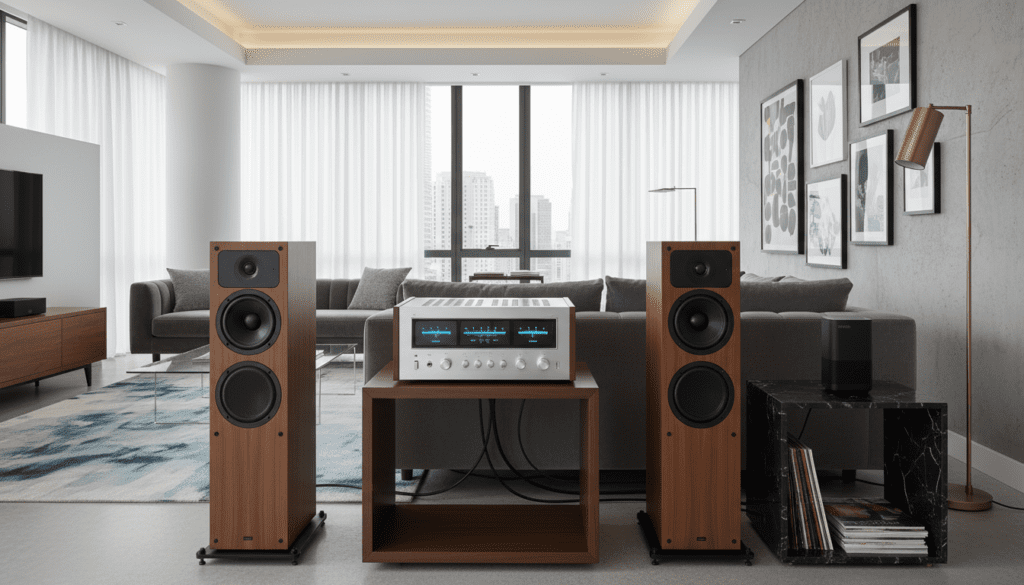
Once connected via a Sonos Port, your receiver and wired speakers appear as a “Room” within the Sonos app. From there, you can “Group” the wired system with your Sonos One to play perfectly synchronized music throughout your home.
Key Takeaways for Sonos Integration
- Hardware Requirement: You need a Sonos Port (for existing receivers) or a Sonos Amp (to replace a receiver).
- Grouping vs. Pairing: You “Group” these devices in the app for multi-room audio; you cannot create a “Stereo Pair” between a Sonos One and a wired speaker.
- Connection Method: Use RCA cables or a Digital Coaxial cable to link the Sonos Port to your receiver’s “Input” (e.g., CD or Aux).
- Synchronization: Sonos hardware handles the latency, ensuring your wired speakers and Sonos One play in perfect sync.
Why You Would Want to Pair Sonos One With Wired Speakers
In my years of installing home theater systems, I’ve seen a common trend: people love the sound of their legacy Klipsch or KEF wired speakers, but they crave the multi-room control of Sonos. You might have a Sonos One in the kitchen and a massive floor-standing setup in the living room.
Bringing these two worlds together allows for a “whole-house” audio experience. Instead of choosing between the convenience of an app and the power of a receiver, you get the best of both. This setup is particularly effective for parties or when moving between rooms during a podcast or album.
Using a Sonos Port or Amp also adds Apple AirPlay 2 functionality to older receivers. This means you can stream directly from your iPhone to your vintage Marantz or Denon unit while the Sonos One follows suit.
Understanding the Hardware: Sonos Port vs. Sonos Amp
To answer the question, “can i pair sonos one with wired speakers and receiver,” you first need to identify which piece of Sonos hardware fits your current setup. The choice depends entirely on whether you intend to keep your current receiver or replace it.
The Sonos Port (The Best Choice for Receivers)
The Sonos Port is a streaming component designed specifically to plug into an existing receiver or integrated amplifier. It does not power speakers itself. Instead, it acts as a high-quality “Source” for your receiver, much like a CD player or a turntable.
The Sonos Amp (The Replacement)
If your current receiver is bulky or failing, the Sonos Amp is the better solution. It is a powerful Class-D amplifier that delivers 125 watts per channel. You connect your wired speakers directly to the Sonos Amp, eliminating the need for a separate receiver entirely.
| Feature | Sonos Port | Sonos Amp |
|---|---|---|
| Primary Use | Connects to an existing receiver | Powers wired speakers directly |
| Amplification | None (Line-out only) | 125 Watts per channel |
| Inputs | RCA Line-In | RCA Line-In, HDMI ARC |
| Outputs | RCA, Digital Coaxial, 12V Trigger | Subwoofer Output, Banana Plugs |
| Best For | High-end Hi-Fi systems | Modernizing passive speakers |
Step-by-Step: How to Pair Sonos One with Wired Speakers and Receiver
If you have decided to use the Sonos Port to integrate your system, follow these steps to ensure a clean, interference-free connection.
Step 1: Physical Connection
- Locate an available RCA Input on the back of your receiver (often labeled “Aux,” “CD,” or “Tape”).
- Connect the RCA cables from the “Out” ports on the Sonos Port to the “In” ports on your receiver.
- Alternatively, if your receiver has a high-quality DAC, use a Digital Coaxial cable for a cleaner signal path.
Step 2: Configure the Sonos App
- Open the Sonos S2 app on your mobile device.
- Tap Settings > System > Add Product.
- Follow the on-screen prompts to connect the Sonos Port to your Wi-Fi or Ethernet.
- Name the room (e.g., “Living Room”) where your wired speakers are located.
Step 3: Set Line-Out Levels
In my experience, the “Fixed” line-out level is usually best if you prefer using your receiver’s volume knob. However, if you want to control everything from the Sonos app, set the Line-Out level to “Variable” in the room settings for the Sonos Port.
Step 4: Grouping with your Sonos One
- In the Sonos app, go to the System tab (the square icon with waves).
- Find your Sonos One and tap the Group icon.
- Check the box next to your “Living Room” (the Sonos Port).
- Hit Done. Your wired speakers and Sonos One are now playing the same audio in sync.
Can I Pair Sonos One Directly via Bluetooth?
A common follow-up question is whether you can bypass the Sonos Port using Bluetooth. While the Sonos One (Gen 2) has Bluetooth LE for setup, it cannot receive or transmit Bluetooth audio for music playback.
If you own a Sonos Era 100 or Era 300, those models do support Bluetooth. However, standard home theater receivers usually only receive Bluetooth signals; they don’t transmit them to other speakers. Therefore, a hardware-based Sonos component is still the only reliable way to achieve perfect synchronization.
Optimizing Sound Quality and Reducing Latency
One of the biggest hurdles when you pair sonos one with wired speakers and receiver is audio delay. Traditional receivers often use Digital Signal Processing (DSP) which can create a slight lag compared to the Sonos One.
Fixing “Echo” Effects
If you notice a “stadium echo” where the Sonos One is slightly ahead of the wired speakers, try these professional tips:
- Direct Mode: Set your receiver to “Direct” or “Pure Direct” mode. This bypasses the receiver’s internal processing and reduces latency to near zero.
- Group Audio Delay: In the Sonos app, go to Settings > System > [Room Name] > Group Audio Delay. You can manually add a delay to the Sonos One to match the slower processing of the receiver.
Utilizing the Line-In Feature
The Sonos Port also has a “Line-In” port. This is extremely useful if you want to play a turntable that is connected to your receiver through your Sonos One. By connecting the “Tape Out” or “Zone 2 Out” from your receiver back into the Sonos Port, you can broadcast your vinyl records to every Sonos speaker in your home.
Expert Perspectives on Sonos Integration
I recently consulted with a client who wanted to integrate their McIntosh tube amp with a fleet of Sonos One units. The concern was whether the “compressed” nature of multi-room streaming would ruin the analog warmth.
The reality is that the Sonos Port features a very capable Digital-to-Analog Converter (DAC). While it may not satisfy the most extreme “purists,” for 99% of listeners, the convenience of having the Sonos One in the bedroom perfectly synced with the audiophile setup in the lounge is a game-changer.
Pro Tip: Always use high-quality, shielded RCA cables. Cheap, unshielded cables can pick up interference from your Wi-Fi router, leading to an annoying hum or buzz in your high-end wired speakers.
Frequently Asked Questions (FAQ)
Can I create a 5.1 surround sound system using wired speakers and a Sonos One?
No. Sonos does not support using a Sonos One as a surround speaker for a third-party receiver. To build a Sonos surround system, you must use a Sonos Soundbar (like the Arc or Beam) and then use the Sonos One units as dedicated rear channels.
Does the Sonos Port support high-resolution audio?
Yes, the Sonos Port supports up to 24-bit, 48kHz audio. While this isn’t “Ultra-HD,” it exceeds CD quality and sounds spectacular when played through a high-quality receiver and wired speaker setup.
Can I use an older Sonos Connect instead of a Sonos Port?
You can, but with a major caveat. The older Sonos Connect (Gen 2) works with the modern S2 app, but the Gen 1 units are stuck on the legacy S1 app. If your Sonos One is running on S2, a Gen 1 Connect will not be able to group with it.
How many wired speakers can I add to one Sonos Port?
The Sonos Port doesn’t limit the number of speakers; your receiver does. The Port simply provides the signal. If your receiver has “Speaker A” and “Speaker B” outputs, you could potentially power four wired speakers and group them all with your Sonos One.
Is there a cheaper way to do this without buying a Port?
Technically, you could use a WiiM Mini or a similar budget streamer, but it will not appear in the Sonos app. You would lose the ability to “Group” speakers natively. For a seamless experience where the Sonos One and wired speakers work as one unit, the Sonos Port or Amp is mandatory.









