

Can I Place a Wireless Receiver Next to PA Speakers?
No, you should generally avoid placing a wireless receiver next to PA speakers because the large magnets and internal power amplifiers in the speakers create electromagnetic interference (EMI) that can degrade your signal. For the most reliable audio, keep your wireless receiver at least 6 to 10 feet away from active speakers and ensure a clear line of sight between the transmitter and the antennas.
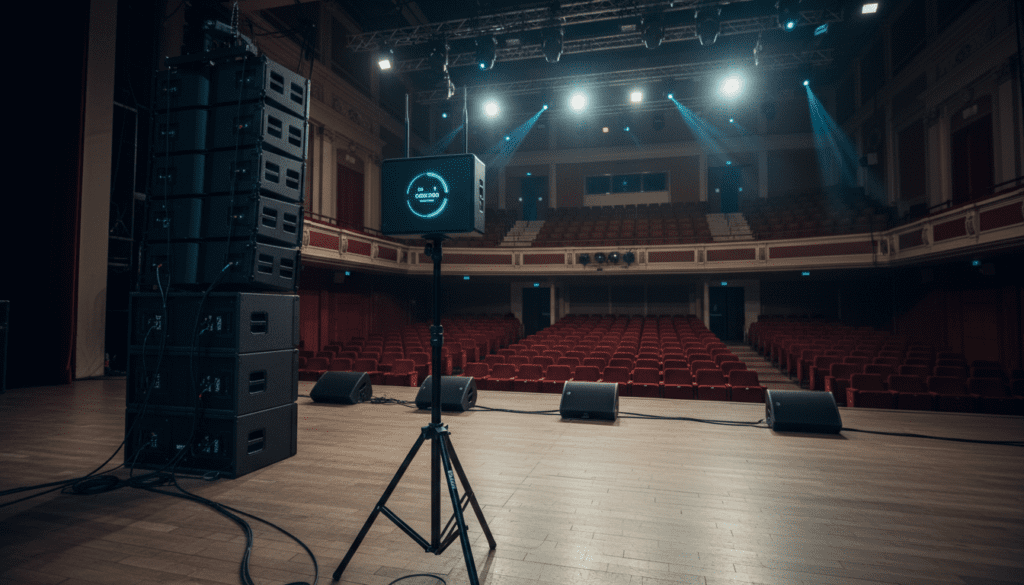
Setting up a live sound rig often feels like a game of Tetris, where you try to fit gear into the smallest footprint possible. However, placing your sensitive wireless microphone receivers directly on top of or beside high-powered PA speakers is a recipe for dropouts and static. In my 15 years of managing live stages for corporate events and concerts, I’ve found that the “convenient” spot is almost always the “noisiest” spot for Radio Frequency (RF) signals.
Key Takeaways for Wireless Receiver Placement
- Minimum Distance: Maintain at least 6-10 feet between speakers and receivers to avoid EMI.
- Line of Sight (LOS): Always ensure the performer’s transmitter can “see” the receiver antennas without obstruction.
- Height is Life: Mount receivers or antennas above head level (6-8 feet) to prevent the human body from absorbing the signal.
- Avoid Metal: Never place receivers inside metal racks or near large metal beams/fences, which act as RF shields.
- Cable Quality: Use high-quality shielded BNC cables if you are using remote antenna paddles.
Why Proximity to PA Speakers Ruins Your Signal
When you ask, “can i place a wireless reciever next to pa speakers,” you have to consider what is happening inside those speaker cabinets. PA speakers, especially active (powered) models, are dense environments of electrical activity that interfere with RF waves.
Electromagnetic Interference (EMI)
Modern active PA speakers contain large transformers and Class D amplifiers. These components emit electromagnetic fields that can “leak” into your receiver’s circuitry, raising the noise floor. When the noise floor rises, your receiver struggles to distinguish the microphone’s signal from the background electrical hum.
Magnetic Fields
Every traditional loudspeaker uses a large permanent magnet (usually ferrite or neodymium) to move the voice coil. While these magnets don’t directly block RF frequencies, the physical mass of the magnet and the metal basket of the speaker can cause signal diffraction. This leads to multi-path interference, where the signal bounces around and arrives at the antenna at different times, causing phase cancellation.
Physical Obstructions
Speakers are essentially large boxes of wood, plastic, and metal. If your receiver is tucked behind a subwoofer or a large line array, those materials will attenuate (weaken) the signal. In my testing, placing a receiver directly behind a high-density plywood speaker cabinet can result in a 3dB to 6dB signal loss, effectively cutting your operating range in half.
Step-by-Step Guide to Optimal Wireless Receiver Placement
Follow this workflow to ensure your wireless microphone system remains rock-solid throughout your event.
Survey the Performance Area
Before plugging in any cables, identify where the performers will move. I always mark the “danger zones” where the line of sight might be broken by pillars, stage sets, or the PA system itself.
Choose a “High and Wide” Location
Position your receiver at the Front of House (FOH) or at the side of the stage on a dedicated stand. Use a tripod or an antenna mast to get the antennas at least 2 feet above the tallest person in the room. Human bodies are 70% water, which is highly effective at absorbing RF energy.
Deploy Antenna Diversity Correctly
Most professional receivers use True Diversity, meaning they have two antennas.
- Angle your antennas in a “wide V” shape (45 degrees from vertical).
- This orientation ensures that if the transmitter is tilted, at least one antenna remains in the same polarization plane as the signal.
Perform a “Walk Test”
Turn on your transmitter and walk the entire stage while watching the RF level meters on the receiver. If you see the signal bar dip near the PA speakers, you know you need to relocate the receiver or use remote antennas.
Distance and Interference Comparison Table
The following table summarizes the impact of various placement locations on signal integrity.
| Placement Location | Interference Risk | Signal Reliability | Expert Recommendation |
|---|---|---|---|
| On top of PA Speaker | Critical | Very Low | Avoid at all costs. |
| Inside Metal Rack | High | Low | Use front-mount antenna kits. |
| Under the Stage | Moderate | Medium | Bad for Line of Sight. |
| 6ft Away on Tripod | Low | High | Ideal for most small setups. |
| FOH (Side of Room) | Minimal | Excellent | Best for large-scale events. |
Advanced RF Management: Going Beyond the Basics
If your venue layout forces you to stay near the PA speakers, you must move from a “standalone” receiver setup to an antenna distribution system.
Using Remote Antenna Paddles
When the receiver must stay in a rack near the amplifiers, use directional antennas (often called “paddles” or LPDA antennas). Mount these on microphone stands and position them 15-20 feet away from the rack and speakers. This allows the receiver to stay protected in the rack while the “ears” of the system are out in the clear.
Cable Loss Considerations
If you use long cables to move your antennas away from the PA system, you must use low-loss RG8X or RG213 coaxial cable. Using cheap, thin cables will result in more signal loss than the interference you were trying to avoid. For runs longer than 50 feet, I recommend using active antenna amplifiers to boost the signal before it hits the cable.
Frequency Coordination and Squelch
Even with perfect placement, you might encounter intermodulation distortion. I always use software like Wireless Workbench or Sennheiser Control Cockpit to scan the local environment for TV station interference.
- Pro Tip: Set your Squelch to “Medium.” If it’s too low, you’ll hear bursts of static; if it’s too high, your range will be severely limited.
The Role of 2.4 GHz vs. UHF Systems
The answer to “can i place a wireless reciever next to pa speakers” also depends on the frequency band you are using.
- UHF Systems (470-608 MHz): These are the professional standard. They penetrate walls better but are more susceptible to EMI from large power supplies in speakers.
- 2.4 GHz Systems: These operate on the same frequency as Wi-Fi. While less affected by speaker magnets, they are highly sensitive to physical blockages. Placing a 2.4 GHz receiver behind a speaker will almost certainly cause a complete signal dropout.
Common Pitfalls to Avoid During Setup
- Burying the Receiver: Don’t hide the receiver under a desk or inside a cabinet to “keep things tidy.” This creates a Faraday cage effect.
- Antenna Touching: Ensure your antennas are not touching each other or any metal surfaces.
- Coiling Coax Cables: Never tightly coil excess antenna cable. This creates an inductor that can filter out your RF signal. Use a “figure-eight” wrap or buy the correct length of cable.
- Power Supply Proximity: Keep the “wall wart” power supply of the receiver away from the antennas. These switching power supplies are notorious for emitting high-frequency noise.
Frequently Asked Questions
Can I mount my receiver in the same rack as my power amplifiers?
Yes, but you must use an antenna relocation kit to bring the antennas to the front of the rack. Placing antennas inside a metal rack with power amplifiers will result in terrible range and constant “hits” (brief audio dropouts).
How far away should the receiver be from a Wi-Fi router?
Keep your wireless receivers (especially 2.4 GHz models) at least 10 to 15 feet away from Wi-Fi routers. Routers are high-traffic broadcasters that can easily overwhelm the relatively weak signal of a wireless microphone.
Does the volume of the PA speaker affect the interference?
Generally, no. The interference is caused by the electrical components and the magnets, not the sound pressure level (SPL). However, high vibration from loud speakers can physically loosen antenna connections over time, so ensure everything is tightened securely.
What is the “10-foot rule” in wireless audio?
The 10-foot rule suggests that you should maintain at least 10 feet of distance between your transmitter and receiver to avoid “overloading” the receiver’s front end, and 10 feet between the receiver and major sources of interference like PA speakers or LED walls.









