

Yes, the Sonos Era 100 can be used as surround speakers when paired with a compatible Sonos soundbar like the Arc, Beam (Gen 1 or 2), or Ray. These speakers provide a rich, stereo rear soundstage that significantly outperforms the older Sonos One models due to their dual-tweeter architecture.
🚀 Quick Expert Summary: Key Takeaways
Compatibility: The Sonos Era 100 works as a surround pair for Sonos Arc, Beam, and Ray.
Performance: Unlike the Sonos One, the Era 100 features two angled tweeters, creating a much wider and more immersive rear sound field.
Limitations: You cannot use a single Era 100 as a surround; they must be added as a matching pair.
Connectivity: Surround mode requires a stable Wi-Fi connection; Bluetooth is disabled on the Era 100 when used as a surround.
Setup: Everything is managed through the Sonos S2 app via the “Set Up Surrounds” feature.
Tools & Materials Needed for Setup
| Item | Requirement | Why it’s needed |
|---|---|---|
| Sonos Era 100 | 2 Units (Matching Pair) | Surrounds must be identical models to sync correctly. |
| Sonos Soundbar | Arc, Beam, or Ray | Acts as the “Master” device for the home theater bond. |
| Sonos App | S2 Version (Gold Icon) | Required for configuration and Trueplay tuning. |
| High-Speed Wi-Fi | 2.4GHz or 5GHz | Ensures low-latency audio sync between the bar and rears. |
| Power Outlets | 2 available sockets | Each Era 100 requires its own dedicated power source. |
Step 1: Prepare Your Hardware and Environment
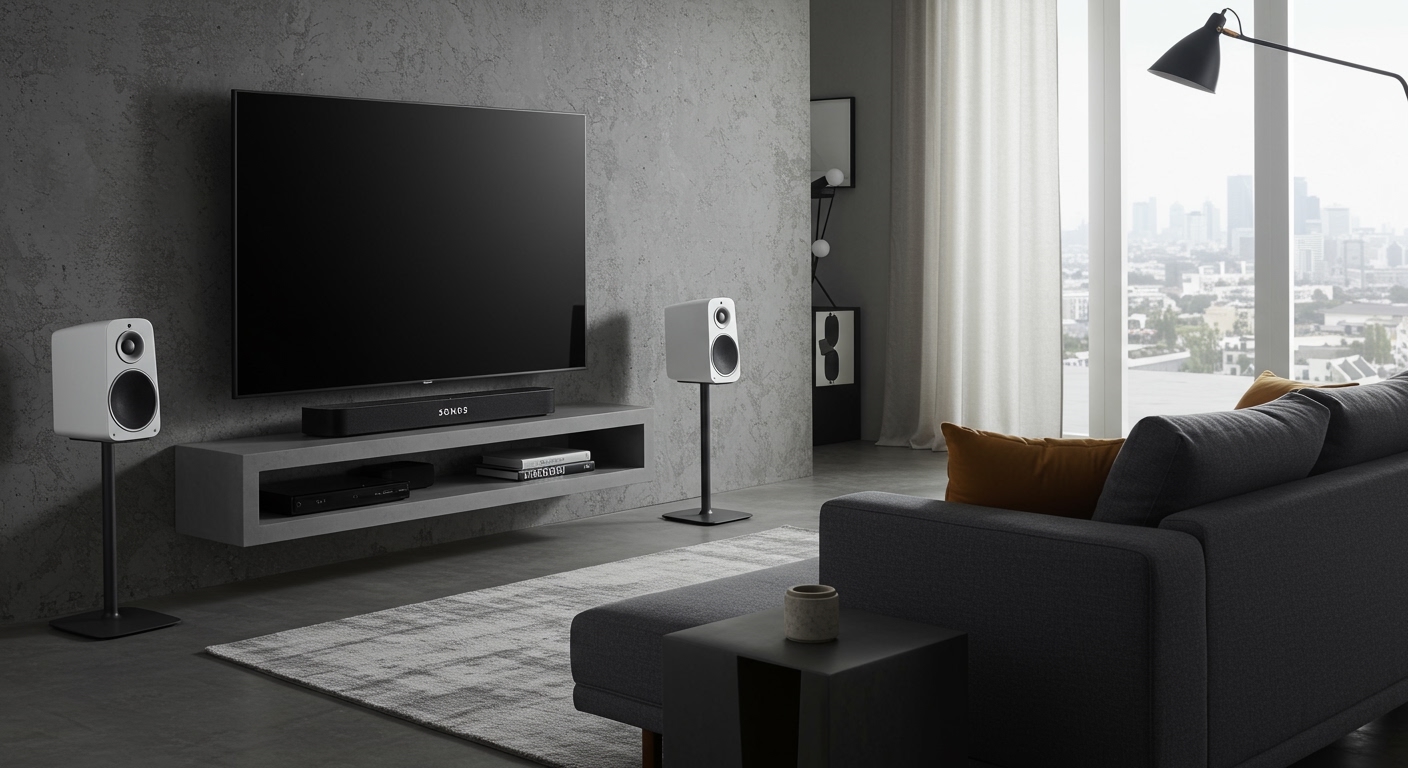
Unbox and position your speakers in their permanent locations before starting the software setup. For the best experience, place your Sonos Era 100 speakers approximately 2 to 10 feet behind or to the side of your primary seating area.
Height Matters: Aim to place the speakers at ear level when you are seated.
Clearance: Ensure the Era 100’s angled tweeters are not obstructed by furniture, as they rely on sound dispersion to create a wide stage.
Power Up: Plug both speakers into a power outlet and wait for the status light to flash green (indicating they are ready for setup).
Step 2: Add Individual Speakers to the Sonos App
Register each Era 100 as a standalone room before attempting to bond them to your soundbar. The Sonos App will not recognize them as surrounds if they aren’t first part of your system.
- Open the Sonos S2 app on your mobile device.
- Tap the Settings (gear icon) and select Add Product.
- Follow the on-screen prompts to connect each Era 100 to your Wi-Fi.
- Name them temporarily (e.g., “Left Rear” and “Right Rear”).
Step 3: Bond the Era 100s to Your Soundbar
Navigate to your home theater settings to initiate the “bonding” process, which links the speakers into a single 5.1 or 7.1.2 surround system.
- Go to Settings > System.
- Select the room where your Sonos soundbar (Arc, Beam, or Ray) is located.
- Tap Set Up Surrounds.
- The app will search for compatible speakers. Select your two Era 100 units.
- Follow the chime prompts: The app will play a sound on one speaker; you must identify if it is the left or right unit.
Step 4: Perform Trueplay Tuning
Calibrate your speakers to your room’s unique acoustics to ensure the Era 100 doesn’t sound “boomy” or “thin.” This is the most critical step for professional-grade audio.
iOS Users: Use the Advanced Trueplay method. You will walk around the room waving your phone slowly to map the space.
Android Users: Use Quick Tuning. The Era 100 uses its built-in microphones to calibrate itself relative to the soundbar.
Expert Tip: Re-run Trueplay every time you move a piece of furniture or shift the speaker’s position by more than a few inches.
What Sonos Speakers Can Be Used for Surround Sound?
While the Era 100 is a top-tier choice, users often ask about other models. Below is a definitive compatibility list based on current Sonos firmware.
| Speaker Model | Can be used as Surround? | Best Paired With | Expert Verdict |
|---|---|---|---|
| Sonos Era 100 | Yes | Beam Gen 2 | Best all-around value and performance. |
| Sonos Era 300 | Yes | Sonos Arc | Best for Dolby Atmos (Up-firing drivers). |
| Sonos One (Gen 2/SL) | Yes | Sonos Ray | Great for small rooms or budget setups. |
| Sonos Five | Yes | Sonos Arc | Overkill for most; incredible for large rooms. |
| Sonos Move / Move 2 | No | N/A | Cannot be used as surrounds due to battery sync issues. |
| Sonos Roam | No | N/A | Lacks the low-latency Wi-Fi radio for surrounds. |
Can Sonos Move be used as surround speakers?
No, can you use sonos move as surround speakers is a common question with a firm “No” from the manufacturer. The Sonos Move and Move 2 are designed as portable speakers. Because they frequently switch between Wi-Fi and Bluetooth and rely on battery power, they cannot maintain the millisecond-perfect latency required for home theater rear channels.
Can Sonos Roam be used as surround speakers?
Similarly, can i use sonos speakers for surround sound if they are the Roam model? The answer is no. The Roam is too small to provide the necessary output for a home theater environment, and its internal hardware does not support the 5GHz “bonding” frequency used by Sonos soundbars.
Tools & Materials Needed for Setup
| Item | Requirement | Why it’s needed |
|---|---|---|
| Sonos Era 100 | 2 Units (Matching Pair) | Surrounds must be identical models to sync correctly. |
| Sonos Soundbar | Arc, Beam, or Ray | Acts as the “Master” device for the home theater bond. |
| Sonos App | S2 Version (Gold Icon) | Required for configuration and Trueplay tuning. |
| High-Speed Wi-Fi | 2.4GHz or 5GHz | Ensures low-latency audio sync between the bar and rears. |
| Power Outlets | 2 available sockets | Each Era 100 requires its own dedicated power source. |
Step 1: Prepare Your Hardware and Environment
Unbox and position your speakers in their permanent locations before starting the software setup. For the best experience, place your Sonos Era 100 speakers approximately 2 to 10 feet behind or to the side of your primary seating area.
Height Matters: Aim to place the speakers at ear level when you are seated.
Clearance: Ensure the Era 100’s angled tweeters are not obstructed by furniture, as they rely on sound dispersion to create a wide stage.
Power Up: Plug both speakers into a power outlet and wait for the status light to flash green (indicating they are ready for setup).
Step 2: Add Individual Speakers to the Sonos App
Register each Era 100 as a standalone room before attempting to bond them to your soundbar. The Sonos App will not recognize them as surrounds if they aren’t first part of your system.
- Open the Sonos S2 app on your mobile device.
- Tap the Settings (gear icon) and select Add Product.
- Follow the on-screen prompts to connect each Era 100 to your Wi-Fi.
- Name them temporarily (e.g., “Left Rear” and “Right Rear”).
Step 3: Bond the Era 100s to Your Soundbar
Navigate to your home theater settings to initiate the “bonding” process, which links the speakers into a single 5.1 or 7.1.2 surround system.
- Go to Settings > System.
- Select the room where your Sonos soundbar (Arc, Beam, or Ray) is located.
- Tap Set Up Surrounds.
- The app will search for compatible speakers. Select your two Era 100 units.
- Follow the chime prompts: The app will play a sound on one speaker; you must identify if it is the left or right unit.
Step 4: Perform Trueplay Tuning
Calibrate your speakers to your room’s unique acoustics to ensure the Era 100 doesn’t sound “boomy” or “thin.” This is the most critical step for professional-grade audio.
iOS Users: Use the Advanced Trueplay method. You will walk around the room waving your phone slowly to map the space.
Android Users: Use Quick Tuning. The Era 100 uses its built-in microphones to calibrate itself relative to the soundbar.
Expert Tip: Re-run Trueplay every time you move a piece of furniture or shift the speaker’s position by more than a few inches.
What Sonos Speakers Can Be Used for Surround Sound?
While the Era 100 is a top-tier choice, users often ask about other models. Below is a definitive compatibility list based on current Sonos firmware.
| Speaker Model | Can be used as Surround? | Best Paired With | Expert Verdict |
|---|---|---|---|
| Sonos Era 100 | Yes | Beam Gen 2 | Best all-around value and performance. |
| Sonos Era 300 | Yes | Sonos Arc | Best for Dolby Atmos (Up-firing drivers). |
| Sonos One (Gen 2/SL) | Yes | Sonos Ray | Great for small rooms or budget setups. |
| Sonos Five | Yes | Sonos Arc | Overkill for most; incredible for large rooms. |
| Sonos Move / Move 2 | No | N/A | Cannot be used as surrounds due to battery sync issues. |
| Sonos Roam | No | N/A | Lacks the low-latency Wi-Fi radio for surrounds. |
Can Sonos Move be used as surround speakers?
No, can you use sonos move as surround speakers is a common question with a firm “No” from the manufacturer. The Sonos Move and Move 2 are designed as portable speakers. Because they frequently switch between Wi-Fi and Bluetooth and rely on battery power, they cannot maintain the millisecond-perfect latency required for home theater rear channels.
Can Sonos Roam be used as surround speakers?
Similarly, can i use sonos speakers for surround sound if they are the Roam model? The answer is no. The Roam is too small to provide the necessary output for a home theater environment, and its internal hardware does not support the 5GHz “bonding” frequency used by Sonos soundbars.
Expert Advice: Optimizing the Era 100 Experience
As an audio professional who has installed dozens of these systems, I recommend the following “Pro Tips” to get the most out of your Era 100 surrounds:
Disable Status Lights: In a dark home theater, the white LED on top of the Era 100 can be distracting. You can turn this off in the Room Settings of the app.
Adjust Surround Levels: By default, Sonos sets surround volume for “Ambient” music. Go to Surround Audio in the app and increase the TV Level if you find dialogue or rear effects are too quiet.
Check Your Source: To truly hear what the Era 100 can do, ensure you are watching content in Dolby Digital 5.1 or LPCM. You can check the “Now Playing” screen in the Sonos app to see the audio format being received.
- Avoid the “Corner Trap”: Do not place the Era 100 directly in a corner. The dual-tweeters will reflect sound off both walls simultaneously, causing “phase cancellation” which makes the audio sound muddy. Leave at least 5 inches of space from any wall.
Common Mistakes to Avoid
- Mixing Models: You cannot pair one Era 100 with one Sonos One. Surrounds must be an identical pair.
- Using Bluetooth: Once the Era 100 is bonded as a surround, its Bluetooth and Line-In capabilities are disabled. It becomes a dedicated slave to the soundbar.
- Ignoring Wi-Fi Interference: If your surrounds “drop out,” it’s likely because they are too close to a high-powered router or a microwave. Try changing your SonosNet channel in the app.
Frequently Asked Questions
(FAQs)
Are Sonos speakers good for surround sound?
Yes, are sonos speakers good for surround sound is a resounding yes for users who value a wireless, clutter-free setup. Unlike traditional wired systems, Sonos uses a dedicated 5GHz Wi-Fi bridge to ensure zero lag between the picture and the rear audio, making it one of the most reliable wireless systems on the market.
Which Sonos speakers can be used for surround sound?
When deciding which sonos speakers can be used for surround sound, you have several options: the Era 100, Era 300, One (all versions), Five (Gen 2 or later), and the IKEA SYMFONISK line. The Era 100 is currently considered the “sweet spot” for price and performance.
Can you use Sonos One as surround speakers with Era 100?
No. You cannot mix different models for a surround pair. You must use two Sonos One units or two Era 100 units. However, you can use Sonos One surrounds with an Arc soundbar, even if you have Era 100s in other rooms for music.
Why won’t my Sonos Era 100 connect as a surround?
The most common reason is that the speakers or the soundbar are not on the same firmware version. Ensure all products are updated in the Sonos App. Additionally, ensure the “Microphone” switch on the back of the Era 100 is ON if you are trying to perform Quick Trueplay Tuning.
Final Verdict
The Sonos Era 100 is a significant upgrade for any home theater enthusiast. By following the steps above, you can transform a standard soundbar setup into a fully immersive cinema experience. The dual-tweeter design ensures that whether you are watching an action movie or listening to a live concert, the rear spatial cues are crisp, wide, and perfectly synced.
Ready to upgrade your sound? Ensure your Sonos App is updated to the latest version and begin the “Add Product” process today to unlock the full potential of your Era 100 speakers.









