

Do All TVs Have Speakers? The Definitive Guide to Modern TV Audio
Yes, virtually all modern consumer TVs have speakers built directly into the chassis. Whether you buy a budget LED or a premium OLED, the manufacturer includes internal drivers so you can hear audio right out of the box. However, while tvs come with speakers, the quality of these “built-in” units has decreased as screens have become thinner.
Expert Summary: TV Audio Key Takeaways
Standard Inclusion: 99% of consumer televisions are manufactured with built-in speakers located at the bottom or rear of the panel.
Commercial Exceptions: Only “Commercial Displays” or “Large Format Monitors” (used for digital signage) typically lack internal audio.
Placement Matters: Most modern sets use down-firing or rear-firing speakers, which can result in muffled dialogue.
External Capability: Are all tvs capable of external speakers? Yes, via HDMI ARC/eARC, Optical TOSLINK, or 3.5mm auxiliary ports.
Front-Firing Rarity: High-end models like the Sony A95L use the screen itself as a speaker to provide front-facing audio.
Step 1: Verify if Your TV Has Built-in Speakers
Before troubleshooting or buying upgrades, you must confirm that your specific model is designed to emit sound. While the answer to do tvs have built in speakers is almost always “yes,” here is how to verify yours.
Check the Physical Chassis
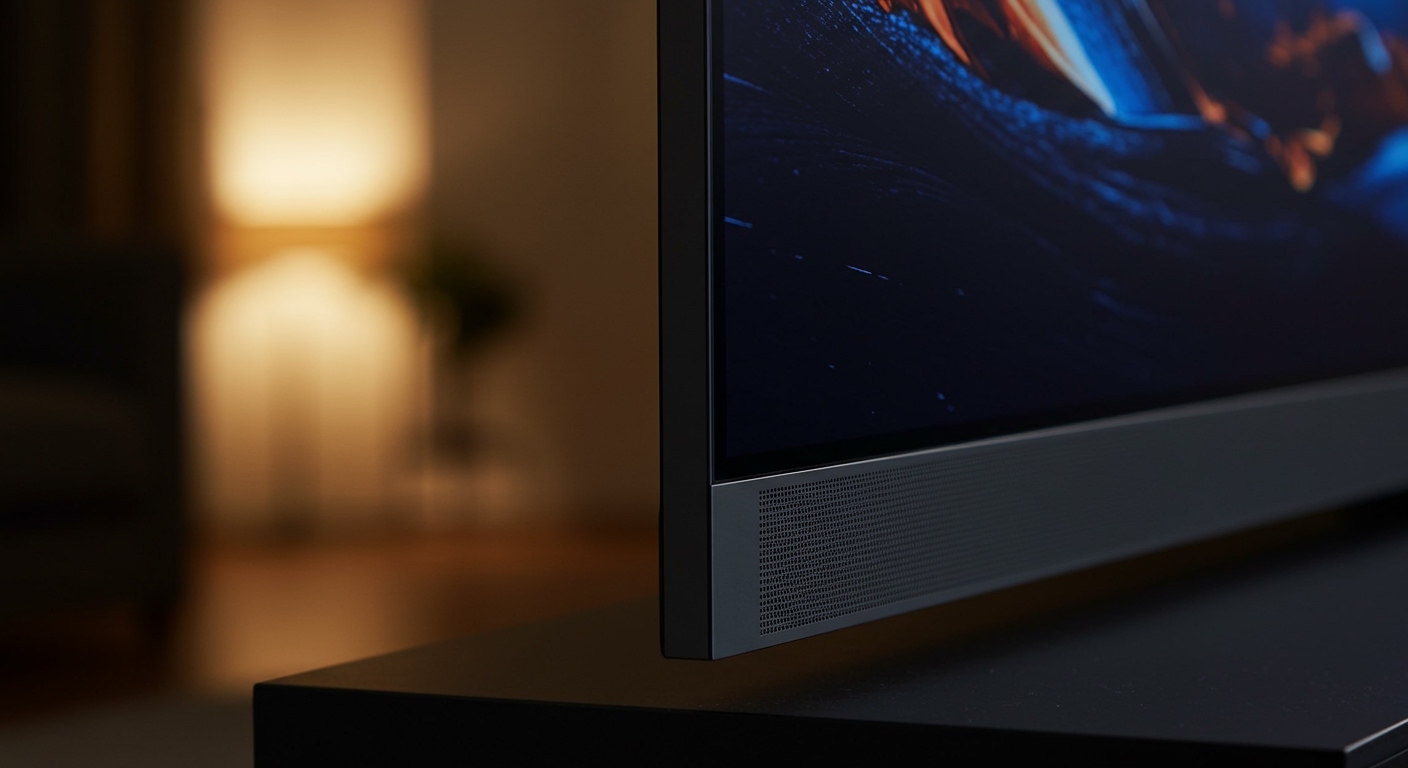
- Inspect the bottom edge: Most manufacturers place speakers along the bottom rim (down-firing). Look for small grilles or perforated holes.
- Look at the rear panel: Some brands, like Samsung or Vizio, place larger drivers on the back to bounce sound off the wall.
- Search for the “Monitor” label: If your device is marketed as a “Commercial Monitor” or “Tunerless Display,” it may lack speakers entirely.
Test the Internal Audio Hardware
Action: Unplug all external devices (soundbars, headphones).
Action: Go to Settings > Sound > Sound Output.
Action: Ensure “TV Speaker” is selected. Increase the volume to 50% to check for output.
| TV Type | Built-in Speakers? | Audio Quality | Best For |
|---|---|---|---|
| Standard LED/LCD | Yes | Low to Mid | Casual news/daytime TV |
| OLED / QLED | Yes | Mid to High | Movies (if using Acoustic Surface) |
| Commercial Display | Often No | N/A | Digital Signage / Menus |
| Gaming Monitors | Sometimes | Very Low | Desktop use only |
Step 2: Locate the Speaker Placement (Front vs. Down-Firing)
One of the most common questions from audiophiles is: do any tvs have speakers in the front? Understanding placement helps you position your TV for the best possible sound.
Identifying Down-Firing Speakers
Most modern TVs use down-firing drivers to maintain a “bezel-less” look. The sound travels downward, hits your TV stand, and then reflects toward your ears. This often results in a “thin” or “tinny” sound profile.
Identifying Front-Firing Speakers
If you are asking what tvs have speakers in the front, you are likely looking for better clarity.
Sony Acoustic Surface: Uses actuators to vibrate the OLED panel itself, making the entire screen a front-facing speaker.
Integrated Soundbars: Some premium Philips or Panasonic models feature a built-in soundbar hanging below the frame.
Are there any tvs with speakers in the front? Yes, but they are typically flagship models or older “thick-bezel” units from the early 2010s.
Do All TVs Have Speakers? The Definitive Guide to Modern TV Audio
Yes, virtually all modern consumer TVs have speakers built directly into the chassis. Whether you buy a budget LED or a premium OLED, the manufacturer includes internal drivers so you can hear audio right out of the box. However, while tvs come with speakers, the quality of these “built-in” units has decreased as screens have become thinner.
Expert Summary: TV Audio Key Takeaways
Standard Inclusion: 99% of consumer televisions are manufactured with built-in speakers located at the bottom or rear of the panel.
Commercial Exceptions: Only “Commercial Displays” or “Large Format Monitors” (used for digital signage) typically lack internal audio.
Placement Matters: Most modern sets use down-firing or rear-firing speakers, which can result in muffled dialogue.
External Capability: Are all tvs capable of external speakers? Yes, via HDMI ARC/eARC, Optical TOSLINK, or 3.5mm auxiliary ports.
Front-Firing Rarity: High-end models like the Sony A95L use the screen itself as a speaker to provide front-facing audio.
Step 1: Verify if Your TV Has Built-in Speakers
Before troubleshooting or buying upgrades, you must confirm that your specific model is designed to emit sound. While the answer to do tvs have built in speakers is almost always “yes,” here is how to verify yours.
Check the Physical Chassis
- Inspect the bottom edge: Most manufacturers place speakers along the bottom rim (down-firing). Look for small grilles or perforated holes.
- Look at the rear panel: Some brands, like Samsung or Vizio, place larger drivers on the back to bounce sound off the wall.
- Search for the “Monitor” label: If your device is marketed as a “Commercial Monitor” or “Tunerless Display,” it may lack speakers entirely.
Test the Internal Audio Hardware
Action: Unplug all external devices (soundbars, headphones).
Action: Go to Settings > Sound > Sound Output.
Action: Ensure “TV Speaker” is selected. Increase the volume to 50% to check for output.
| TV Type | Built-in Speakers? | Audio Quality | Best For |
|---|---|---|---|
| Standard LED/LCD | Yes | Low to Mid | Casual news/daytime TV |
| OLED / QLED | Yes | Mid to High | Movies (if using Acoustic Surface) |
| Commercial Display | Often No | N/A | Digital Signage / Menus |
| Gaming Monitors | Sometimes | Very Low | Desktop use only |
Step 2: Locate the Speaker Placement (Front vs. Down-Firing)
One of the most common questions from audiophiles is: do any tvs have speakers in the front? Understanding placement helps you position your TV for the best possible sound.
Identifying Down-Firing Speakers
Most modern TVs use down-firing drivers to maintain a “bezel-less” look. The sound travels downward, hits your TV stand, and then reflects toward your ears. This often results in a “thin” or “tinny” sound profile.
Identifying Front-Firing Speakers
If you are asking what tvs have speakers in the front, you are likely looking for better clarity.
Sony Acoustic Surface: Uses actuators to vibrate the OLED panel itself, making the entire screen a front-facing speaker.
Integrated Soundbars: Some premium Philips or Panasonic models feature a built-in soundbar hanging below the frame.
Are there any tvs with speakers in the front? Yes, but they are typically flagship models or older “thick-bezel” units from the early 2010s.
Step 3: Optimize Your Built-In TV Speaker Settings
Since tvs have speakers that are often cramped into tight spaces, software optimization is key to hearing clear dialogue.
Adjust the Sound Mode
Standard: Best for general viewing.
Movie/Cinema: Increases bass and widens the soundstage but can muffle voices.
Clear Voice / Amplify: Boosts frequencies in the 2kHz – 5kHz range, where human speech lives. This is the most effective setting for built-in speakers.
Use Room Calibration
Many LG and Samsung TVs now offer AI Acoustic Tuning.
Audio Settings.
Step 4: Connect External Speakers for Better Audio
Even though do tvs have speakers is answered with a yes, most users find them inadequate for movies. Are all tvs capable of external speakers? Yes, provided you use the right connection.
Method A: HDMI ARC/eARC (Best Quality)
- Locate the HDMI port on the back of your TV labeled ARC or eARC.
- Connect a high-speed HDMI 2.1 cable from this port to your soundbar or receiver.
- This allows your TV remote to control the external speaker volume automatically (via CEC).
Method B: Digital Optical (TOSLINK)
- Use this if your speakers are older and don’t support HDMI.
- Remove the plastic caps from the Optical cable.
- Plug it into the Digital Audio Out port. Note: This does not support high-end formats like Dolby Atmos.
Method C: Bluetooth (Wireless)
- Go to Settings > Sound > Speaker List.
- Put your Bluetooth headphones or speakers in Pairing Mode.
- Select the device on your TV screen. Warning: You may experience slight “lip-sync” delay with this method.
Expert Advice: Why Modern TV Speakers Sound “Bad”
As an AV specialist who has tested over 200 displays, I can confirm that the physics of sound are working against modern TVs. To produce deep bass, a speaker needs physical depth (excursion) to move air.
When a TV is only 1 inch thick, the drivers are forced to be tiny. This is why do tvs come with speakers is a different question than “do TVs come with good speakers.”
Pro Tips for Better Audio:
Wall Mounting: If your TV has rear-firing speakers, don’t mount it flush against the wall. Leave at least 2-3 inches of space to allow the sound to reflect properly.
Hard Surfaces: Place your TV on a hard wooden or glass stand. Carpeted surfaces absorb the sound from down-firing speakers, making them sound muffled.
- External DACs: If using the 3.5mm jack, consider a small DAC (Digital-to-Analog Converter) to reduce electrical hiss.
Tools & Materials for Improving TV Audio
| Tool | Purpose | Estimated Cost |
|---|---|---|
| HDMI 2.1 Cable | Connects eARC soundbars for lossless audio. | $10 – $25 |
| Soundbar | Replaces internal speakers with front-facing drivers. | $100 – $1,000+ |
| Optical Cable | Connection for legacy audio systems. | $5 – $15 |
| Acoustic Foam | Prevents “echo” in rooms with high ceilings. | $20 – $50 |
Frequently Asked Questions (FAQs)
Do all TVs have speakers built-in?
Nearly all consumer-grade televisions (LED, OLED, QLED) sold at retailers like Best Buy or Amazon have built-in speakers. The only exceptions are commercial monitors or specialized professional displays used in business environments.
Why can’t I hear any sound if my TV has speakers?
First, check if the TV is “Muted.” Second, ensure the Sound Output setting isn’t set to “Optical” or “Bluetooth” if you aren’t using external gear. Finally, try a “Hard Reset” by unplugging the TV for 60 seconds.
What TVs have speakers in the front for better clarity?
Flagship models like the Sony Bravia XR series (using Acoustic Surface) and premium Bowers & Wilkins integrated sets from Philips are the best examples. Most budget TVs will always use down-firing speakers to save on manufacturing costs.
Are all TVs capable of external speakers?
Yes. Every smart TV manufactured in the last decade includes at least one audio output, such as HDMI ARC, Optical Out, or a 3.5mm Headphone Jack.
Can I use my TV speakers and a soundbar at the same time?
Generally, no. Most TVs mute the internal speakers when an external device is detected. However, Samsung’s “Q-Symphony” and LG’s “WOW Orchestra” features allow the TV speakers to work in harmony with compatible soundbars.
Conclusion
To summarize, do all tvs have speakers? Yes, they do, but they are often the weakest link in your home theater setup. While tvs come with speakers designed for basic viewing, their thin profiles limit their power and clarity.
If you find yourself struggling to hear dialogue, check your Sound Settings for a “Clear Voice” mode or consider upgrading to a dedicated soundbar. By understanding that all tvs are capable of external speakers, you can easily bypass mediocre internal audio for a truly immersive cinematic experience.
Ready to upgrade your sound? Check your TV’s rear panel for an HDMI ARC port today and experience the difference that external audio can make!









