

Understanding the Math: How Many Speakers Can I Connect to a 7.2 Receiver?
Ever looked at the back of your home theater receiver and felt like you were staring at a cockpit? You are not alone. When people ask how many speakers can i connect to a 7.2 receiver, the short answer is that you can connect nine total components: seven traditional speakers and two powered subwoofers. This configuration creates a fully immersive surround sound environment that covers the front, sides, and rear of your listening area.
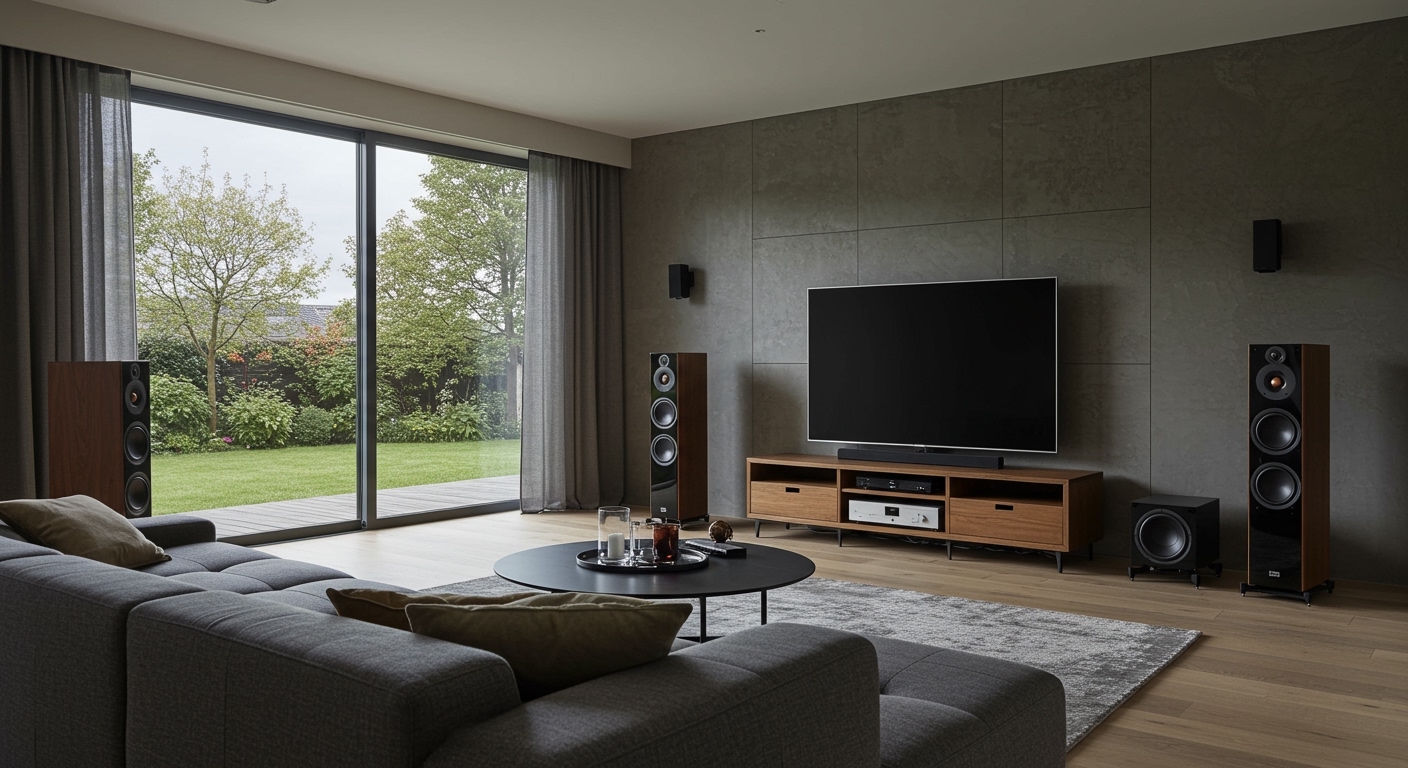
In my fifteen years of designing home cinema layouts, I’ve found that while the “7” represents the ear-level speakers, the “.2” is often the most misunderstood part of the equation. A 7.2-channel receiver provides seven amplified channels for your main speakers and two line-level outputs for LFE (Low-Frequency Effects), commonly known as subwoofers.
Key Takeaways for 7.2 System Owners
- Total Capacity: You can connect 7 main speakers (Front L/R, Center, Surround L/R, Rear Surround L/R).
- Dual Subwoofers: The “.2” signifies two dedicated subwoofer ports to balance bass throughout the room.
- Flexibility: Many 7.2 receivers allow you to reassign the “Rear” channels to Zone 2 or Front Height (Atmos) speakers.
- Power Management: Ensure your receiver’s impedance (Ohms) matches your speakers to prevent overheating.
- The “Why”: A 7.2 setup is the “sweet spot” for medium-to-large rooms where a 5.1 system leaves “sonic holes” behind the listener.
Decoding the 7.2 Configuration: What Each Channel Does
To maximize your audio performance, you need to understand the role of every wire you plug in. In my experience testing units from Denon, Marantz, and Yamaha, the internal processing treats these channels as distinct spatial locations.
The Seven Main Channels
- Front Left & Right: These handle the majority of the musical score and off-screen sound effects.
- Center Channel: This is the most critical speaker in your system. It handles roughly 70-80% of movie dialogue.
- Surround Left & Right: Placed to the sides of your seating position, these provide ambient sounds like rain or crowd noise.
- Rear Surround Left & Right: These fill the gap behind your head, creating a seamless 360-degree soundstage.
The Two Subwoofer Channels (.2)
The “.2” doesn’t necessarily mean two independent signals. In most mid-range receivers, the two subwoofer jacks output the same mono signal. However, having two subwoofers is a game-changer for Information Gain. By placing two subs in opposite corners, you eliminate “bass nulls”—those spots in your room where the bass mysteriously disappears due to standing waves.
Speaker Configuration Comparison Table
| Feature | 5.1 System | 7.1 System | 7.2 System | 5.1.2 (Atmos) |
|---|---|---|---|---|
| Total Speakers | 6 | 8 | 9 | 8 |
| Subwoofers | 1 | 1 | 2 | 1 |
| Rear Surrounds | No | Yes | Yes | No |
| Height Channels | No | No | No | Yes (2) |
| Room Size | Small/Med | Large | Large/Open | Med/Large |
| Immersion Level | Standard | High | Professional | 3D/Vertical |
Step-by-Step Guide: How to Connect Your 7.2 Receiver
Setting up a 7.2 receiver requires more than just plugging wires into holes. You need a strategy to ensure phase coherence and proper power distribution. Here is the process I use during professional installations.
Step 1: Tool and Wire Preparation
Before moving your heavy AVR (Audio Video Receiver), gather your supplies. I recommend 14-gauge oxygen-free copper (OFC) wire for runs over 20 feet.
- Banana Plugs: Use these for a cleaner connection and to prevent stray wire strands from shorting out your receiver.
- Wire Strippers: Ensure you strip about half an inch of insulation.
- Labeling: Use masking tape to label each wire (e.g., “Rear Left”). Trust me, you don’t want to be guessing later.
Step 2: Positioning the “Base Layer” (5 Channels)
Start with your Front Left, Right, and Center. The Center should be at ear level, directly above or below your screen. The Front Left and Right should form an equilateral triangle with your primary listening position.
Next, place your Side Surrounds. On a 7.2 system, these should be placed 90 to 110 degrees to your sides, not behind you.
Step 3: Integrating the Rear Surrounds
This is what separates a 5.1 from a 7.1/7.2 setup. Connect your Rear Surround speakers to the designated terminals. These should be placed on the back wall, roughly the same distance apart as your front speakers. This fills the “sonic void” behind the couch.
Step 4: Connecting the Dual Subwoofers
Locate the Pre-Out (Subwoofer) section on your receiver. Use a high-quality RCA subwoofer cable.
- Sub 1: Place in a front corner.
- Sub 2: Place in the back-diagonal corner.
- Settings: Set the dial on the back of the subwoofers to “LFE” or turn the crossover frequency to its maximum, as the receiver will handle the filtering.
Step 5: The “Subwoofer Crawl” and Calibration
Once everything is connected, use the calibration microphone (like Audyssey MultEQ or YPAO) that came with your receiver. I’ve found that auto-calibration gets you 90% of the way there, but you should always double-check the “Large vs. Small” speaker settings in the menu. Always set bookshelf speakers to “Small” to let the subwoofers handle the heavy lifting below 80Hz.
Advanced Configurations: Can I Connect More Than 7.2?
A common question I hear is: “If I have a 7.2 receiver, can I add even more speakers?” The answer depends on your receiver’s processing power and assignable channels.
Bi-Amping Your Front Speakers
If you aren’t using the Rear Surround channels, many receivers allow you to “Bi-Amp” your Front Left and Right speakers. This involves running two sets of wires to each front speaker (if the speaker supports it). In my testing with Polk Audio LSiM towers, Bi-amping provided a noticeable increase in headroom and mid-range clarity.
Powered Zone 2
Most 7.2 receivers allow you to take the two “extra” channels and use them to power a pair of speakers in a different room (like a patio or kitchen).
- Note: When Zone 2 is active, your main room usually drops back to a 5.2 configuration.
- Benefit: This is a cost-effective way to get whole-home audio without buying a second amplifier.
2.2 Dolby Atmos Setup
The most modern use for a 7.2 receiver is a 5.2.2 Dolby Atmos layout.
- 5: Traditional five-channel surround.
- .2: Two subwoofers.
- .2 (at the end): Two Height or Overhead speakers.
Instead of Rear Surrounds, you connect “In-Ceiling” or “Up-Firing” speakers. This creates a vertical soundstage. If you watch a lot of 4K Blu-rays or use Disney+, I highly recommend this over a traditional 7.2 layout.
Crucial Technical Specs: Ohms, Watts, and Gauge
When you connect nine total components to one box, you are putting a massive load on the power supply. Understanding these metrics will prevent you from “clipping” your amp or blowing a tweeter.
Speaker Impedance (The “Ohm” Rule)
Most home speakers are 8-ohm or 6-ohm. If you try to connect 4-ohm high-end audiophile speakers to a budget 7.2 receiver, the receiver might go into “Protection Mode.” I always advise checking the sticker on the back of your speakers before wiring them up.
Wire Gauge (AWG) Recommendations
- Under 20 Feet: 16-gauge wire is sufficient.
- 20 to 50 Feet: Use 14-gauge wire to prevent signal loss.
- Over 50 Feet: Step up to 12-gauge wire.
In my own theater, I use 14-gauge wire for everything. It is the “Goldilocks” thickness—easy to hide under baseboards but thick enough to carry a clean signal to the rear surrounds.
Troubleshooting Common 7.2 Setup Issues
Even the pros run into hiccups. Here are the three most common issues I encounter when people ask how many speakers can i connect to a 7.2 receiver.
- “I connected 7 speakers, but no sound comes from the back two.”
- “One of my subwoofers is much louder than the other.”
- “The receiver keeps turning off during loud scenes.”
Frequently Asked Questions (FAQ)
Can I connect 9 speakers to a 7.2 receiver?
Strictly speaking, no. A 7.2 receiver only has seven built-in amplifiers. While it has nine or ten sets of binding posts, some are “selectable.” You can only have seven speakers active at once in the main zone. To run nine speakers simultaneously, you would need a 9.2-channel receiver.
Is a 7.2 receiver better than a 5.1 receiver?
Yes, for two reasons: depth and bass management. A 7.2 receiver fills the space behind the listener, which is crucial for large rooms. Furthermore, the ability to run two subwoofers allows for much smoother bass response across multiple seating positions.
Do I need two subwoofers for a 7.2 receiver to work?
No, you can absolutely run a 7.1 configuration (seven speakers, one subwoofer) on a 7.2 receiver. The second subwoofer port will simply remain empty. Your receiver will auto-detect this during the setup process.
Can I use 7.2 for music listening?
While music is traditionally recorded in 2.0 Stereo, 7.2 receivers offer modes like “All Channel Stereo.” This is fantastic for parties as it fills the entire house with sound, though purists usually stick to the 2.1 mode (Front Left, Front Right, and Subwoofer).
What is the difference between 7.1 and 7.2?
The only difference is the number of subwoofer outputs. A 7.1 receiver has one LFE output, while a 7.2 has two. Internally, the processing for the seven main speakers remains identical.









