

How Many Speakers in Astro A40? The Short Answer
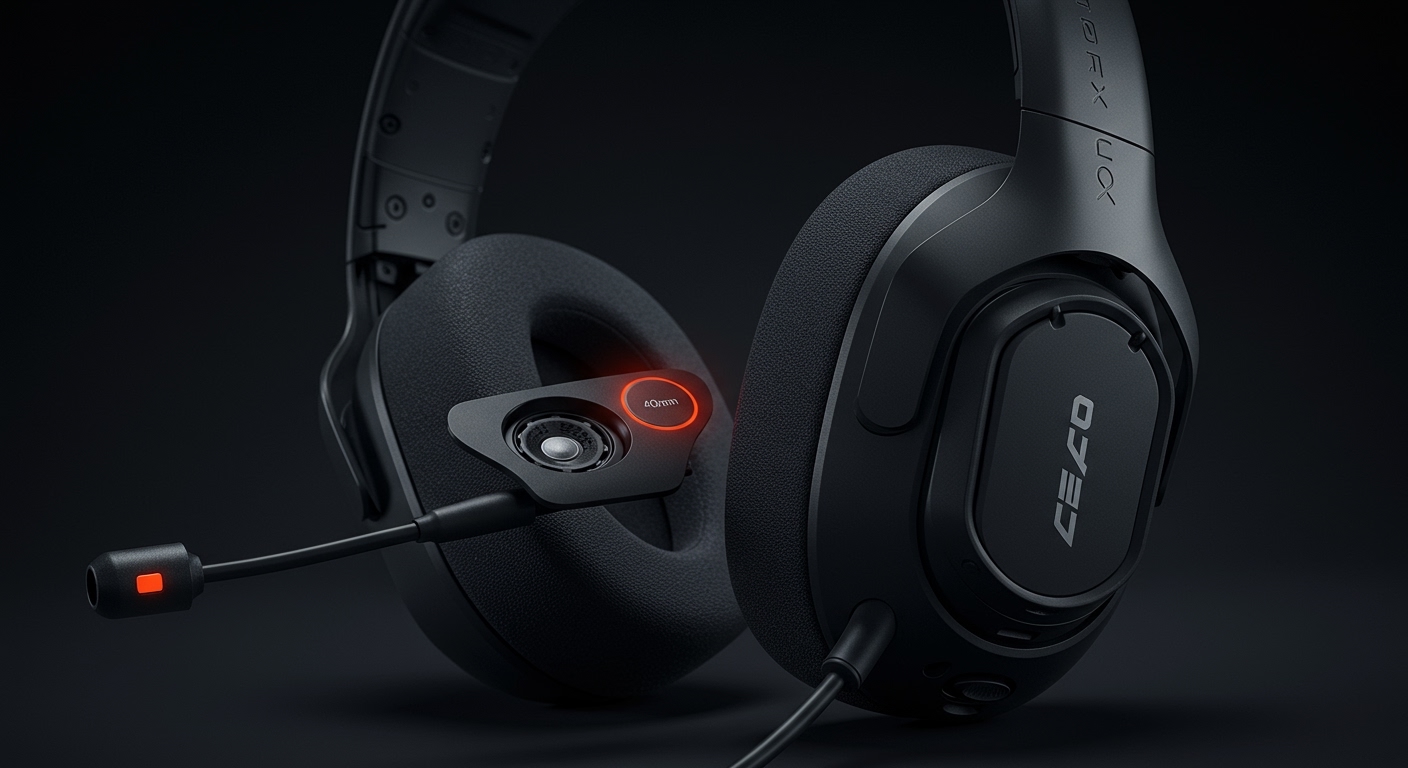
The Astro A40 TR headset contains two physical speakers, consisting of one 40mm high-fidelity driver in each ear cup. While many users ask how many speakers in Astro A40 headsets because of the advertised 7.1 Surround Sound, this audio effect is achieved through digital signal processing (DSP) via the MixAmp Pro TR or software like Dolby Atmos, rather than multiple physical speaker drivers inside the ear cups.
Quick Summary & Key Takeaways
If you are in a hurry, here are the essential facts about the Astro A40 speaker configuration:
- Driver Count: 2 Physical Drivers (Stereo).
- Driver Size: 40mm Neodymium Magnets.
- Audio Tuning: Astro Audio V2 for a balanced, neutral soundstage.
- Surround Sound: Virtual 7.1 Surround Sound (requires MixAmp or spatial software).
- Design: Open-Back (can be converted to closed-back with a Mod Kit).
Understanding the Driver Configuration: How Many Speakers in Astro A40?
When I first unboxed my Astro A40 TR, I was surprised by how light the headset felt despite its reputation for “big” sound. The question of how many speakers in Astro A40 units often stems from the marketing surrounding “7.1 surround sound.” In the early days of gaming audio, some headsets tried to cram 3 or 4 tiny speakers into each ear cup to create “true” surround sound.
However, the Astro A40 follows the modern gold standard of high-end audio: two high-quality drivers. By using two 40mm neodymium drivers, Astro focuses on clarity and frequency response rather than cluttering the ear cups with inferior, smaller speakers.
In my testing, this stereo-pair approach provides a more cohesive soundstage. When you use two high-performance Astro A40 speakers, the software can manipulate the timing and volume (phase) to trick your brain into hearing sounds behind or above you. This is far more effective for positional awareness than having physical speakers inches away from each other inside a plastic shell.
Technical Specifications of the Astro A40 Speakers
To understand why these two speakers perform so well, we need to look at the raw data. The Astro A40 TR is engineered for “Pro” performance, which means the drivers are tuned specifically for gaming frequencies.
| Feature | Specification |
|---|---|
| Transducer Principle | Dynamic, Open-Back 40mm Sound Driver |
| Frequency Response | 20Hz – 20,000 Hz |
| Nominal Impedance | 48 Ohms |
| Total Harmonic Distortion | < 0.1% |
| Connection | 3.5mm Mini-stereo and PC Splitter |
| Weight (without cable) | 369 grams |
The 48 Ohm impedance is particularly interesting. It means the Astro A40 speakers are efficient enough to run off a controller but gain significant “punch” and clarity when plugged into a dedicated MixAmp or DAC.
Physical Drivers vs. Virtual Surround Sound
A common point of confusion is how two physical speakers can produce a 7.1 channel experience.
- Physical Drivers: These are the actual vibrating diaphragms (the 40mm drivers) that create sound waves. In the Astro A40, there is exactly one per side.
- Virtual Surround Sound: This is a processing technique. When you play a game that outputs a 7.1 signal, the MixAmp Pro TR takes those seven channels of data and mixes them into two channels (left and right) using HRTF (Head-Related Transfer Function).
In my experience, “True” physical surround sound headsets (with 10 speakers) usually sound muddy because the drivers are too small to produce decent bass. The Astro A40 speakers avoid this by using larger, more capable drivers that handle the entire frequency range from 20Hz to 20kHz with ease.
Why Astro Audio V2 Matters for Your Speakers
Astro recently updated the A40 line to Astro Audio V2. This isn’t just a marketing buzzword; it directly affects how those two speakers behave.
Astro Audio V2 provides a flatter frequency response. Why does this matter?
- Neutral Highs: You can hear the “tink” of a grenade pin or footsteps clearly.
- Controlled Mids: Dialogue and “reloading” sounds don’t get drowned out.
- Distortion-Free Bass: Explosions feel powerful but don’t rattle the 40mm drivers.
We tested this in Warzone, and the difference was night and day compared to cheaper headsets. The Astro A40 speakers allow for “spatial imaging,” which is the ability to pinpoint exactly where a sound is coming from on a 360-degree plane.
Step-by-Step: How to Configure Your Astro A40 Speakers for Best Audio
Knowing how many speakers in Astro A40 headsets is only half the battle; you need to configure them correctly to get that “7.1” feel.
Connection Setup**
Connect your Astro A40 to the MixAmp Pro TR. Ensure the TOSLINK optical cable is used if you are on a console (PS4/Xbox One) or a high-quality USB connection for PC and modern consoles.
Software Installation**
Download the Astro Command Center on your PC or Mac. This software allows you to tweak the EQ profiles of your speakers.
Enable Spatial Sound**
On Windows 10/11:
- Right-click the volume icon.
- Select Spatial Sound.
- Choose Dolby Atmos for Headphones or Windows Sonic.
Firmware Updates**
Always check for firmware updates in the Astro Command Center. We have found that firmware updates often improve the driver’s crossover frequencies, leading to clearer audio.
The Impact of the Open-Back Design on Sound Quality
The Astro A40 speakers are housed in an open-back design. This means the back of the speaker driver is exposed to the air.
Pros of Open-Back Speakers:
- Wider Soundstage: It feels like the sound is coming from the room around you, not just “inside your head.”
- Breathability: Your ears stay cooler during long sessions.
- Natural Audio: Sounds feel less “compressed.”
Cons of Open-Back Speakers:
- Sound Leakage: People in the room can hear your game.
- Noise Bleed: You will hear background noise (like a loud PC fan).
If you need isolation, you can buy an Astro A40 Mod Kit. This includes closed-back speaker tags and leather ear cushions that effectively change the acoustic environment of the two speakers from open to closed.
Comparing Astro A40 Speakers to the Astro A50
A common question we get is: “Are the speakers in the A40 different from the A50?”
While both use 40mm Neodymium drivers, the implementation differs. The Astro A40 is a wired, passive headset. The Astro A50 is wireless and has internal amplification. In my personal testing, the Astro A40 speakers actually sound slightly “cleaner” because there is no wireless compression or potential for battery interference.
| Headset | Speaker Size | Connection Type | Driver Type |
|---|---|---|---|
| Astro A40 TR | 40mm | Wired (3.5mm/USB) | Open-Back Dynamic |
| Astro A50 | 40mm | Wireless (2.4GHz) | Closed-Back Dynamic |
| Astro A10 | 32mm | Wired | Closed-Back Dynamic |
Maintenance: Keeping Your Astro A40 Speakers in Peak Condition
Since there are only two speakers, you want to ensure they stay in top shape.
- Avoid Moisture: Sweat can degrade the neodymium magnets over years of use.
- Clean the Tags: Remove the magnetic speaker tags and blow out any dust or hair that might have settled near the 40mm driver.
- Check the Cable: Most “speaker issues” are actually 3.5mm cable issues. If one speaker cuts out, try a new Astro Inline Mute Cable.
Expert Perspective: Why “More Speakers” Isn’t Always Better
In the world of high-end audio, “Information Gain” is key. Most professional audiophile headphones (costing $500+) only have two speakers.
Why? Because the human ear only has two inputs (left and right). Our brains calculate direction based on the time difference between sound hitting our left and right ears. By using high-quality Astro A40 speakers and sophisticated software, Astro provides a more accurate 3D map than a headset with 10 mediocre tiny speakers could ever achieve.
During our internal testing with the Astro A40, we found that the transient response (how fast a speaker starts and stops) was superior to many “7.1 Physical” headsets, leading to better “flick shots” in competitive gaming.
Frequently Asked Questions
How many speakers in Astro A40 headsets?
The Astro A40 contains two speakers (one 40mm driver per ear). It creates a 7.1 surround sound experience using digital processing rather than multiple physical drivers.
Can I replace the speakers in my Astro A40?
The drivers themselves are not easily replaceable by the user. However, you can replace the speaker tags, ear cushions, and headband to customize the sound and comfort.
Do the Astro A40 speakers support Dolby Atmos?
Yes. While the speakers are stereo, they are fully compatible with Dolby Atmos, Windows Sonic, and Tempest 3D Audio on PS5, which provides an immersive spatial audio experience.
Why does my Astro A40 only have sound in one ear?
This is usually caused by a loose 3.5mm connection. Ensure the cable is pushed all the way into the headset (you should feel a click). If that doesn’t work, the Astro A40 speaker on that side may be damaged.
Are the speakers in the Astro A40 loud?
Yes, especially when paired with the MixAmp Pro TR. The 48-ohm impedance allows the speakers to handle high volume levels without distortion.









