

Why Connecting External Speakers to an Xbox 360 is Tricky
You finally have your Xbox 360 hooked up to a high-definition monitor, but there is one glaring problem: the sound is coming from weak, tinny built-in monitor speakers—or worse, there’s no sound at all. To learn how to connect speakers to xbox 360 while using hdmi, you must bypass the standard HDMI audio stream or split it using specialized hardware. In my years of testing legacy consoles, I’ve found that the easiest solution is using an HDMI Audio Extractor or a dedicated TOSLINK (Optical) cable if your speakers support it.
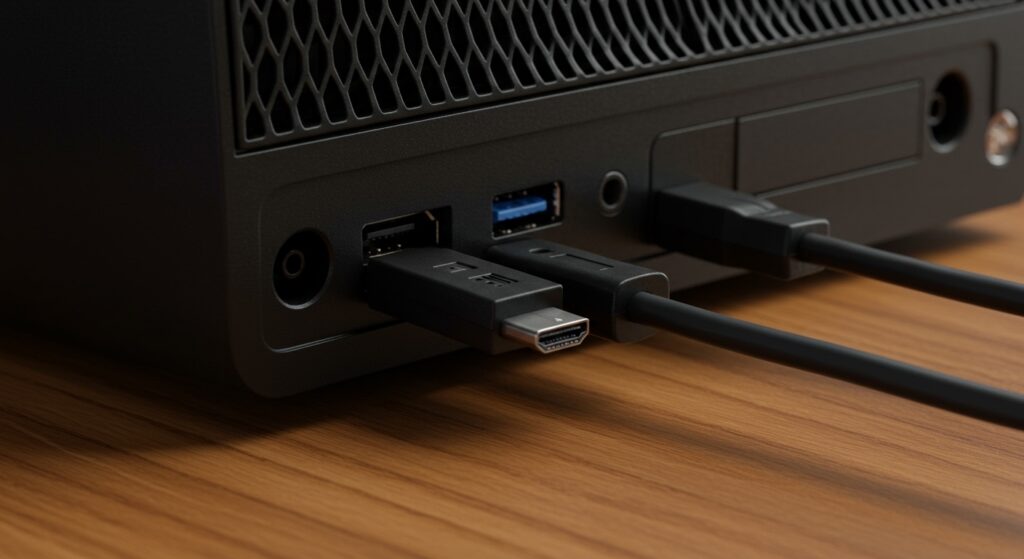
This guide covers every possible hardware configuration to get your analog speakers, soundbars, or headphones working perfectly while maintaining a crisp 1080p HDMI signal.
Quick Summary: Best Ways to Connect Audio
- Method 1: HDMI Audio Extractor (Recommended) – Splits the HDMI signal into video (HDMI) and audio (3.5mm or RCA).
- Method 2: Optical (TOSLINK) Cable – Best for 5.1 Surround Sound systems and high-end soundbars.
- Method 3: The RCA Dongle Hack – Uses the original A/V port alongside the HDMI port (requires a slim adapter or “de-shelling” a cable).
- Method 4: TV/Monitor Pass-through – Connecting speakers directly to the 3.5mm Headphone Jack on your display.
Method 1: Using an HDMI Audio Extractor (The Best Modern Solution)
If you are using a PC monitor that lacks an audio output, an HDMI Audio Extractor is the most reliable tool. I have used this setup extensively for streaming on Twitch with older consoles because it ensures zero lag and preserves the digital signal quality.
Hardware You’ll Need:
- HDMI Audio Extractor Converter (Supports 1080p).
- Two HDMI Cables.
- Your external speakers or headphones.
Step-by-Step Instructions:
- Plug your Xbox 360 HDMI cable into the “Input” port of the extractor.
- Connect a second HDMI cable from the “Output” port of the extractor to your TV or Monitor.
- Locate the audio output ports on the extractor (usually 3.5mm Aux or RCA Red/White).
- Plug your external speakers into these ports.
- Set the switch on the extractor to “2CH” for stereo speakers or “5.1CH” for surround sound.
Expert Tip: Ensure your extractor is powered via USB. Most Xbox 360 models provide enough power through the USB ports on the front or back to run these extractors without an external wall plug.
Method 2: The Optical Audio (TOSLINK) Connection
For those of us who still rock the Xbox 360 S (Slim) or the Xbox 360 E, Microsoft included a dedicated S/PDIF (Optical) port. This is the gold standard for how to connect speakers to xbox 360 while using hdmi because it doesn’t require any extra adapters for the video signal.
How to Set It Up:
- Plug your HDMI cable into the console and the TV for video.
- Locate the Optical Port on the back of the Xbox 360.
- Insert a TOSLINK Digital Optical Cable into the console.
- Connect the other end to your Soundbar, A/V Receiver, or Digital-to-Analog Converter (DAC).
- Go to Settings > System > Console Settings > Audio on your Xbox Dashboard and select Digital Output.
Comparison of Connection Methods
| Method | Audio Quality | Difficulty | Best For |
|---|---|---|---|
| HDMI Extractor | Excellent (Digital) | Easy | PC Monitors without Audio |
| Optical (TOSLINK) | Superior (5.1 Support) | Very Easy | Soundbars & Home Theater |
| RCA Adapter Dongle | Good (Analog) | Medium | Legacy Computer Speakers |
| TV Pass-through | Variable (Analog) | Easiest | Basic Desktop Speakers |
Method 3: The RCA Audio Adapter Hack (For Original “Fat” Consoles)
If you own the original Xbox 360 (Pro, Elite, or Arcade), you might notice that the bulky Component/AV cable blocks the HDMI port. We used to “mod” these cables by prying off the plastic casing (de-shelling) to make both fit simultaneously. However, you can now buy a slim Xbox 360 Audio Adapter Cable for a few dollars that is designed to fit alongside the HDMI plug.
Step-by-Step Instructions:
- Plug the Slim Audio Adapter into the large A/V port on the back of the Xbox.
- Plug your HDMI cable into the HDMI port right below it.
- The adapter will provide Red and White RCA jacks.
- Use an RCA-to-3.5mm Female adapter to connect your standard desktop speakers.
- Power on the console; the Xbox will now output video through HDMI and audio through the RCA jacks.
Warning: Using this method on older consoles can sometimes cause the system to reboot when you switch TV inputs. This is a known “handshake” quirk of the original hardware.
Method 4: Monitoring Pass-Through (The Simple Way)
Most modern TVs and many gaming monitors feature a 3.5mm Headphone Out or Audio Out jack. This is the most straightforward way to bypass the console’s physical limitations.
How to Execute:
- Connect the Xbox 360 to the TV via HDMI.
- Plug your speakers directly into the Headphone Jack on the TV or Monitor.
- In the TV’s menu, set the audio output to “Fixed” or “External Speakers.”
The Downside: In our experience, some monitors have poor-quality Digital-to-Analog Converters (DACs), which may introduce a slight hiss or static (electrical noise) into your speakers.
Configuring Xbox 360 Dashboard Audio Settings
Getting the hardware connected is only half the battle. You must ensure the software settings are optimized for your speaker configuration.
To adjust your settings:
- Press the Guide button on your controller.
- Navigate to Settings and select System Settings.
- Select Console Settings, then Audio.
- Digital Output:
Troubleshooting Common Audio Issues
I have video, but no sound.
Check if your HDMI cable is fully seated. If using an HDMI Audio Extractor, ensure the “Audio” toggle isn’t set to a format your speakers can’t decode (like trying to play 5.1 sound through 2.0 stereo speakers).
There is a loud buzzing noise in my speakers.
This is usually a Ground Loop issue. It often happens when your speakers and your Xbox 360 are plugged into different power strips. Try plugging all components into the same high-quality surge protector.
My Xbox 360 reboots when I turn the TV off.
This is a common issue when using the RCA Adapter Hack. The console detects a change in the “Sense” pin of the A/V port. To fix this, you may need to perform a simple hardware mod (soldering a bridge) or switch to an HDMI Audio Extractor.
Frequently Asked Questions
Can I plug headphones directly into the Xbox 360 controller?
No. The 2.5mm jack on the Xbox 360 controller is only for communication (voice chat). It does not output game audio. To get game audio in headphones, you must use one of the methods listed above (like an HDMI extractor).
Does the Xbox 360 support Bluetooth speakers?
No, the Xbox 360 does not have built-in Bluetooth audio support. To use Bluetooth speakers, you must connect a Bluetooth Transmitter to either the TV’s headphone jack or an HDMI audio extractor’s 3.5mm output.
Which Xbox 360 model is best for audio?
The Xbox 360 S (Slim) is widely considered the best because it includes a built-in Optical (S/PDIF) port, making it much easier to connect to modern soundbars without extra adapters.
Will using an HDMI splitter degrade my video quality?
A high-quality HDMI Audio Extractor will not degrade video quality. However, ensure the device supports 1080p @ 60Hz. Avoid ultra-cheap splitters that may limit your resolution to 720p or introduce input lag.









