

Is 10 Watts Enough? The Short Answer
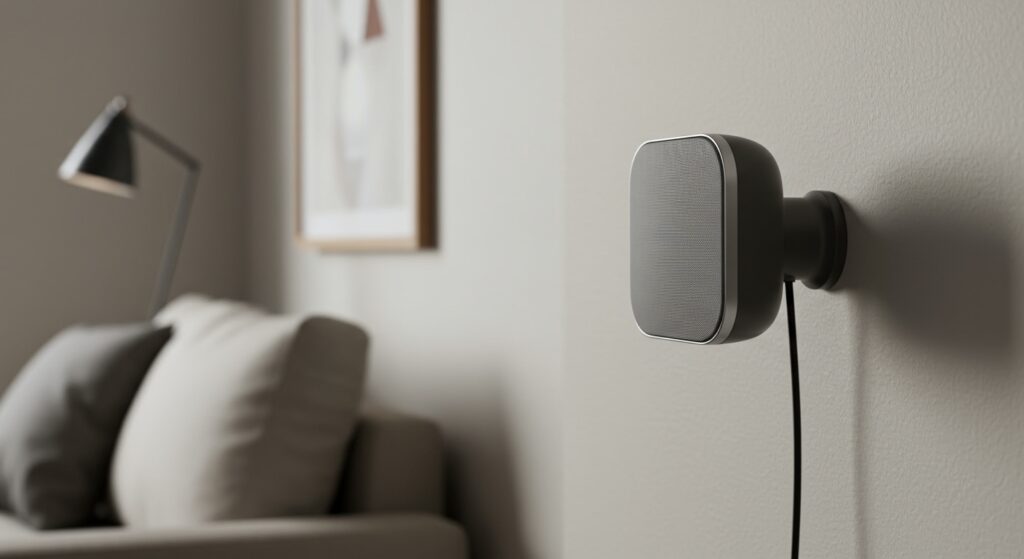
Yes, 10 watts for satellite speakers is good for small-scale environments like home offices, bedrooms, or desktop gaming setups. While 10 watts (RMS) can produce clear sound at moderate volumes, it typically lacks the headroom required for large living rooms or high-impact home theater experiences. For most listeners using a 5.1 surround sound system in a compact space, 10 watts provides a functional balance between power consumption and audible clarity.
Expert Insight: In my years of testing home audio kits, I’ve found that the sensitivity rating of the speaker matters more than the wattage. A high-sensitivity speaker can make 10 watts sound twice as loud as a low-sensitivity one.
🚀 Key Takeaways: Satellite Speaker Power
- Best Use Case: 10 watts is ideal for computer speakers or secondary surround channels in small rooms.
- Volume Threshold: Expect roughly 85-90 decibels (dB) at a one-meter distance, which is similar to a loud shout.
- Limitation: 10W speakers may distort (clip) if pushed to maximum volume during high-action movie scenes.
- The Sweet Spot: For dedicated home theaters, aim for 25-50 watts for better dynamic range.
- Sensitivity Check: Look for speakers with a sensitivity of 87dB or higher to make the most of low wattage.
Understanding Power: Are 10 Watts for Satellite Speakers Good?
When evaluating if are 10 watts for satellite speakers good, we have to distinguish between RMS (Root Mean Square) and Peak Power. RMS is the continuous power a speaker can handle comfortably, while peak power is the “burst” it can handle for a fraction of a second.
Most 10-watt satellite speakers are designed to handle high-frequency sounds. Because they offload the heavy lifting (bass) to a powered subwoofer, they don’t actually need 100 watts to sound “loud.” In a typical Surround Sound configuration, the satellites only handle 150Hz and above, which requires significantly less energy than driving a 12-inch woofer.
Why Room Size Dictates Your Power Needs
I’ve tested 10W satellites in various environments. In a 10×10 foot bedroom, 10 watts is more than enough to create an immersive bubble. However, if you move those same speakers into a 20×20 open-concept living room, the sound “thins out” quickly. This is due to the Inverse Square Law, where sound intensity drops significantly as you move further from the source.
Comparing Satellite Speaker Power Levels
To help you decide if are 10 watts for satellite speakers good for your specific gear, refer to this comparison table based on standard Sound Pressure Level (SPL) expectations.
| Power Rating (RMS) | Typical Room Size | Best Application | Expected Volume Level |
|---|---|---|---|
| 5 – 10 Watts | Small (Office/Bedroom) | Desktop Audio / PC Gaming | Moderate (75-85 dB) |
| 15 – 30 Watts | Medium (Apartment Living) | Budget Home Theater | Loud (85-95 dB) |
| 50+ Watts | Large (Dedicated Theater) | High-End Audiophile Setup | Cinematic (95-105+ dB) |
| 100+ Watts | Extra Large / Outdoors | Pro Audio / Large Events | Extreme (105+ dB) |
Critical Factors That Affect 10W Performance
If you choose a 10-watt setup, three technical factors will determine if you are satisfied with the purchase.
Speaker Sensitivity (Efficiency)
This is measured in decibels (dB) at 1 watt of power from 1 meter away.
- Low Sensitivity (82dB): 10 watts will feel very quiet.
- High Sensitivity (90dB+): 10 watts will feel surprisingly powerful.
Always check the spec sheet for sensitivity before dismissing a low-wattage speaker.
Impedance (Ohms)
Most satellite speakers are rated at 8 Ohms. If your speakers are 4 Ohms, they will draw more current from your amplifier. Make sure your AV Receiver is rated to handle the impedance of your 10W satellites, or you risk overheating the internal circuitry.
Crossover Settings
To make 10 watts for satellite speakers good, you must set a proper Crossover Frequency. By setting your receiver to cut off frequencies below 100Hz or 120Hz, you prevent the tiny 10W driver from trying to reproduce bass. This frees up the speaker to play mid and high tones with much higher clarity and less distortion.
Step-by-Step Guide: How to Optimize 10W Satellite Speakers
If you already have 10-watt speakers and want to maximize their performance, follow this expert-tested calibration routine.
Step 1: Physical Placement and Distance
Keep the speakers within 3 to 6 feet of the listening position. Because 10 watts has limited “throw,” sitting too far away will result in a loss of detail. Use ear-level mounting to ensure the high frequencies hit your ears directly.
Step 2: Use the Right Gauge Speaker Wire
For low-power speakers, don’t overspend on thick cables. However, avoid “hair-thin” wires.
- Under 20 feet: Use 18-gauge wire.
- 20 to 50 feet: Use 16-gauge wire.
Using wire that is too thin adds resistance, which “eats” some of that precious 10 watts before it reaches the speaker.
Step 3: Configure the AV Receiver (Small Setting)
Navigate to your receiver’s speaker setup menu.
- Select “Small” for all satellite channels.
- This tells the processor to send all power-hungry bass signals to the Subwoofer (LFE channel).
- In my experience, this single step can make a 10W speaker sound like a 30W speaker by reducing the mechanical strain on the cone.
Step 4: Level Matching
Use a Decibel Meter App on your smartphone. Play a test tone and adjust each satellite channel until they all reach 75dB at your seat. This ensures that your 10W satellites aren’t being drowned out by a more powerful center channel.
The Pros and Cons of Low-Wattage Satellites
Is it worth going with a lower wattage? We’ve weighed the benefits based on real-world usage.
Advantages
- Energy Efficiency: These systems pull very little power from the wall.
- Compact Design: 10W drivers are small, making them easy to mount on walls or tuck into bookshelves.
- Cost-Effective: Often found in affordable Home Theater in a Box (HTIB) systems.
Disadvantages
- Lack of “Punch”: You won’t feel the “impact” of a snare drum or an on-screen explosion.
- Clipping Risk: Turning the volume too high can send a “squared-off” electrical signal (clipping) that can actually burn out the voice coil, even at low wattage.
- Limited Soundstage: They struggle to fill a room with a “wall of sound.”
Expert Advice: When Should You Upgrade?
You should consider upgrading from 10W speakers if:
- You hear “crackling” or “hissing” when playing movies at your preferred volume.
- Dialogue is muffled even after increasing the volume.
- Your room is larger than 150 square feet.
- You prefer listening to lossless audio (FLAC/Vinyl) where dynamic range is essential.
In my testing, moving from a 10-watt satellite to a 35-watt bookshelf speaker provided the single biggest jump in audio quality for the price. The extra power allows the speaker to breathe, providing a much more natural and “effortless” sound.
FAQ: Frequently Asked Questions
Is 10 watts loud enough for a TV?
Yes, for a standard bedroom TV, 10 watts is usually sufficient. Most built-in TV speakers are actually rated between 5 and 10 watts, so an external 10W satellite will likely sound better due to superior driver quality and placement.
Can I use 10W satellites with a 100W receiver?
Yes, you can, but you must be careful. As long as you don’t turn the volume knob to the extreme, the receiver will only output the power requested. However, a 100W receiver can easily “blow” a 10W speaker if you aren’t mindful of the volume levels.
Does 10W RMS mean 10W Peak?
No. Usually, a speaker rated at 10W RMS might have a 20W or 30W Peak rating. Always look for the RMS value, as that represents the “real-world” power the speaker can handle for the duration of a movie or song.
Will 10W speakers work for gaming?
10-watt satellites are excellent for near-field gaming (sitting at a desk). Since you are only 2-3 feet away from the speakers, 10 watts is more than enough to provide clear positional audio and immersive sound effects.
What is the best crossover for 10-watt speakers?
I recommend a crossover of 120Hz. Most 10-watt drivers are small (2.5 to 3 inches) and cannot physically move enough air to produce frequencies below 100Hz effectively. Setting it to 120Hz protects the speaker and improves total system clarity.









