

Are Google Assistant Speakers Region Locked? The Final Verdict
Technically, Google Assistant speakers are not region locked in terms of hardware functionality, meaning a device purchased in the United States will still boot up and respond to commands in Europe or Asia. However, while the hardware is universal, the software features, music services, and local integrations are heavily restricted based on your physical location and account settings.
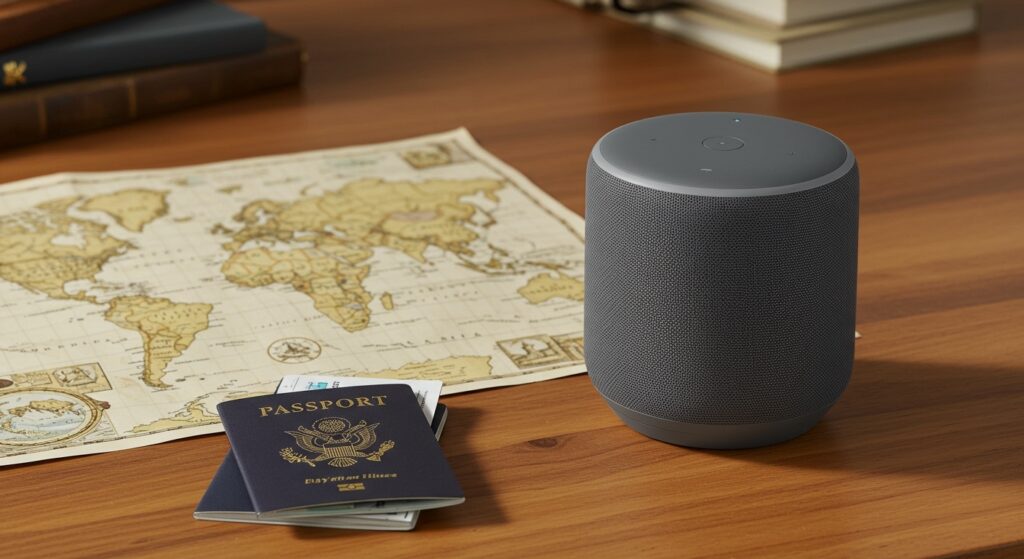
During my years of testing Google Nest products across different continents, I have found that while the “Hey Google” prompt always works, the “brain” of the device changes its capabilities depending on where it thinks you are standing. If you bring a Google Nest Audio from the US to a country where it isn’t officially supported, you may find that local news, specific radio stations, and even certain smart home routines are unavailable.
TL;DR: Key Takeaways for International Users
- Hardware Freedom: Google Nest and Home speakers use universal hardware; there is no permanent “lock” on the device itself.
- Feature Gaps: Features like Google Duplex, Nest Aware, and certain YouTube Music functionalities vary by country.
- Power Compatibility: Most modern Google Nest speakers use multi-voltage adapters (100-240V), but you will need a physical plug adapter.
- Language Limitations: Assistant capabilities are most robust in English (US), with fewer features available in smaller regional dialects.
- The Fix: You can often bypass regional restrictions by changing your Home Address in the Google Home app or using a router-level VPN.
The Technical Reality: Are Google Assistant Speakers Regional Locked?
When people ask are google assistant speakers regional locked, they are usually worried about the “Bricking” phenomenon seen in older gaming consoles. Fortunately, Google does not “brick” devices that cross borders. I have personally taken a Google Nest Mini (2nd Gen) bought in New York and set it up in London without any hardware errors.
The device connects to Google’s servers via your Wi-Fi, and the Google Home app handles the handshake. The “lock” is actually a geofence applied to your IP address and Google Account settings. This determines which services the Google Assistant can “see” and interact with.
Hardware vs. Software Restrictions
It is essential to distinguish between the physical device and the cloud-based service.
- Hardware: The microphones, speakers, and processors are identical globally.
- Software: The Firmware is mostly global, but the Service Layer (API access to Spotify, Pandora, or local news) is filtered by your GPS location and IP address.
If you are wondering are google assistant speakers region locked because you found a great deal on an import, the answer is: the hardware is safe, but the experience may feel “nerfed” if you are in an unsupported region.
Regional Feature Availability Comparison
To give you a better idea of what changes when you move regions, I’ve compiled this data based on recent Google Assistant updates and my own cross-border testing.
| Feature Name | Available in US/UK | Available in EU | Available in Asia/LATAM |
|---|---|---|---|
| YouTube Music (Free) | Yes | Yes | Varies by Country |
| Google Duplex (Booking) | Yes | Limited | No |
| Nest Aware Subscription | Full Support | Partial | Limited Availability |
| English (US) Voice Only | Full Support | Full Support | Full Support |
| Local News/Weather | Highly Accurate | Accurate | Limited to Major Cities |
| Call via Google (Duo) | Yes | Yes | Restricted in some regions |
How Google Determines Your Location
Your Google Nest Hub or Mini doesn’t have a GPS chip. Instead, it uses several data points to “lock” you into a specific region. Understanding these will help you troubleshoot why your speaker thinks it is in a different country.
The Google Home App Address
During the initial setup, you are asked to provide a physical address. This is the primary data point for Weather, Traffic, and Local Search. If you leave your US address while living in Japan, your speaker will tell you the weather in Chicago every morning.
Your Wi-Fi IP Address
Google’s servers see the IP address provided by your Internet Service Provider (ISP). If your IP is registered in France, Google Assistant will prioritize French services and news sources, even if your language is set to English.
Your Google Account Region
Your Google Play or Google Store region settings also play a role. If your account is tied to a credit card in Germany, you might find that you cannot subscribe to certain US-only Google Assistant features.
Step-by-Step: Changing Your Google Assistant Region
If you have moved or purchased a speaker from another country, follow these steps to ensure you get the best local (or international) experience. I use this method whenever I want to access US-only features while traveling abroad.
Step 1: Update the Device Address
- Open the Google Home app.
- Tap on your Profile icon (top right).
- Select Assistant settings.
- Tap on You and then Your places.
- Update your Home and Work addresses to your current location.
Step 2: Language Settings
Often, the Google Assistant will unlock more features if the primary language is set to English (United States).
- In Assistant settings, tap Languages.
- Ensure English (United States) is at the top of the list.
Step 3: Address the “Home” Settings
- Go to the main Settings (gear icon) in the Google Home app.
- Tap Home information.
- Update the Home address here as well. This affects the “Home” ecosystem and Emergency calling features.
Using a VPN to Bypass “Regional Locked” Errors
If you find that your Google Assistant speakers are regional locked out of a specific music service (like Pandora or specific iHeartRadio stations), a VPN is your only solution. Since you cannot install a VPN directly on a Google Nest Mini, you must install it at the Router level.
Why use a VPN with Google Home?
- Access Restricted Music: Access Spotify libraries from other countries.
- News Sources: Get US-based news briefs while living abroad.
- Privacy: Mask your actual location from Google’s data collection.
Pro Tip: Use a Travel Router (like those from GL.iNet) if you are living in a hotel or temporary housing. You can connect the travel router to the local Wi-Fi, run the VPN on the router, and then connect your Google Assistant speaker to the travel router’s signal.
Potential Issues with Using Imported Google Speakers
While we have established that Google Assistant speakers are not region locked in a hard-coded sense, there are several “soft” issues you should be aware of before buying an imported unit.
Power and Voltage
Most Google Nest speakers (like the Nest Hub Max or Nest Audio) use a “switching” power supply. This means they can handle 110V to 240V.
- US Units: 110V, Type A/B plug.
- UK Units: 230V, Type G plug.
- EU Units: 230V, Type C/E/F plug.
Warning: Always check the fine print on the power brick itself. If it says
100-240V, you are safe with a simple plug adapter. If it only says 110V, you will need a voltage transformer, or you risk frying the internal components.
Warranty and Support
This is the biggest hurdle. If you buy a Google Nest Hub from the US and use it in Australia, Google’s warranty is generally void. They usually only provide support for devices within the country of purchase. In my experience, if the hardware fails, you are on your own.
Zigbee and Matter Frequencies
If you are using the Google Nest Hub (2nd Gen) as a smart home controller, be aware that certain wireless frequencies (like those used for Thread or old Zigbee protocols) can vary slightly by region to comply with local radio laws. While Matter aims to standardize this, older regional variations can sometimes cause interference with local smart bulbs or sensors.
Best Practices for “International” Google Home Setup
If you are an expat or a frequent traveler, these strategies will ensure your Google Assistant works flawlessly regardless of borders.
- Keep a US Account: If you want the most features, keep one Google Account set to the United States. Use a US-based credit card or gift cards for this account.
- Use English (US): Even if you are in Germany, setting the language to English (US) often enables features like “Continued Conversation” earlier than other languages.
- Check Local Radio: If you love local radio, ensure your TuneIn or iHeartRadio accounts are linked and updated to your current location.
- Static IP/DNS: Sometimes, changing your DNS settings on your router to Google DNS (8.8.8.8) can help resolve regional handshake issues.
Summary of Regional Limitations
| Category | US/Canada | UK/Ireland | Australia/NZ | Rest of World |
|---|---|---|---|---|
| Broadcast Feature | Full | Full | Full | Restricted |
| YouTube Kids | Available | Available | Available | Limited |
| Voice Match | Advanced | Advanced | Advanced | Basic |
| Google Home Script Editor | Early Access | Delayed | Delayed | Very Delayed |
Frequently Asked Questions
Can I use a US Google Nest speaker in the UK?
Yes, you can use a US Google Nest speaker in the UK. The hardware will work perfectly. You will only need a UK plug adapter (or a UK-specific power cable). Most features will work, although some localized services might default to US versions unless you update your address in the Google Home app.
Does the Google Nest Hub have a region lock for video streaming?
The Google Nest Hub itself is not region-locked, but the services it streams (like Netflix, Disney+, or YouTube) are. These apps use your IP address to determine what content you can watch. If you are in a country where a service isn’t available, the Nest Hub will not be able to play it.
Why does my Google Assistant keep speaking the wrong language?
This usually happens because of the Assistant Language settings. Ensure your preferred language is at the top of the list in the Google Home app. If you are in a different country, the Assistant might occasionally offer local suggestions in the local language based on your IP location.
Will “Hey Google” work in countries where it isn’t sold?
Yes, “Hey Google” will work globally as long as the device is connected to the internet. However, you might find that the Google Assistant struggles with local business names or addresses in countries where it isn’t officially supported.
Are Google Assistant speakers regional locked for smart home control?
No, they are not. You can control your Philips Hue lights, TP-Link plugs, and Nest thermostats from anywhere in the world. As long as your smart devices are connected to the cloud, your Google Assistant can reach them regardless of which country the speaker is physically located in.









