

Are There Any PoE Speakers? The Short Answer
Yes, are there any PoE speakers is a common question for modern office managers and AV integrators, and the answer is a resounding yes. There are numerous professional-grade Power over Ethernet (PoE) speakers available from brands like Axis Communications, AtlasIED, and JBL Professional that allow you to transmit both high-quality audio and electrical power over a single Cat5e or Cat6 cable.
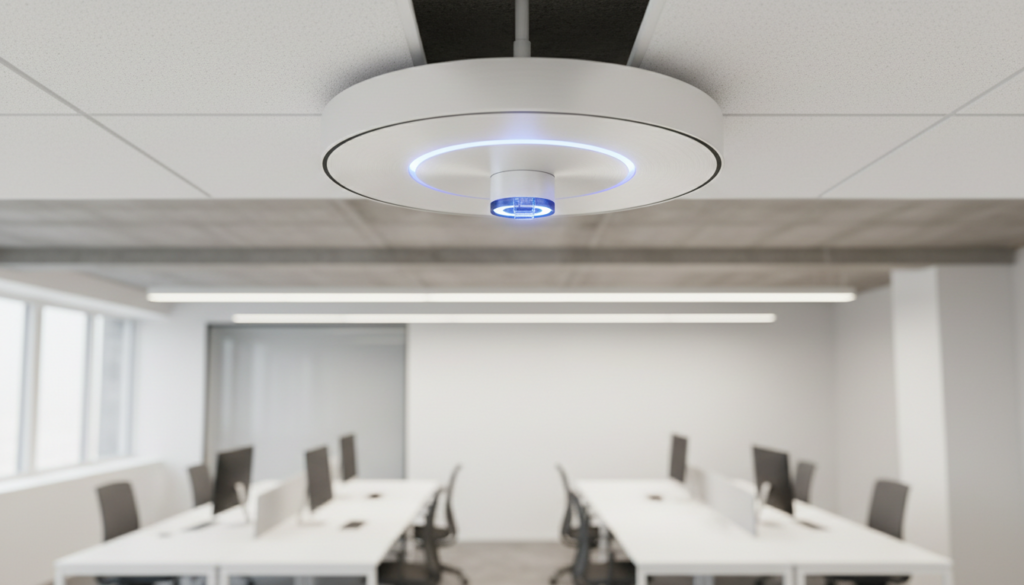
These devices eliminate the need for separate AC power outlets at every speaker location, making them the gold standard for IP paging, background music, and emergency notification systems.
Key Takeaways: Why Switch to PoE Audio?
- Single Cable Solution: Combines power and data, reducing installation costs by up to 40%.
- Scalability: Easily add more speakers to an existing network without rewiring the building’s electrical system.
- Remote Management: Most PoE speakers feature built-in web interfaces for remote volume control and health monitoring.
- Integration: Seamlessly connects with VoIP/SIP phone systems and Mass Notification Systems (MNS).
- Audio Protocols: High-end models often support Dante or AES67 for near-zero latency and studio-grade sound.
Understanding the Tech: How PoE Speakers Work
Before we dive into the “how-to,” it is crucial to understand the technology behind these devices. A PoE speaker is essentially a computer, an amplifier, and a loudspeaker all housed within one chassis.
In a traditional setup, you would need an analog amplifier, bulky speaker wire, and a central rack. With PoE audio, the “amplifier” is a tiny, highly efficient Class-D chip inside the speaker itself. It draws power directly from a PoE network switch.
PoE Standards and Wattage
The volume and punch of your speaker depend heavily on the PoE standard provided by your switch.
| PoE Standard | Wattage Provided | Typical Audio Output |
|---|---|---|
| 802.3af (PoE) | Up to 15.4W | 8-10 Watts (Great for quiet offices) |
| 802.3at (PoE+) | Up to 30W | 15-25 Watts (Standard for noisy hallways) |
| 802.3bt (PoE++) | Up to 60W-90W | 40+ Watts (High-fidelity music/Outdoor) |
Pro Tip: In my experience, always aim for PoE+ (802.3at) switches. Standard PoE often leaves speakers sounding “thin” when the volume is turned up because the amplifier hits a power ceiling.
Step 1: Planning Your PoE Speaker Network
The success of an IP audio system happens in the planning phase. Unlike analog systems where you just “daisy chain” wires, PoE speakers require a calculated network topology.
Assess Your Network Capacity
Each speaker will consume an IP address and a specific amount of bandwidth. While a single audio stream is relatively “light” (typically under 2 Mbps), a system with 50 speakers can impact a congested network.
Actionable Advice: Create a separate VLAN (Virtual Local Area Network) specifically for your audio devices. This prevents your high-definition music stream from competing with your office’s Zoom calls or file transfers.
Determine Speaker Placement
For background music, you generally want even coverage rather than high volume.
- Ceiling height under 10 feet: Space speakers 12-15 feet apart.
- Ceiling height over 15 feet: Space speakers 20 feet apart.
- Outdoor areas: Look for IP65-rated PoE speakers that can withstand moisture.
Step 2: Selecting the Right Hardware
When people ask are there any PoE speakers, they are often surprised by the variety of form factors. You must match the speaker to the environment.
Ceiling Tile Speakers (Plenum Rated)
These are the most common for corporate offices. Models like the AtlasIED SHS-6T2 or Axis C1210-E blend into the ceiling. Ensure they are Plenum-rated (UL 2043) to comply with fire codes if they are installed in air-handling spaces.
Wall-Mount Surface Speakers
Ideal for classrooms or hallways where ceiling mounting isn’t possible. The JBL Control 2P and CyberData SIP Speakers are industry leaders here.
Horn Speakers
Designed for high-decibel environments like warehouses or parking lots. The Axis C1310-E is a “smart” horn that can detect if it has been tampered with or if the speaker cone is failing.
Step 3: Installation and Wiring
The beauty of PoE audio is that you only need Category cable (Cat5e, Cat6, or Cat6a).
The Installation Process
- Run the Cable: Pull a Cat6 cable from your server room’s PoE Switch to the speaker location.
- Terminate: Use high-quality RJ45 connectors. I highly recommend using shielded twisted pair (STP) if you are running cable near high-voltage fluorescent lights to avoid interference.
- Mounting: Cut the hole for ceiling speakers using the provided template. If using surface-mount speakers, secure the bracket to a stud.
- Connect: Plug the RJ45 into the back of the speaker. Most units will have a Status LED that blinks to indicate it is receiving power.
Safety Check: Always check local building codes. Some jurisdictions require a safety cable (a steel wire) to be attached from the speaker to the building’s structural joist so the speaker won’t fall during an earthquake or fire.
Step 4: Software Configuration and SIP Integration
Once the hardware is up, you need to tell the speakers what to play. Most modern PoE speakers are “Smart” devices.
Finding the Device on the Network
Most manufacturers provide a discovery tool (like the Axis Device Manager). Open the tool, find the speaker’s IP address, and log into its web-based management portal through your browser.
Setting Up SIP for Paging
If you want to use your office phones to make announcements:
- Register the speaker as a third-party SIP endpoint on your PBX (Phone System) like 3CX, Cisco CallManager, or RingCentral.
- Assign the speaker an Extension Number (e.g., Ext 500).
- Now, anyone who dials 500 from an authorized phone can speak directly through that speaker.
Configuring Dante or AES67
For high-fidelity music, you will use Dante Controller. This software allows you to “route” audio from a computer or a digital mixer to specific speakers with a simple click.
- Zero Latency: Dante ensures that even if you have 100 speakers, the music is perfectly synchronized across the entire building.
Step 5: Testing and Optimization
Don’t just plug them in and walk away. PoE audio requires “tuning” to sound professional.
Audio Equalization (EQ)
Most IP speakers have built-in Digital Signal Processing (DSP).
- In Offices: Roll off the bass (low frequencies) below 100Hz to prevent “muffled” speech.
- In Warehouses: Boost the mid-range (1kHz – 3kHz) to help voices cut through machine noise.
Volume Scheduling
We often set our clients’ systems to automatically lower the volume by 20% after 6:00 PM and ramp it back up at 8:00 AM. This is easily done within the speaker’s web interface.
Comparison: Top PoE Speakers of 2024
| Brand | Model | Best Use Case | Key Feature |
|---|---|---|---|
| Axis Communications | C1211-E | High-end Office | Built-in microphone for two-way talk |
| AtlasIED | IP-SDH | Schools/Hospitals | Integrated LED display for clocks |
| CyberData | SIP Speaker | Industrial/Retail | Excellent SIP/VoIP compatibility |
| Bose Professional | EdgeMax EM90 | Conference Rooms | Studio-quality audio for music |
Common Challenges and Expert Solutions
The “PoE Budget” Trap
I’ve seen many DIY installers buy a 24-port switch and plug in 24 speakers, only to find half of them won’t power on.
- The Issue: A switch might have 24 ports, but a total “power budget” of only 190W. If each speaker needs 15W, you can only power 12 speakers.
- The Solution: Calculate your total wattage needs before buying the switch. Leave a 20% overhead for safety.
Firmware Updates
Since PoE speakers are network devices, they are vulnerable to security exploits.
- The Solution: Set a reminder to check for firmware updates every quarter. Manufacturers like Axis frequently release patches that improve audio stability and security.
Frequently Asked Questions (FAQ)
Are there any PoE speakers that work with Spotify?
Yes, many high-end PoE speakers support Dante, which allows you to route audio from any PC application (including Spotify) to the speakers. Some models from Axis can even play audio directly from an onboard SD card or via VAPIX protocols.
Can I use a PoE speaker for my home theater?
Technically yes, but it’s not recommended. Most PoE speakers are designed for “distributed audio” (paging and background music). For a home theater, you generally want the raw power of a traditional amplifier. However, for a “whole-home” background music system, they are fantastic.
Do PoE speakers require a special cable?
No. They work on standard Cat5e or Cat6. However, for the best performance and to ensure you can utilize PoE++ (60W) in the future, Cat6a with 23AWG copper is the best choice for new installations.
How many PoE speakers can I run on one switch?
This depends entirely on the Power Budget of your switch. If your switch provides 370 Watts and your speakers use PoE+ (30W), you can safely run about 10-11 speakers. Always check the “Total PoE Budget” spec on your switch.
Can PoE speakers be used outdoors?
Yes, but you must look for an IP (Ingress Protection) rating. An IP65 or IP66 rating means the speaker is protected against dust and water jets, making it suitable for outdoor mounting under eaves or on poles.
Final Thoughts from the Field
In my decade of work with network infrastructure, the transition to PoE audio has been one of the most significant “quality of life” improvements for installers. When people ask are there any PoE speakers, they are usually looking for a way to simplify their lives.
By removing the need for 70V amplifiers and heavy gauge copper wire, you aren’t just saving money—you are building a “smarter” building that can grow with your needs. Whether you are setting up a small retail shop or a massive distribution center, PoE speakers are the future of professional audio.









