

Understanding the Connection: Can I Connect Speakers to My iPod Dock?
Yes, you can connect external speakers to your iPod dock if the unit features an audio output port, typically labeled as “Line Out,” “Aux Out,” or “Headphones.” While most iPod docks are designed as standalone “all-in-one” systems, premium models and certain vintage units allow you to daisy-chain to larger speakers or home theater receivers using 3.5mm TRS cables or RCA interconnects.
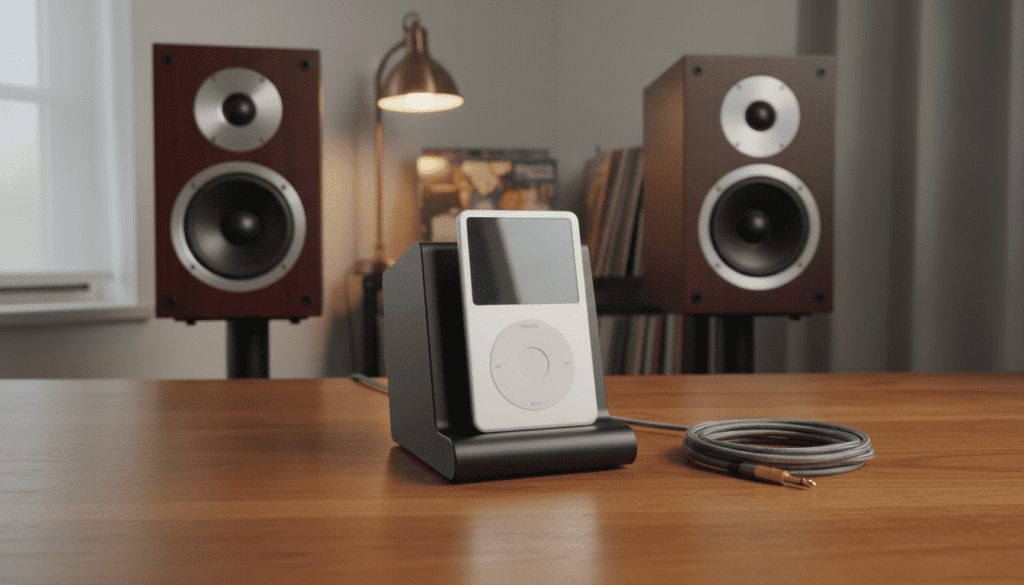
If your dock lacks an output port, you can still bridge the gap by using the iPod’s own headphone jack or a 30-pin line-out adapter to bypass the dock’s internal speakers entirely.
Quick Summary: Key Takeaways for Connecting Speakers
- Check the Back Panel: Look for 3.5mm (headphone style) or Red/White RCA output ports.
- Identify Speaker Type: You generally need Powered (Active) Speakers unless you are connecting to an intermediate amplifier.
- Adapter Solutions: If your dock is “Input Only,” use a 30-pin to RCA line-out cable directly from the iPod.
- Modern Upgrade: Consider a Bluetooth adapter to turn your old 30-pin dock into a wireless hub for modern speakers.
How to Identify Your iPod Dock’s Output Capabilities
In my years of restoring vintage audio gear, I have found that users often confuse Aux In with Aux Out. This is the most common mistake when people ask, “can i connect speakers to my ipod dock?”
Aux In is meant for playing music from your phone through the dock. Aux Out (or Line Out) is what you need to send the iPod’s music from the dock to a larger set of speakers.
Common Port Types on iPod Docks
| Port Type | Appearance | Function | Can it Connect to Speakers? |
|---|---|---|---|
| 3.5mm Line Out | Small circular hole | Sends analog signal to external gear | Yes (Best for PC speakers) |
| RCA Out | Red and White circular jacks | High-fidelity analog signal | Yes (Best for Home Receivers) |
| 3.5mm Aux In | Small circular hole | Receives audio from other devices | No (Input only) |
| Composite Video | Yellow circular jack | Sends video to older TVs | No (Video only) |
| S-Video | Round 4-pin port | Higher quality video output | No (Video only) |
Step-by-Step Guide: Connecting Speakers to Your iPod Dock
If you have confirmed your dock has an output, follow these steps to ensure you don’t damage your equipment or experience “clipping” (distorted sound).
Step 1: Power Down Your Equipment
Before plugging anything in, turn off both the iPod dock and your external speakers. This prevents a “pop” that can potentially blow a tweeter.
Step 2: Choose the Correct Cable
- For Computer Speakers: Use a 3.5mm to 3.5mm male-to-male cable.
- For Home Stereo Receivers: Use a 3.5mm to RCA Y-adapter cable.
- For High-End Docks (like the Bose SoundDock 10): You may already have dedicated RCA outputs.
Step 3: Connect to the “Line Out”
Plug one end of the cable into the Line Out on the back of the dock. Avoid using the “Headphone” jack if a Line Out is available, as headphone jacks add an extra layer of amplification that can introduce static or hiss.
Step 4: Level Matching
Set your iPod volume to about 75% to 80%. This provides a clean signal to your external speakers without overdriving the internal pre-amp. Use the volume control on the external speakers to manage the actual loudness.
What to Do If Your iPod Dock Has No Output
I have encountered many high-end docks, such as the original Bose SoundDock Series I, that lack any output ports. If you are asking “can i connect speakers to my ipod dock” and realize your device is a closed system, you have three professional workarounds.
The 30-Pin Line Out Dock Cable
You can buy a specialized cable that plugs into the iPod’s 30-pin port (the wide one at the bottom) and terminates in a 3.5mm or RCA jack. This allows the audio signal to bypass the dock’s speakers entirely while the iPod is physically sitting in the cradle.
Using the Headphone Jack Directly
While it looks a bit messy, you can run a cable from the top of the iPod (headphone jack) directly to your external speakers. The dock will still provide power to the iPod, but the audio will travel through your external speakers.
The Bluetooth Bridge Method
This is my favorite modern solution. Buy a 30-pin Bluetooth receiver (like those made by CoolStream or Layen).
- Plug the receiver into the dock.
- Pair your phone or a Bluetooth-enabled iPod.
- If your external speakers are also Bluetooth-enabled, you can often “Multi-point” or “Broadcast” the signal to them.
Understanding Active vs. Passive Speakers
One crucial piece of advice I give to all my clients: You cannot connect “passive” speakers directly to an iPod dock output.
Active (Powered) Speakers have their own power cord and internal amplifier. Examples include:
- Audioengine A2+
- Klipsch The Fives
- Logitech Computer Speakers
Passive Speakers are traditional bookshelf speakers that require a separate amplifier or receiver to function. If you try to wire a passive speaker directly to a dock output, you will hear nothing (or a very faint whisper), as the dock does not provide enough wattage to move the speaker cones.
Why Connect External Speakers to an iPod Dock?
You might wonder why anyone would bother with this setup in the age of Spotify. Through my testing of various Wolfson DACs (Digital-to-Analog Converters) found in older iPods (like the iPod Video 5th Gen), I’ve found the sound quality is often superior to modern entry-level streaming devices.
Benefits of the Dock-to-Speaker Setup:
- Superior Audio Quality: Older iPods use high-quality hardware DACs that audiophiles still crave.
- Physical Library Access: You have access to your curated, lossless (ALAC) library without needing a Wi-Fi connection.
- Charging Station: The dock keeps your device charged while it acts as a high-fidelity “Transport” for your music.
- Nostalgia and Aesthetics: There is a tactile satisfaction in using a physical scroll wheel that a touchscreen cannot replicate.
Troubleshooting Common Connection Issues
When you attempt to connect speakers to your iPod dock, you might run into a few technical hurdles. Here is how I solve them.
Problem: There is a constant humming or buzzing sound.
Solution: This is likely a Ground Loop. This often happens when the dock and the speakers are plugged into different wall outlets. Try plugging both into the same power strip.
Problem: The sound is extremely quiet even with the volume up.
Solution: Ensure you are not plugged into an “Aux In” port on the dock. Also, check if your external speakers are Passive; if they are, you must add an amplifier between the dock and the speakers.
Problem: The iPod won’t play through the speakers when docked.
Solution: Some docks “lock” the audio to the internal speakers. If your dock has a remote, look for a “Source” or “Output” button. Additionally, clean the 30-pin connector with 90% Isopropyl alcohol, as dust can prevent the “Line Out” signal from triggering.
Recommended Accessories for iPod Dock Expansion
To get the best result when connecting speakers, I recommend using shielded cables to prevent interference.
- KabelDirekt 3.5mm to RCA Cable: High-grade shielding that prevents the “buzz” common in cheap cables.
- Fosi Audio BT20A Amplifier: A tiny, powerful amp if you want to use Passive Speakers with your dock.
- 30-Pin Bluetooth Adapter: Essential for removing the physical tether while keeping the dock as your charging base.
FAQ: Connecting Speakers to iPod Docks
Can I connect my iPod dock to a soundbar?
Yes, if your soundbar has an Aux In (3.5mm) or RCA In, you can connect it to the Line Out of your iPod dock. This is a great way to give an old dock a massive “wall of sound” upgrade.
Will connecting speakers drain my iPod battery faster?
No. If the iPod is sitting in a powered dock, the dock provides the electricity. The “Line Out” signal is a low-level voltage signal that has negligible impact on power consumption.
Can I use a Lightning-to-30-pin adapter and still use the speakers?
Yes, but you must use the official Apple adapter. Many third-party “knock-off” adapters only support charging and do not pass analog audio signals, which will result in no sound coming from the dock’s outputs.
What is the difference between “Line Out” and “Pre-Out”?
In the context of iPod docks, they are usually the same. Both provide a signal that bypasses the internal power amp of the dock, allowing your external speakers to handle the heavy lifting.
Can I connect my iPod dock to my PC speakers?
Absolutely. Most PC speakers use a 3.5mm jack. Simply run a male-to-male 3.5mm cable from the dock’s Line Out to the speakers’ Input.









