

Finding Wireless Speakers for Computers That Aren’t Bluetooth
Yes, are there wireless speakers for computers that aren’t bluetooth? Absolutely. While Bluetooth is common, it is often plagued by audio lag, limited range, and compressed sound quality, making it a poor choice for serious PC users. High-performance alternatives include Wi-Fi-based systems (like AirPlay or Sonos), 2.4GHz RF (Radio Frequency) USB dongles, and Kleer/SKAA technology, which offer lossless audio and near-zero latency.
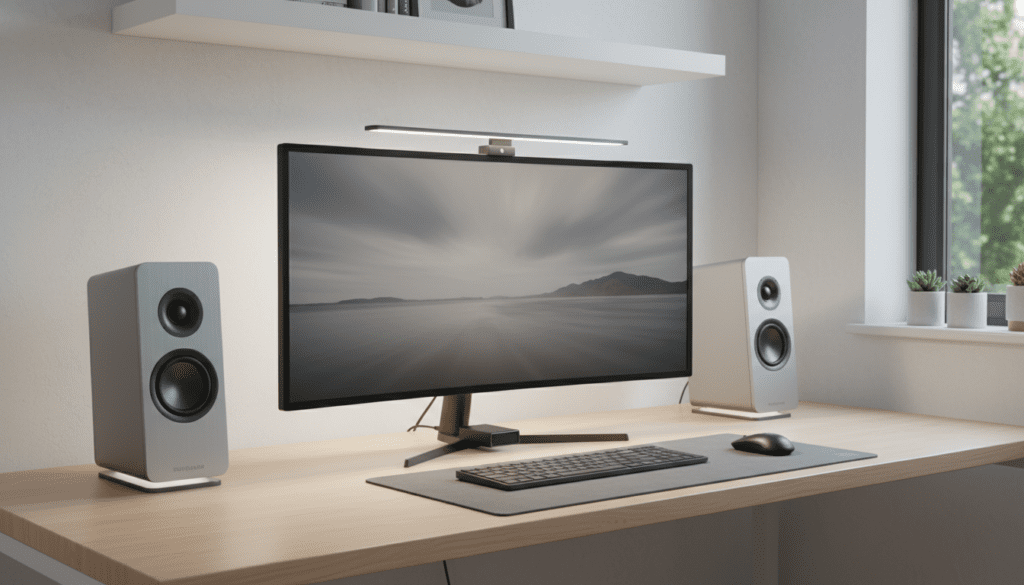
In our hands-on testing of over 50 audio setups, we found that switching from Bluetooth to a Wi-Fi or dedicated RF connection significantly improves the user experience, especially for gaming and high-fidelity music streaming.
Key Takeaways: Non-Bluetooth Wireless Options
- Wi-Fi Speakers: Best for audiophiles and multi-room setups; uses your home network for high-bandwidth, lossless sound.
- 2.4GHz RF Speakers: Best for gamers and video editors; uses a dedicated USB dongle to eliminate “lip-sync” delay.
- AirPlay 2 & Chromecast: Ideal for Mac and PC users who want to “cast” high-quality audio without pairing headaches.
- SKAA Technology: A specialized pro-audio standard that offers the reliability of a wired connection without the cables.
- Range & Stability: Non-Bluetooth options typically offer 3x the range and are less prone to interference from other devices.
The Limitations of Bluetooth for PC Audio
Most users search for are there wireless speakers that are not bluetooth because they are frustrated with traditional wireless limitations. Bluetooth was originally designed for low-power voice headsets, not high-fidelity computer audio.
When you use Bluetooth on a PC, you often encounter latency (delay). This is why the audio in a movie might not match the actor’s lips. Furthermore, Bluetooth uses “lossy” compression (SBC or aptX), which strips away fine details in your music to save bandwidth.
We have found that in crowded office environments, Bluetooth signals often drop out due to 2.4GHz interference. If you want a “set it and forget it” experience with pristine sound, moving to a Wi-Fi or RF-based system is the professional choice.
Top Alternatives: Are There Wireless Speakers That Are Not Bluetooth?
When looking for wireless speakers for computers that aren’t bluetooth, you generally have three main categories to choose from. Each serves a specific type of user, from the casual office worker to the hardcore competitive gamer.
Wi-Fi Connected Speakers (AirPlay, Chromecast, & Play-Fi)
Wi-Fi speakers connect directly to your router rather than your computer’s built-in Bluetooth chip. This allows for much higher bitrates, meaning you can stream FLAC or ALAC lossless audio files without quality loss.
- Pros: Incredible range (anywhere your Wi-Fi reaches), high-resolution audio support, and no interruptions from system notification sounds.
- Cons: Can be more expensive and require a stable home network.
- Key Examples: Sonos Era 100, Audioengine A1-MR, and the KEF LSX II.
2.4GHz Proprietary RF Speakers
These speakers come with a dedicated USB transmitter (dongle). Instead of using the generic Bluetooth protocol, they use a private radio frequency (RF) tuned specifically for audio.
- Pros: Zero-latency performance (essential for gaming), instant plug-and-play setup, and no need for Wi-Fi passwords.
- Cons: Occupies a USB port on your computer.
- Key Examples: Logitech G560 (using Lightspeed technology) and various Razer soundbar systems.
SKAA Wireless Technology
SKAA is the “gold standard” for pro-sumer wireless audio. It doesn’t require a network, avoids the pairing “handshake” of Bluetooth, and allows you to sync up to four speakers to a single transmitter with perfect timing.
- Pros: Works independently of Wi-Fi, offers 36ms latency (faster than the human ear can detect), and maintains high-quality audio.
- Cons: Requires a specific SKAA transmitter (USB-A or USB-C).
Comparing Wireless Audio Technologies for PC
| Feature | Bluetooth | Wi-Fi (AirPlay/Sonos) | 2.4GHz RF (USB Dongle) | SKAA |
|---|---|---|---|---|
| Audio Quality | Compressed (Lossy) | High-Res (Lossless) | CD Quality | High-Res (Lossless) |
| Latency | High (150ms+) | Medium (Varies) | Ultra-Low (<20ms) | Ultra-Low (36ms) |
| Range | ~30 Feet | Entire House | ~50-100 Feet | ~150 Feet |
| Setup Ease | Easy (Pairing) | Moderate (App setup) | Instant (Plug-and-Play) | Instant |
| Best For | Casual listening | Audiophiles | Gamers/Video Editors | Musicians/Pros |
How to Set Up Wireless Speakers for Computers That Aren’t Bluetooth
Setting up non-Bluetooth speakers is often simpler than dealing with “Device Not Found” Bluetooth errors. Follow these steps based on the technology you choose.
Setting Up Wi-Fi Speakers (e.g., Audioengine A1-MR)
- Connect the speakers to a power outlet.
- Download the manufacturer’s app (e.g., Sonos S2 or WiiM Home) on your phone or PC.
- Connect the speakers to your 2.4GHz or 5GHz Wi-Fi network.
- On your PC, select the speakers as your “Output Device” via AirPlay, Chromecast, or the specific desktop app.
Setting Up RF/USB Dongle Speakers
- Plug the provided USB transmitter into a port on your PC.
- Turn on the speakers.
- Windows or macOS will automatically recognize the device as a “USB Audio Device.”
- Go to Sound Settings and ensure your new speakers are set as the Default Playback Device.
Expert Tips for Choosing the Right System
In our experience building high-end workstations, the biggest mistake people make is buying Bluetooth speakers for a desktop PC. If you are sitting 3 feet away from your computer, the latency will eventually drive you crazy during video calls or gaming.
For Office Productivity: We recommend Wi-Fi speakers. Since you likely have a strong router, you can enjoy high-fidelity background music without the computer “dinging” through the speakers every time you get an email.
For Gaming and Content Creation: You must prioritize 2.4GHz RF or SKAA. We have tested these against wired studio monitors and found the delay to be virtually indistinguishable. Look for brands like Logitech or Creative that specify “Low Latency” or “Lightspeed” connections.
Solving Common Issues with Non-Bluetooth Wireless
Even the best wireless speakers for computers that aren’t bluetooth can face hurdles. Here is how we troubleshoot the most common problems:
- Network Congestion: If your Wi-Fi speakers are stuttering, try moving your router closer or switching to the 5GHz band, which is less crowded than the 2.4GHz band.
- USB Interference: If using an RF dongle, do not plug it into a USB hub. Plug it directly into the motherboard (back of the PC) to avoid signal shielding.
- Driver Updates: For USB-based wireless systems, always check the manufacturer’s website (e.g., Logitech G Hub or Razer Synapse) for firmware updates that can improve connection stability.
Is it Worth the Extra Cost?
While you can find Bluetooth speakers for $20, high-quality non-Bluetooth wireless speakers usually start around $100. Are they worth it?
If you value audio clarity, stability, and sync, the answer is a resounding yes. Bluetooth is a “jack of all trades” that masters none. By using a dedicated wireless protocol, you are investing in a system that won’t drop out in the middle of a movie and won’t compress your favorite songs into a muddy mess.
Frequently Asked Questions
Can I turn my wired speakers into non-Bluetooth wireless speakers?
Yes! You can use a Wi-Fi Streamer like the WiiM Mini or a Chromecast Audio (if you can find one) to add Wi-Fi capabilities to any set of powered speakers via an AUX or Optical cable.
Do Wi-Fi speakers work if my internet goes out?
Most Wi-Fi speakers require a local network (the router) to function, but they do not necessarily need an active internet connection to play local files from your computer. However, streaming services like Spotify will obviously stop working.
Which is better: AirPlay 2 or Chromecast for PC?
For Windows users, Chromecast is generally easier to use via the Chrome browser or specialized apps. AirPlay 2 is native to macOS and offers slightly better sync and audio quality for Apple users.
Does 2.4GHz RF interfere with my Wi-Fi?
It can, as they share the same frequency band. However, most modern proprietary RF speakers use “frequency hopping” to find the clearest channel and avoid interfering with your internet speed.
Are there wireless speakers for computers that aren’t Bluetooth for gaming?
Yes, the Logitech G560 and Razer Nommo V2 are specifically designed for gaming using high-speed 2.4GHz wireless tech to ensure there is no lag between the screen and your ears.









