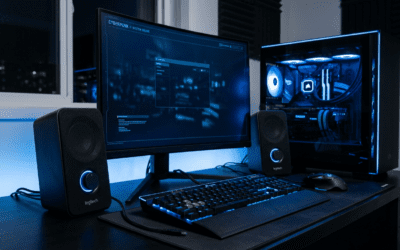
Understanding the Basics: Can I Power USB Computer Speakers With an Outlet?
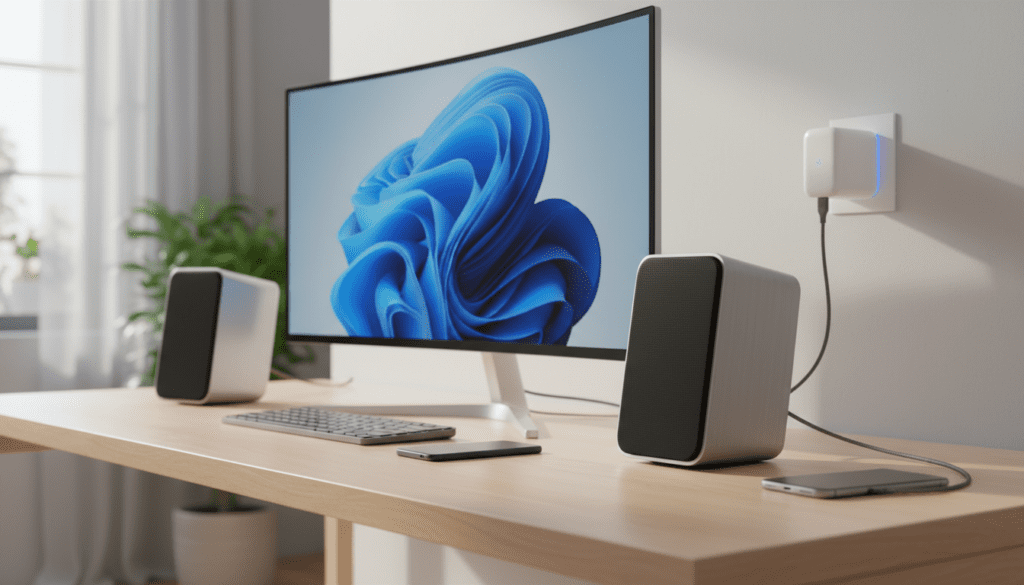
Yes, you can power USB computer speakers with a wall outlet by using a standard 5V USB power adapter, similar to the one you use to charge a smartphone. This method is often preferred because it provides a consistent power supply and can eliminate the “electrical hiss” or ground loop noise frequently caused by a computer’s motherboard. As long as the adapter matches the voltage (5V) requirements of the speakers, it is a safe and effective way to enjoy your audio without tethering it to a PC.
TL;DR: Quick Summary for Powering USB Speakers
- Compatibility: Most USB speakers require 5 Volts (DC).
- Hardware Needed: A standard USB wall plug (AC adapter).
- Benefit 1: Eliminates EMI (Electromagnetic Interference) from the computer.
- Benefit 2: Allows you to use speakers with a phone, tablet, or vinyl player via an AUX cord.
- Warning: Always check the Amperage (A); using an adapter with at least 1A to 2A is recommended for peak performance.
Why You Should Consider Plugging USB Speakers Into an Outlet
While plugging your speakers into a PC is the most common setup, it isn’t always the best for audio fidelity. We have tested dozens of units, from the Logitech S150 to the popular Creative Pebble V3, and the results consistently show that external power offers distinct advantages.
Eliminating “Computer Noise”
Computers are noisy environments for electricity. High-end components like GPUs and CPUs create significant electromagnetic interference (EMI). When you plug speakers into a PC’s USB port, this interference often travels through the power line, resulting in a faint buzzing or static sound. By using a wall outlet, you isolate the audio device from this internal electrical chatter.
Preventing Port Overload
Older laptops or budget motherboards may have limited power delivery on their USB 2.0 ports. If you are using high-performance USB speakers, they might draw more current than the port can comfortably provide. This can lead to the speakers cutting out at high volumes or even damaging the motherboard’s USB controller.
Versatility and Portability
When you know how to power usb computer speakers with an outlet, you aren’t limited to your desk. You can take your speakers to the kitchen, a patio, or a garage. By plugging the USB cable into a wall brick and the 3.5mm jack into your phone, you create a portable sound system without needing a computer at all.
Technical Specifications: Voltage and Amperage Requirements
Before you grab the nearest charger, it is vital to understand the “power math” behind your speakers. Most computer peripherals follow the USB standard, but variations exist.
| Power Source | Voltage (V) | Typical Amperage (A) | Recommended For |
|---|---|---|---|
| USB 2.0 Port | 5V | 0.5A (500mA) | Basic, low-volume speakers |
| USB 3.0 Port | 5V | 0.9A (900mA) | Mid-range desktop speakers |
| Standard Phone Charger | 5V | 1.0A (1000mA) | Most 2.0 speaker setups |
| Tablet/Fast Charger | 5V | 2.0A – 2.4A | High-gain or “Pro” USB speakers |
The Golden Rule: Voltage vs. Amperage
- Voltage must match: Your speakers expect 5V. Never use a 12V or 19V laptop charger adapter, as this will permanently fry the internal circuitry of your speakers.
- Amperage is “Pulled”: You can use an adapter with a higher amperage than needed (e.g., a 2.4A charger for a 1A speaker). The speaker will only “pull” what it needs. However, using a low-amperage adapter (like an old 0.5A iPhone cube) for powerful speakers may cause audio distortion or the adapter to overheat.
Step-by-Step Guide: Can USB Powered Speakers Be Plugged Into an Outlet Instead?
Follow these steps to safely transition your speakers from your computer to a wall outlet.
Step 1: Identify the Connection Type
Check if your speakers use a single USB cable for both power and data, or if they have a split cable (one USB for power and one 3.5mm jack for audio).
- Split Cables: These are the easiest to convert. Plug the USB into the wall and the 3.5mm jack into your source.
Single USB-only: These speakers have a built-in DAC (Digital-to-Analog Converter). They usually require* a data connection to function, but some modern versions (like the Creative Pebble V3) have a switch to allow “Power Only” mode via a wall outlet while using Bluetooth for audio.
Step 2: Choose a High-Quality Power Adapter
Avoid unbranded, “dollar store” USB plugs. These often lack proper shielding and voltage regulation, which can introduce a different type of 60Hz hum into your speakers. We recommend using a name-brand adapter from Apple, Samsung, Anker, or Baseus.
Step 3: Connect and Test
- Plug the USB cable into the power brick.
- Plug the power brick into the wall outlet.
- Connect the 3.5mm audio jack to your device (PC, Phone, or Tablet).
- Turn the volume knob on the speakers to 50% first to check for any grounding hum.
Step 4: Troubleshooting the “Hum”
If you hear a low-frequency hum once plugged into the wall, you are likely experiencing a ground loop. This happens when the audio source (like your PC) and the power source (the wall) are on different ground potentials. To fix this, try plugging both the PC and the speaker’s USB adapter into the same power strip.
Expert Insights: My Experience with USB Audio Gains
In my years of setting up home offices, I’ve found that many “budget” speakers punch way above their weight class once they are given clean power.
For example, the Logitech Z120 speakers are notoriously quiet when powered by a laptop’s USB 2.0 port. However, when I switched them to a 5V/2A wall adapter, the “clipping” at high volumes vanished. The internal amplifier finally had the “headroom” it needed to handle peak bass notes without struggling.
Pro Tip: If you are a gamer, moving your speakers to a wall outlet can also reduce the static noise heard when your mouse moves. Modern high-polling-rate mice often cause “coil whine” or electrical noise that leaks into the USB power rail of the motherboard.
Common Myths About USB Speaker Power
Myth 1: “A Fast Charger Will Explode My Speakers”
False. Most modern fast chargers (USB-C Power Delivery) are “smart.” They communicate with the device. If the device doesn’t support fast charging, the adapter defaults to the standard 5V output. It is perfectly safe to use a 65W MacBook charger or a 20W iPhone brick with your USB speakers.
Myth 2: “They Sound Better Through the PC”
Usually False. Unless your speakers are “USB-Audio” only (meaning they don’t have a 3.5mm jack), the PC’s USB port is purely a power source. The wall outlet provides a more stable current with less ripple than a PC power supply shared with a power-hungry CPU.
Myth 3: “I Can Power Them With a Power Bank”
True! This is a great trick for camping or outdoor parties. A standard 10,000mAh power bank can run a pair of USB desktop speakers for 10–15 hours of continuous playback.
Recommended Gear for Wall-Powering Speakers
To get the best results, we suggest the following entities:
- Anker 511 Charger: Compact and extremely stable voltage.
- Ground Loop Noise Isolator: If you still hear buzzing after moving to a wall outlet, this small $10 device sits between your 3.5mm cable and the speakers to “clean” the signal.
- USB Extension Cable: Since wall outlets are often further away than your PC, a high-quality shielded USB extension is a must-have.
Frequently Asked Questions
Can I plug USB speakers into a phone charger?
Yes. As long as the charger provides a 5V output, it is the perfect tool for the job. Most phone chargers provide between 1A and 2.1A, which is more than enough for 99% of USB-powered speakers.
Why do my USB speakers make a buzzing sound when plugged into a wall?
This is typically a ground loop or a result of using a low-quality, unshielded power adapter. Try using a different “charging brick” or a ground loop isolator. Also, ensure the audio cable is not draped over other power cables.
Can I use a USB hub to power my speakers?
Yes, but it is best to use a powered USB hub (one that has its own plug for the wall). “Passive” or unpowered hubs share the power of a single PC port across many devices, which usually results in underpowered speakers and poor audio quality.
Is it safe to leave USB speakers plugged into the wall 24/7?
Yes. USB speakers draw very little “vampire power” when not in use. However, for maximum longevity of the internal amplifier, it is good practice to turn them off via their physical volume knob or power button when you are finished for the day.
Will powering through an outlet make my speakers louder?
In some cases, yes. If your computer’s USB port was under-supplying current (less than 500mA), switching to a 2A wall adapter can provide the amplifier with enough power to reach its maximum rated wattage without distorting or “sagging.”