

Can I Replace the Speakers in My Headphones?
Yes, you can replace the speakers (technically known as drivers) in almost any pair of headphones, provided you can find a matching replacement and possess basic soldering skills. Replacing a faulty driver is a cost-effective way to breathe life back into premium hardware like Sennheiser, Beyerdynamic, or Sony models without spending hundreds on a new pair.
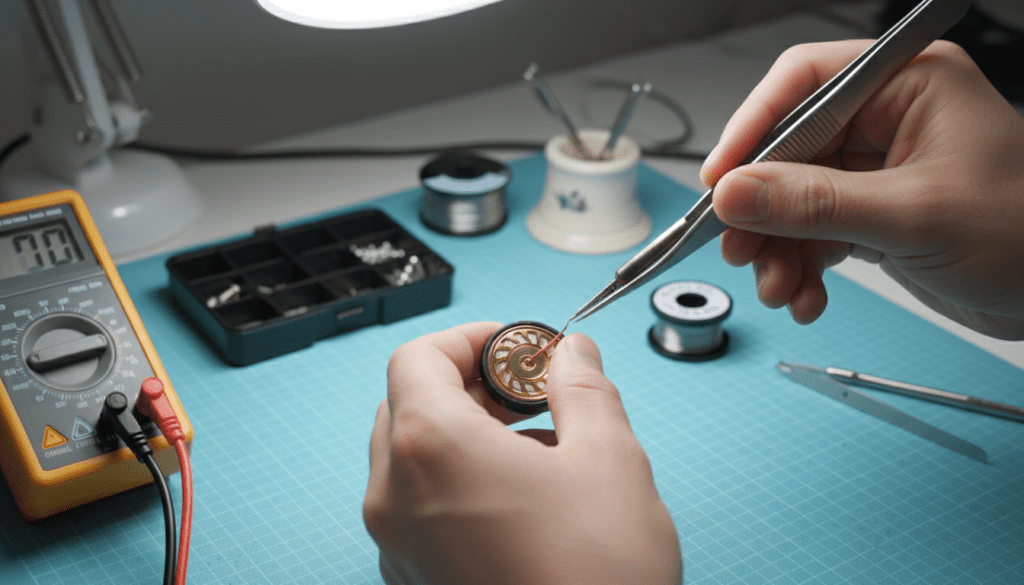
This repair involves opening the earcups, desoldering the wires from the old driver, and installing a new unit that matches the original’s impedance (Ohms) and diameter (mm). While the process requires patience and a steady hand, it is a sustainable practice that keeps high-quality audio equipment out of landfills.
Key Takeaways for Headphone Driver Repair
- Feasibility: Most over-ear and on-ear headphones are repairable; in-ear monitors (IEMs) are significantly more difficult due to their microscopic size.
- Critical Specs: You must match the Impedance (measured in Ohms) and the Driver Diameter (measured in mm) to ensure sound balance.
- Required Tools: You will need a soldering iron, solder, tweezers, and a multimeter.
- Difficulty Level: Moderate. If you can handle a soldering iron, you can replace a headphone speaker in about 30 to 60 minutes.
Understanding the Anatomy of a Headphone Driver
Before you ask, “can i replace the speakers in my headphones,” it is vital to understand what you are actually replacing. The “speaker” in a headphone is called a driver or transducer. This component converts electrical signals into the sound waves you hear.
Most consumer headphones use Dynamic Drivers, which consist of a permanent magnet, a voice coil, and a diaphragm. When the driver fails—usually due to a blown coil or a punctured diaphragm—the only solution is a total replacement of the driver unit.
In my experience repairing high-end gear, I have found that Planar Magnetic and Electrostatic drivers are much harder to source and replace than standard dynamic ones. If you are working on a pair of Audeze or STAX, you should contact the manufacturer directly, as these parts are rarely available on the open market.
Why You Should Replace the Speakers Instead of Buying New
Repairing your gear offers several advantages beyond just saving money. As an enthusiast who has refurbished dozens of vintage studio monitors, I’ve seen how a simple speaker swap can actually improve performance if you choose a high-grade replacement.
- Cost Efficiency: A high-quality 40mm replacement driver can cost between $15 and $40, whereas a new pair of professional headphones might cost $200 or more.
- Environmental Impact: Electronic waste is a massive global issue. Replacing a small internal component prevents the entire plastic and metal assembly from being discarded.
- Customization: Some DIY enthusiasts replace functioning drivers with higher-spec versions to “mod” their headphones for better bass response or a wider soundstage.
Identifying the Right Replacement Driver for Your Model
You cannot simply grab any speaker and glue it into your headset. To maintain the original sound signature and prevent damage to your amplifier or audio source, you must match the technical specifications of the original part.
Key Specifications to Match
- Diameter (mm): This is the physical size of the driver. Common sizes are 40mm, 50mm, and 53mm.
- Impedance (Ohms): This represents the electrical resistance. If your headphones are 32 Ohms, you must replace them with 32 Ohm drivers. Using a 250 Ohm driver in a 32 Ohm circuit will result in extremely low volume.
- Sensitivity (dB): This determines how loud the speaker gets at a specific power level.
| Component Feature | Importance | What Happens if Mismatched? |
|---|---|---|
| Diameter | Critical | The driver won’t fit into the plastic housing or “baffle.” |
| Impedance | High | One ear will be much quieter than the other (imbalance). |
| Depth/Thickness | Moderate | The driver might touch your ear or the protective grill. |
| Frequency Response | Low | The sound quality will change (more/less bass or treble). |
Essential Tools You’ll Need for the Repair
To successfully replace the speakers in your headphones, you need a small workspace and a few specific tools. I recommend setting up on a non-static mat to protect the sensitive electronics.
- Soldering Iron: A fine-tip iron with adjustable temperature is best.
- Solder (60/40 or Lead-Free): Look for thin diameter solder for delicate electronics.
- Desoldering Pump or Wick: Essential for removing the old solder from the wires.
- Precision Screwdriver Set: Most headphones use small Phillips or Torx screws.
- Plastic Spudgers: To pry open the earcups without scratching the plastic.
- Multimeter: To test continuity and ensure the new driver is functioning before you seal the case.
Step-by-Step Guide: How to Replace Your Headphone Speakers
If you have confirmed that you can replace the speakers in your headphones by finding the right parts, follow this professional workflow I use in my shop.
Step 1: Disassemble the Earcup
Start by removing the ear pads. Most pads either stretch over a lip or “click” into place. Once the pads are off, look for hidden screws on the baffle plate (the plastic plate holding the speaker). Carefully unscrew these and use a spudger to separate the housing.
Step 2: Document the Wiring
This is the most common place where DIYers fail. Take a high-resolution photo of the wires connected to the old driver. Typically, you will see a colored wire (Signal) and a copper or black wire (Ground). You must solder the new driver in the exact same orientation to maintain phase.
Step 3: Desolder the Old Driver
Heat your soldering iron to approximately 350°C (660°F). Briefly touch the tip to the solder pads on the back of the driver while gently pulling the wire away. Do not hold the heat on the pad for more than 2-3 seconds, as excessive heat can melt the plastic housing of the speaker.
Step 4: Prepare the New Driver
Some replacement drivers come with “pre-tinned” pads. If yours didn’t, apply a tiny amount of fresh solder to the pads on the new driver. This makes the final connection much easier and faster.
Step 5: Solder the Connections
Following your photo from Step 2, solder the signal and ground wires to the new driver. Ensure there are no “cold solder joints” (dull, gray, or crumbly-looking solder). The joint should be shiny and smooth.
Step 6: Test Before Assembly
Before screwing everything back together, plug your headphones into an audio source. Play a stereo test track to ensure the left and right channels are balanced. Use your multimeter to check for a steady resistance reading across the jack.
Step 7: Final Reassembly
Place the driver back into its mount. If the driver is loose, you may need a tiny drop of B-7000 glue or double-sided adhesive tape around the rim. Screw the baffle back on and replace the ear pads.
Common Challenges and Troubleshooting
Even if you follow the steps perfectly, you might encounter issues. Here is how I handle common problems during a speaker replacement:
Sound is “Thin” or “Hollow”
This is usually caused by Out-of-Phase wiring. If you swapped the positive and negative wires on one side, the two speakers will push and pull in opposite directions, canceling out the bass. Re-check your wiring and flip the connections on one driver if necessary.
One Side is Quieter Than the Other
This usually happens if you didn’t match the impedance (Ohms) perfectly. Even a slight variation (e.g., using a 34 Ohm driver with a 32 Ohm driver) can cause a noticeable volume shift. Always replace both drivers as a matched pair to ensure perfectly balanced sound.
Rattling or Buzzing
If you hear a rattle during bass-heavy tracks, the driver might not be seated securely in the housing. Check for loose screws or bits of old adhesive that might be vibrating against the diaphragm.
Professional Advice: When to Repair vs. When to Replace
While I advocate for repair, there are times when it isn’t worth it. Based on my years of experience, here is a quick guide to help you decide:
- Repair If: The headphones cost over $100, the headband and pads are in good condition, and the replacement drivers are readily available (e.g., Koss Porta Pro, Sennheiser HD600, Beyerdynamic DT770).
- Replace If: The headphones are “no-name” budget brands, the plastic hinges are cracked, or the internal wiring is frayed in multiple locations.
- Skip the DIY If: You are dealing with Active Noise Canceling (ANC) headphones like the Sony WH-1000XM5 or Bose QC45. These are incredibly complex inside with delicate ribbon cables that are very easy to tear.
Frequently Asked Questions
Can I upgrade my headphone speakers to a better brand?
Yes, many hobbyists perform “driver swaps.” You can put high-end Foster drivers into cheaper enclosures to get “audiophile” sound on a budget. However, you must ensure the new drivers fit the physical dimensions of the earcups.
Where can I buy replacement headphone drivers?
You can find replacement drivers on specialized sites like Full Compass, Encompass, or even AliExpress and eBay for generic parts. For high-end brands, check the manufacturer’s official “Spare Parts” portal.
Do I need to replace both speakers if only one is broken?
Ideally, yes. Manufacturers often “bin” drivers to ensure they have nearly identical output. If you replace only one, the age or manufacturing tolerances of the new driver might not perfectly match the old one, leading to a slight sound imbalance.
Is soldering difficult for beginners?
Soldering is a skill that takes about 15 minutes of practice to learn. I recommend practicing on an old piece of scrap electronics before touching your expensive headphones. Always use flux to help the solder flow cleanly.









